XPF-L 服务工程师训练手册中文版.pdf - 第146页
11. 遮住 sensor, 按 dial switch 一次 . 检查显示的数字超过 10 。 12. 按 dial switch 一次 ( 在 mode 显示的 set 闪动,且 digital display 显示 2P ). 13. 转动 dial switch 到在 mode display 上的 RUN 闪动,在 digital display 上显示 AA )。 14. 按 the dial switch 一次 ( 在 m…
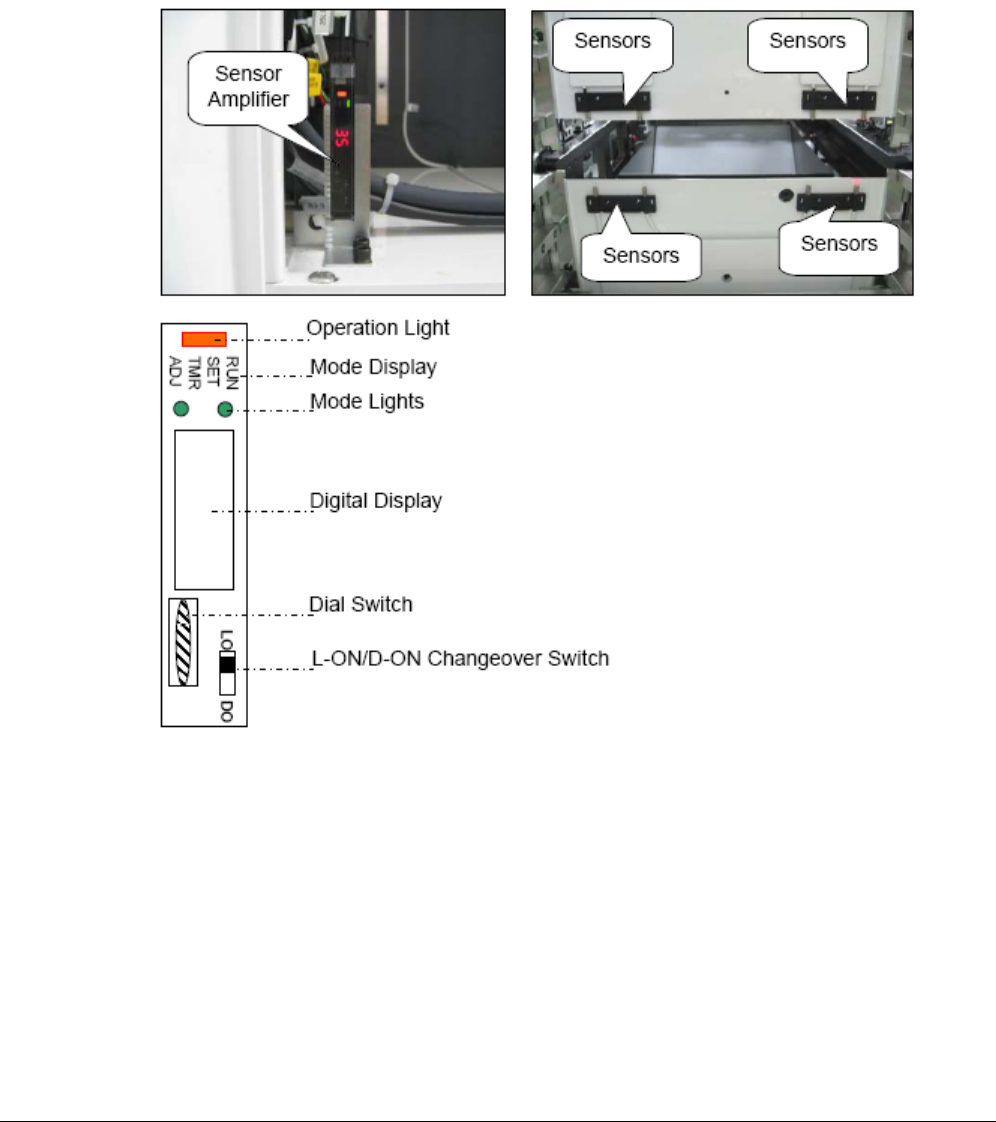
13.20 调整tray pallet 干扰 sensor
1. 将 the changeover switch 设为 L-ON.
2. 再按下 the dial switch ,(此时, 在 mode 显示内的 RUN 灯开始闪动,在 digital 显示上出现 AA )
3. 转动 dial switch,使 mode display RUN 变到 SET.
4. 持续按 e dial switch 到 3 秒以上(在 digital 显示 HP ,并 mode 灯开始 ON)
5. 再按 dial switch 一次, (到在 mode 显示为“SET”开始闪动,且在 digital display 显示 2P ).
6. 再按 dial switch 一次(2P 闪动).
7. 转动 dial switch 到 数字(0~100) 显示, 并 mode 灯变 ON.
8. 检查所显数字大于 3.
9. 转动 dial switch 到 2P 闪动.
10. 请确定 sensor 不被遮住,接着再按 dial switch 一次(在 2P 闪动中为 2)
130 Fuji Machine Mfg. Co., Ltd FK-9F98-55-0E
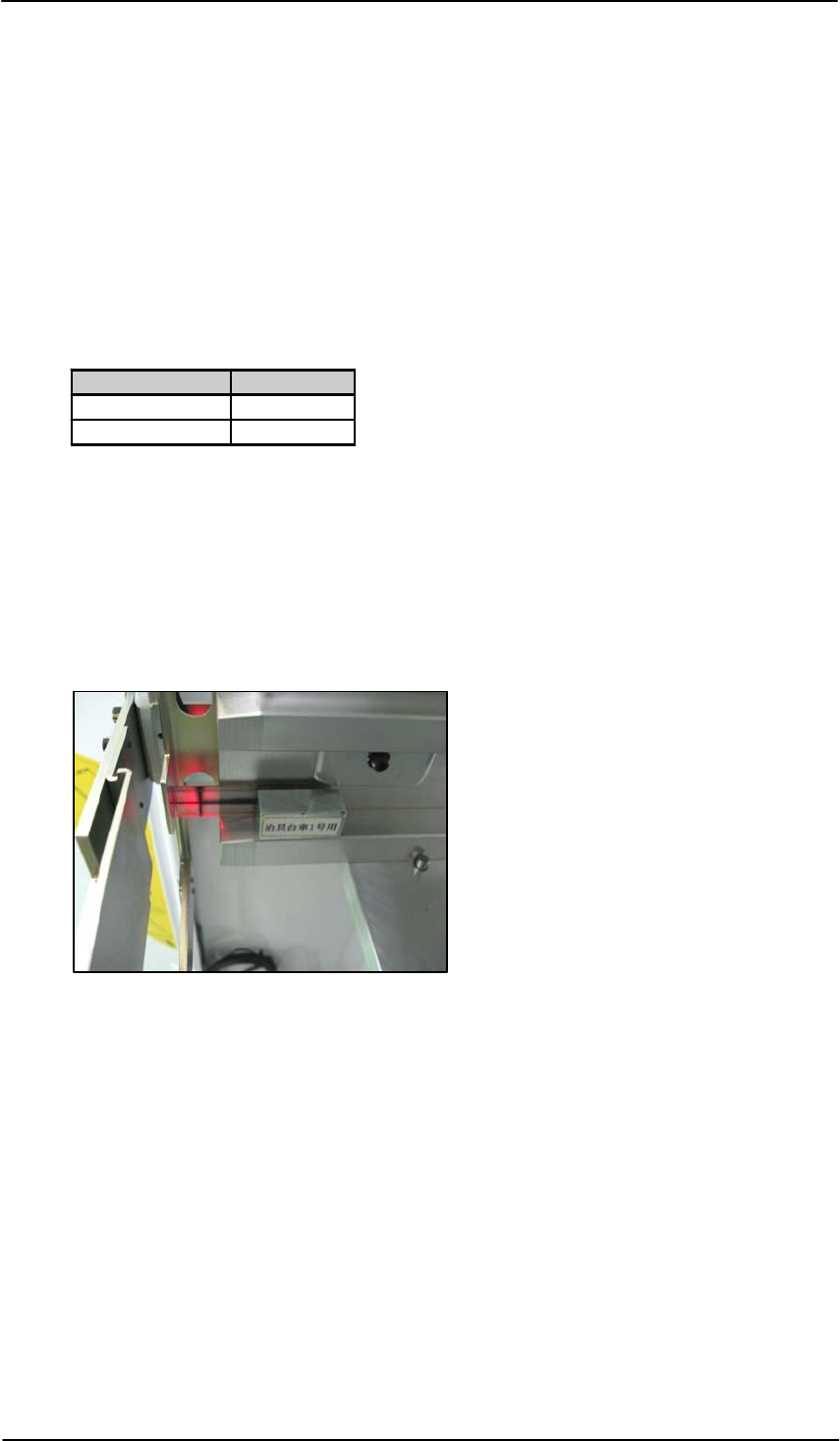
11. 遮住sensor,按dial switch一次. 检查显示的数字超过10。
12. 按dial switch一次 (在mode显示的set 闪动,且digital display 显示2P ).
13. 转动dial switch 到在mode display上的 RUN 闪动,在digital display 上显示AA )。
14. 按 the dial switch 一次(在mode display上的RUN 停止闪动,并在digital display显示
数字 ).
15. 用I/O 确定此sensor的运行状态,当此sensor遮住时, [RX03B MTU_PalletPassChk]
应该为OFF,当此sensor没遮住时,为ON )
Sensor Status I/O Status
Blocked OFF
Not blocked ON
13.21 调整 tray盘有无的检查sensor
1. 设定 T 轴到tray 1供料位置。
2. 设定 tray shutter 到 position 1.
3. 沿着slot轨滑动 tray retract sensor adjustment jig ,至其接触
shutter
I/O: RX03C MTU_PalletRetChk
4. 调整tray retract sensor的位置, 使 sensor光线在jig交叉处的中心
.
FK-9F98-55-0E Fuji Machine Mfg. Co., Ltd
131
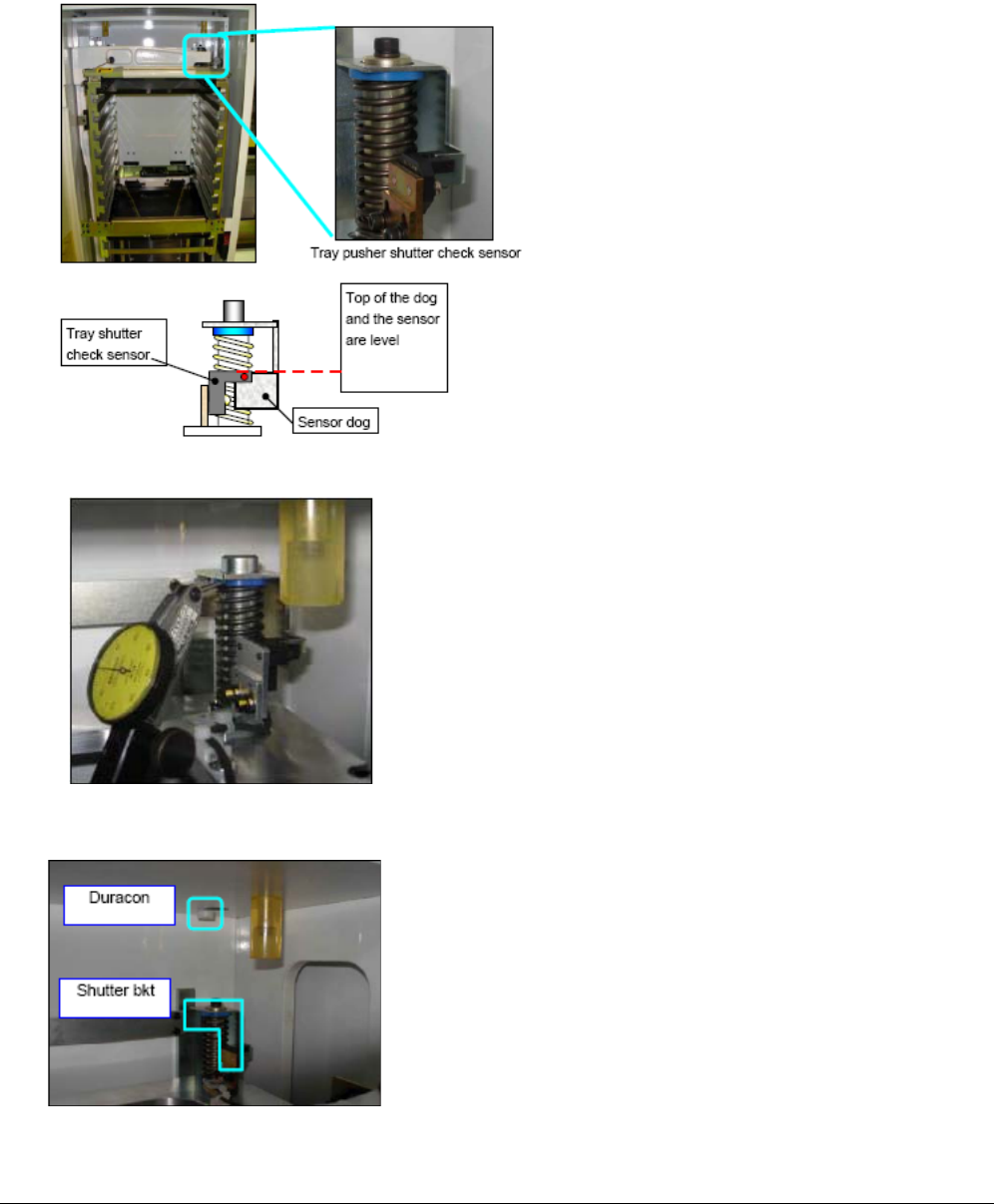
13.22 调整 tray pusher shutter检查sensor
1. 调整 sensor 座的位置,使 sensor dog 的上表面 同 sensor 的上表面平
2. 在 shuttle 座的下边设百分表到 0,如下图
3. 用百分表找到 tray pusher shuttle 之弹簧开始动的位置, (此位置是 duracon stopper 和 shutter
bracket 刚好接触的位置).
4. 从此位置下降 T 轴 0.5 mm ,并 用直接 servo 输入的方式保存此位置为 “Close Shutter”
130 Fuji Machine Mfg. Co., Ltd FK-9F98-55-0E