YSM40R_Mainte_E.pdf - 第100页
3-30 3 Periodic maintenance items 2.4 Base section and others 2.4.1 Cleaning feeder float sensor T his section describes the procedure for cleaning the feeder float sensor that detects whether tape feeders are correctly …
3-29
3
Periodic maintenance items
2.3 Conveyor unit
2.3.1 Board detection sensors
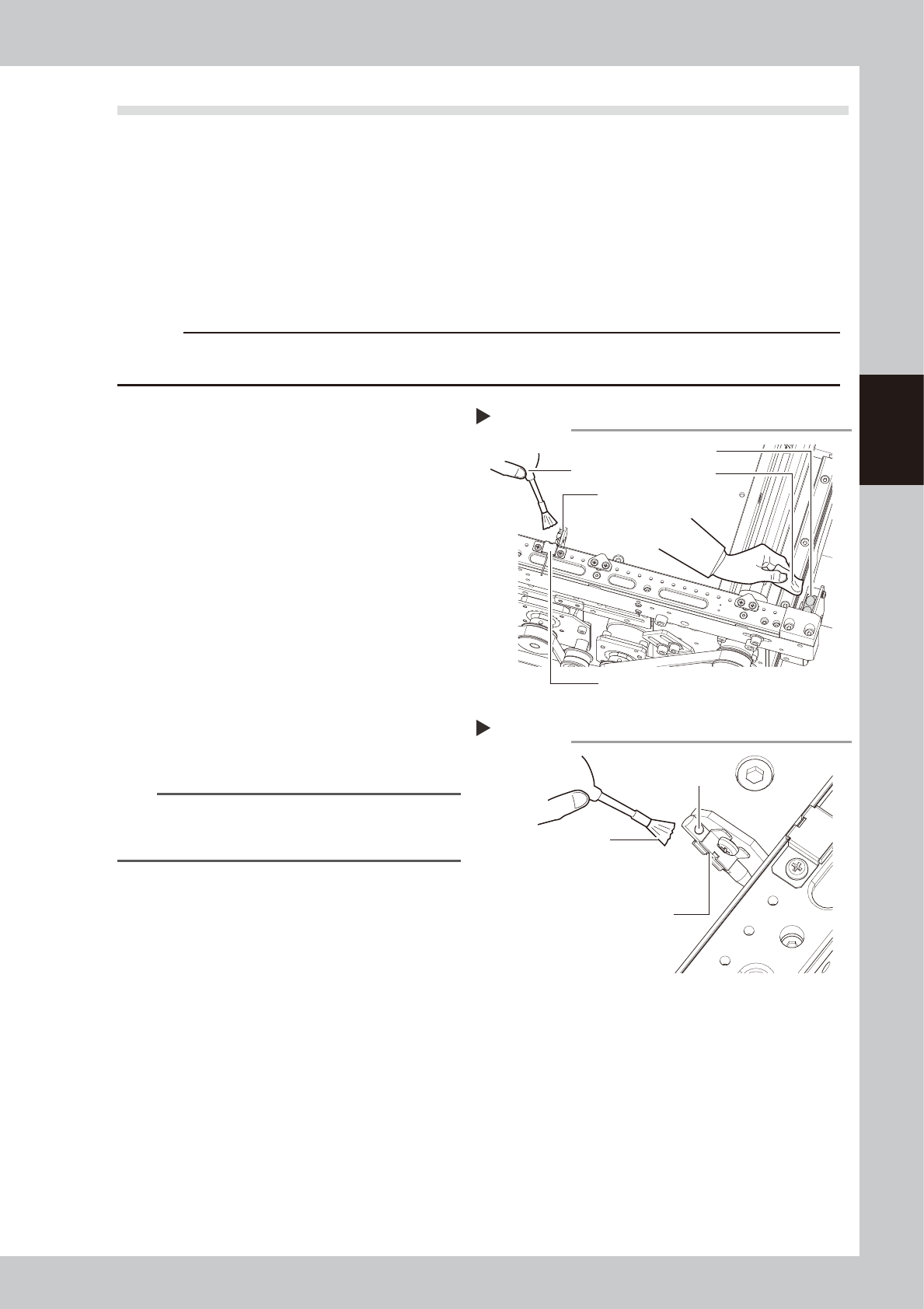
This section describes the procedure for cleaning the board detection sensors (IN, OUT, and transit positions)
in the conveyor unit.
1
Prepare for work.
e
1. Remove all items sensitive to magnetic fields such as wristwatches and magnetic ID cards.
2. Press the emergency stop button and then open the machine safety cover.
3. Use the CLAMP ON/OFF switch to lower the feeder exchange carriage and detach it.
c
CAUTION
Pressing the sensor too much may cause the optical axis to deviate.
Avoid applying excessive force when cleaning the sensors.
2
Clean the board detection sensors
at the IN and OUT ports.
1. Use a blower brush to clean the dust
from the top faces of the sensors.
2. Use either a cotton swab or a cloth
dampened with a small amount of IPA to
clean the top faces of the sensors.
53330-N9-00
3
Clean the transit position sensor
beam receiver.
Use a blower brush to clean the transit
position sensor beam receiver.
4
Clean the transit position sensor
beam emitter.
Use a blower brush to clean the end hole of
the transit position sensor beam emitter.
53331-N9-00
n
NOTE
If foreign matter other than dust is lodged inside the
laser beam emitter's end hole, use the vacuum
assembly (optional) to suck it out.
Cleaning board sensors
Step 2
IN (OUT) port sensor
Blower brush
Cloth
Transit position sensor (laser beam receiver)
Transit position sensor
(laser beam emitter)
Cleaning board sensor (laser beam emitter)
Step 3
Blower brush
End hole
Transit position sensor
(laser beam emitter)
3-30
3
Periodic maintenance items
2.4 Base section and others
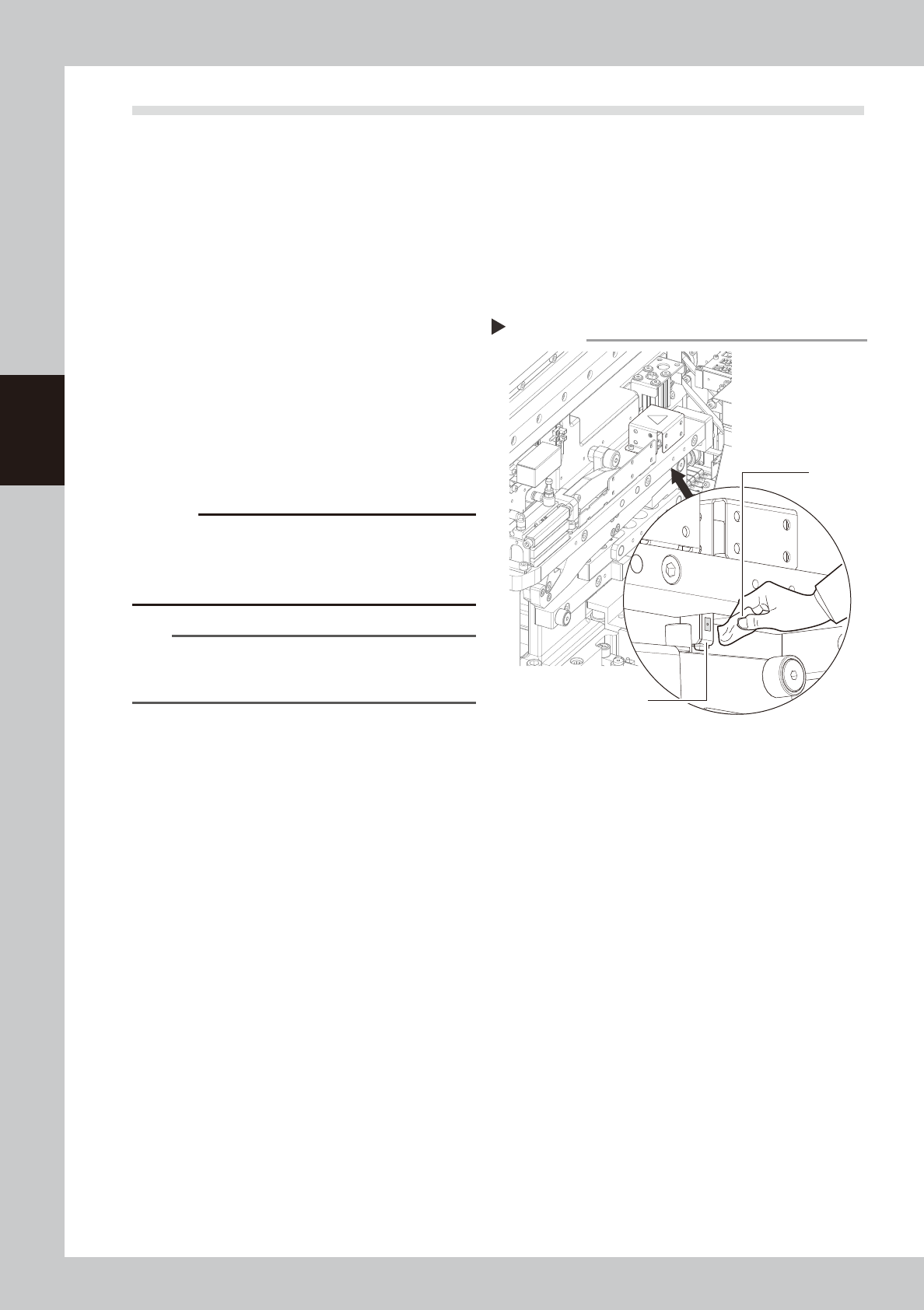
2.4.1 Cleaning feeder float sensor
This section describes the procedure for cleaning the feeder float sensor that detects whether tape feeders are
correctly installed on the feeder plate.
1
Prepare for work.
e
1. Remove all items sensitive to magnetic fields such as wristwatches and magnetic ID cards.
2. Press the emergency stop button and then open the machine safety cover.
3. Use the CLAMP ON/OFF switch to lower the feeder exchange carriage and detach it.
2
Remove dust from the sensor unit.
Use a blower brush to remove any dust from
the sensor area.
53332-N9-00
3
Clean the sensor.
Clean the sensor's surface using a cotton
swab or a cloth dampened with a small
amount of IPA.
c
CAUTION
Pressing the sensor too much may cause the optical
axis to deviate.
Avoid applying excessive force when cleaning the
sensors.
n
NOTE
Machines with a cATS are also equipped with a feeder
float sensor. Clean that sensor with the same procedure
as used for machines with a feeder exchange carriage.
Cleaning the feeder float sensor
Step 2, 3
Feeder float sensor
Cloth
3-31
3
Periodic maintenance items
2.5 Feeder exchange carriage
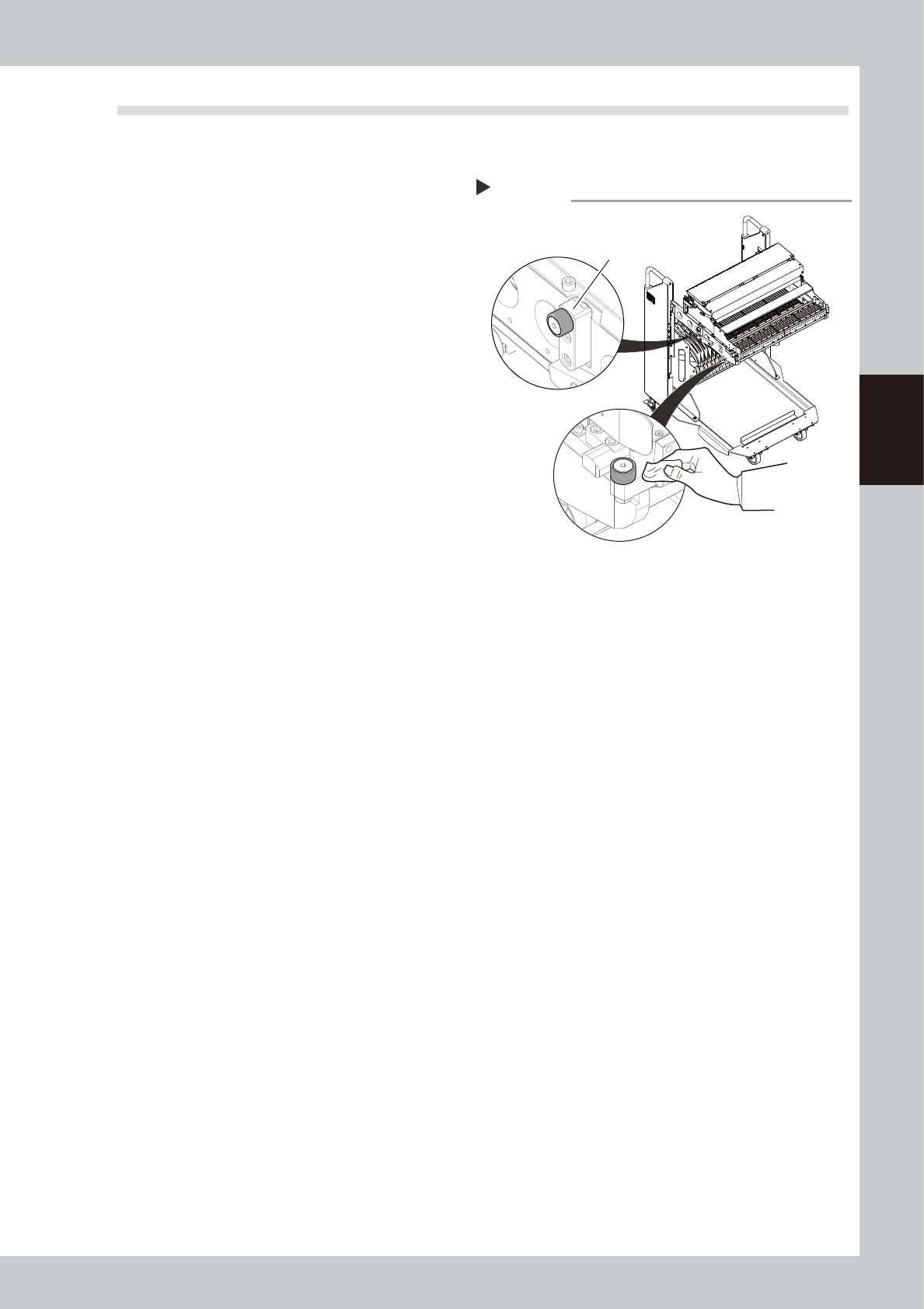
2.5.1 Cleaning/lubricating carriage cam followers
1
Detach feeder exchange carriage.
Unclamp and lower the feeder exchange
carriage with the CLAMP ON/OFF switch and
detach it from the machine.
2
Clean the carriage cam followers.
Use a lint-free cloth to wipe off the grease
and dirt on the cam followers (3 places per
carriage).
53333-N9-00
3
Apply grease to the cam followers.
Apply a uniform coat of the specified grease
(NSL) by hand to the cam followers.
Cleaning the carriage cam followers
Step 2
Cam follower at rear of carriage
(one each on right and left sides)
Cam follower at front of carriage
(one on left side)