YSM40R_Mainte_E.pdf - 第135页
3-65 3 Periodic maintenance items 5.4 Base section and others 5.4.1 Cleaning the filters As in the case of the air intake fan filter , neglecting to clean the filters in the controllers can cause filter clogging and a te…
3-64
3
Periodic maintenance items
6
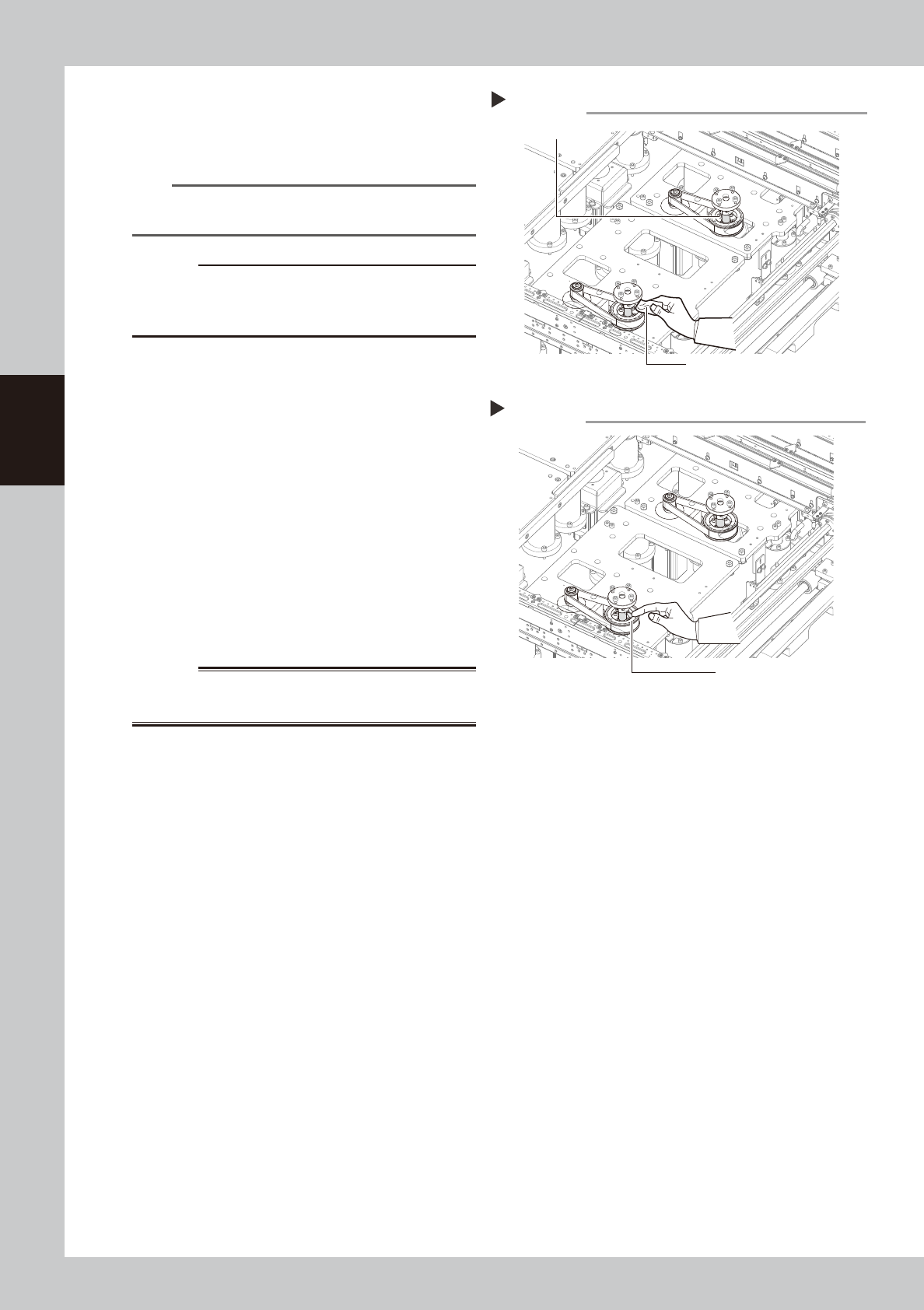
Clean the ball screw.
Wipe away old grease and dirt from the
entire ball screw with a lint-free cloth.
53383-N9-00
n
NOTE
If it is difficult to clean the ball screw due to the tape
cutter duct, detach the tape cutter duct.
c
CAUTION
Carefully wipe the lead grooves of the ball screw during
cleaning. After cleaning, make sure that no dust, lint
and debris remain on the ball screw.
7
Apply grease.
Apply the specified grease (NSL) by hand
uniformly over the surface and lead grooves
of the ball screw.
53384-N9-00
8
Return push-up plates to original
positions.
1. Set the feeder exchange carriage and
cancel emergency stop.
e
2. Lower the PU- axis in manual operation.
3. Press the emergency top button and
detach the feeder exchange carriage.
4. Remount the push-up plates by
tightening the bolts.
w
WARNING
THE PUSH-UP PLATES ARE HEAVY. HANDLE CAREFULLY NOT
TO DROP THEM TO AVOID INJURY.
9
Clean and lubricate Lane 2.
Clean and lubricate the PU-axis ball screws
on Lane 2 using the same procedures as for
Lane 1.
Step 7
Applying grease
Grease
Step 6
Cleaning the ball screw
Cleaning cloth
Ball screw
3-65
3
Periodic maintenance items
5.4 Base section and others
5.4.1 Cleaning the filters
As in the case of the air intake fan filter, neglecting to clean the filters in the controllers can cause filter
clogging and a temperature rise in the machine. Clean each filter at regular intervals to maintain machine
performance and ensure a long service life.
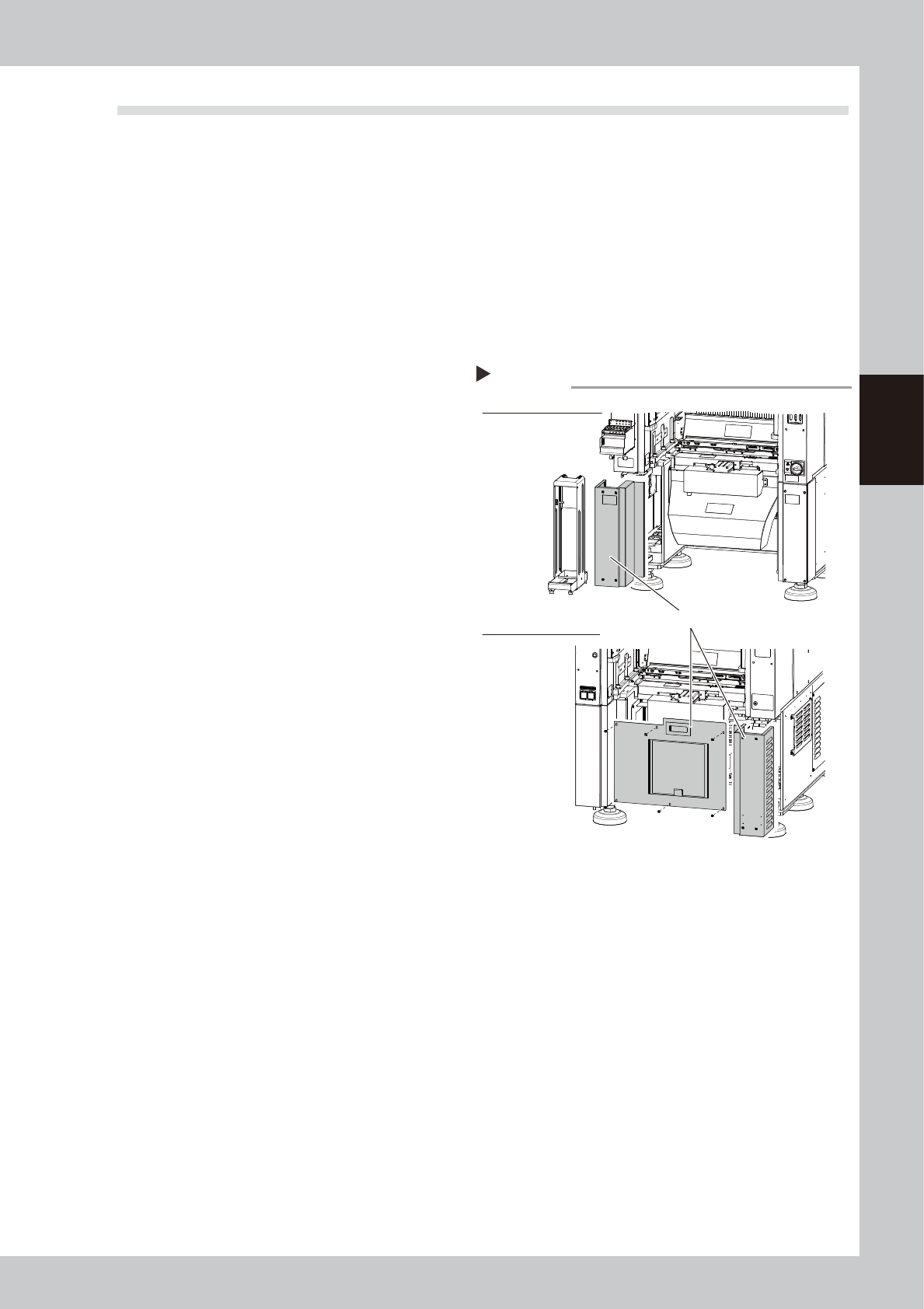
2 types of filters in the controllers require regular cleaning. They are located at the following 3 positions:
System controller filter : 1 at rear center of machine
Servo controller filter : 1 at front left side, and one at right side as viewed from the rear
1
Prepare for work.
1. Remove the feeder exchange carriage
on the rear of the machine.
2. Remove the tape cutter duct on the rear
of the machine.
3. Power off the machine.
2
Detach the cover.
Use a Phillips screwdriver to remove the
screws that hold the front left cover, rear
center cover, and rear right cover of the
machine. Then detach the 3 covers.
53385-N9-00
Detaching the covers
Step 2
Detach these 3 covers.
Rear side of machine
Front side of machine
3-66
3
Periodic maintenance items
3
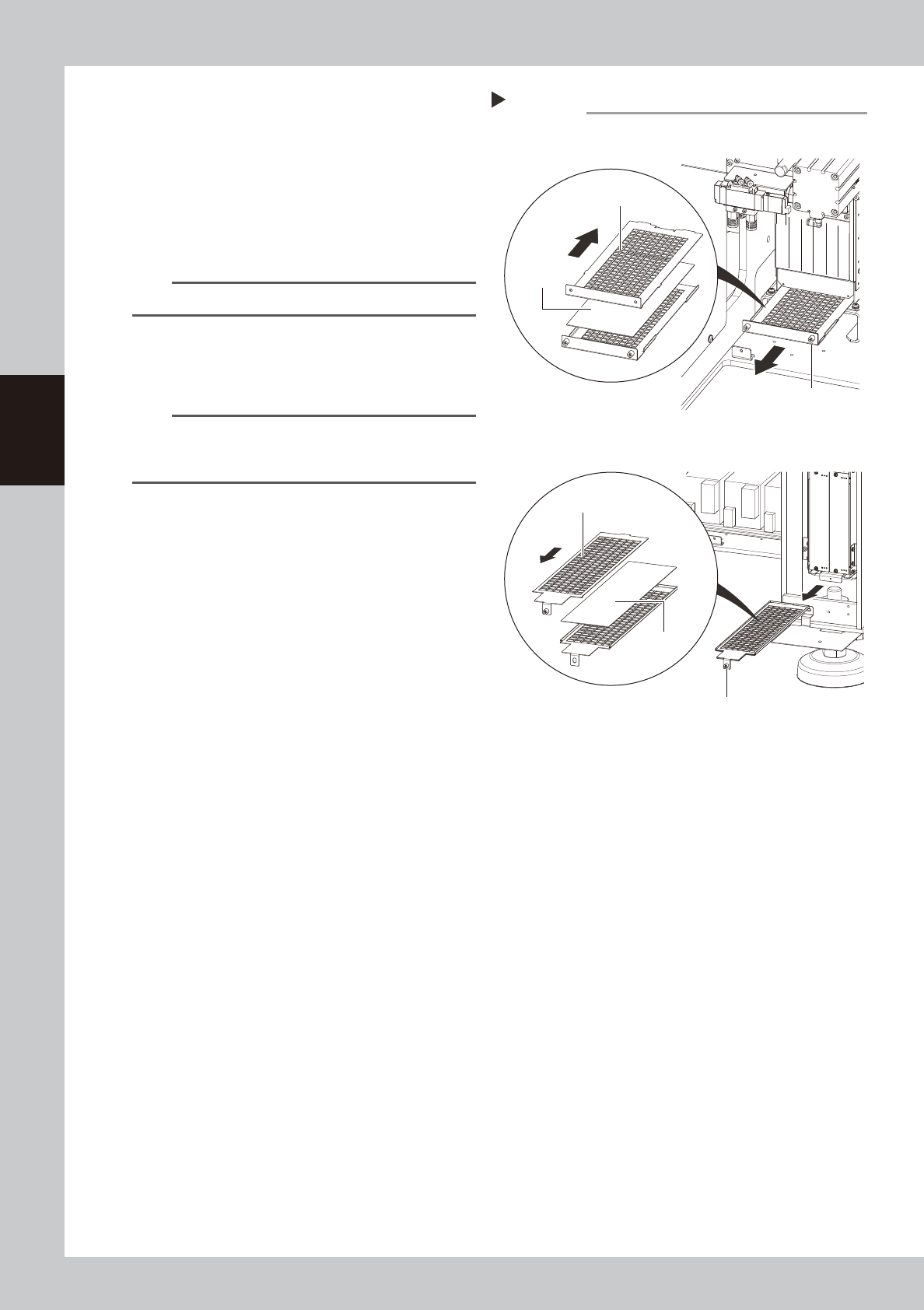
Detach the filter.
Use a Phillips screwdriver to loosen the
screws that hold the filter and then pull out
the filter.
53386-N9-00
4
Clean the filter.
Use a vacuum cleaner or vacuum tool to
remove the dust sticking to the filter.
n
NOTE
If a filter replacement is not required, proceed to Step 6.
5
Replace the filter.
The filter is sandwiched between 2 panels as
shown in the figure at right.
n
NOTE
If contaminants cannot be removed completely or if
the filter itself deteriorates, it is necessary to replace the
filter with a new one.
6
Return filter to original position.
Return the filter by reversing its removal
procedure.
7
Reattach the covers.
8
Reattach the tape cutter duct.
Step 3, 5
Detaching the filter
System controller
Servo controller
Slide the top side
toward the front
Filter
Slide the top side
toward the rear
Filter mounting screw
Filter mounting screw
Filter