YSM40R_Mainte_E.pdf - 第56页
2-1 2 Daily maintenance items Before beginning work In most cases, maintenance should be perfor med after powering off the machine. However , some maintenance tasks are perfor med under emergency stop conditions with the…

Chapter 2 Daily maintenance items
Contents
Before beginning work 2-1
Detaching tape cutter duct 2-3
1. Checking the nozzle 2-4
1.1 Checking with software 2-4
1.1.1 Vacuum level when nozzle is open 2-8
1.2 Checking the nozzles visually 2-9
2. Cleaning the feeder plate 2-11
3. Checking tape cutter sharpness 2-12
2-1
2
Daily maintenance items
Before beginning work
In most cases, maintenance should be performed after powering off the machine.
However, some maintenance tasks are performed under emergency stop conditions with the power turned on.
In such cases, ensure adequate safety and press the emergency stop before beginning the maintenance.
Power on the machine during maintenance where any servo-axis must be operated or machine operation
checked. In this case, also ensure adequate safety before beginning the maintenance.
When operating the machine, make sure the following conditions are met.
n
Operating conditions
1. Supply air pressure is kept at correct pressure.
2. All safety covers are closed.
3. When the machine is equipped with feeder exchange carriages, all carriages are clamped.
4. Nozzles and other units are attached in place.
n
NOTE
The description "Cancel the emergency stop." is in the procedures of this manual. It means "releasing the emergency
stop and pressing the [Ready] button to turn the servo on".
n
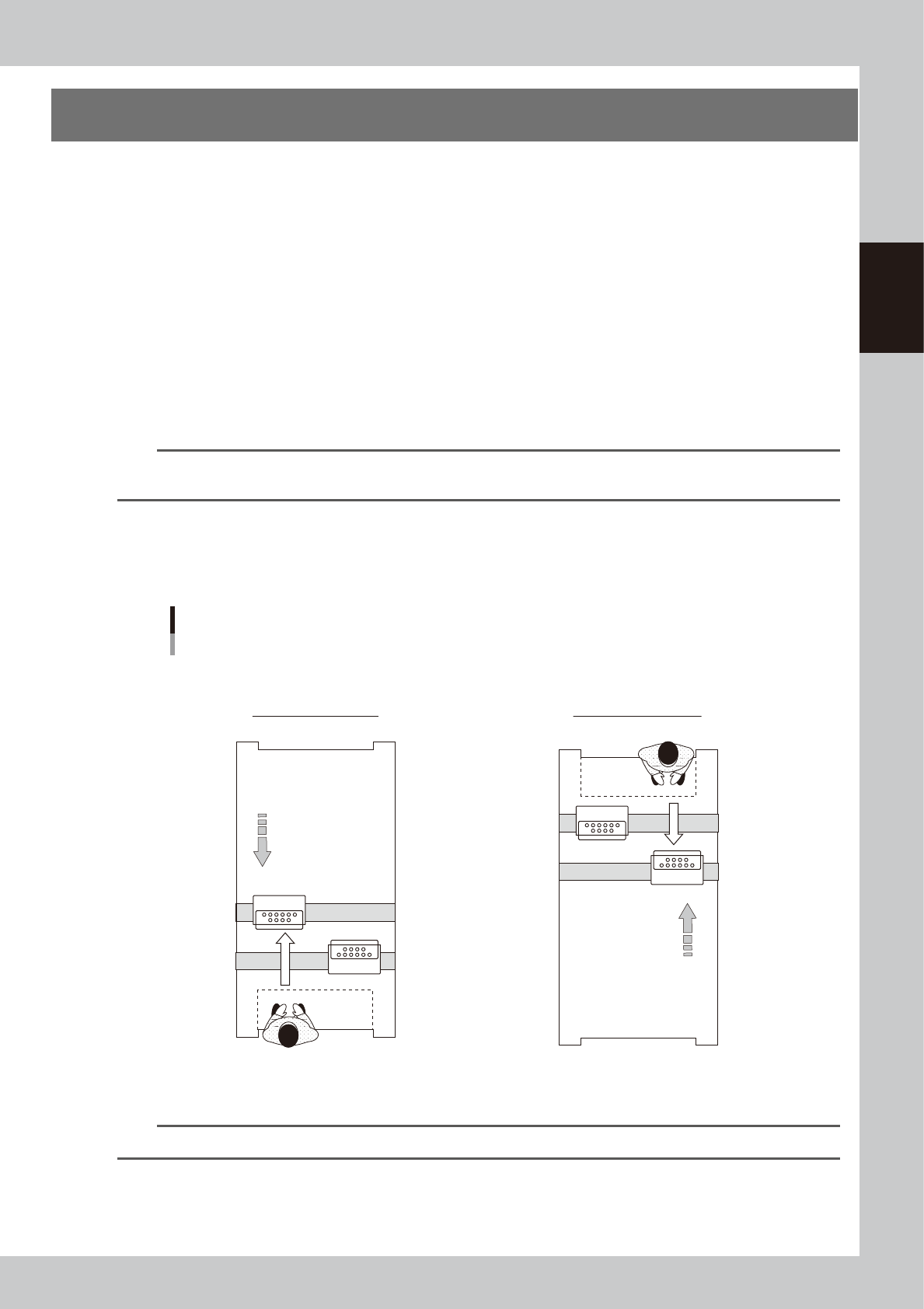
Maintaining 2-beam head units
When maintaining 2-beam head units, move the front head unit to rear and move the rear head unit to front to easily
access to the head unit.
Head units
2-beam type (Example: front/rear MU heads)
■ Maintaining head units
Machine front
Machine front
Maintaining rear head unit
Maintaining front head unit
Move head unit.
Move head unit.
A
B
A
B
5
3
204-N9-00
n
NOTE
The [Head Pos. Front] and [Head Pos. Rear] buttons on "Setup" screen are convenient to move head units.
2-2
2
Daily maintenance items
n
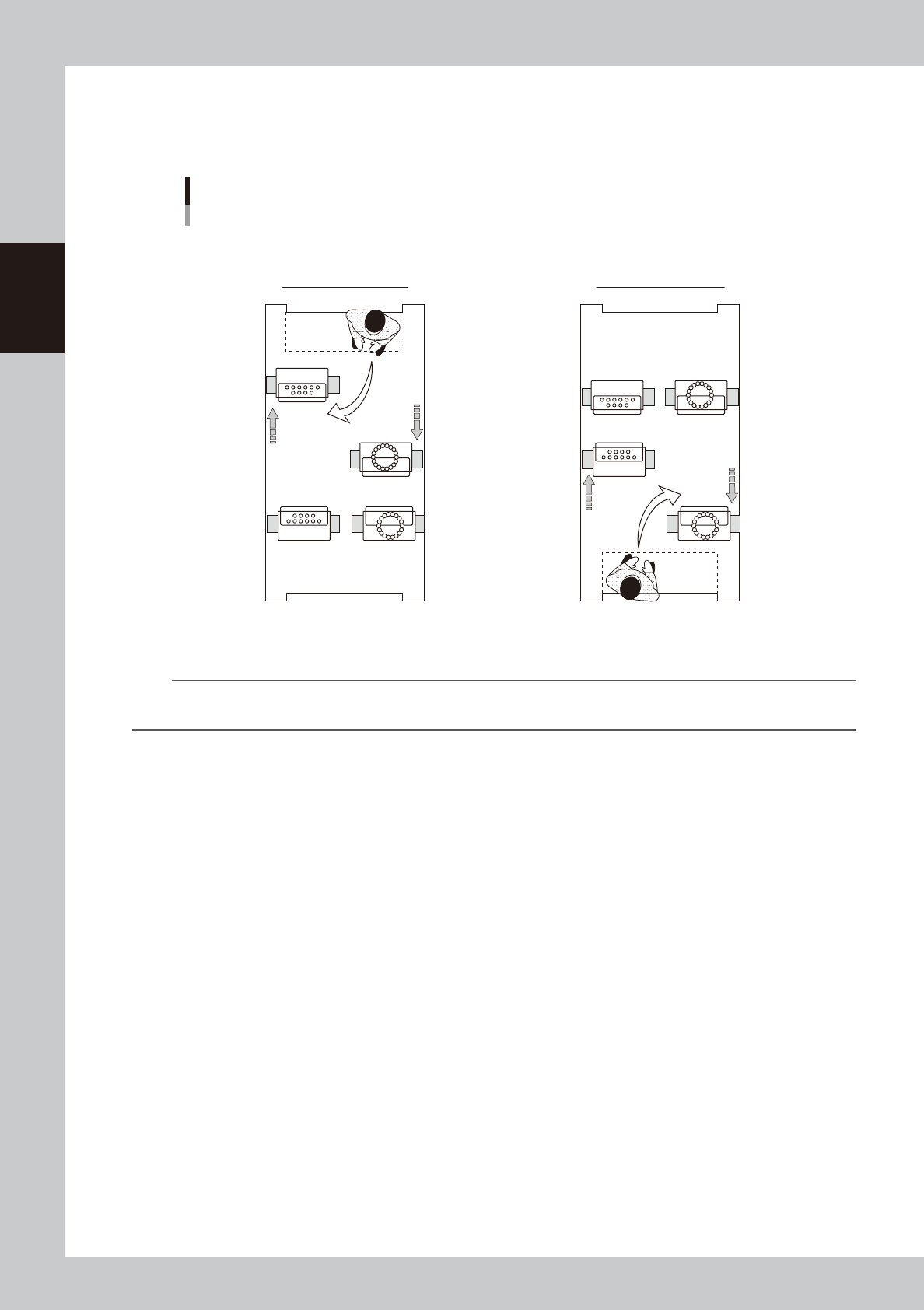
Maintaining 4-beam head units
When maintaining 4-beam head units, move the relevant head unit only to front. Then access to the head unit as shown
in the figure below.
D
B
C
A
D
B
C
A
Head units
4-beam type (Example: MU/RS heads)
■ Maintaining head units
Maintaining rear head unit Maintaining front head unit
Machine front
Machine front
53206-N9-00
n
NOTE
Pressing the [Head Pos. Front] and [Head Pos. Rear] buttons on "Setup" screen before moving head unit is convenient
for maintenance task.