00197001-04_UM_Smart_Pin_Support_X-Series-S_SX12V2_DE_EN.pdf - 第100页
4 Working with Smart Pin Support at the Station 4.4 Testing Placement Head with Pin Picker Manually 100 User Manual / Bedienungsanleitung SIPLACE X-Series S, SX1/SX2 V2 Smart Pin Support Operation and Configura- tion 05/…
4 Working with Smart Pin Support at the Station
4.3 Handling Error Cases
User Manual / Bedienungsanleitung SIPLACE X-Series S, SX1/SX2 V2 Smart Pin Support Operation and Configura-
tion 05/2019
99
4.3.2 Support Pin outside the Tolerance Radius
If the support pin is present outside the tolerance radius, a corresponding message is displayed
and an inspection has to be performed.
► Navigate to Settings – Machine options – Inspection.
The following dialog box is displayed:
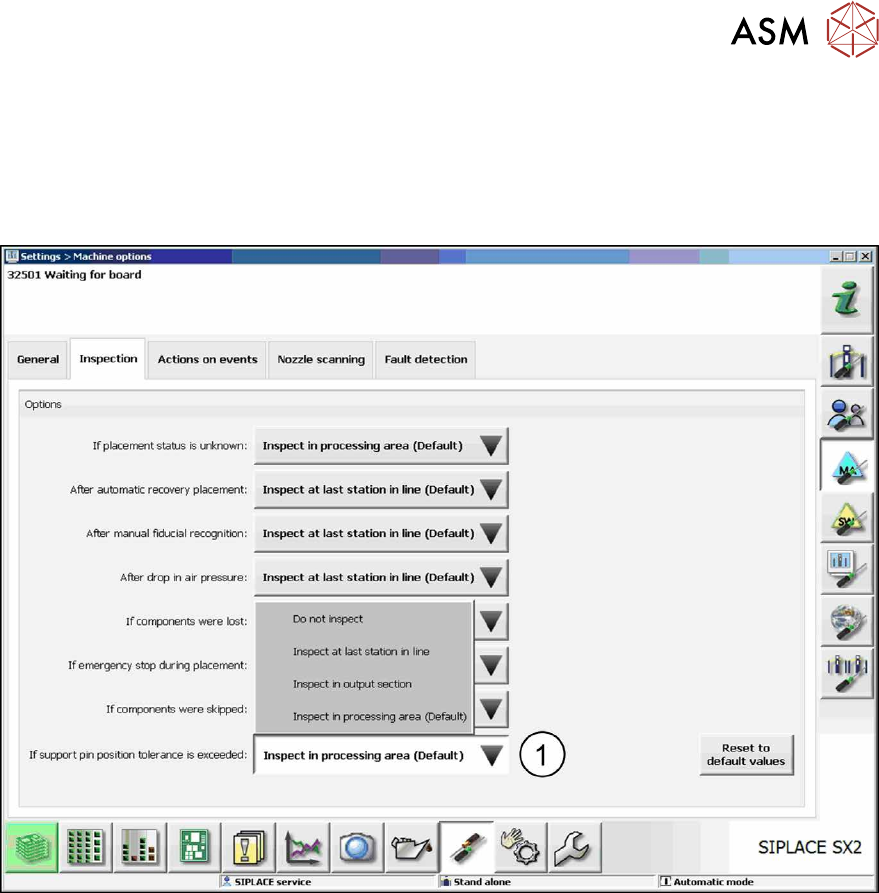
Fig.41: Inspection - Tolerance radius exceeded
► Click on the Inspect in processing area (Default) button (1) beside the If support pin toler-
ance is exceeded: field.
The boards remain at the corresponding position in the line for inspection.
4 Working with Smart Pin Support at the Station
4.4 Testing Placement Head with Pin Picker Manually
100 User Manual / Bedienungsanleitung SIPLACE X-Series S, SX1/SX2 V2 Smart Pin Support Operation and Configura-
tion 05/2019
4.4 Testing Placement Head with Pin Picker Manually
Under Manual operations the placement head with installed pin picker can be tested manually. To
do so, the Machine service or SIPLACE Service activity levels are required.
NOTICE
Please note:
► This function can only be performed if there is no board in the machine.
► The function can only be performed for single support pins.
► Switch to one of the required activity levels.
► Select Manual operations – subsystems.
The following dialog box is opened.
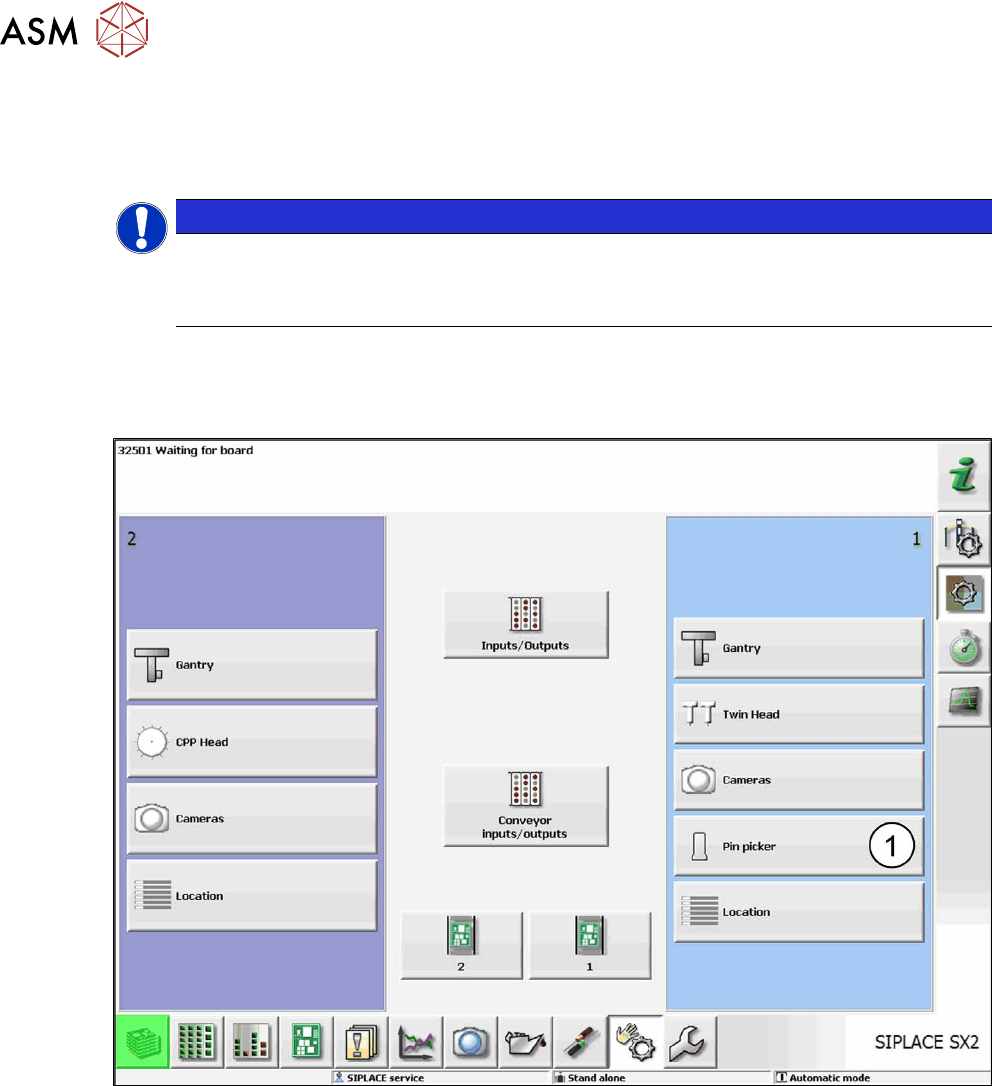
Fig.42: Manual operations – subsystems (sample SX2)
► Click on the Pin picker button (1).
The following dialog box is opened.
4 Working with Smart Pin Support at the Station
4.4 Testing Placement Head with Pin Picker Manually
User Manual / Bedienungsanleitung SIPLACE X-Series S, SX1/SX2 V2 Smart Pin Support Operation and Configura-
tion 05/2019
101
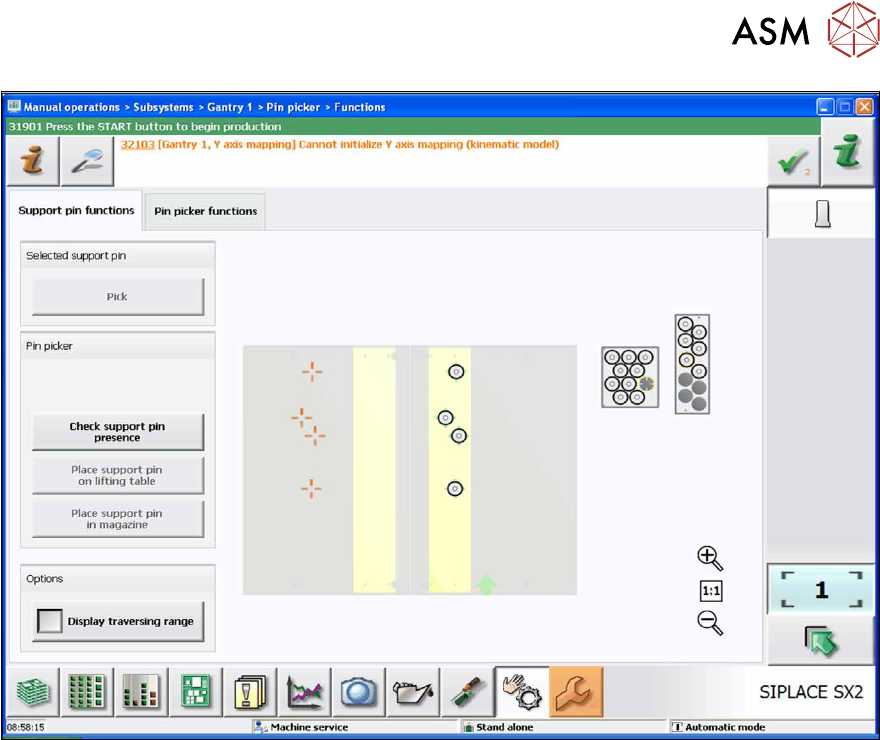
Fig.43: Support pin functions tab (sample SX2)
In the Support pin functions tab you can perform the following tests:
●
Pick
Only a support pin that is present in the garage or on the lifting table is selected.
●
Check support pin presence?
It is checked whether the support pin is present in the pin picker.
●
Place support pin on lifting table
Only a support pin that is present in the pin picker at the placement head is placed. Support
pin positions or garages cannot be selected.
●
Place support pin in magazine
Only a support pin that is present in the pin picker at the placement head is placed. Support
pin positions or garages cannot be selected.
●
Display traversing range
Marks the reachable range of the pin picker (dashed frame).