00197001-04_UM_Smart_Pin_Support_X-Series-S_SX12V2_DE_EN.pdf - 第102页
4 Working with Smart Pin Support at the Station 4.4 Testing Placement Head with Pin Picker Manually 102 User Manual / Bedienungsanleitung SIPLACE X-Series S, SX1/SX2 V2 Smart Pin Support Operation and Configura- tion 05/…
4 Working with Smart Pin Support at the Station
4.4 Testing Placement Head with Pin Picker Manually
User Manual / Bedienungsanleitung SIPLACE X-Series S, SX1/SX2 V2 Smart Pin Support Operation and Configura-
tion 05/2019
101
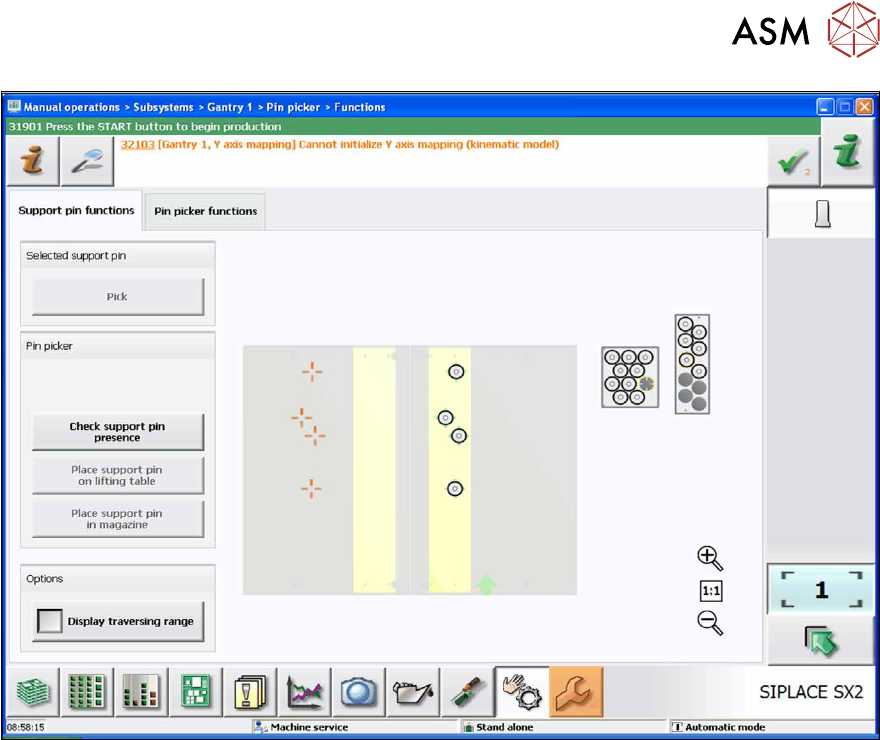
Fig.43: Support pin functions tab (sample SX2)
In the Support pin functions tab you can perform the following tests:
●
Pick
Only a support pin that is present in the garage or on the lifting table is selected.
●
Check support pin presence?
It is checked whether the support pin is present in the pin picker.
●
Place support pin on lifting table
Only a support pin that is present in the pin picker at the placement head is placed. Support
pin positions or garages cannot be selected.
●
Place support pin in magazine
Only a support pin that is present in the pin picker at the placement head is placed. Support
pin positions or garages cannot be selected.
●
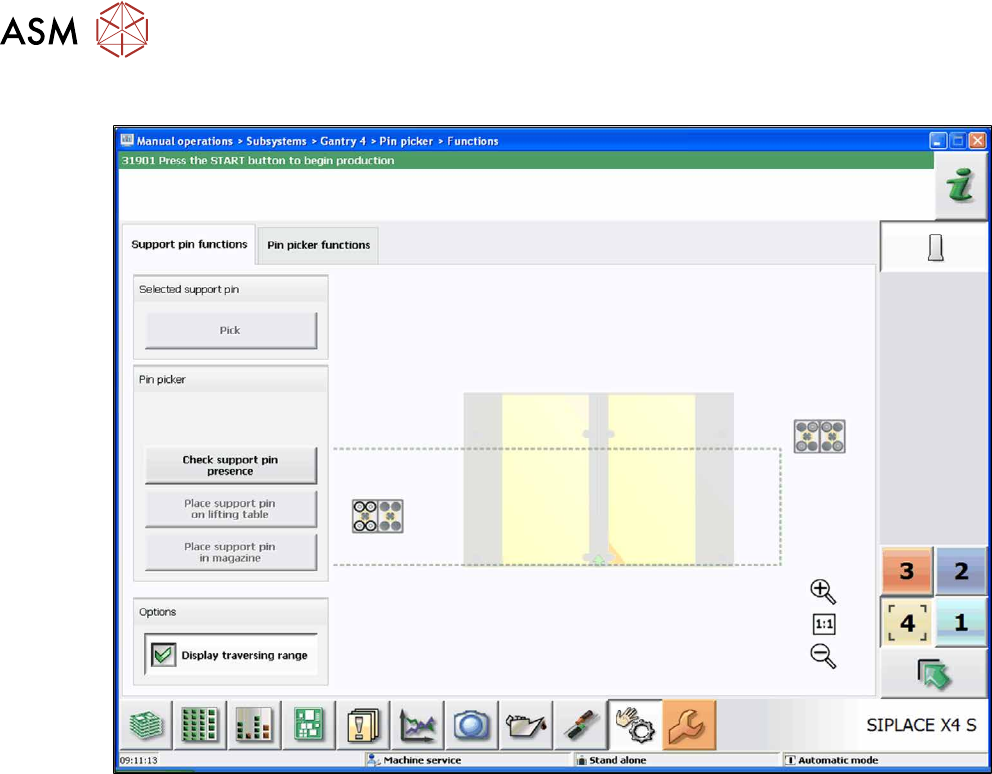
Display traversing range
Marks the reachable range of the pin picker (dashed frame).
4 Working with Smart Pin Support at the Station
4.4 Testing Placement Head with Pin Picker Manually
102 User Manual / Bedienungsanleitung SIPLACE X-Series S, SX1/SX2 V2 Smart Pin Support Operation and Configura-
tion 05/2019
Sample(X4 S): Displaying traversing range
Fig.44: Support pin functions tab – Display traversing range
► Switch to the Pin picker functions tab.
4 Working with Smart Pin Support at the Station
4.4 Testing Placement Head with Pin Picker Manually
User Manual / Bedienungsanleitung SIPLACE X-Series S, SX1/SX2 V2 Smart Pin Support Operation and Configura-
tion 05/2019
103
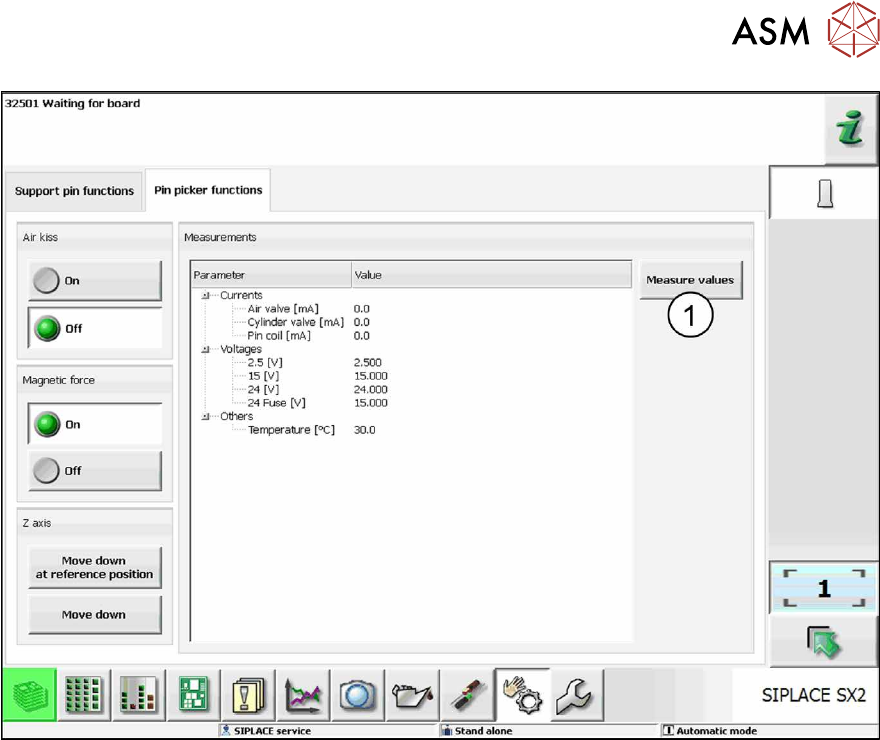
Fig.45: Pin picker functions tab
Under the Pin picker functions tab you can check and, if necessary, modify the following states:
●
Air kiss On / Off
The air kiss is switched on and off and the current state of the air kiss is displayed.
●
Magnetic force On / Off
The magnetic force is switched on and off and the current state of the magnetic force is dis-
played.
●
Z-axis Move down at reference position / Move down
The Z-axis is moved and the current state of the Z-axis is displayed.
The internal values for the placement head are displayed in a list.
► Click on the Measure values button (1) to update the list after you have made changes.