00191369-01.pdf - 第124页
3 Introduction and Basic Concepts User’ s M anual SIPLACE HS -50 3.3 User Interface - Views and Menus Software Version SR.501.xx Edition 01/99 122 Å Click the 'H OHWHOLVW but ton if you want to d elete all the entr…
User’s Manual SIPLACE HS-50 3 Introduction and Basic Concepts
Software Version SR.501.xx Edition 01/99 3.3 User Interface - Views and Menus
121
*(0'HIDXOWV
You use this item to specify the GEM parameters which are used as the default parameters
when the station is switched on.
Å Click the menu item *(0'HIDXOWV
The window in which you set the GEM default parameters is now opened.
For a detailed description, refer to Chapter 13.
NOTE
This menu item cannot be activated in the current software version since the "GEM Interface"
option is not yet implemented.
3&%EDUFRGH
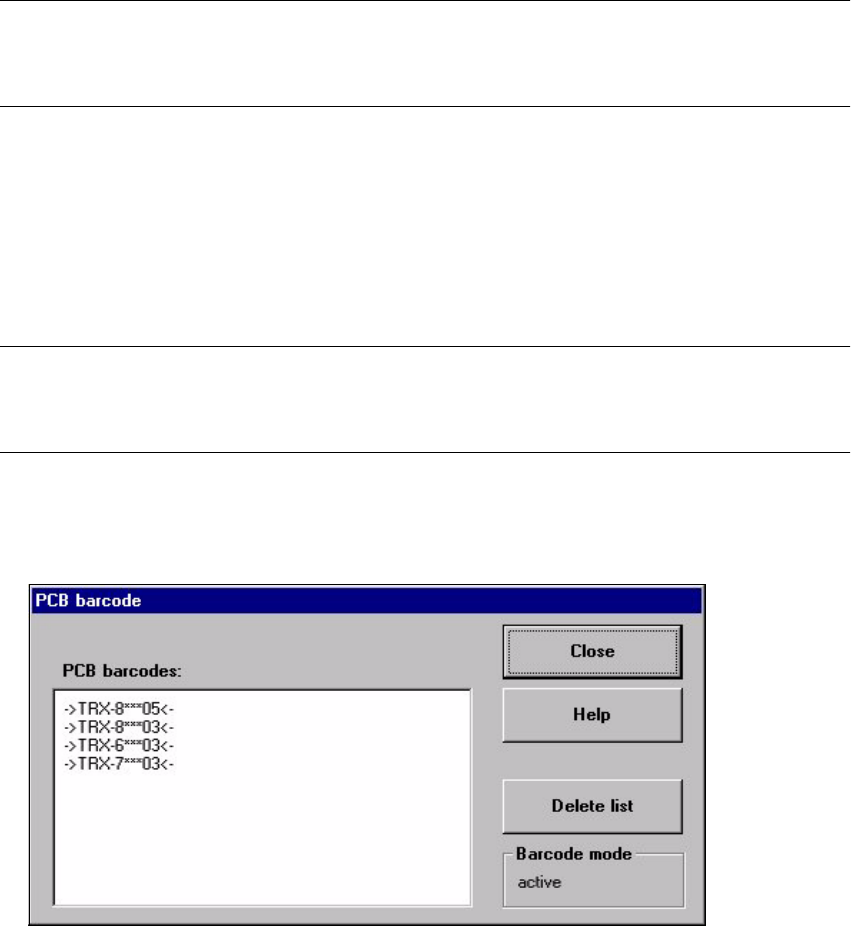
You use this item to display a dialog box with a list of the barcodes most recently read by the
PCB barcode reader.
This dialog box also informs you if an error occurred while reading the barcode, if the file
format is incorrect or if no data is available.
NOTE
You cannot call the menu item "PCB barcode ..." unless the PCB barcode reader has been
installed in the machine (see Chapter 12) and has been activated in the machine options.
Å Click the menu item 3&%EDUFRGH
The "PCB barcode" dialog box is opened.

3 Introduction and Basic Concepts User’s Manual SIPLACE HS-50
3.3 User Interface - Views and Menus Software Version SR.501.xx Edition 01/99
122
Å Click the 'HOHWHOLVW button if you want to delete all the entries in the list.
Å Click the &ORVH button to close the dialog box.
NOTE
The current status of barcode operation is displayed below the "Delete list" button. Barcode
operation is activated or deactivated in the LC program.
/DQJXDJH0HQX
You can use the "Language" menu to select between the language versions which are
integrated in the SC software.
You can chose between the languages "German", "English", "French", "Italian", "Simplified
Chinese", "Traditional Chinese", "Korean" and "Japanese".
Å Click the menu item corresponding to the required language.
The user interface texts are displayed in the selected language.
User’s Manual SIPLACE HS-50 3 Introduction and Basic Concepts
Software Version SR.501.xx Edition 01/99 3.3 User Interface - Views and Menus
123
6HWWLQJV0HQX
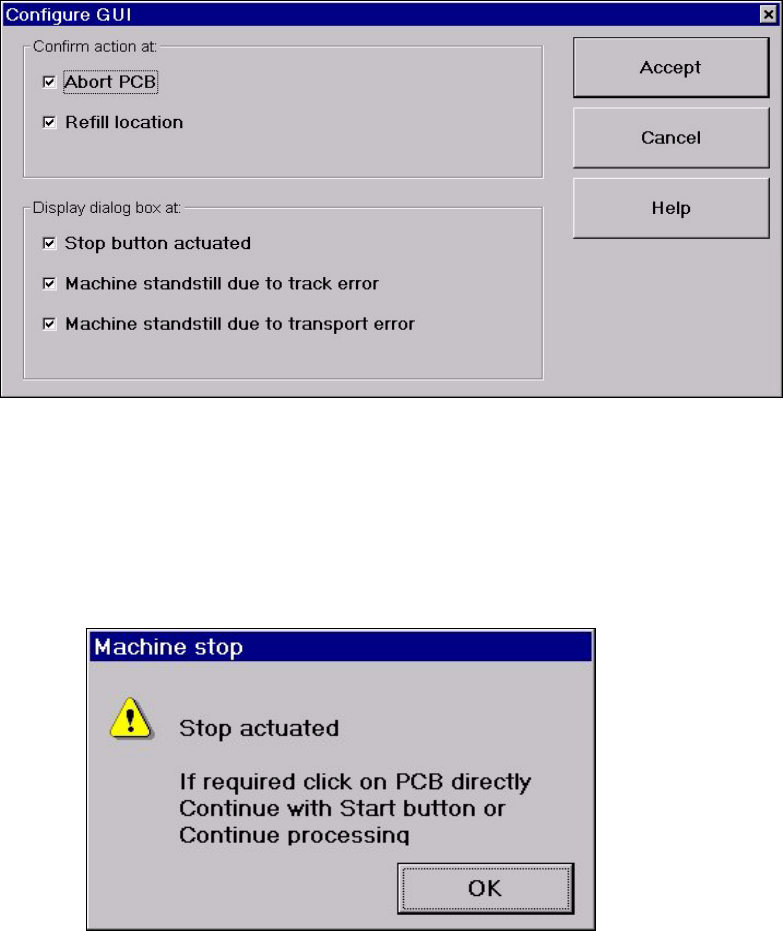
The "Settings" menu is only available in the main view. The options in this menu can be used
to set whether a particular action must be confirmed again before it is executed. Or whether,
when a particular event occurs, a dialog box containing the relevant information is to be dis-
played and then, similiarly, confirmed by the user.
Å Click the menu item &RQILJXUH*8, .
This displays the following window.
Å Activate/deactivate the check box for the required options.
Å Click $FFHSW to save the settings.
([DPSOH If the stop button is activated and the "Stop button actuated" box is checked,
the following dialog box is displayed and must be confirmed.
If the box is not checked, the dialog box does not appear.