00191369-01.pdf - 第202页
6 Vision functions User Manual HS-50 6.4 Access to the ’Teach Fiducial’ and ’Test Component’ Options Software-Version 5.01 Edition 01/99 200 Y ou can als o protec t the use r classes /LQHHQJLQHHU and 6HUY LFHHQJLQHH…
User Manual HS-50 6 Vision functions
Software-Version 5.01Edition 01/99 6.4 Access to the ’Teach Fiducial’ and ’Test Component’ Options
199
/LPLWYDOXHVIRUTXDOLW\P HDVXUHPHQW
Components exceeding the limit values for quality measurement will be rejected and, therefore,
not placed:
– Difference in the number of leads between the original and the model.
– Pitch deviation larger than the value in the GF file.
– Larger orthogonality error than specified in the GF file.
– Larger deviations of the external dimensions.
– Deviation of the central point greater than the permitted positional tolerance for pick-up.
$FFHVVWRWKH¶7HDFK)LGXFLDO¶DQG¶7HVW&RPSR
QHQW¶2SWLRQV
Access to the ’Teach fiducial’ and ’Test component’ options is only available to user class Line en-
gineer and higher. The ’Teach fiducial’ and ’Test component’ icons will remain grayed out until user
classes ’Line engineer’ or ’Service engineer’ have been selected. The grayed-out icons will be ac-
tivated and appear black, indicating that the options are available.
6HOHFWLRQRIXVHUFODVVHV
Å In the menu bar of the 0DLQYLHZmenu click on the 2SWLRQVpull-down menu.
Å Click on the $FFHVVOHYHOoption. The user class option box will drop down.
Å Select the appropriate user class.
6 Vision functions User Manual HS-50
6.4 Access to the ’Teach Fiducial’ and ’Test Component’ Options Software-Version 5.01 Edition 01/99
200
You can also protect the user classes /LQHHQJLQHHUand 6HUYLFHHQJLQHHU by entering a pass-
word at the station computer which will then be used to control access.
Å In the menu bar of the 0DLQYLHZmenu click on the 2SWLRQVpull-down menu.
Å Click on the $FFHVVOHYHOoption. The user class option box will drop down.
Å Click on the &KDQJHSDVVZRUG. The input box for the password will drop down.
Å Type in the password and then confirm.
Å Click on 2.to accept the password or &DQFHOto reject it.
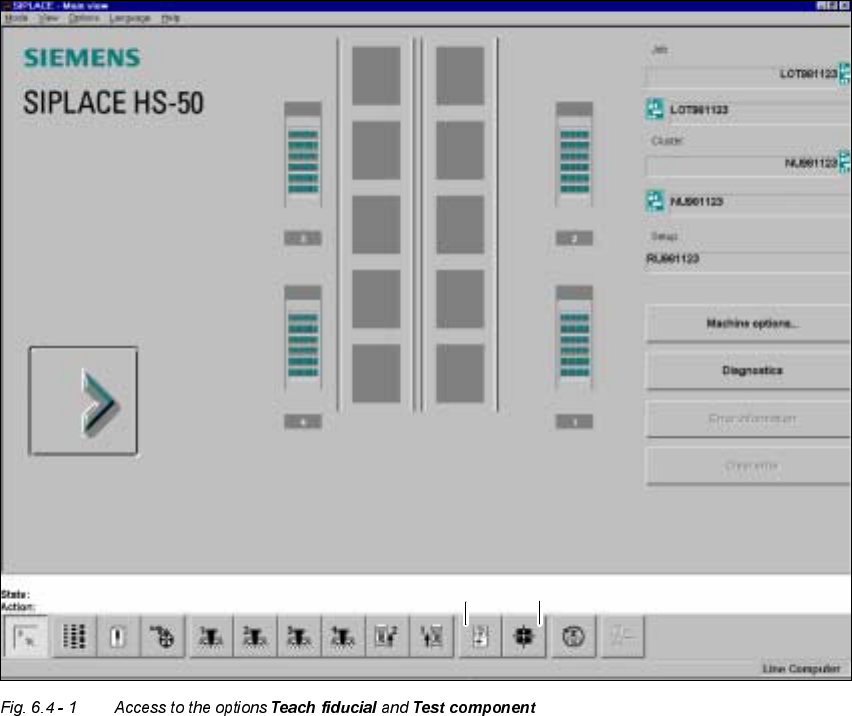
Å Move the mouse pointer over the 7HDFKILGXFLDOor 7HVWFRPSRQHQWoption. The status line
will display a brief explanatory text for the option in question. You can also use the F8 or F9
function keys to access the options. The 9LHZdrop-down menu will list the allocations of the
function keys and the individual options.
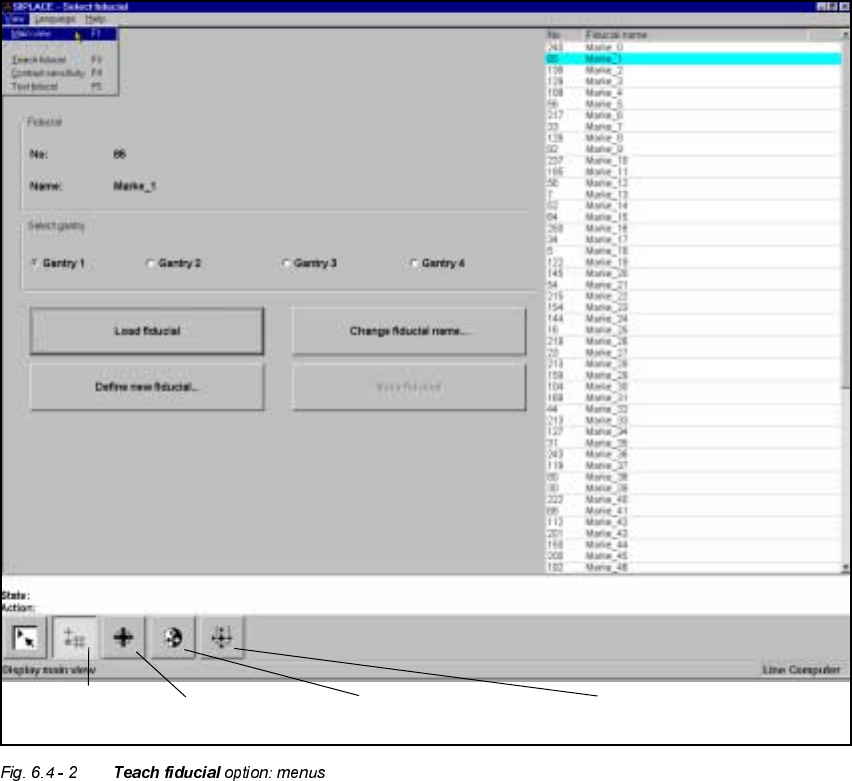
Å Click on either of the two icons (buttons). The screen will then display either the 6HOHFWILGXFLDO
menu or the6HOHFWSDFNDJH IRUP menu depending on whether you have selected the 7HDFK
ILGXFLDOoption or the 7HVWFRPSRQHQWoption (see Figs. 6.4 - 2 and 6.4 - 3).
’Test component’ icon’Teach fiducial’ icon
User Manual HS-50 6 Vision functions
Software-Version 5.01Edition 01/99 6.4 Access to the ’Teach Fiducial’ and ’Test Component’ Options
201
Again, depending on your choice, you can access further menus for the 7HDFKILGXFLDO option or
the 7HVWFRPSRQHQWoption.
You can select the following menus from the 7HDFKILGXFLDO option either by clicking on the icons
in the symbols bar or by using function keys F2 to F5:
– Select fiducial
– Teach fiducial
– Contrast sensitivity, and
– Test fiducial.
You can return to the 0DLQYLHZmenu either by clicking on the 0DLQYLHZicon or by pressing
function key F1.
Contrast sensitivity
icon
Test fiducial
icon
Select fiducial
icon
Test fiducial
icon