00191369-01.pdf - 第215页
User Manual HS-50 6 Vision functions Software-Version 5.01Edition 01/99 6.5 Teach Fiducial 213 /RDG)LGXFLDO 2SWLRQ NOTE When you ca ll the /RDGIL GXFLDO option, th e 6DY HI LGXF LDO GDW D option box will …
6 Vision functions User Manual HS-50
6.5 Teach Fiducial Software-Version 5.01 Edition 01/99
212
Selecting the 6DYHILGXFLDO option causes the station computer to send the new or changed fidu-
cial data to the line computer and to update the fiducial numbers list. The fiducial data is also up-
dated in the remaining stations. The transformation tables are held locally in the station
computer.
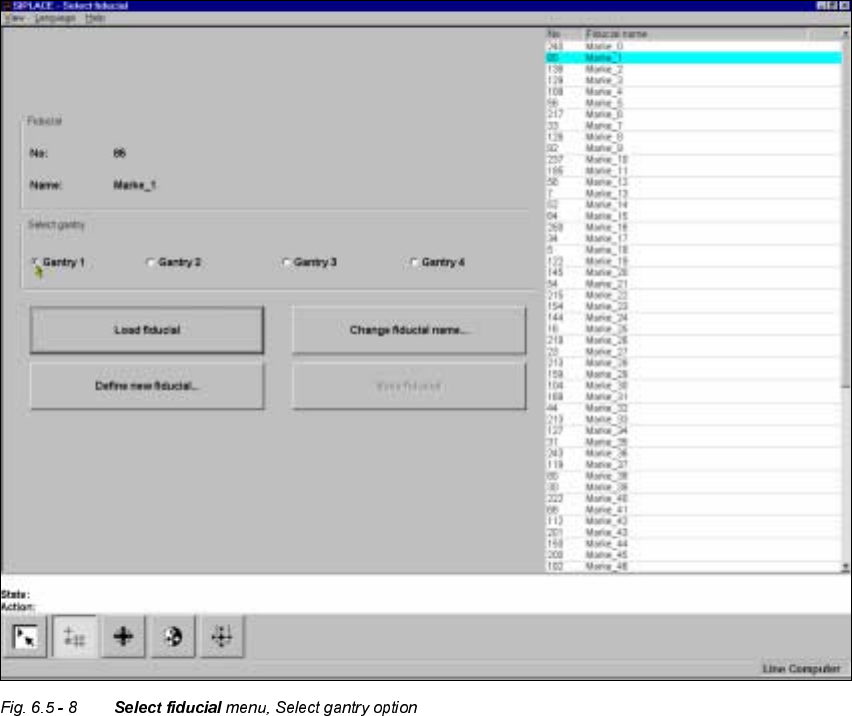
6HOHFW*DQWU\2SWLRQ
With this option you can use the Gantry 1, Gantry 2, Gantry 3, or Gantry 4 buttons to choose which
gantry to use as the teaching gantry. The default setting is Gantry 1.
Å Position the mouse pointer over the desired gantry.
Å Click on the button. The button of the selected gantry will now turn black.
User Manual HS-50 6 Vision functions
Software-Version 5.01Edition 01/99 6.5 Teach Fiducial
213
/RDG)LGXFLDO2SWLRQ
NOTE
When you call the /RDGILGXFLDO option, the 6DYHI LGXF LDO GDWD option box will appear if you had
previously edited a fiducial (see Fig. 6.5 - 7).
If you wish to save your data, the fiducial data will be transmitted to the line computer. The fiducial
numbers list will also be updated.
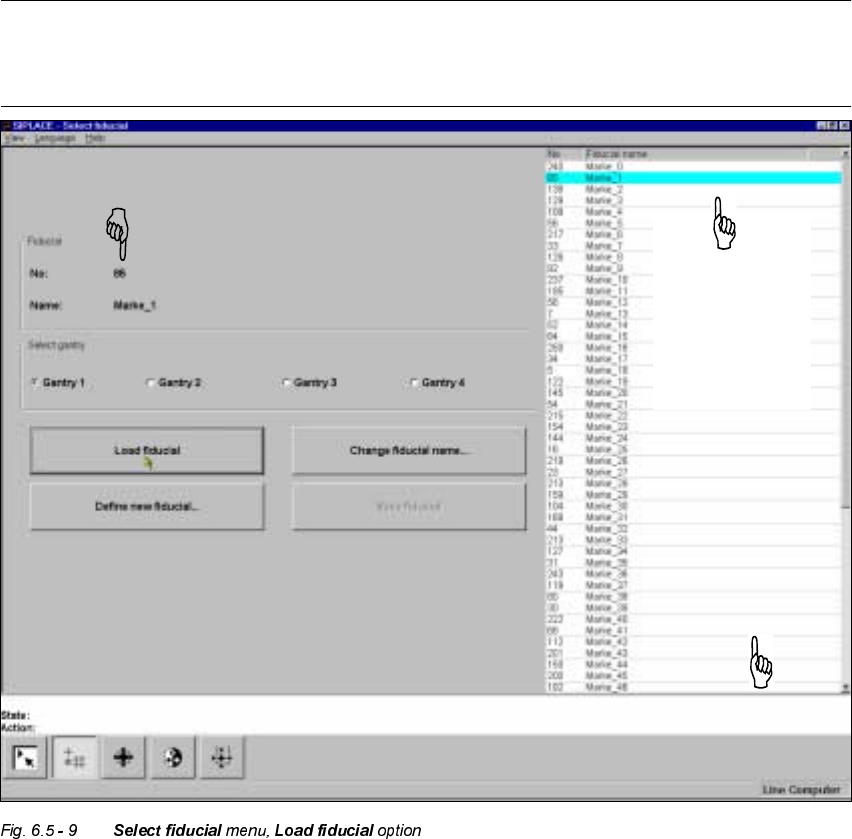
– From the list field use the mouse pointer to select a particular fiducial. The selected fiducial will
appear against a cyan-colored bar.
– Click on the /RDGILGXFLDO button. In the )LGXFLDO display field the fiducial name and the fiducial
number will be displayed.
The station computer will request from the line computer the fiducial data of the selected fiducial.
The pattern structure and search area will be transmitted to the machine controller which then
downloads it into the memory of the MVS system. Following this the teaching parameters structure
is initialized in the station computer with the current values.
The selected
fiducial will be
shown against
a cyan-colored
bar.
List field
Display field for fiducial number and fiducial name
6 Vision functions User Manual HS-50
6.5 Teach Fiducial Software-Version 5.01 Edition 01/99
214
&KDQJH)L GXFLDO1DPH2SWLRQ
NOTE
This option can only be activated if you have already loaded a fiducial. If this is not the case, the
&KDQJHILGXFLDOQDPH button will be inactive. The grayed-out text on the button indicates this.
– Load the desired fiducial, as described in Section 6.5.3.2 on page 6 - 213.
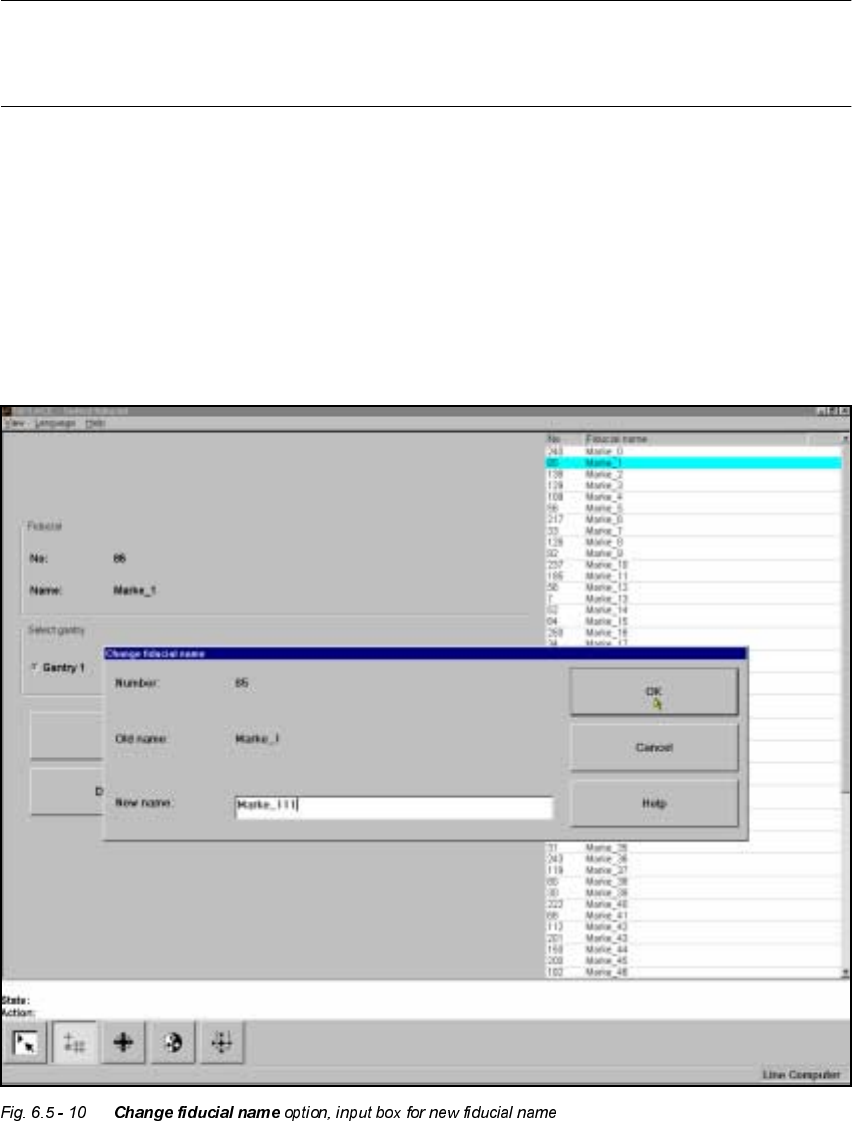
– Click on the &KDQJHILGXFLDOQDPH button.
The input box will appear on the screen.
– Input the new fiducial name into the 1HZQDPHfield.
–Click on 2. if you wish the change to go ahead. The fiducial list will now be updated.
–Click on &DQFHO if you wish to discard the change.