00191369-01.pdf - 第418页
12 Station Extensions - Software User’s Manual S IPLACE HS-50 12.2 GEM Interface Software Version SR.501.xx Edition 01/99 416 /RDGLQJ SODF HPHQW SURJUDPV Å In th e "S tate" view , c lick the but…
User’s Manual SIPLACE HS-50 12 Station Extensions - Software
Software Version SR.501.xx Edition 01/99 12.2 GEM Interface
415
Å Click the button corresponding to the required function.
7RROEDU
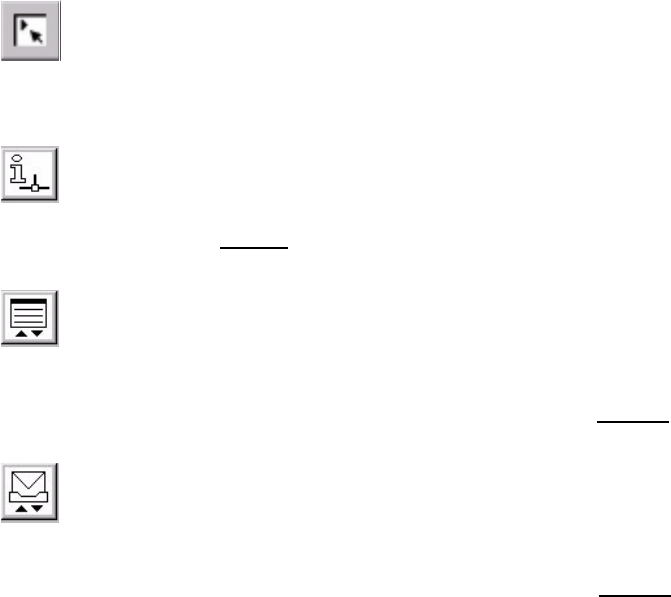
You can use the buttons in the toolbar to switch the user interface between the following
views:
0DLQYLHZ
(see Chapter 3)
6WDWHYLHZ
(see Figure 12.2 - 4)
3ODFHPHQWSURJUDPYLHZ
You can use the functions available in this view to load a placement program which is present
on the host computer or station computer (see section 12.2.2.6
).
0HVVDJHV
You can use the functions available in this view to read messages sent by the host computer
and send messages to the host computer (see section 12.2.2.7
).
Å Click the required button in order to switch to the required view.
12 Station Extensions - Software User’s Manual SIPLACE HS-50
12.2 GEM Interface Software Version SR.501.xx Edition 01/99
416
/RDGLQJSODF HPHQWSURJUDPV
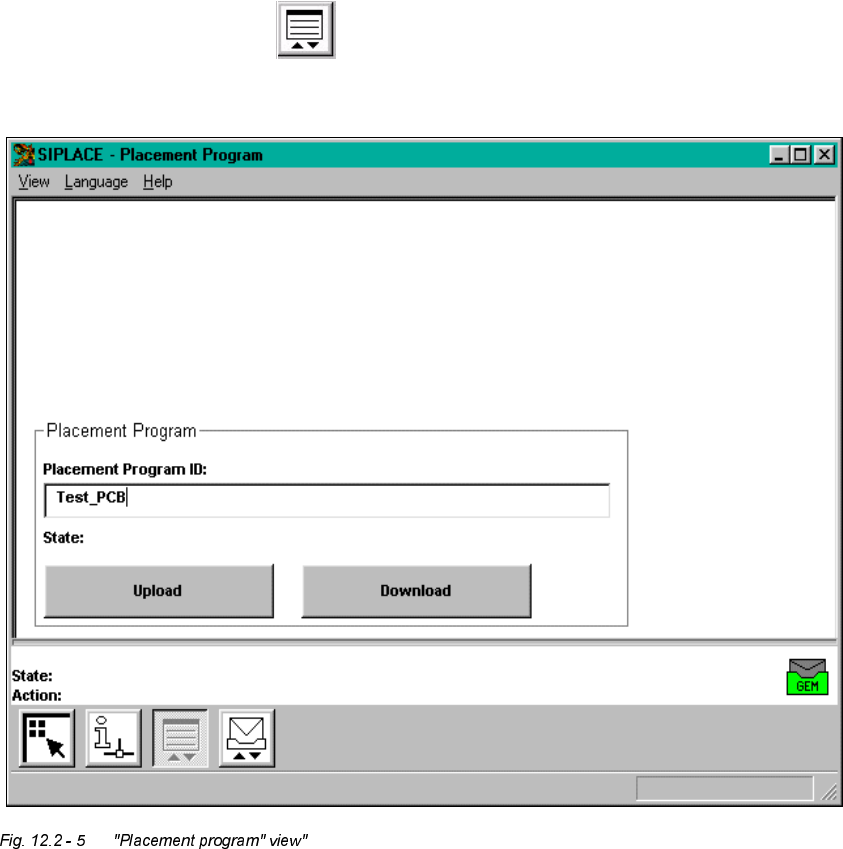
Å In the "State" view, click the button.
The user interface switches to the following view.
You can use the buttons in the display area to perform the following actions:
– 8SORDG
The placement program whose name is entered in the text box is uploaded from the station
computer to the host computer.
– 'RZQORDG
The placement program whose name is entered in the text box is downloaded from the host
computer to the station computer.

User’s Manual SIPLACE HS-50 12 Station Extensions - Software
Software Version SR.501.xx Edition 01/99 12.2 GEM Interface
417
NOTE
Depending on the selected action, the corresponding placement program must be available
at the station computer or the host computer.
To download a placement program, the control mode must be set to "GEM Host" (see section
12.2.2.1).
Å Enter the name of the required placement program in the box "Placement Program ID:".
Å Click the corresponding button to "upload" or "download" the corresponding placement
program.
The action is performed and the current status of the action is displayed above the buttons.