00191369-01.pdf - 第322页
7 What schould you do ... User’s Manual S IPLACE HS-50 7.3 Changing jobs Software Version SR.501.xx Edition 01/99 320 &KDQJLQJM REV Å Inter rupt th e job def ined for the st ation on th e line com puter using th…

User’s Manual SIPLACE HS-50 7 What schould you do ...
Software Version SR.501.xx Edition 01/99 7.2 Switching off the SIPLACE line
319
6Z LWFKLQJRIIWKHVWDWLRQV
ATTENTION
NEVER switch off the station during operation using just the main switch except in an emergency.
Shut down the operating system of the station with "Shut down computer..." before you switch off
the station. If you switch off the station during operation without properly shutting down the oper-
ating system beforehand, then the station computer may not start up the next time the station is
switched on.
Proceed as follows to switch off the station:
Å Terminate all placement operations.
Å Check to make sure that the z-axes of all placement heads are in the upper end position.
Å Check to see if there are still components in the placement heads and remove any components
found.
Å If necessary, move all gantries to the standby position with the help of the corresponding gantry
functions (see chapter 5, section 5.2.2.1
).
NOTE
All gantries are normally moved to the standby position automatically.
Å Click on the menu function 6KXWGRZQFRPSXWHU in the 2SH UDWLRQ menu.
All station computer processes are terminated. After the operating system has shut down, a
message will appear on the screen stating that the computer can now be switched off.
Å Now switch off the station on the main switch.
7 What schould you do ... User’s Manual SIPLACE HS-50
7.3 Changing jobs Software Version SR.501.xx Edition 01/99
320
&KDQJLQJM REV
Å Interrupt the job defined for the station on the line computer using the function (Interrupt).
Å Enter the new job on the line computer using the function (Schedule).
Å Check the width of the conveyor belt.
Å Check the position of the magnetic supports and make sure that they cannot collide with com-
ponents on the bottom of the PCB.
Å Carry out the set-up check.
Make sure that the feeder modules are equipped with the correct components and that the
feeder modules are at the correct locations.
Å Check the nozzle configuration in the nozzle changer.
If no nozzle changer is installed, then you must change the nozzles manually.
NOTE
If you change the nozzle manually, ALWAYS make sure that you are using the correct nozzle
type and that the nozzle is seated correctly on the spindle. (The plunger pin must click into
place in the notch slot of the nozzle).
If you have not inserted a nozzle or have used the wrong nozzle type, then the station com-
puter program will prompt you to move the placement head to the service position and
change the nozzle. This error message will also appear if you have not inserted the nozzle
correctly.
If you insert the wrong nozzle or use the wrong nozzle type again, then the gantry will move to
the service position once more after the reference sequence. The station computer program
will continue to prompt for a nozzle change until you have obtained the correct configuration.
If you do not succeed, then proceed as follows:
Å Switch off the station and cancel the specified job on the line computer.
Å Rectify the nozzle error and restart the station.
User’s Manual SIPLACE HS-50 7 What schould you do ...
Software Version SR.501.xx Edition 01/99 7.3 Changing jobs
321
TIP
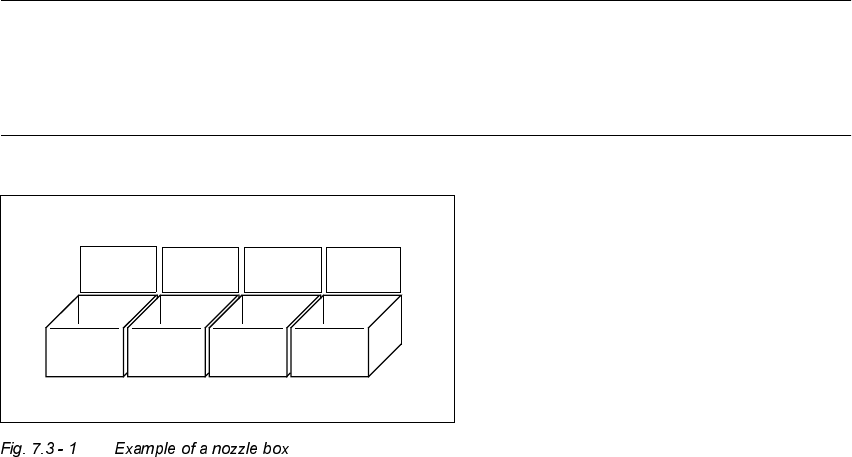
Have the nozzles ready in a separate nozzle box in which each compartment is labeled with the
type and color of the nozzle. This will help to prevent confusion. Do not save used plastic nozzles,
dispose of them immediately instead.
701
yellow
704
orange
705
red
711
yellow