00193922-03.pdf - 第173页
User manual SIPLAC E HF series 4 Setting up and commissioning Software Vers ion SR.50x.xx 01/2006 US Edition 4.3 Infrastructure at the installation location 173 4.3.3.4 Connecting t he power supply cable 4 Fig. 4.3 - 4 T…
4 Setting up and commissioning User manual SIPLACE HF series
4.3 Infrastructure at the installation location Software Version SR.50x.xx 01/2006 US Edition
172
WARNING
The electrical cables to each individual machine and to the installed options (e.g. MTC, produc-
tivity lift, vacuum pump) must be clearly identified and there must be no doubt as to their alloca-
tion. The regulations of the country in which the machine is operated apply.
4
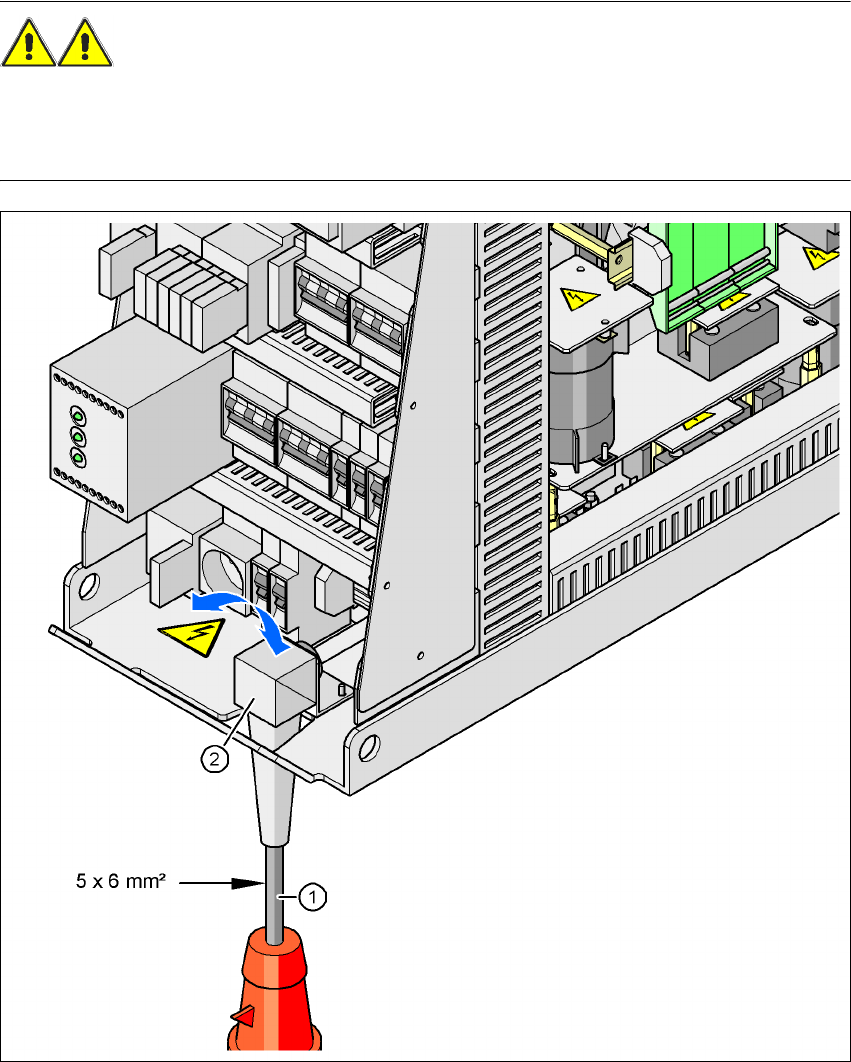
Fig. 4.3 - 3 Power supply cable
4
(1) Power supply cable
(2) Angle for the cable gland
User manual SIPLACE HF series 4 Setting up and commissioning
Software Version SR.50x.xx 01/2006 US Edition 4.3 Infrastructure at the installation location
173
4.3.3.4 Connecting the power supply cable
4
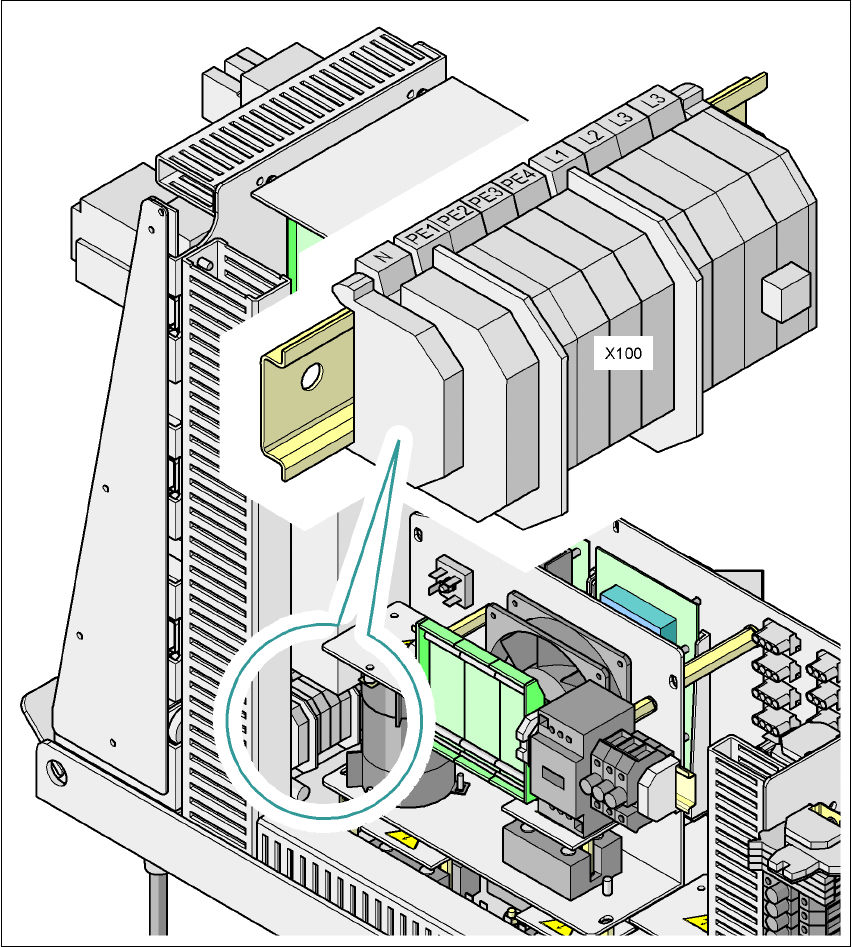
Fig. 4.3 - 4 Terminal panel for connecting the power cable
(L1) Three-phase
(L2) Three-phase
(L3) Three-phase
(N) Neutral conductor
(PE) Protective ground wire
(X100) Terminal panel

4 Setting up and commissioning User manual SIPLACE HF series
4.3 Infrastructure at the installation location Software Version SR.50x.xx 01/2006 US Edition
174
Æ Crimp a ferrule onto each end of the wire.
Æ Loosen the nuts on the angled cable gland (item 2 in Fig. 4.3 - 3).
Æ Fold up the angled cable gland.
Æ Feed the power supply cable through the angled cable gland to the terminal panel X100
(see X100 in Fig. 4.3 - 4
).
Æ Connect the cable to the terminal and ensure that it has a sufficient bending radius. The wires
must not be kinked.
Æ Fold up the angled cable gland (item 2 in Fig. 4.3 - 3) and tighten the nuts hand-tight.
4.3.3.5 Checking the inrush current limitation jumpers
The inrush current limitation must be configured in relation to the supply voltage. This is done us-
ing plug-in jumpers on the inrush current limitation board (item 1 in Fig. 4.3 - 5
).