00193922-03.pdf - 第62页
2 Operational safety User manual SIPLACE HF series 2.6 Safety equipment Software Vers ion SR.50x.xx 01/2006 US Edition 62 conveyo r is prote cted by c overs, whi ch can be p ivoted up wards, over the inpu t and ou tput b…
User manual SIPLACE HF series 2 Operational safety
Software Version SR.50x.xx 01/2006 US Edition 2.6 Safety equipment
61
2.6 Safety equipment
2.6.1 Protective covers and cover flaps
2
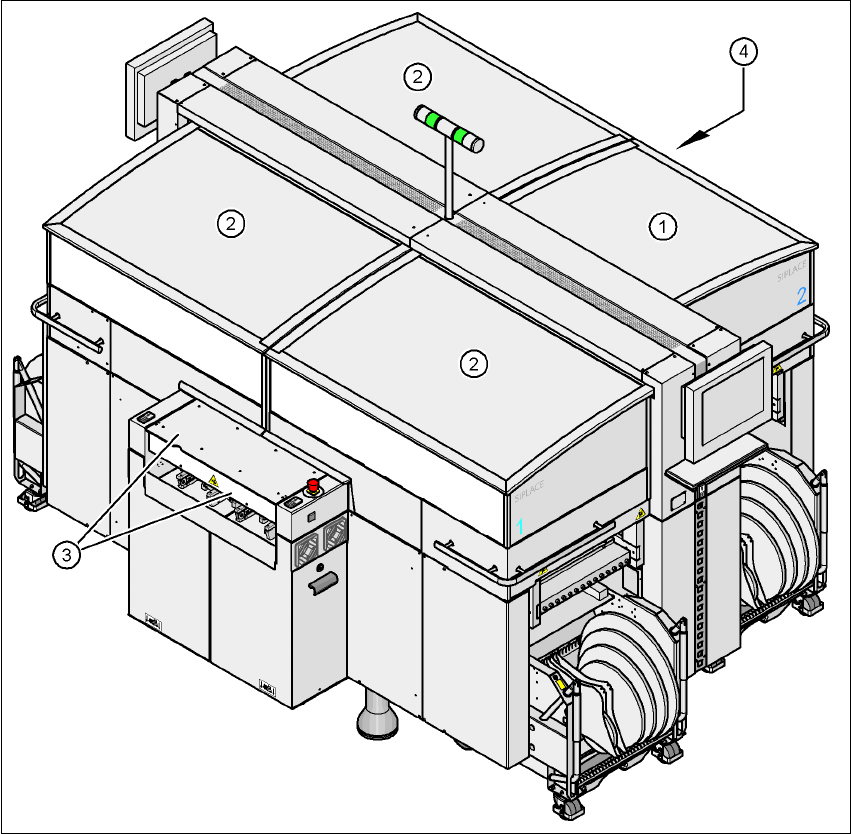
Fig. 2.6 - 1 Protective covers
2
The traveling range of the gantries has four protective covers that can be swung upwards. There
are side screens to prevent access to the inside of the machine from the side. Access to the PCB
(1) Protective cover, short
(2) Protective cover, long
(3) Cover flap and hand guard on the input belt
(4) Cover flap and hand guard on the output belt
2 Operational safety User manual SIPLACE HF series
2.6 Safety equipment Software Version SR.50x.xx 01/2006 US Edition
62
conveyor is protected by covers, which can be pivoted upwards, over the input and output belts
and hand guards on both belts.
Function 2
The main power supply to the gantry axes is interrupted immediately if one of the protective covers
is swiveled up or one of the cover flaps on the PCB conveyor is raised. The gantry axes stop mov-
ing. The message "Close cover" is displayed on the screen.
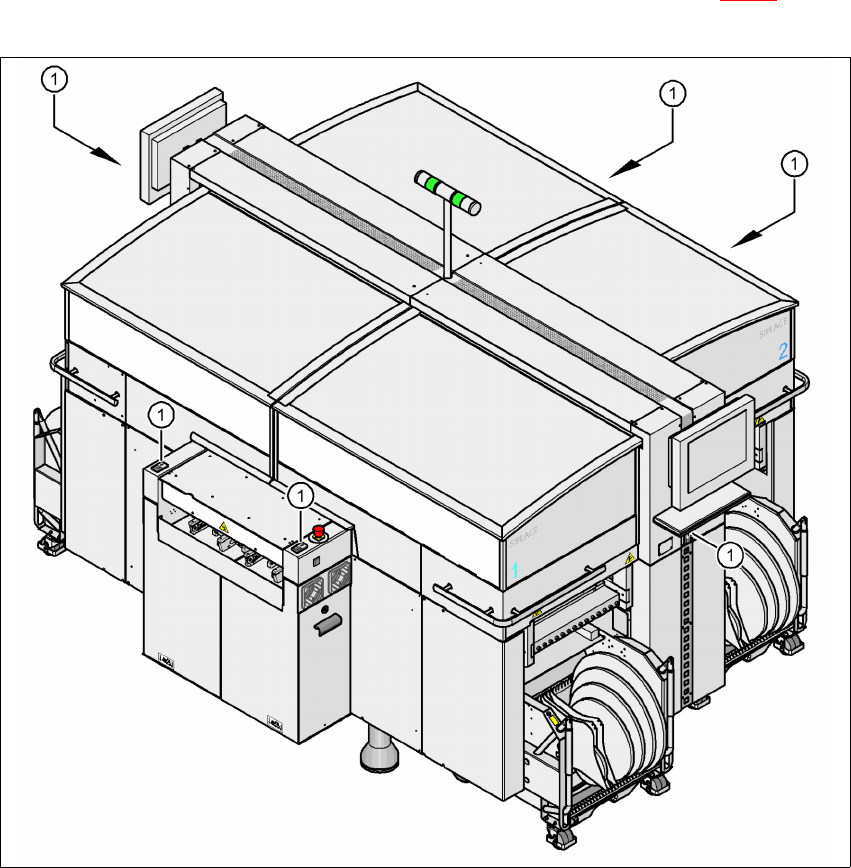
Æ Close the protective covers and press one of the Start buttons (Pos. 1 in Fig. 2.6 - 2) to con-
tinue placement.
2
Fig. 2.6 - 2 Position of the Start buttons (white) on the machine
(1) Start button (white) on the machine
User manual SIPLACE HF series 2 Operational safety
Software Version SR.50x.xx 01/2006 US Edition 2.6 Safety equipment
63
2.6.2 Switches and buttons on the placement machine
2.6.2.1 Position of switches and buttons on the placement machine
2
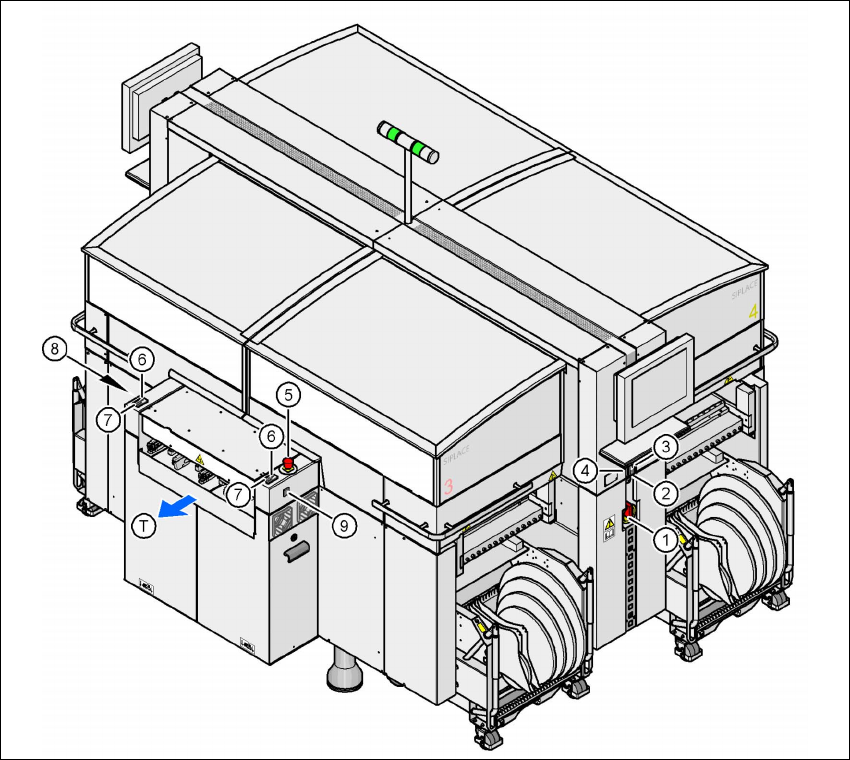
Fig. 2.6 - 3 Position of switches and buttons - View of the PCB output side
2
(1) Main power switch
(2) Stop button (black) on the operator panel on the power supply side
(3) Start button (white) on the operator panel on the power supply side
(4) Component counter on the operator panel on the power supply side
(5) Emergency stop button on the output side
(6) Start button (white) on the output side
(7) Stop button (white) on the output side
(8) Button (black) for docking the component trolley in or out, location 2
(9) Button (black) for docking the component trolley in or out, location 3
(T) PCB transport direction