2OM-1011-002.pdf - 第118页
0305-001 Tg0858-PM-PM 4. P A TTERN PROGRAM Display 4.1 Operation (1) When the [P A TTERN PROGRAMMING] key is pressed at the “DA T A EDIT” display , the following display appears on the screen. 4. P A TTERN PROGRAM Displa…
0305-001 Tg0858-PM-PM
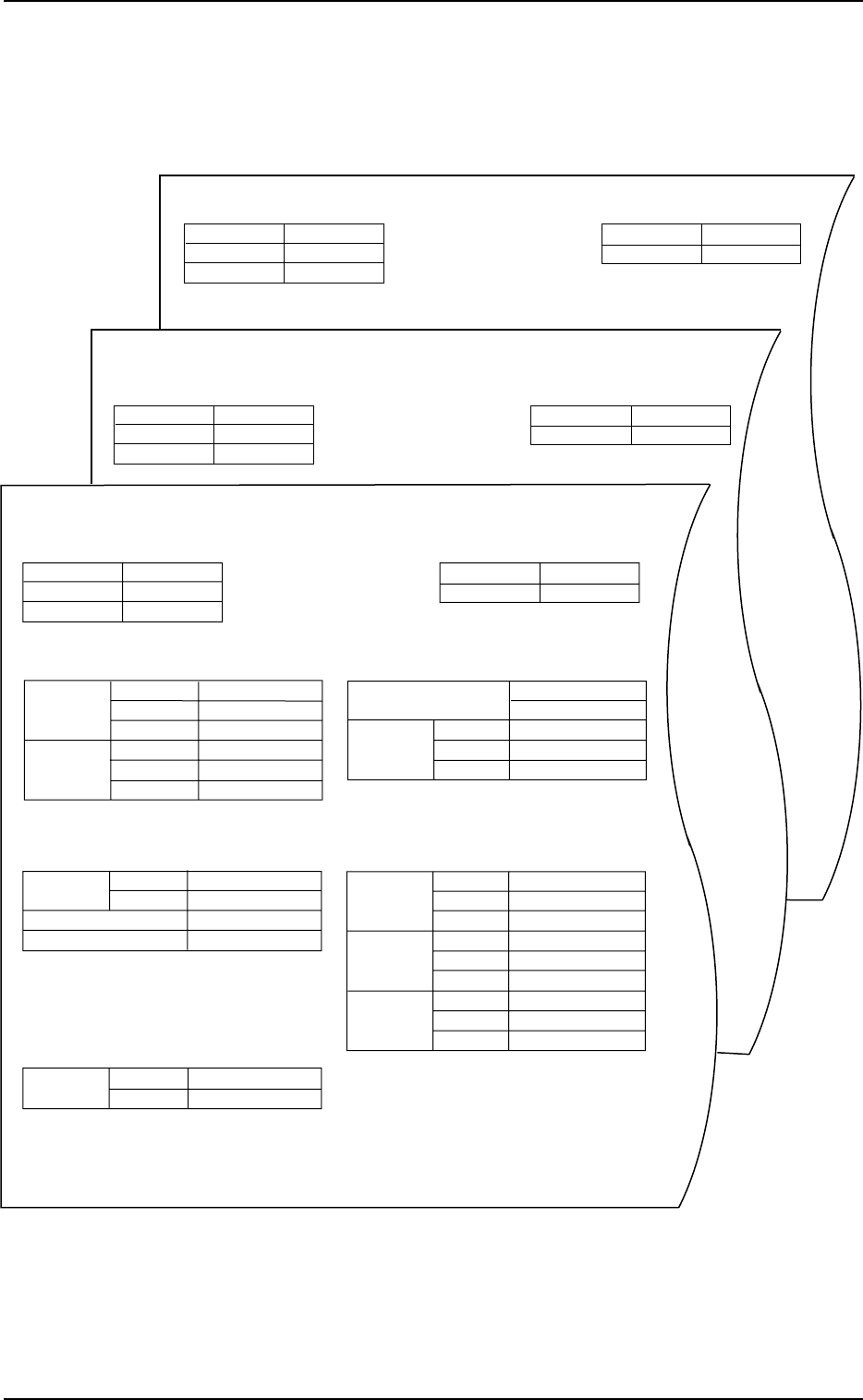
3.3 Pattern Program Data Sheet
2-98
3.3 Pattern Program Data Sheet
Before creating or editing pattern program data, refer to the detailed descrip-
tion of each data editing in items (2.2) and (2.3) and fill in this sheet (attached
at the end of this manual) with required parameters.
Fig. 2B143
OPERATION DATA
PROGRAM NAME
COMMENT #1
COMMENT #2
DATE OF PREP
PREPARED BY
COMPONENT DATA (TAPE FEEDER)
PROGRAM NAME
COMMENT #1
COMMENT #2
DATE OF PREP
PREPARED BY
PLACEMENT DATA (P) UA
PROGRAM NAME
COMMENT #1
DATE OF PREP
PREPARED BY
PLACEMENT DATA (V) UA
COMMENT #2
0305-001 Tg0858-PM-PM
4. PATTERN PROGRAM Display
4.1 Operation
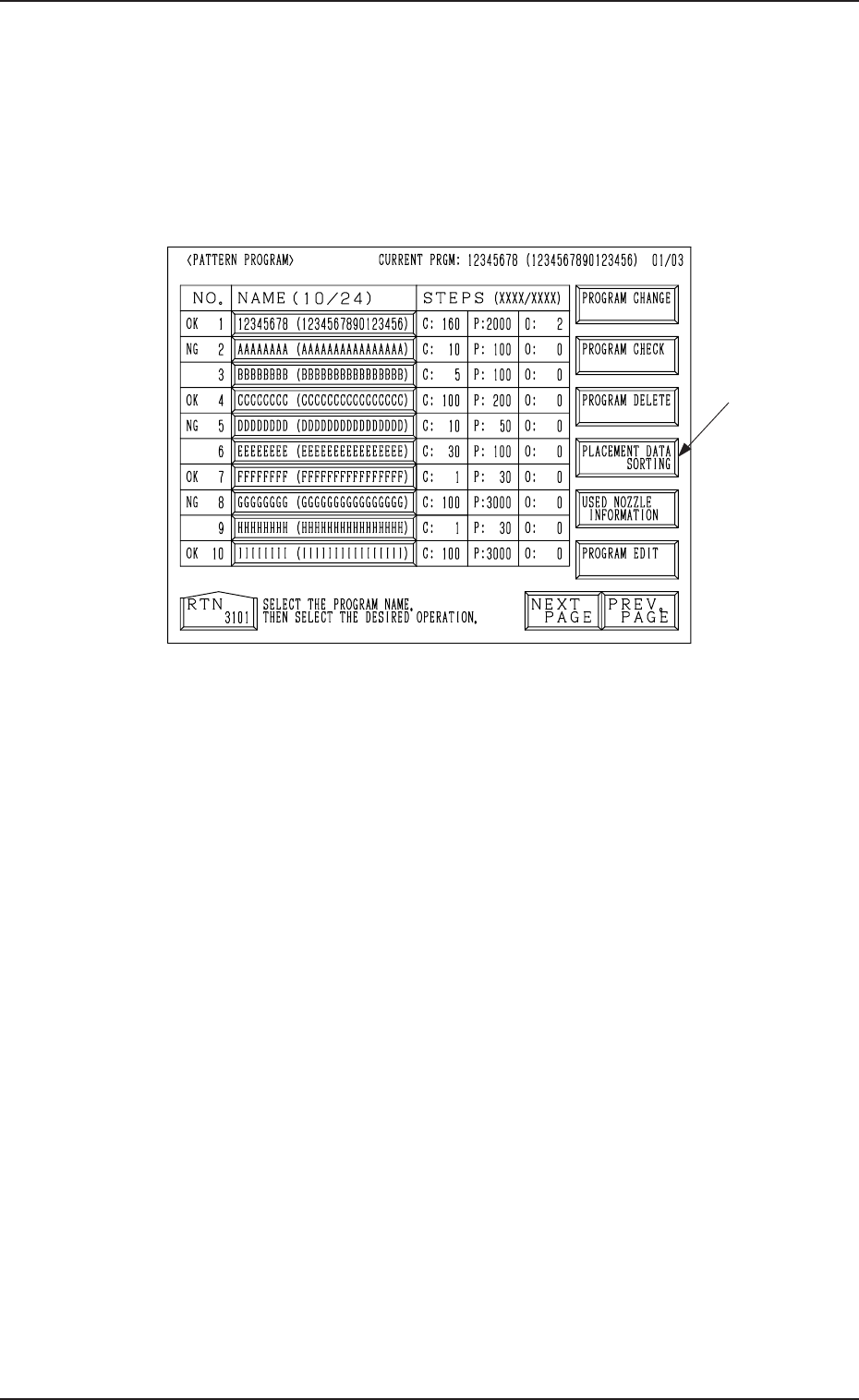
(1) When the [PATTERN PROGRAMMING] key is pressed at the “DATA
EDIT” display, the following display appears on the screen.
4. PATTERN PROGRAM Display
Fig. 2B144
(2) Select the program name to be edited.
(3) Select the desired operation key.
(4) The corresponding display opens for operation.
2-99
Option
0305-001 Tg0858-PM-PM
4.1 Operation
4.1.1 PROGRAM CHECK Display
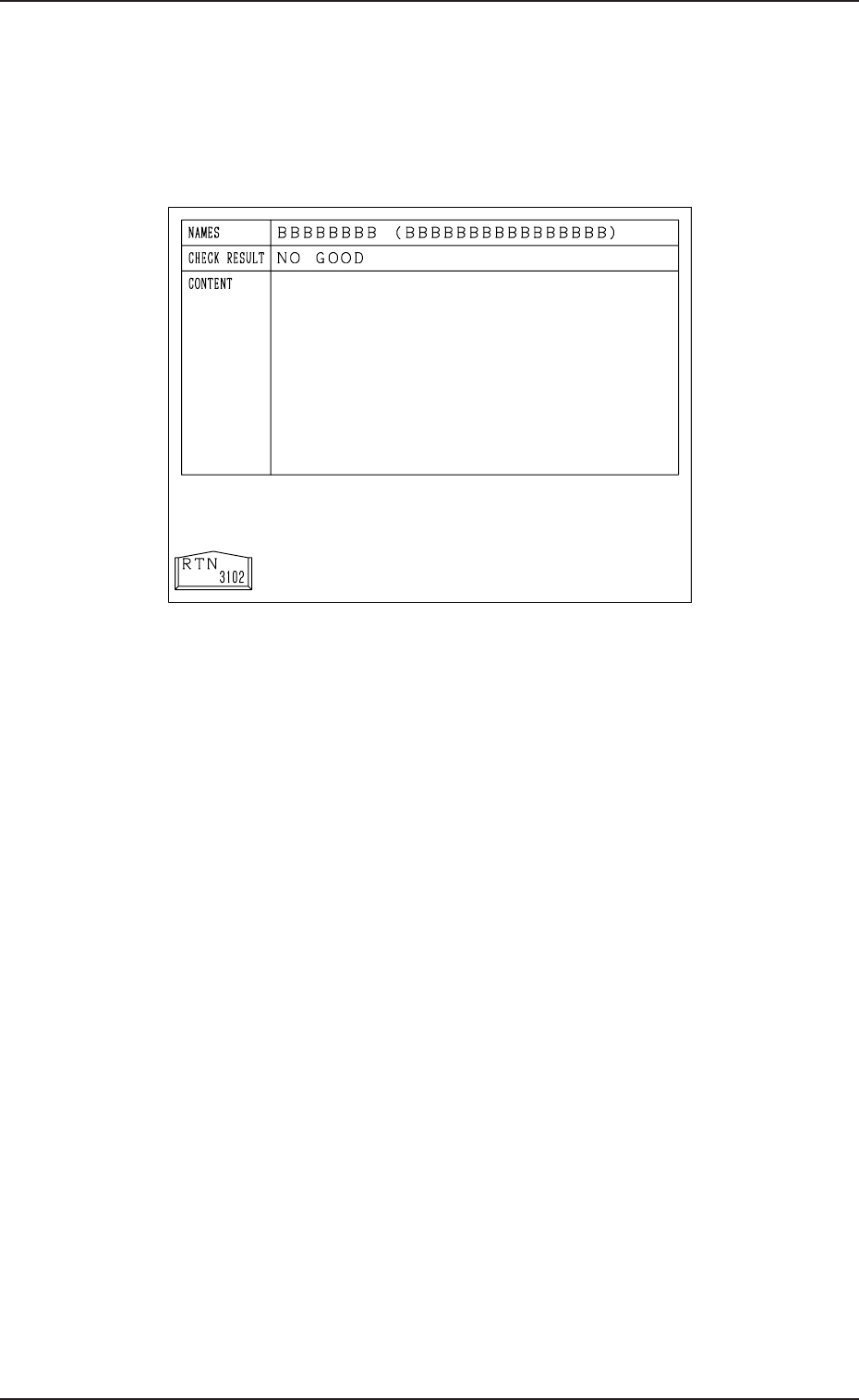
(1) Select the pattern program to be checked by pressing the desired “NAME
(XX/XX)” key at the “PATTERN PROGRAM” display (Fig. 2B144).
Then, press the [PROGRAM CHECK] key. The following display ap-
pears on the screen.
Fig. 2B145
(2) When no error is found after checking, “GOOD” appears at the “CHECK
RESULT” section.
When an error is found, “NO GOOD” appears displaying the contents of
the error at the “CONTENT” section.
(3) Refer to the information and correct the pattern program data. Then, per-
form the program check operation again.
2-100