2OM-1011-002.pdf - 第29页
0305-001 Tg0858-PM-PM 2.2 P A TTERN PROGRAM EDIT Display When the “NAME (XX/XX)” key of the program data to be edited is selected and the [PROGRAM EDIT] key is pressed at the “P A TTERN PROGRAM” display (Fig. 2B1), the f…
0305-001 Tg0858-PM-PM
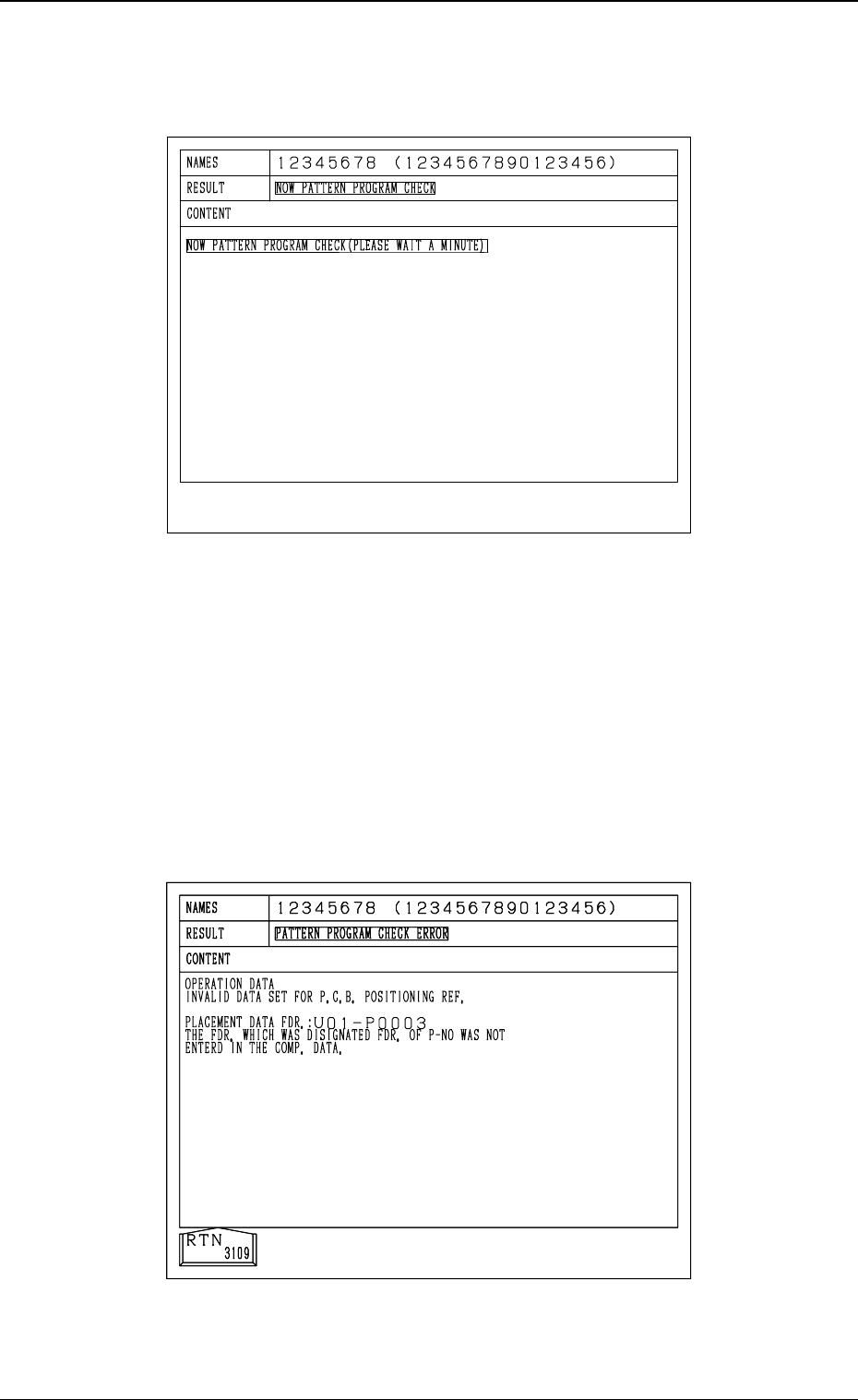
When the [ON] or the [OFF] key is pressed at the “PLACEMENT DATA SORT-
ING” display (Fig. 2B5), the following display appears on the screen and the
program check operation is performed.
2.1 PATTERN PROGRAM Display
2-9
Fig. 2B6
The program is checked “OK”, the placement data sorting is implemented.
When the sorting is completed normally, the program is checked again.
When the second program check operation is completed normally, the “PAT-
TERN PROGRAM EDIT” display appears on the screen.
• When the program is checked “NG” (No Good), the contents of the error
are displayed as shown in the following figure.
When an error is found during sorting, the contents of the error are also
displayed.
Correct the error data and perform the sorting again.
Fig. 2B7
0305-001 Tg0858-PM-PM
2.2 PATTERN PROGRAM EDIT Display
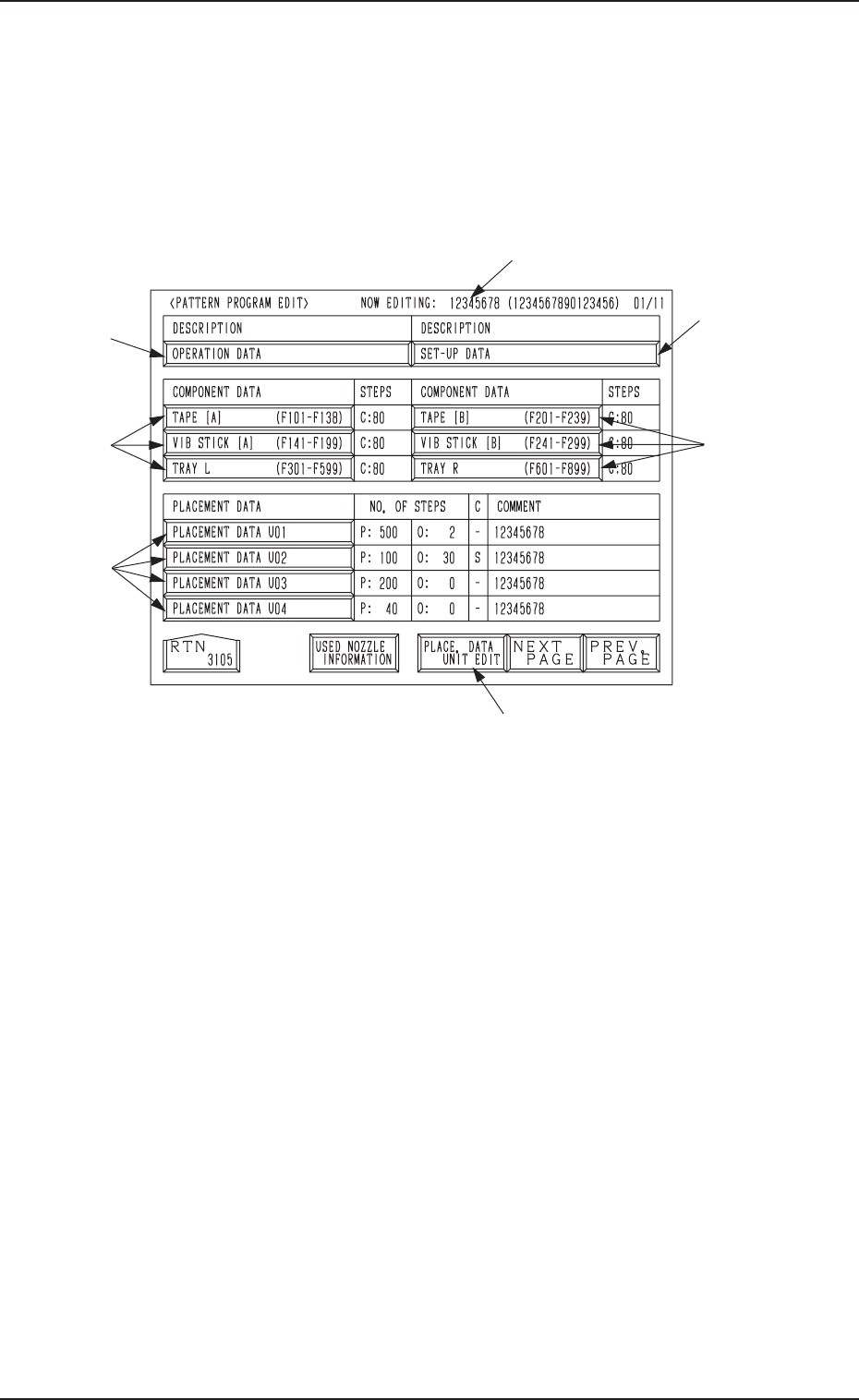
When the “NAME (XX/XX)” key of the program data to be edited is selected
and the [PROGRAM EDIT] key is pressed at the “PATTERN PROGRAM”
display (Fig. 2B1), the following display appears on the screen.
From this display, the edit display for each pattern program data
can be opened.
*1
*4
*6
*5
*2
*3
*3
2.2 PATTERN PROGRAM EDIT Display
Fig. 2B8
*1 NOW EDITING: XXXXXXXX (XXXXXXXXXXXXXXXX)
Object Pattern Program Name and Comment 1 for Editing
*2 [OPERATION DATA] Key
Press this key to shift to the display for operation data editing.
*3 TAPE [A] (F101-F138), TAPE [B] (F201-F239),
VIB STICK [A] (F141-F199), VIB STICK [B] (F241-F299),
TRAY L (F301-F599), TRAY R (F601-F899)
Press one of the keys to open the desired display for editing the component
data related to each feeder.
*4 [PLACEMENT DATA UXX] Keys
Press one of the keys to open the desired display for editing the placement
data.
*5 [PLACE. DATA UNIT EDIT] Key
Press this key to open the display for delete, copy, or move operation of
blocked placement data (placement data divided into some blocks accord-
ing to U-Nos.).
*6 [SET-UP DATA] Key
Press this key to open the display for editing the set-up data.
2-10
0305-001 Tg0858-PM-PM
Fig. 2B9
Fig. 2B10
Fig. 2B11
First Page
Second Page
Third Page
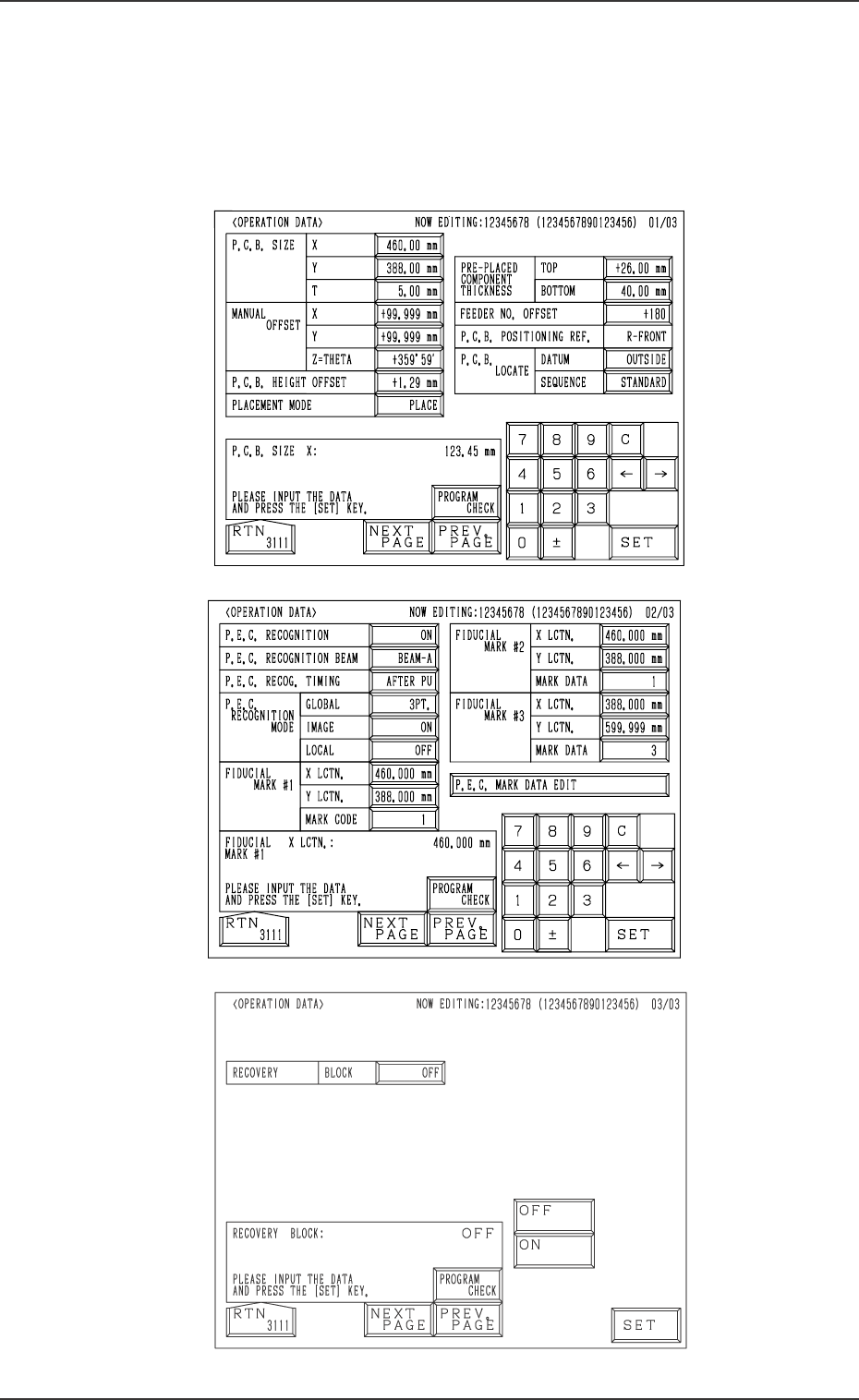
2.3 OPERATION DATA Display
When the [OPERATION DATA] key is pressed at the “PATTERN PROGRAM
EDIT” display, the following display appears on the screen.
Every time the [NEXT PAGE] or the [PREV. PAGE] key is pressed, another or
previous page appears on the screen.
2.3 OPERATION DATA Display
2-11