2OM-1011-002.pdf - 第170页
0305-001 Tg0858-PM-PM Fig. 2C32 Fig. 2C33 • The first component pick-up position is assumed to be “X: 3, Y : 2”. z : Component Picked Normally { : Component Left Behind Shadowed : Mispick 5. TRA Y MA TRIX MODE Display (O…
0305-001 Tg0858-PM-PM
Fig. 2C28
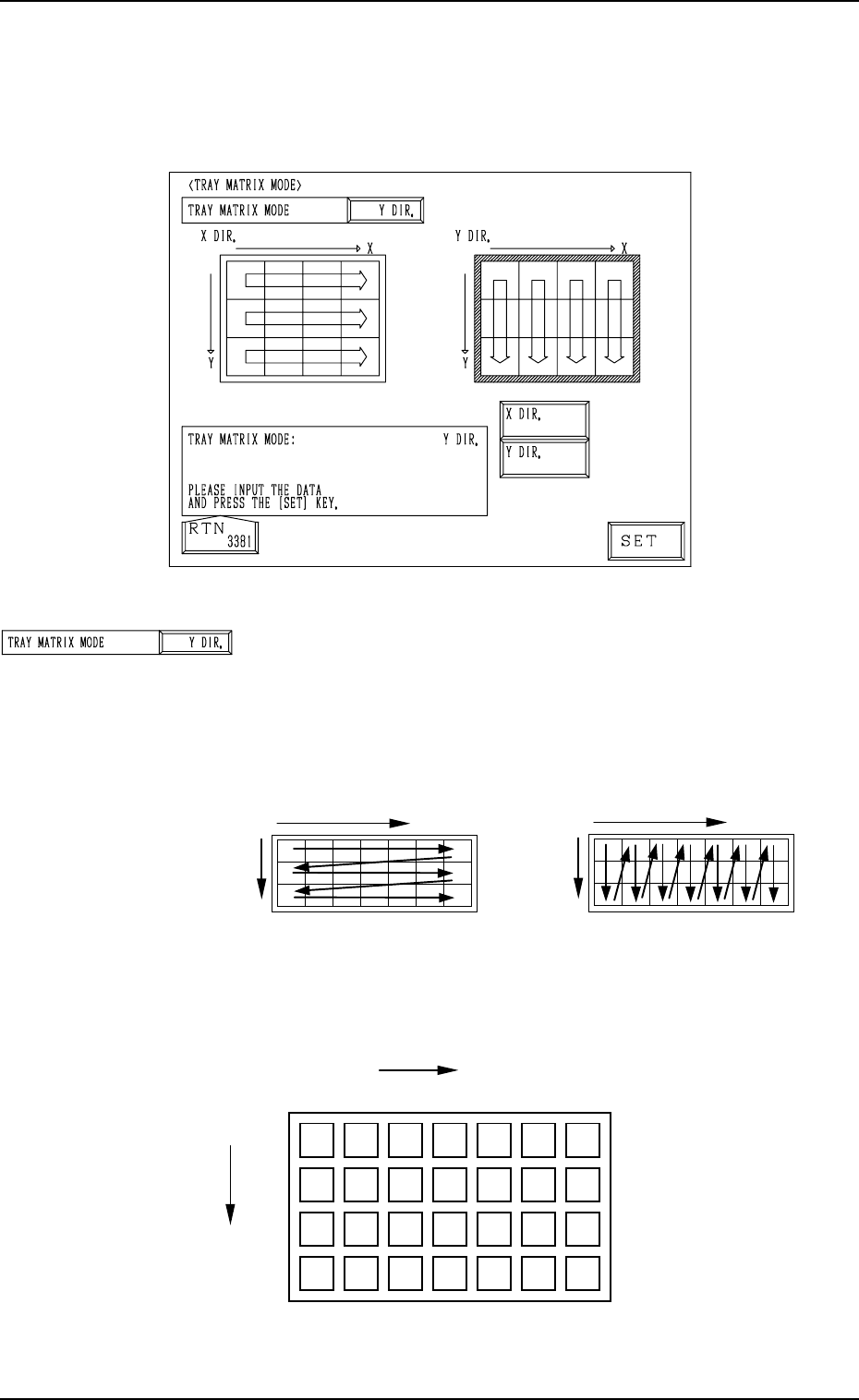
TRAY MATRIX MODE
Set “X DIR.” or “Y DIR.” (direction in which components
should be taken out) in this data box.
In normal cases, “Y DIR.” should be selected.
Fig. 2C30 shows the order (arrow directions) in which compo-
nents are taken out.
5. TRAY MATRIX MODE Display (Option)
When the [TRAY MATRIX MODE] key is pressed at the “DEVICE DATA”
display, the following display appears on the screen.
Fig. 2C30
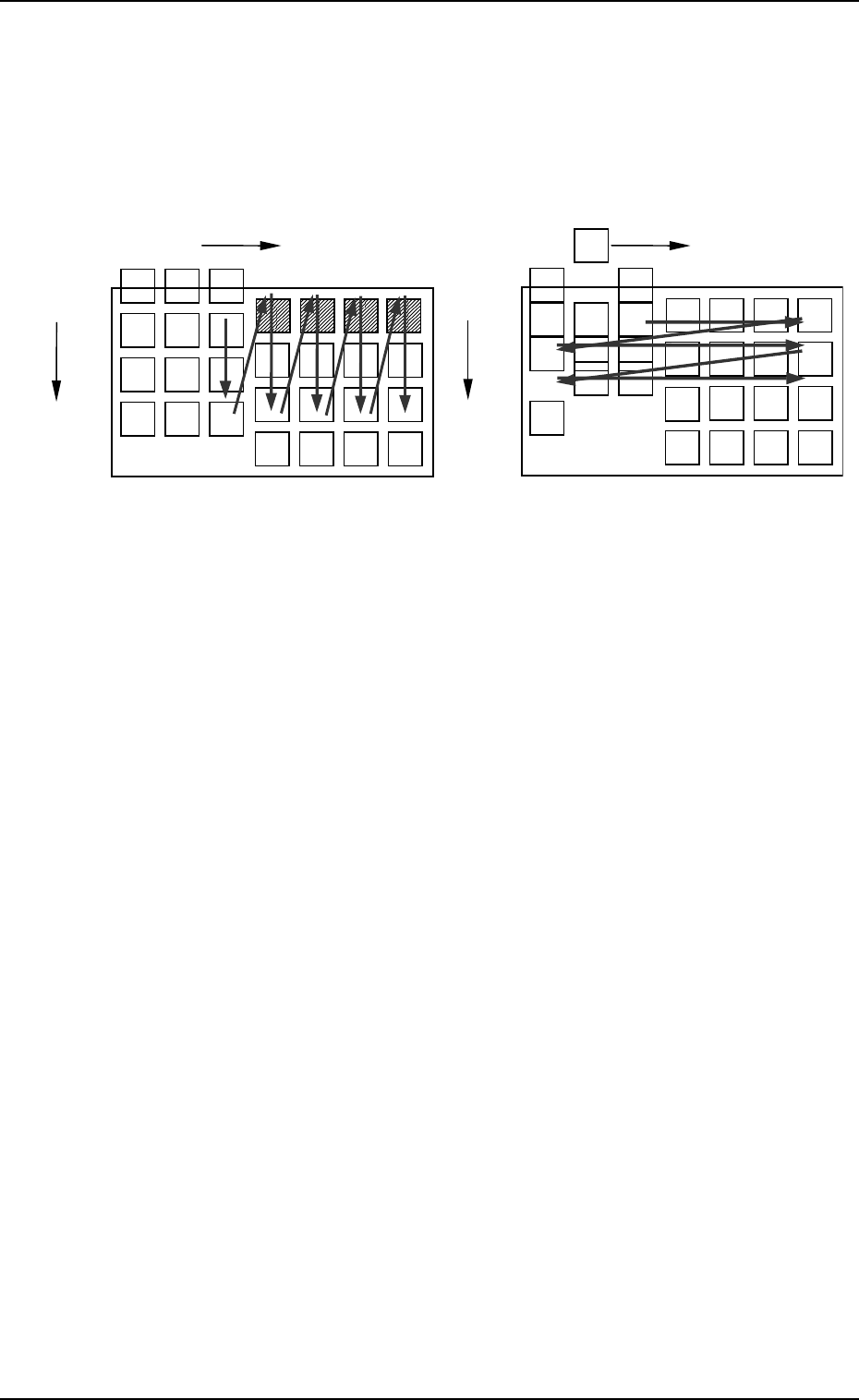
Example: The tray is in the condition (in the middle of pro-
cess) shown in Fig. 2C31.
5. TRAY MATRIX MODE Display (Option)
3-14
X
Selection of “X DIR.”
Y
X
Selection of “Y DIR.”
Y
Fig. 2C31
Fig. 2C29
{
: Component Existing
×: No Component (Taken Out)
{{{
{{{{{
{{{{{
×
×××
×
×
×
××
{{
{{
{{
Y
Y
1
2
99
···
1
X
Y
99
· · · · · ·
3
2
0305-001 Tg0858-PM-PM
Fig. 2C32 Fig. 2C33
• The first component pick-up position is assumed to be “X:
3, Y: 2”.
z : Component Picked Normally
{ : Component Left Behind
Shadowed : Mispick
5. TRAY MATRIX MODE Display (Option)
3-15
z
z
z
zz
z{{
{{
z
zz
zz
z
z
z
z
z
z
z
z
z
z
z
z
z
zz
z
z
z
z
zz
z
z
Selection of “Y DIR.”
Selection of “X DIR.”
Y
Y
1
2
99
···
1
X
Y
99
· · · · · · ·
3
2
1
X
Y
99
· · · · · ·
3
2
Y
Y
1
2
99
···
××
×××
××××
××
××× × ×××

0305-001 Tg0858-PM-PM3-16