2OM-1011-002.pdf - 第245页
0305-001 Tg0858-PM-PM Fig. 2G3 *10 “ID LIST CURSOR” [AUTO] Key: The line cursor moves automatically such that the set com- ponent IDs can easily be referred to when they are edited. (Default) [LOCK] Key: The line cursor …
0305-001 Tg0858-PM-PM
1. NOZZLE STOCKER DATA Display
*7 [A1 ( X)] to [B2 ( X)] Keys
These keys are used to select a nozzle stocker.
*8 These represent nozzle stockers.
The line cursor turns blue when it is located at the nozzle stocker whose
data is being edited.
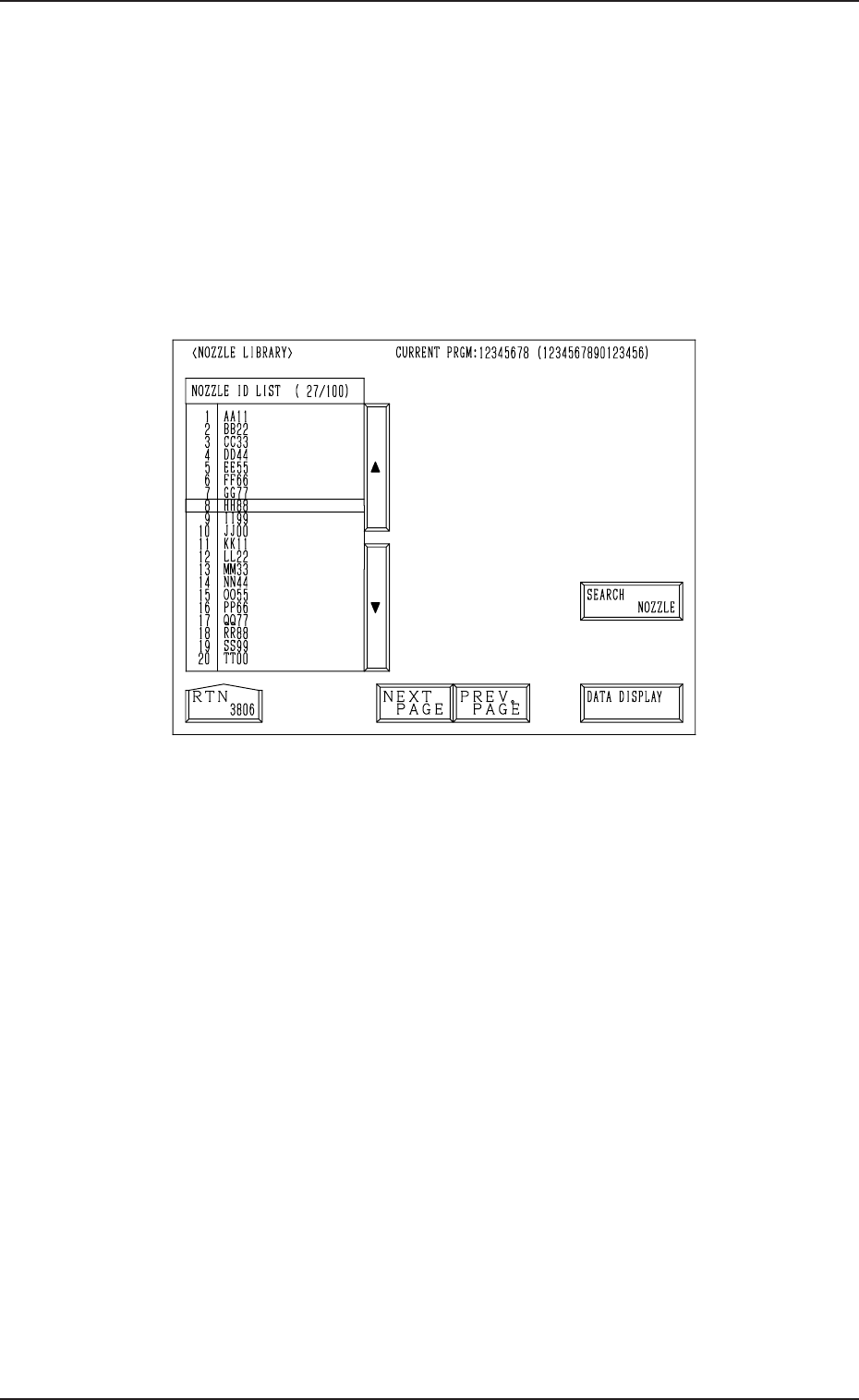
*9 [NOZZLE ID LIST (XXX/100)] Key
When the [NOZZLE ID LIST (XXX/100)] key is pressed, the display, the
following dispiay appears on the screen, showing the list of the registered
nozzle IDs.
Fig. 2G2
• When the [SEARCH NOZZLE] key is pressed, the “SERACH
NOZZLE” display appears on the screen.
When the desired nozzle ID is entered and searched, the line cursor
moves to the found one.
Refer to “4. SEARCH NOZZLE Display of Section 8” for details.
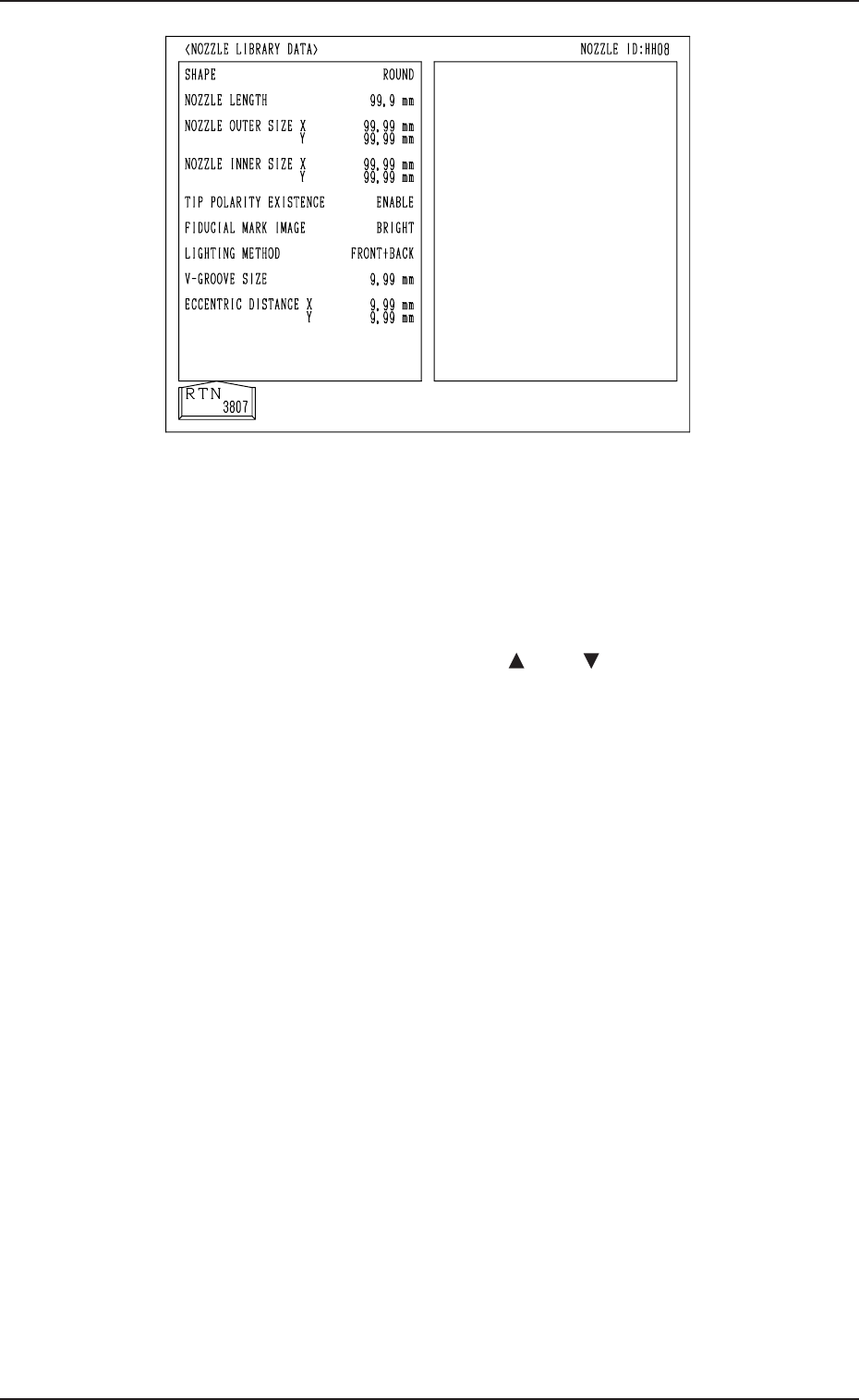
• When the [DATA DISPLAY] key is pressed, the display, the following
dispiay appears on the screen, enabling the checking of the parameters
set for the specified nozzle ID.
7-3
0305-001 Tg0858-PM-PM
Fig. 2G3
*10 “ID LIST CURSOR”
[AUTO] Key: The line cursor moves automatically such that the set com-
ponent IDs can easily be referred to when they are edited.
(Default)
[LOCK] Key: The line cursor is locked regardless of the set component
IDs when they are edited.
The cursor can be moved only with the [ ] and [ ] keys.
1. NOZZLE STOCKER DATA Display
7-4

0305-001 Tg0858-PM-PM
Section 8
NOZZLE LIBRARY INFO
Display
8-A
This section explains the NOZZLE TYPE DATA display and
operation procedures, etc.