2OM-1011-002.pdf - 第119页
0305-001 Tg0858-PM-PM 4.1 Operation 4.1.1 PROGRAM CHECK Display (1) Select the pattern program to be checked by pressing the desired “NAME (XX/XX)” key at the “P A TTERN PROGRAM” display (Fig. 2B144). Then, press the [PR…
0305-001 Tg0858-PM-PM
4. PATTERN PROGRAM Display
4.1 Operation
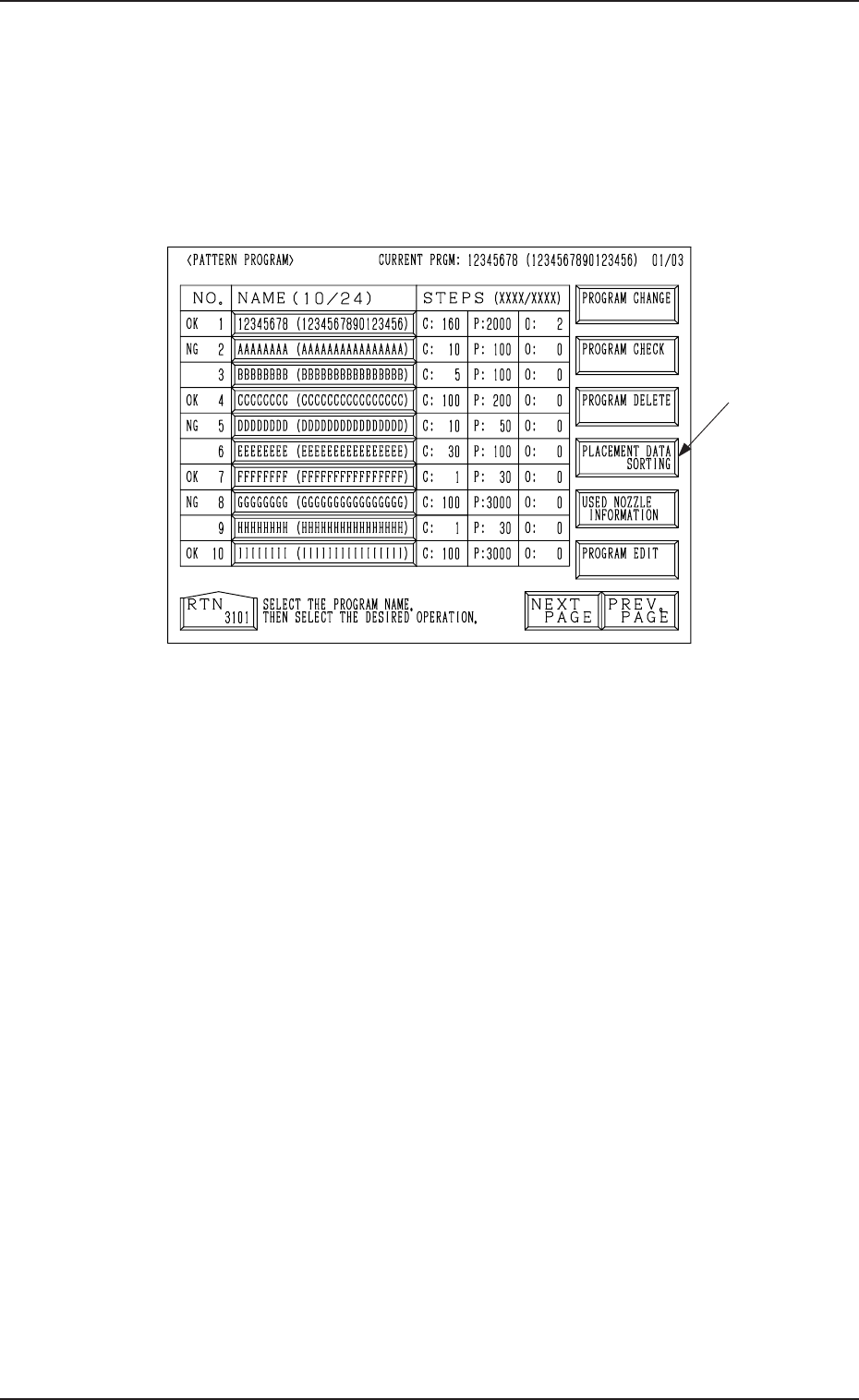
(1) When the [PATTERN PROGRAMMING] key is pressed at the “DATA
EDIT” display, the following display appears on the screen.
4. PATTERN PROGRAM Display
Fig. 2B144
(2) Select the program name to be edited.
(3) Select the desired operation key.
(4) The corresponding display opens for operation.
2-99
Option
0305-001 Tg0858-PM-PM
4.1 Operation
4.1.1 PROGRAM CHECK Display
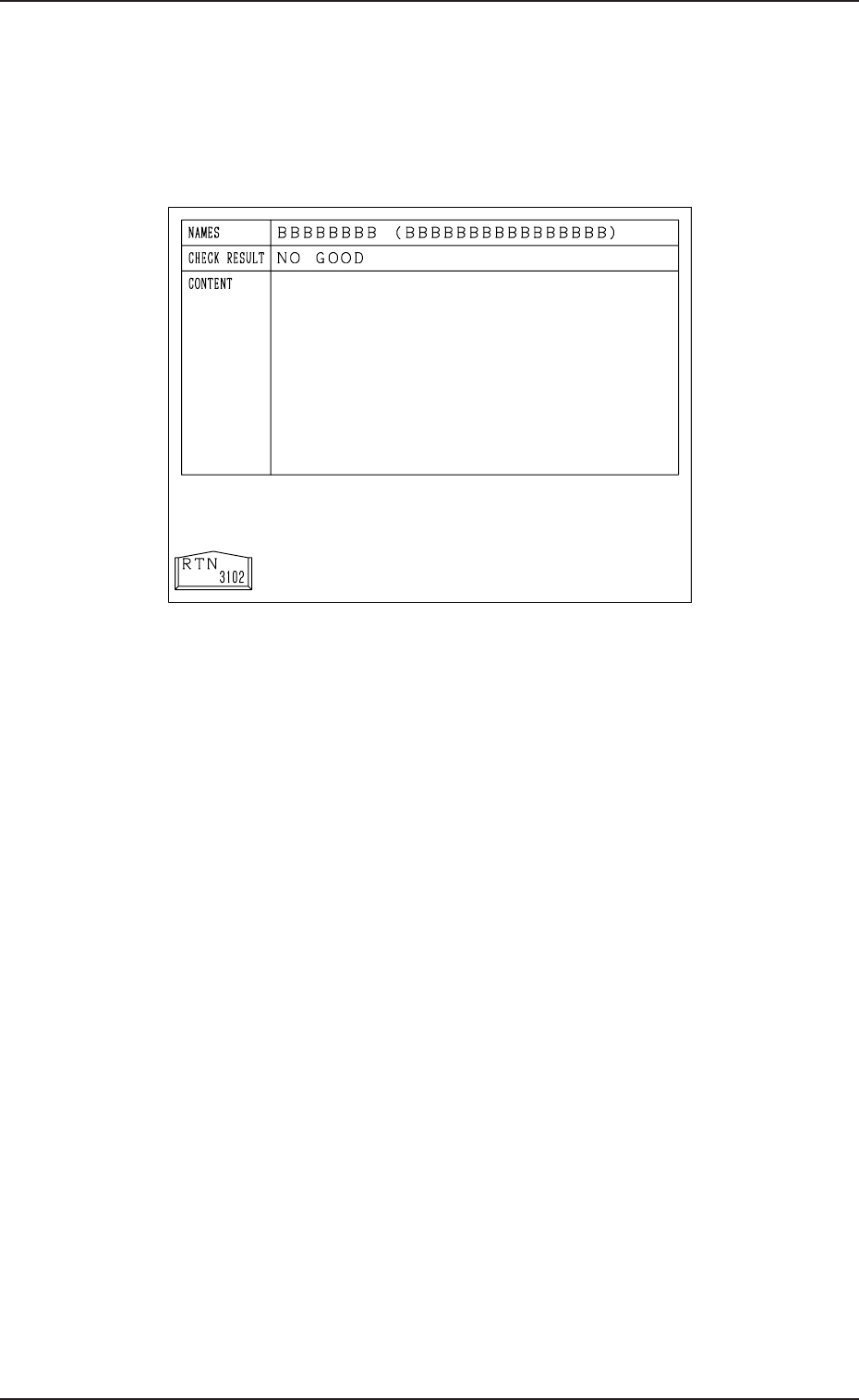
(1) Select the pattern program to be checked by pressing the desired “NAME
(XX/XX)” key at the “PATTERN PROGRAM” display (Fig. 2B144).
Then, press the [PROGRAM CHECK] key. The following display ap-
pears on the screen.
Fig. 2B145
(2) When no error is found after checking, “GOOD” appears at the “CHECK
RESULT” section.
When an error is found, “NO GOOD” appears displaying the contents of
the error at the “CONTENT” section.
(3) Refer to the information and correct the pattern program data. Then, per-
form the program check operation again.
2-100
0305-001 Tg0858-PM-PM
4.1 Operation
4.1.2 PROGRAM DELETE Display
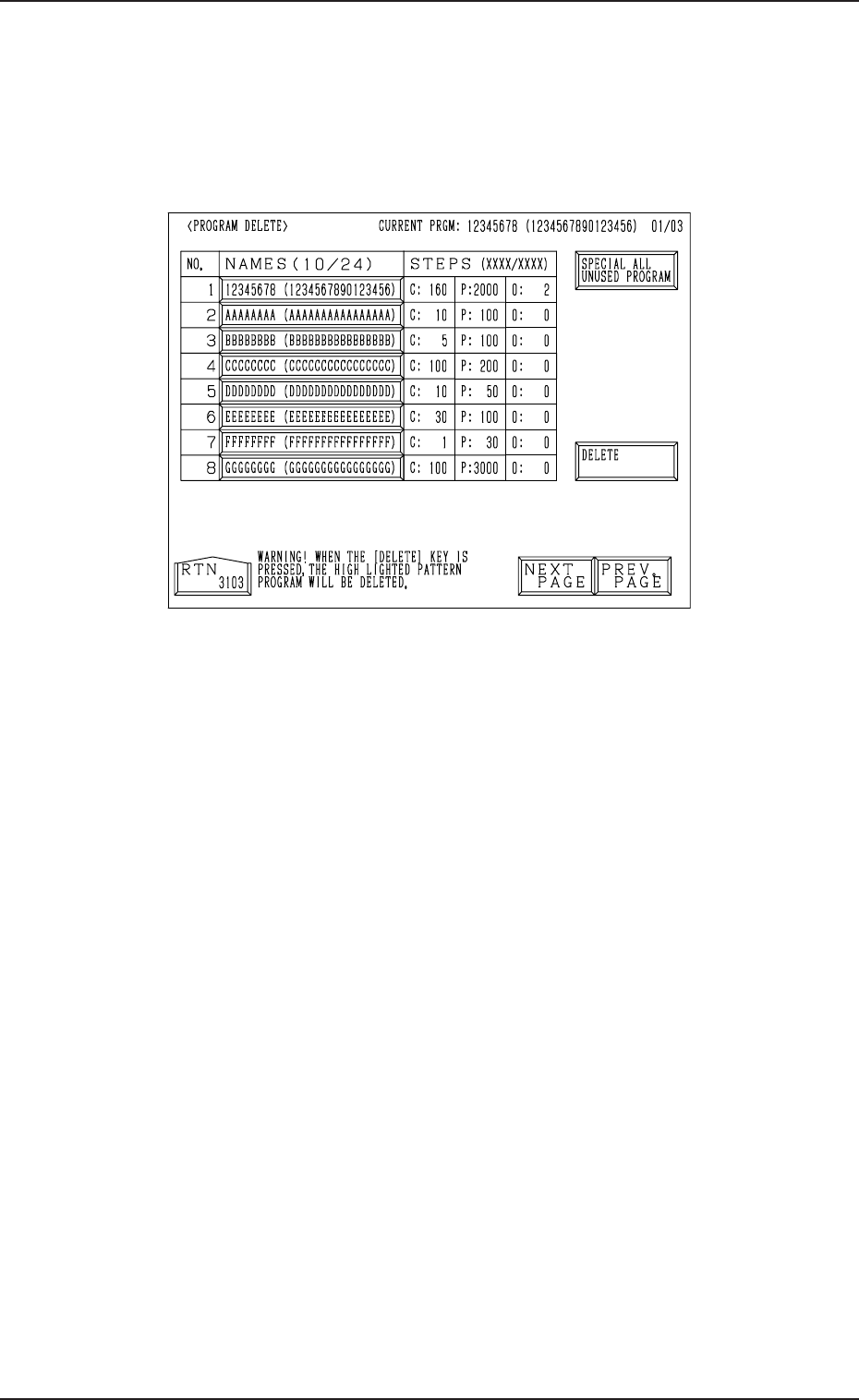
(1) Select the pattern program to be deleted by pressing the desired “NAME
(XX/XX)” key at the “PATTERN PROGRAM” display (Fig. 2B144).
Then, press the [PROGRAM DELETE] key.
The following display appears on the screen.
2-101
Fig. 2B146
(2) Check that the selected “NAMES (XX/XX)” key of the pattern program
to be deleted has turned blue.
Ref.: The pattern program data to be deleted can also be selected by
pressing the “NAMES (XX/XX)” key after the “PROGRAM DE-
LETE” display has opened.
(3) When the [DELETE] key is pressed, the selected pattern program is de-
leted.
To delete all pattern programs
(1) Press the [SPECIAL ALL UNUSED PROGRAM] key.
The [SPECIAL ALL UNUSED PROGRAM] key turns red and the
“NAMES (XX/XX)” keys turn blue.
(2) When the [DELETE] key is pressed, all pattern program data is deleted
and the program names are changed to “-------- (----------------)”, exclud-
ing the programs for the current production model.
• To cancel the program delete mode, press the [SPECIAL ALL UN-
USED PROGRAM] key again.