2OM-1011-002.pdf - 第51页
0305-001 Tg0858-PM-PM 2.5 COMPONENT DA T A Display When the [T APE [A] (F101-F139)], the [VIB STICK [A] (F141-F199)], or the [TRA Y L (F301-F599)] key is pressed at the “P A TTERN PROGRAM EDIT” display , the correspondin…
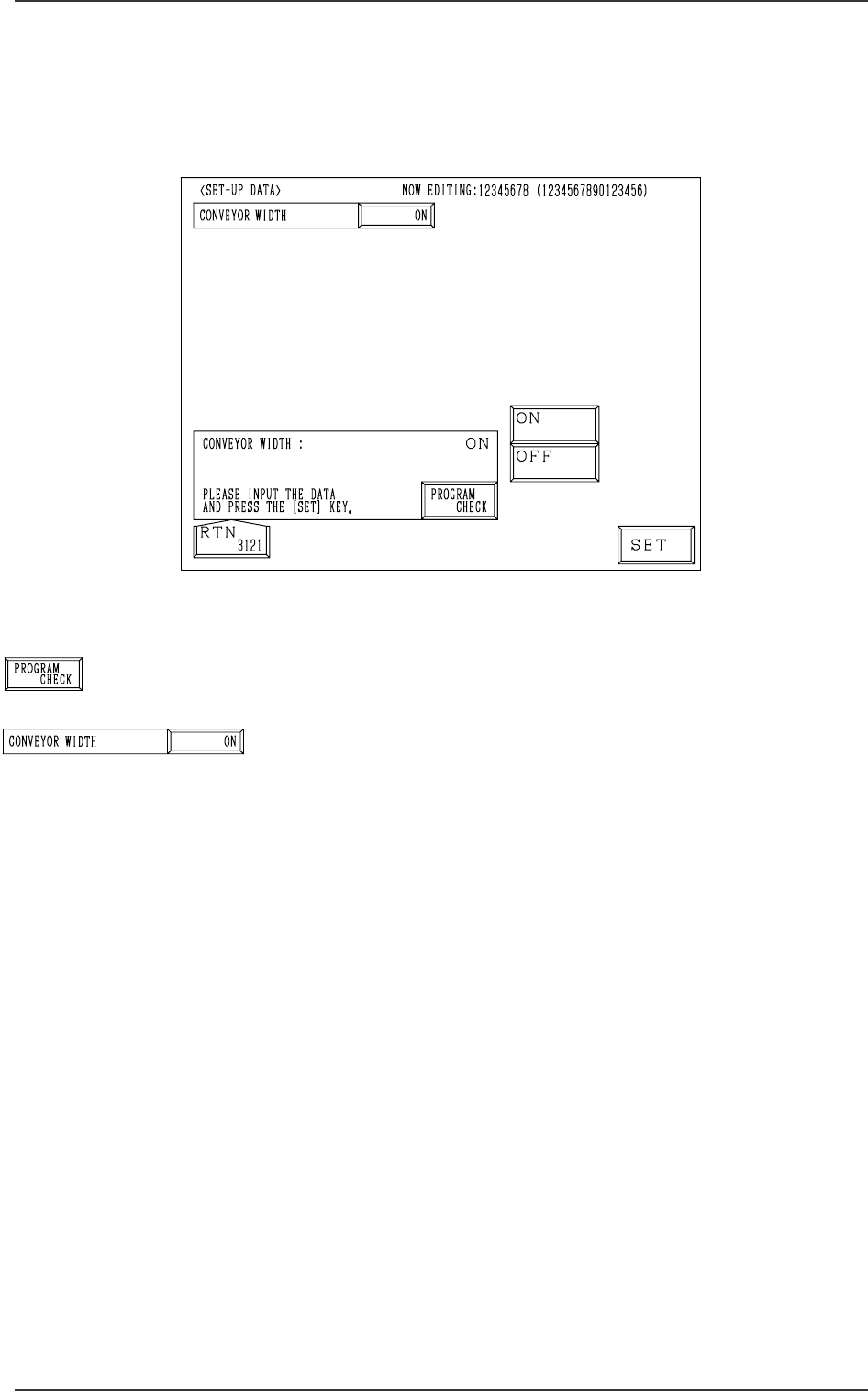
Fig. 2B68
[PROGRAM CHECK] Key
When this key is pressed, the edited pattern program is checked.
CONVEYOR WIDTH
Set one of the followings in the data box to determine whether
or not the conveyor width should be set up automatically.
“ON”
“OFF”
When the pattern program for which “ON” is set is changed
by pressing the [MOVE] button, the conveyor width is auto-
matically set up and changed in accordance with the param-
eter set in the “Y (vertical)” data box of the label “P.C.B. SIZE”
at the “OPERATION DATA” display.
2.4 SET-UP DATA Display
When the [SET-UP DATA] key is pressed at the “PATTERN PROGRAM
EDIT” display, the following display appears on the screen.
2.4 SET-UP DATA Display
0305-001 2-31 Tg0858-PM-PM
Fig. 2B69
Fig. 2B70
0305-001 Tg0858-PM-PM
2.5 COMPONENT DATA Display
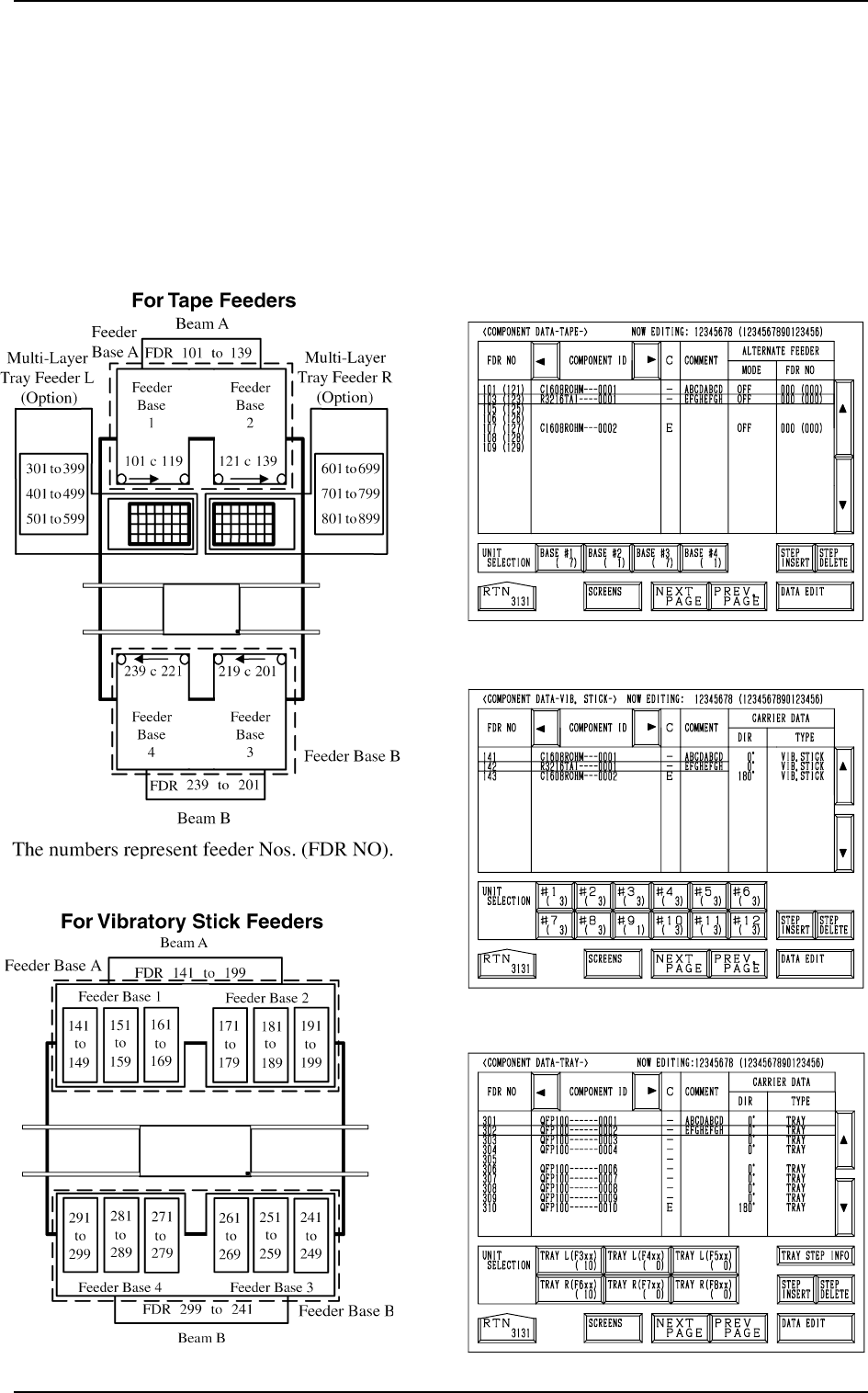
When the [TAPE [A] (F101-F139)], the [VIB STICK [A] (F141-F199)], or the
[TRAY L (F301-F599)] key is pressed at the “PATTERN PROGRAM EDIT”
display, the corresponding display (Fig. 2B73, 2B74, or 2B75) appears on the
screen.
When the [TAPE [B] (F201-F239)], the [VIB STICK [B] (F241-F299)], or the
[TRAY R (F601-F899)] key is pressed, the corresponding display (similar to
Fig. 2B73, 2B74, or 2B75) appears on the screen.
Fig. 2B71
Fig. 2B75
Fig. 2B74
Fig. 2B73
[TEAP A]
[VIB. STICK A]
[TRAY L]
Fig. 2B72
2.5 COMPONENT DATA Display
2-32
0305-001 Tg0858-PM-PM
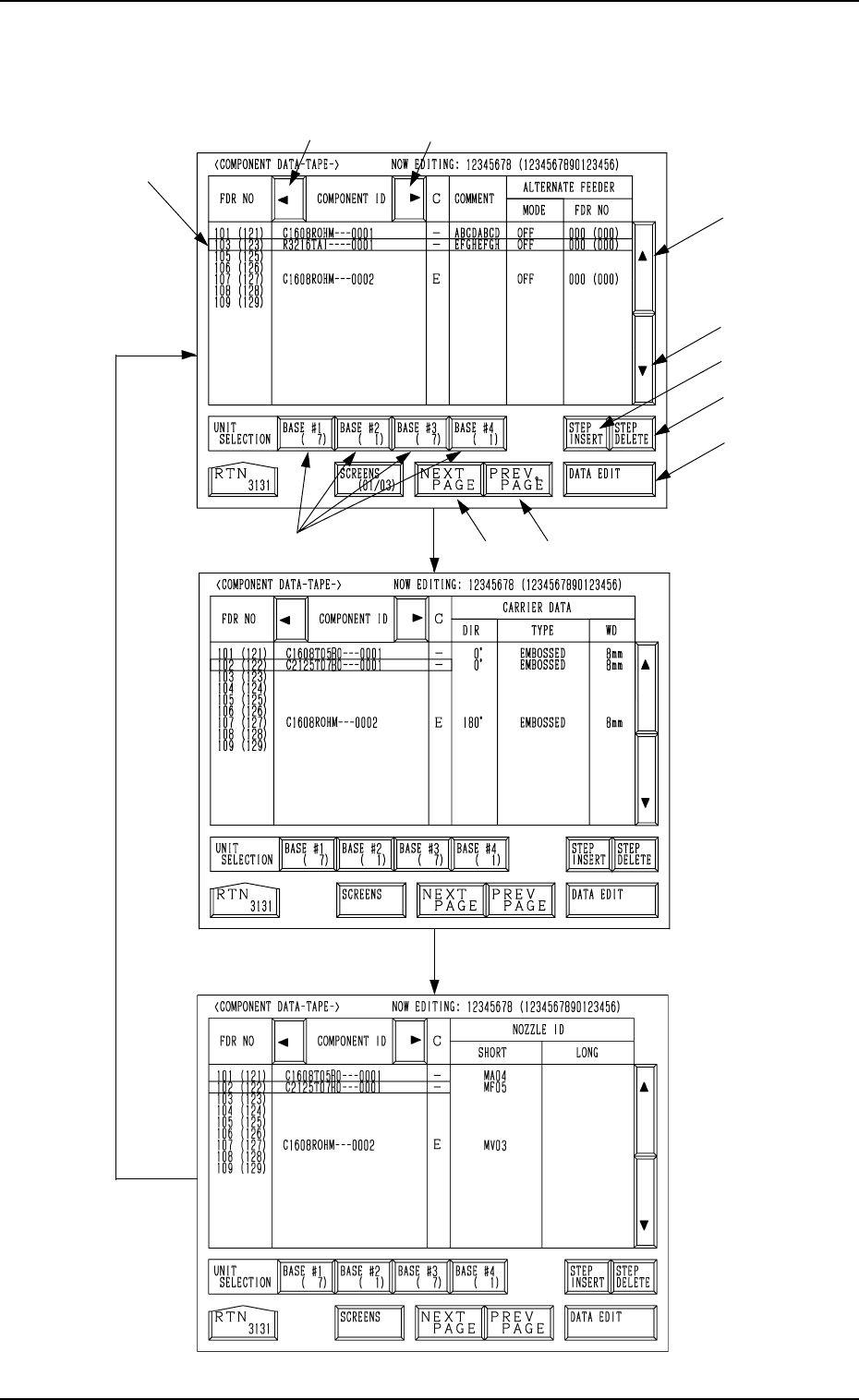
[SCREENS] Key
Fig. 2B76
*1
*6
*7
*2
*3
*10
*11
*9
*4 *5
*8
Fig. 2B77
Fig. 2B78
2.5 COMPONENT DATA Display
2-33
[TAPE A]
Every time the [SCREENS] key is pressed at the display (Fig. 2B76), another
display appears on the screen.