2OM-1011-002.pdf - 第185页
0305-001 Tg0858-PM-PM Fig. 2E20 First Page Second Page Third Page Fig. 2E19 Fig. 2E18 A A 2. DEVICE OFFSET Display 5-4 2. DEVICE OFFSET Display When the [DEVICE OFFSET] key is pressed at the “OFFSET DA T A” display , the…
0305-001 Tg0858-PM-PM
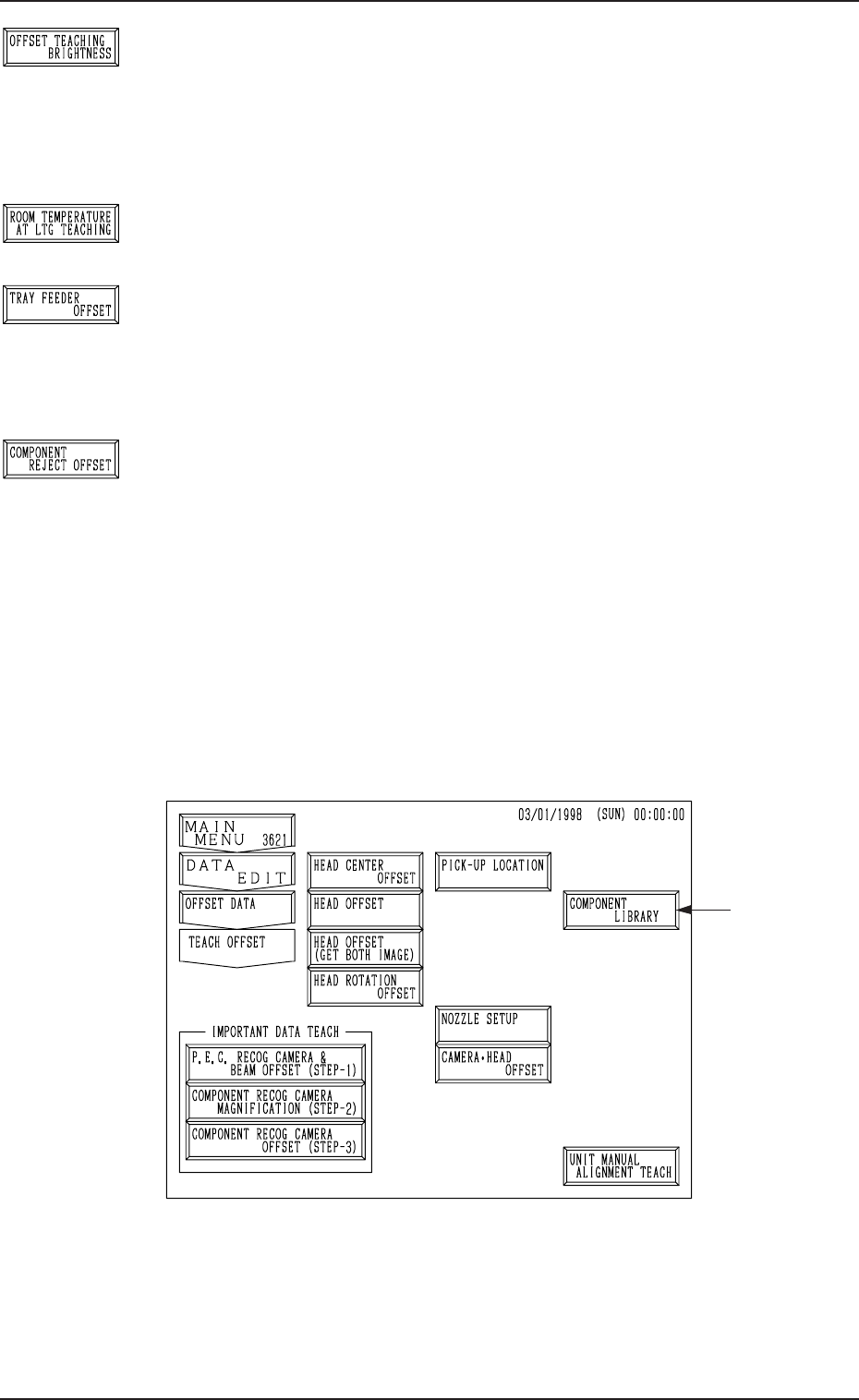
[OFFSET TEACHING BRIGHTNESS] Key
When this key is pressed, the “OFFSET TEACHING BRIGHT-
NESS” display appears on the screen, enabling the setting of
brightness values through automatic teaching operation based
on the image captured in the lighting system for the offset teach-
ing operation.
[ROOM TEMPERATURE AT LTG TEACHING] Key
Reserved Data
[TRAY FEEDER OFFSET] Key (Option)
When this key is pressed, the “TRAY FEEDER OFFSET” dis-
play appears on the screen, enabling the adjustment of the po-
sition where a pallet is drawn out from the magazine by the
traverse shaft.
[COMPONENT REJECT OFFSET] Key
When this key is pressed, the “NG WORK STORAGE OFF-
SET” display appears on the screen, enabling the adjustment
of the positional and vertical (height direction) deviations, com-
pared with the design dimensions of the component storage
box position.
When the [OFFSET TEACH] key *1 is pressed at the “OFFSET DATA” dis-
play (Fig. 5.1), the following display appears on the screen.
This display can also be opened from the “SPECIAL SEL.” dis-
play.
1. OFFSET DATA Display
Fig. 2E17
• Refer to “6. OFFSET TEACH Display of Section 3 in Volume 4” for de-
tails.
Option
5-3
Fig. 2E13
Fig. 2E14
Fig. 2E15
Fig. 2E16
0305-001 Tg0858-PM-PM
Fig. 2E20
First Page
Second Page
Third Page
Fig. 2E19
Fig. 2E18
A
A
2. DEVICE OFFSET Display
5-4
2. DEVICE OFFSET Display
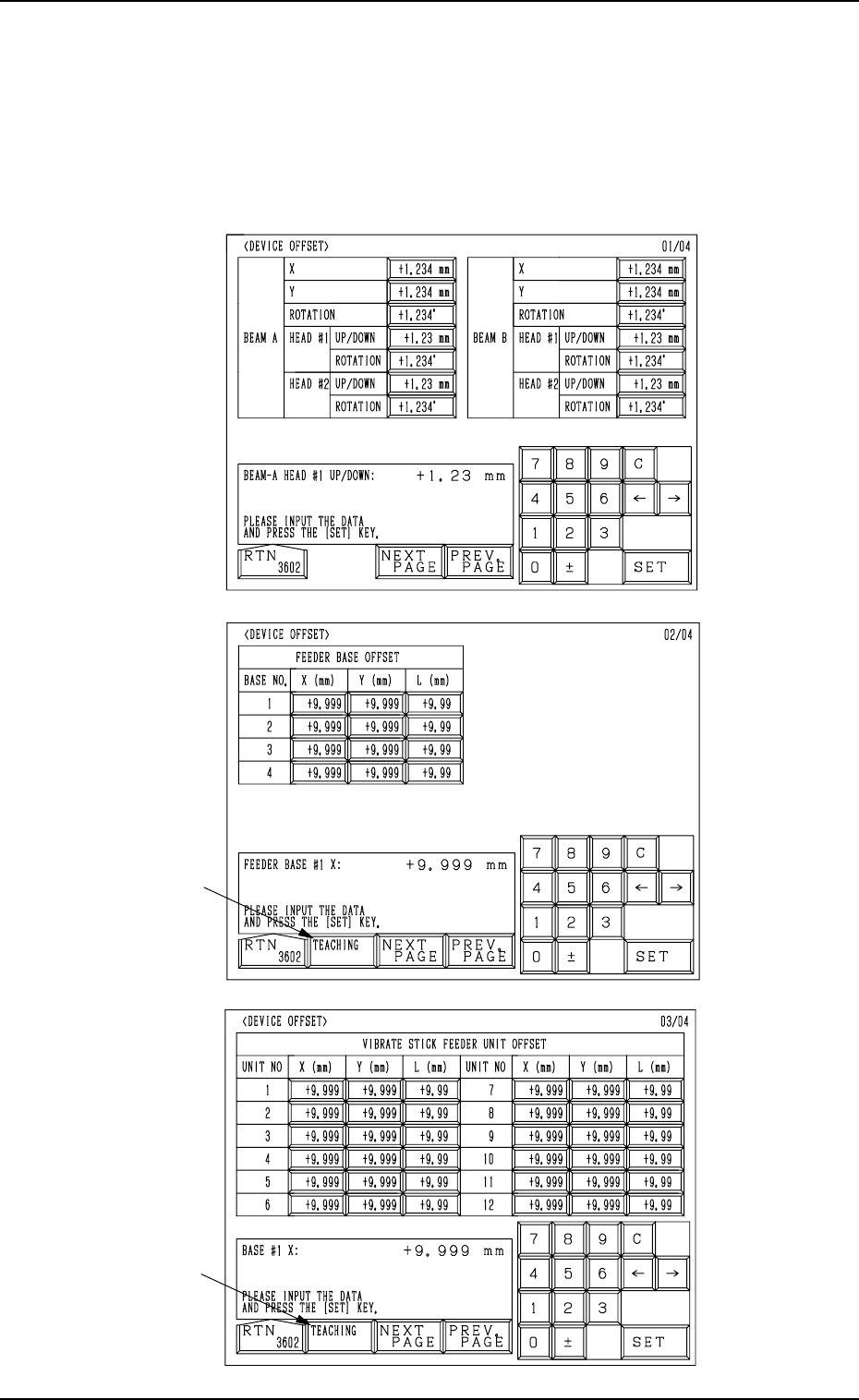
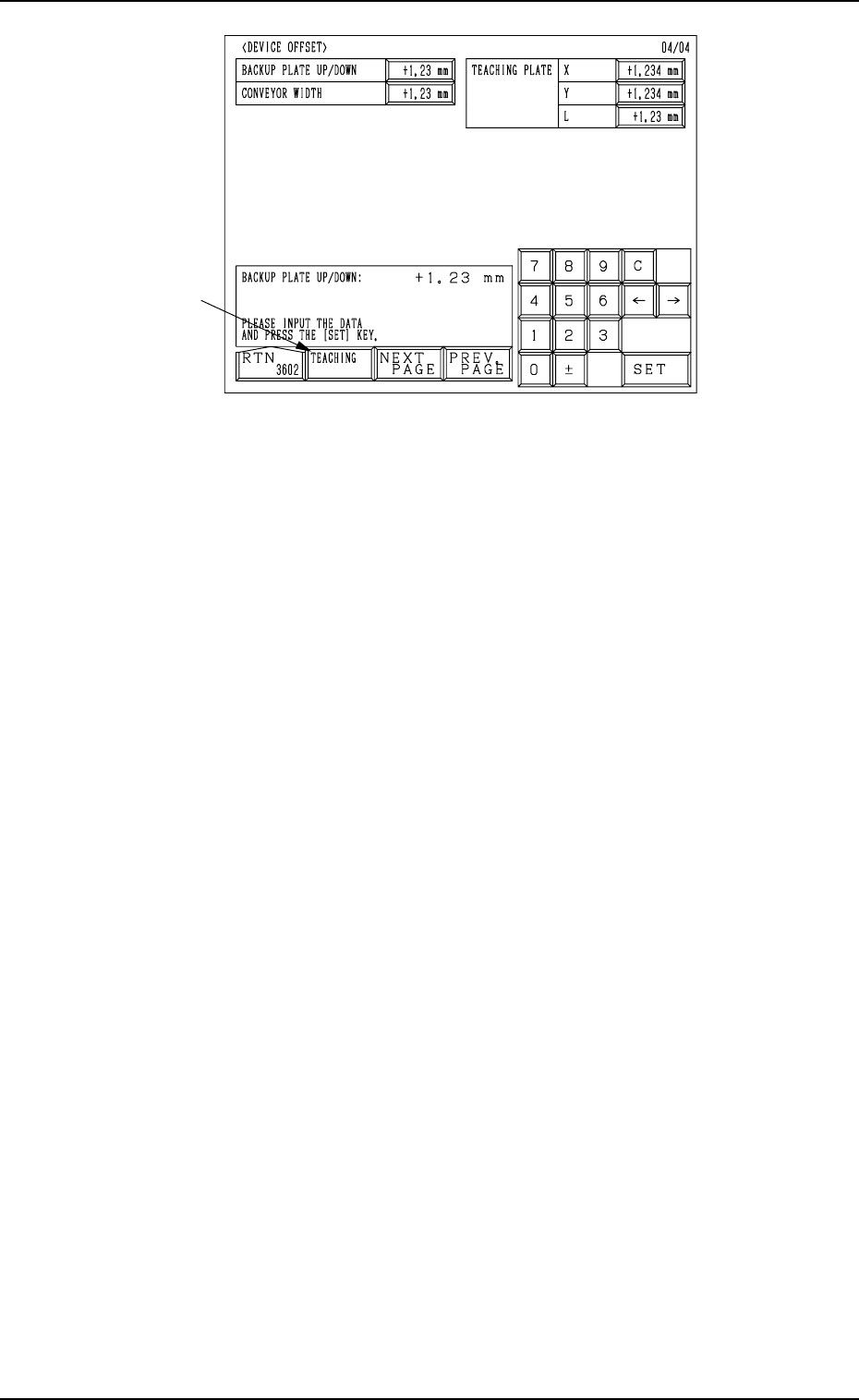
When the [DEVICE OFFSET] key is pressed at the “OFFSET DATA” display,
the following display appears on the screen.
Every time the [NEXT PAGE] or the [PREV. PAGE] key is pressed, another or
previous page appears on the screen.
0305-001 Tg0858-PM-PM
Fourth Page
Fig. 2E21
A
2. DEVICE OFFSET Display
5-5