2OM-1011-002.pdf - 第152页
0305-001 Tg0858-PM-PM (3) When the [DELETE] key is pressed, all pattern program data is deleted and the following display appears on the screen. (“*” is changed to “-”.) 4.9 Remedial Operation for Error Pattern Program D…
0305-001 Tg0858-PM-PM
4.9 Remedial Operation for Error Pattern Program Data
4.9 Remedial Operation for Error Pattern Program
Data
When the backup pattern program data is corrupted due to battery shortage,
etc., all parameters are changed to “*” as shown in the following figure.
(All characters turn red.)
In this case, such parameters cannot be retrieved and must be
deleted. (All Program Delete Operation)
Fig. 2B184
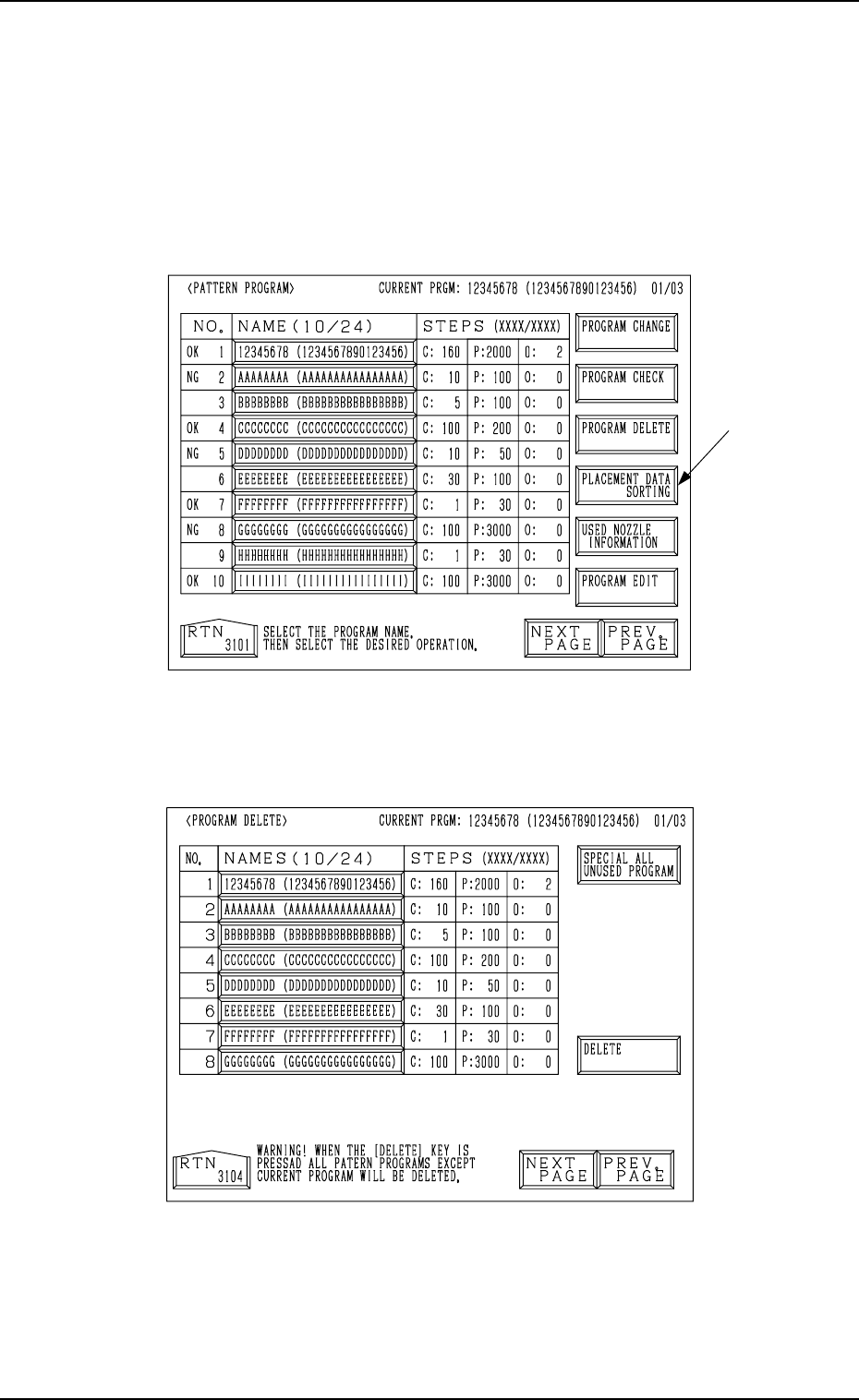
(1) When the [PROGRAM DELETE] key is pressed, the following display
appears on the screen.
Fig. 2B185
(2) When the [SPECIAL ALL UNUSED PROGRAM] key is pressed, the
key turns red and all pattern program name keys turn blue.
2-132
Option
0305-001 Tg0858-PM-PM
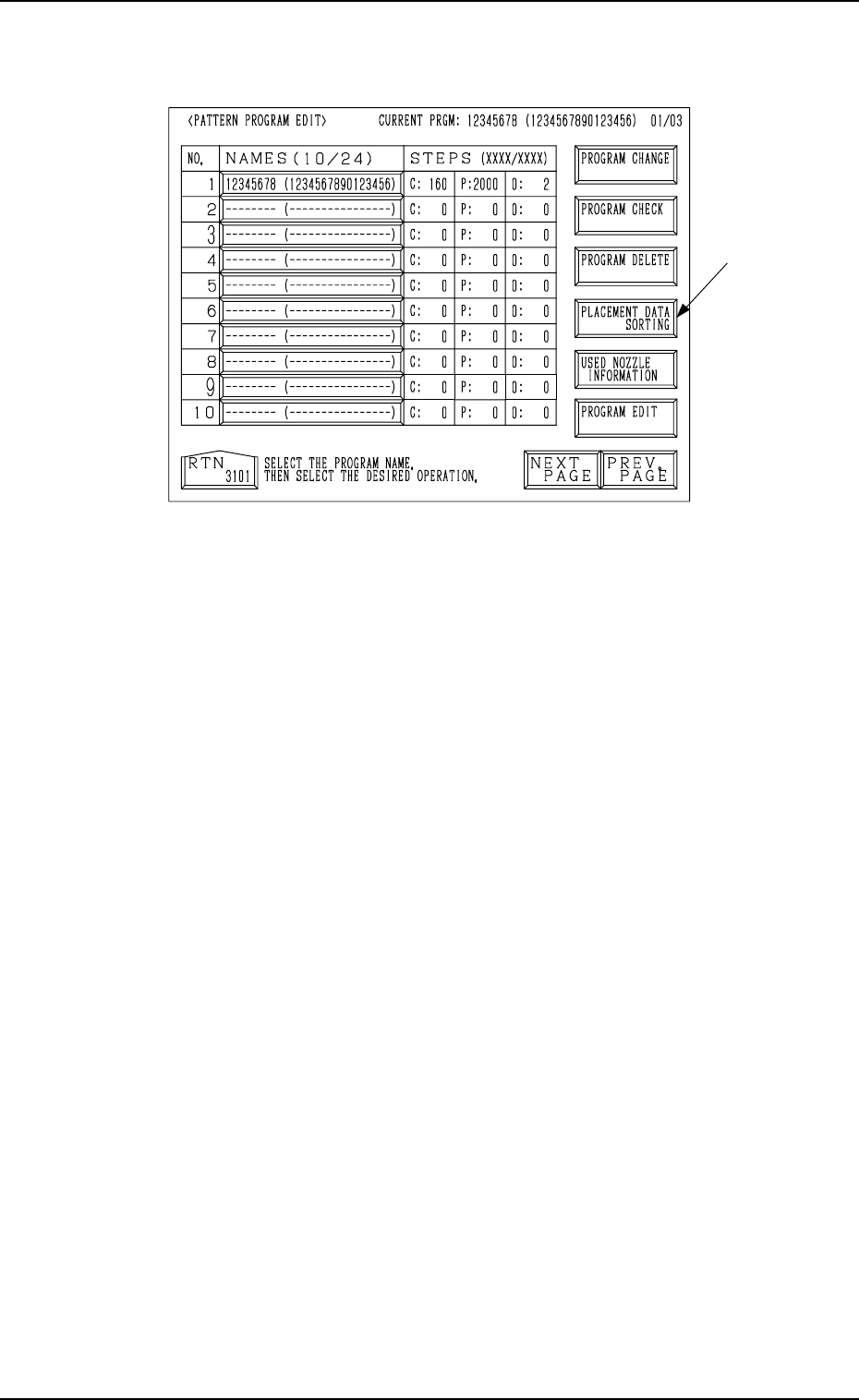
(3) When the [DELETE] key is pressed, all pattern program data is deleted
and the following display appears on the screen. (“*” is changed to “-”.)
4.9 Remedial Operation for Error Pattern Program Data
Fig. 2B186
2-133
Option

0305-001 Tg0858-PM-PM2-134