2OM-1011-002.pdf - 第137页
0305-001 Tg0858-PM-PM *1 2-1 18 4.6.1 Special Operation (Step Delete) for Placement Data (1) Move the line cursor to the step No. of the data to be deleted. (2 ) Press the [STEP DELETE] key . The data of the step No. at …
0305-001 Tg0858-PM-PM
4.6 PLACEMENT DATA (P) Display
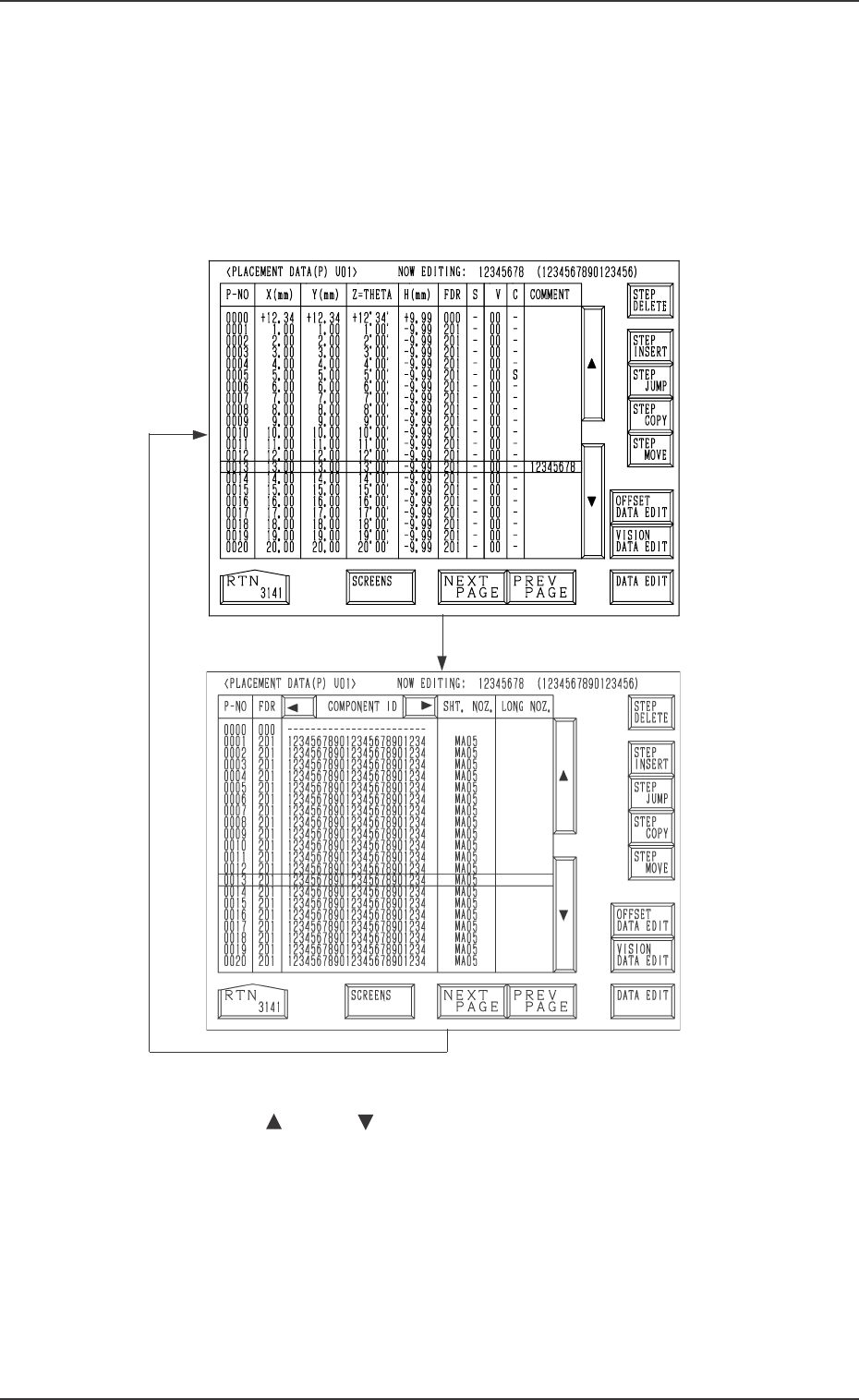
(1) Press the [PLACEMENT DATA U01] key at the “PATTERN PRO-
GRAM EDIT” display. The following display appears on the screen.
Pressing the [SCREENS] key at this display opens another “PLACE-
MENT DATA (P) U01” display.
The “PLACEMENT DATA (P) U02” and the subsequent dis-
plays look almost the same.
Fig. 2B168
Fig. 2B169
[SCREENS] Key
[SCREENS] Key
4.6 PLACEMENT DATA (P) Display
2-117
(2) Move the line cursor to the step No. of the data to be edited.
(Use the [ ] or the [ ] key. )
(3) Press the key required for editing.
[OFFSET DATA EDIT] Key
[VISION DATA EDIT] Key
[DATA EDIT] Key
(4) Open the display required for your editing.
Ref.: Similar procedures can be followed for data editing at the “PLACE-
MENT DATA (O) U01” and “PLACEMENT DATA (V) U01” dis-
plays.
0305-001 Tg0858-PM-PM
*1
2-118
4.6.1 Special Operation (Step Delete) for Placement Data
(1) Move the line cursor to the step No. of the data to be deleted.
(2) Press the [STEP DELETE] key.
The data of the step No. at the line cursor is deleted.
The line at the line cursor position is deleted and the subsequent lines
scroll up.
4.6.2 Special Operation (Step Insert) for Placement Data
(1) Move the line cursor to the step No. of the data to be inserted.
(2) Press the [STEP INSERT] key.
A new step line (placement data) is inserted below the step No. at the
cursor position.
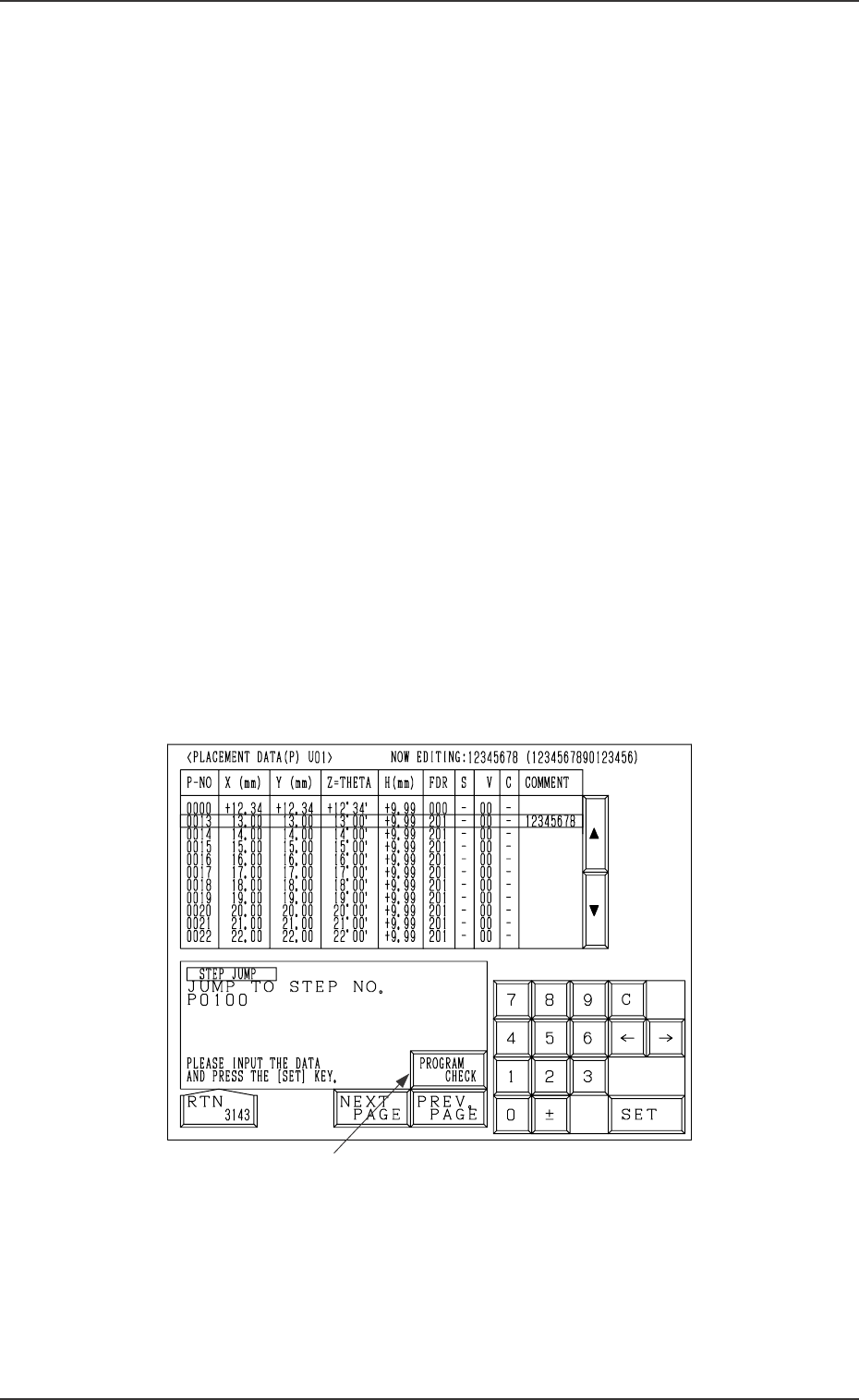
4.6.3 Special Operation (Step Jump) for Placement Data
(1) When the [STEP JUMP] key is pressed at the “PLACEMENT DATA
(P) U01” display (Fig. 2B168 or Fig. 2B169), the following display ap-
pears on the screen.
Pressing the [STEP JUMP] key at the “PLACEMENT DATA
(O) U01” or the “PLACEMENT DATA (V) U01” display follows
the similar hierarchical sequence.
4.6 PLACEMENT DATA (P) Display
Fig. 2B170
(2) Enter the step No. to jump to, using the ten-key pad and press the [SET]
key.
0305-001 Tg0858-PM-PM
*1
2-119
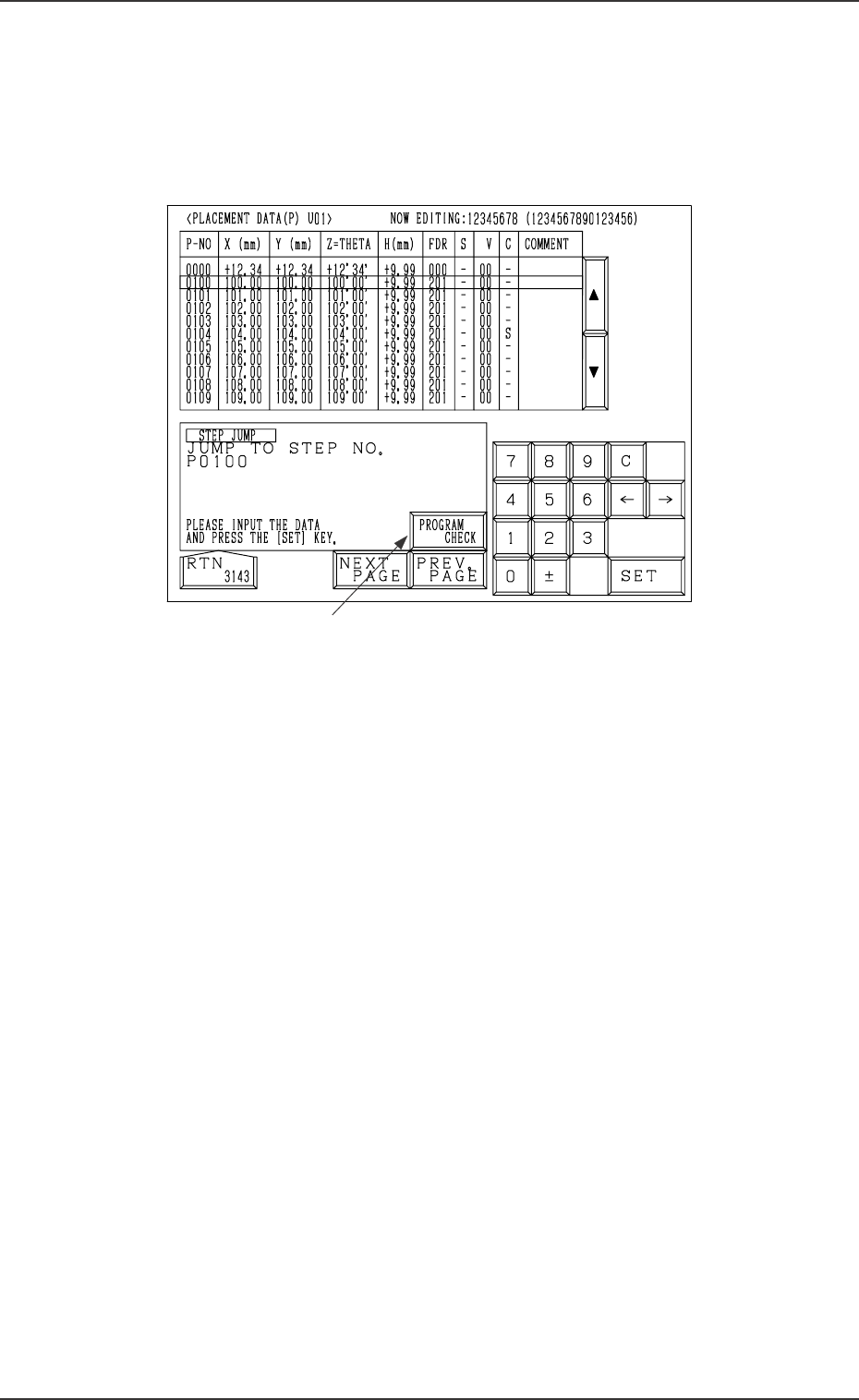
Example: Jumping to the P0100 Step
(1) Open the “PLACEMENT DATA (P) U01” display (Fig. 2B170).
(2) Enter “0100”, using the ten-key pad and press the [SET] key. The line
cursor jumps to the P0100 step as shown in the following figure.
4.6 PLACEMENT DATA (P) Display
Fig. 2B171
Ref.: When the [PROGRAM CHECK] key *1 is pressed, the current pat-
tern program is checked.