2OM-1011-002.pdf - 第173页
0305-001 Tg0858-PM-PM 4-B

0305-001 Tg0858-PM-PM
Section 4
AUTO OPERATION SET-UP
Display
4-A
This section explains the AUTO OPERATION SET-UP dis-
play and operation procedures, etc.

0305-001 Tg0858-PM-PM
4-B
0305-001 Tg0858-PM-PM
1. AUTO OPERATION SET-UP Display
*1
*2
*3
4-1
1. AUTO OPERATION SET-UP Display
Various parameters related to automatic operation of the machine can be set at
this display. Machine performance, production rate, production guidance, etc.,
can be set.
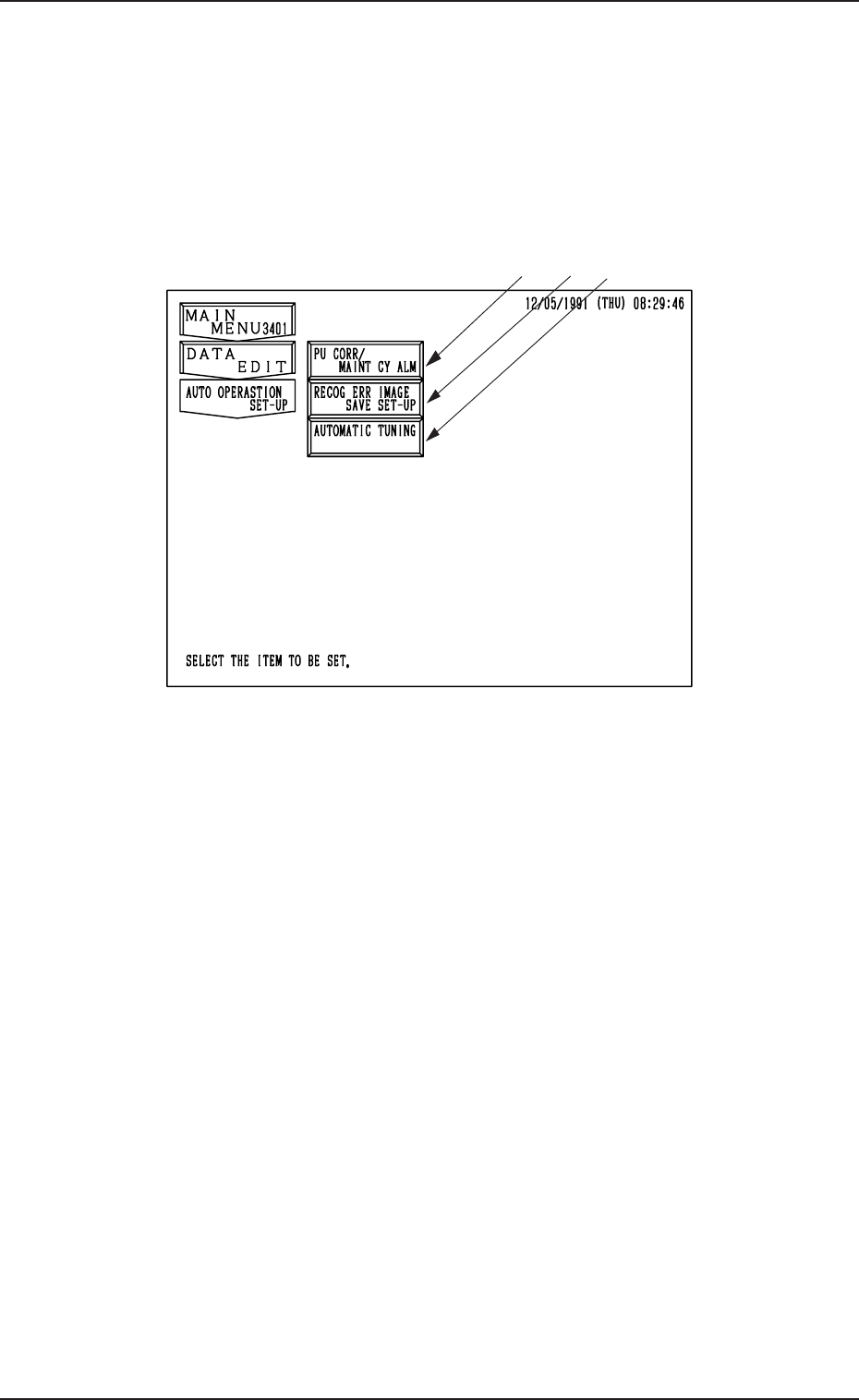
When the [AUTO OPERATION SET-UP] key is pressed at the “DATA EDIT”
display, the following display appears on the screen.
Fig. 2D1
*1 [PU CORR/MAINT CY ALM] Key
When this key is pressed, the “PICK-UP CORRECTION/MAINTENANCE
CYCLE ALARM” display opens, enabling the sensitivity setting for pick-
up correction, the setting of various guidance, and the setting of alarm indi-
cation.
*2 [RECOG ERR IMAGE SAVE SET-UP] Key
When this key is pressed, the “RECOGNITION ERROR IMAGE SAVE
SET-UP” display opens, enabling the setting for image data saving at a
recognition error.
The data can be used to analyze the cause of an error in comparison with
the error image on the monitor.
*3 [AUTOMATIC TUNING] Key
When this key is pressed, the “AUTOMATIC TUNING” display opens,
enabling the setting of timing to correct the position of each section.