2OM-1011-002.pdf - 第96页
0305-001 Tg0858-PM-PM 3.2 Example 2 (Example of Placement Data Creation) Fig. 2B122 Notes: (a) P 0 shows the P .C.B. positioning reference. (b) “O-0001”, “O-0002”, “O-0003”, and “O-0004” are called “Pat- tern Origins”. E…
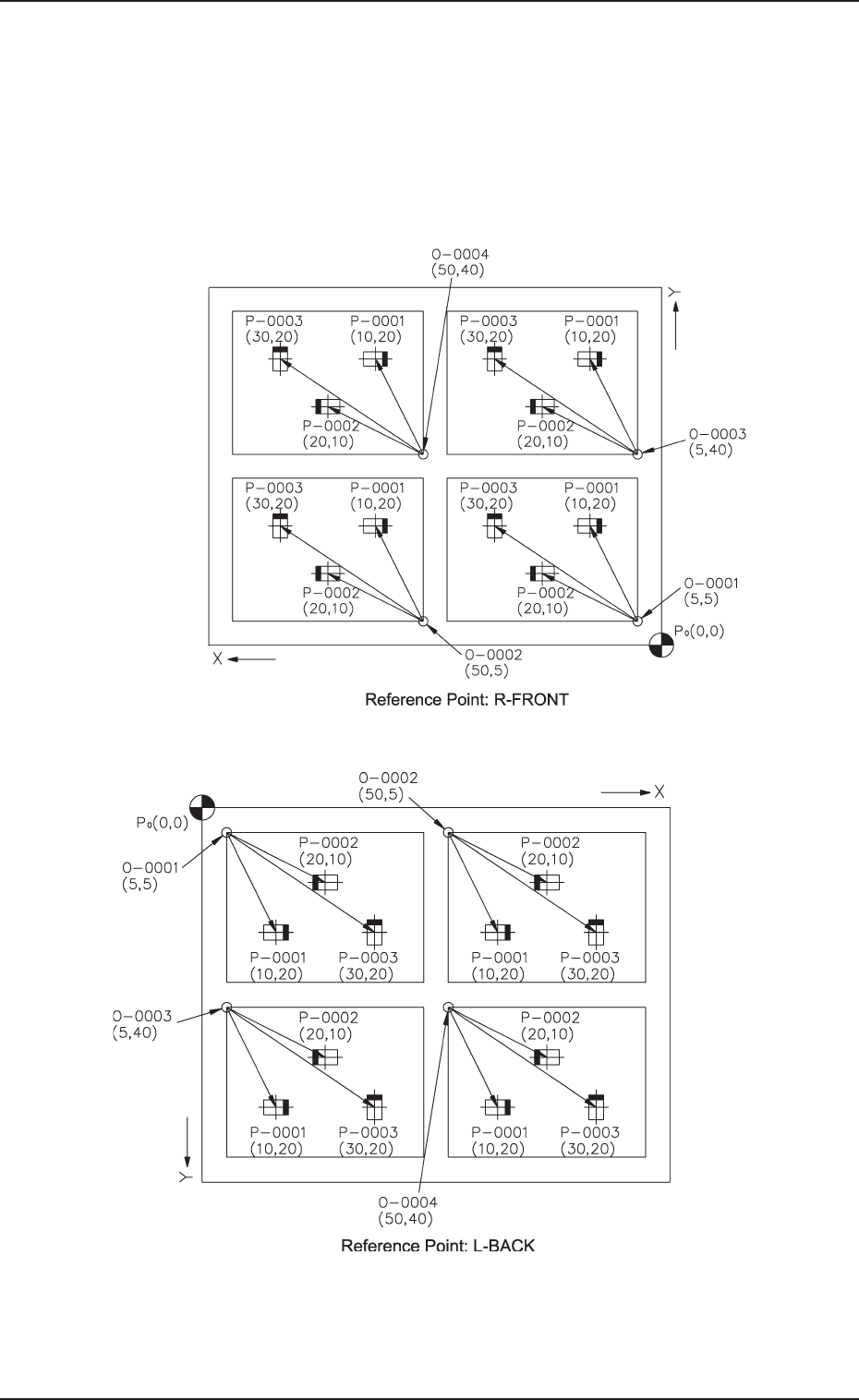
0305-001 Tg0858-PM-PM
3.2 Example 2 (Example of Placement Data Creation)
3.2.3 Repetitive Placement Data
[Not to set the P.E.C. recognition function for each individual
repetitive patterns]
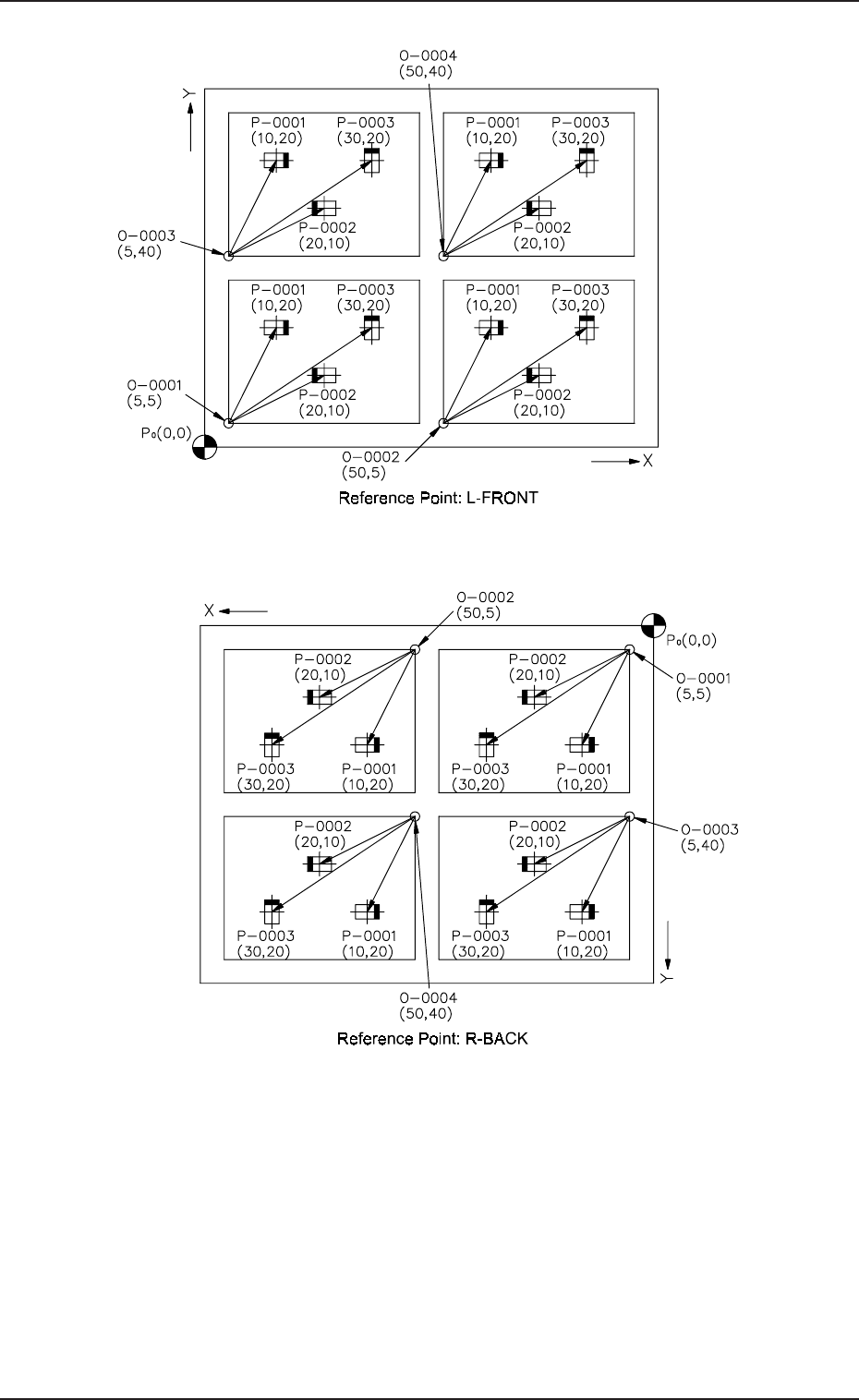
(1) Pattern Sample
• The figure below shows components placed on each unit P.C.B. mak-
ing the same patterns (4 patterns) repeatedly.
2-76
Fig. 2B120
Fig. 2B119
0305-001 Tg0858-PM-PM
3.2 Example 2 (Example of Placement Data Creation)
Fig. 2B122
Notes: (a) P
0
shows the P.C.B. positioning reference.
(b) “O-0001”, “O-0002”, “O-0003”, and “O-0004” are called “Pat-
tern Origins”. Each coordinate measured from the P.C.B. posi-
tioning reference point must be entered.
(c) Measure the coordinates (distances) based on the pattern origins
and enter them for component placement.
2-77
Fig. 2B121
0305-001 Tg0858-PM-PM
3.2 Example 2 (Example of Placement Data Creation)
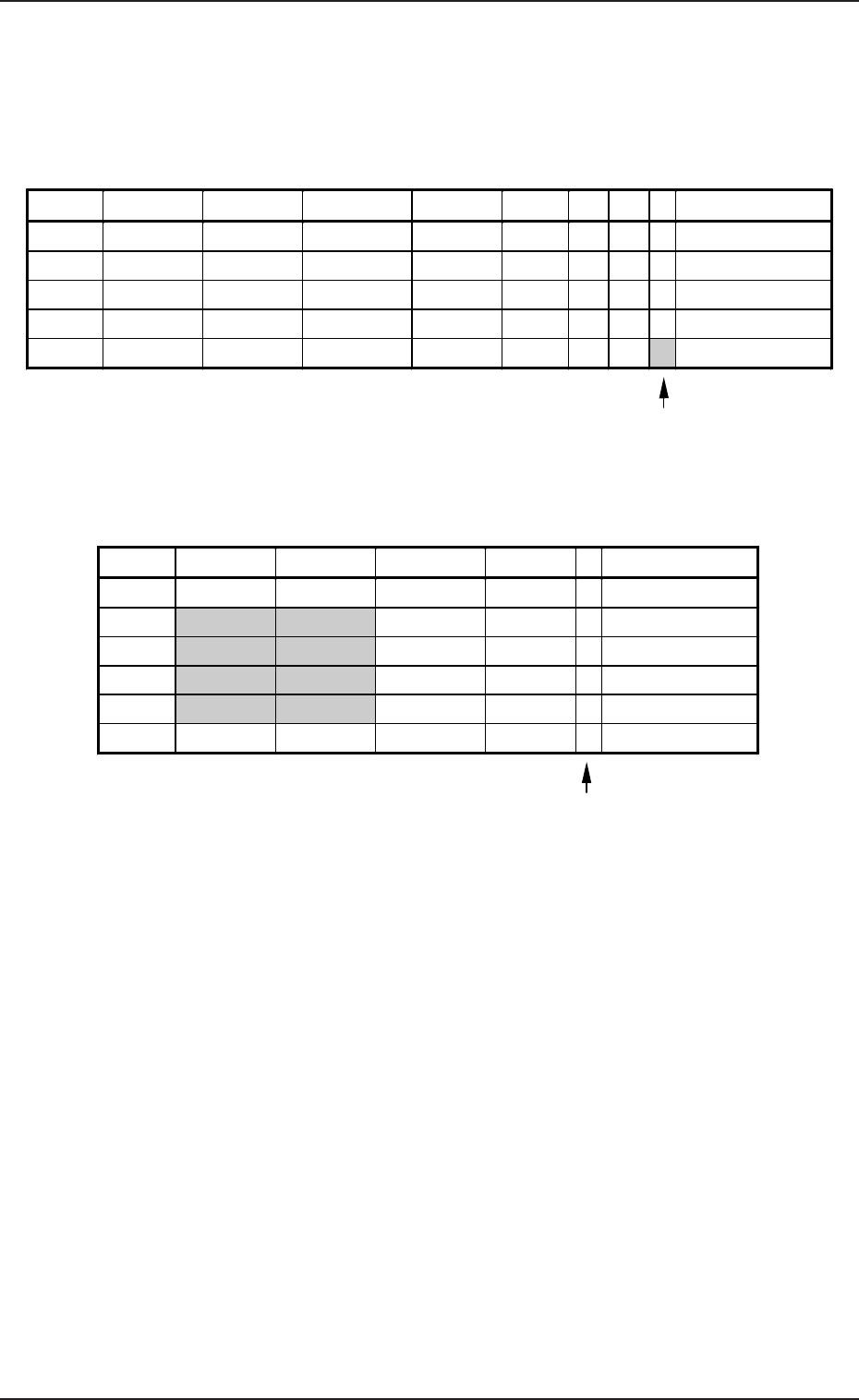
(2) Example of Data Creation
• Use placement data (P) U01 and placement data (O) U01.
• Do not enter any parameters in placement data (V) because it is not
used.
PLACEMENT DATA (P) U01
2-78
O-NO. X(mm) Y(mm) Z(THETA) H(mm) C COMMENT
0000 +0.00 +0.00 +0°00’ +0.00 -
0001 +5.00 +5.00 +0°00’ +0.00 -
0002 +50.00 +5.00 +0°00’ +0.00 -
0003 +5.00 +40.00 +0°00’ +0.00 -
0004 +50.00 +40.00 +0°00’ +0.00 -
0005 +0.00 +0.00 +0
°
00’ +0.00 E
Enter “0” (zero) in all data fields of the last step and “P” or
“Q” as a control command.
PLACEMENT DATA (O) U01
Enter “0” (zero) in all data fields of the last step and “E”
as a control command.
P-NO. X(mm) Y(mm) Z(THETA) H(mm) FDR S V C COMMENT
0000 +0.00 +0.00 +0°00’ +0.00 000 - 00 -
0001 +10.00 +20.00 +0°00’ +0.00 101 - 00 -
0002 +20.00 +10.00 +180°00’ +0.00 201 - 00 -
0003 +30.00 +20.00 +90°00’ +0.00 301 - 00 -
0004 +0.00 +0.00 +0°00’ +0.00 000 - 00 P
Table 2B25
Table 2B26