2OM-1011-002.pdf - 第123页
0305-001 Tg0858-PM-PM First Page Second Page Fig. 2B149 Fig. 2B150 4.3 Operation Procedures 4.3 Operation Procedures 4.3.1 OPERA TION DA T A Display (1) When the [OPERA TION DA T A] key is pressed at the “P A TTERN PRO- …
0305-001 Tg0858-PM-PM
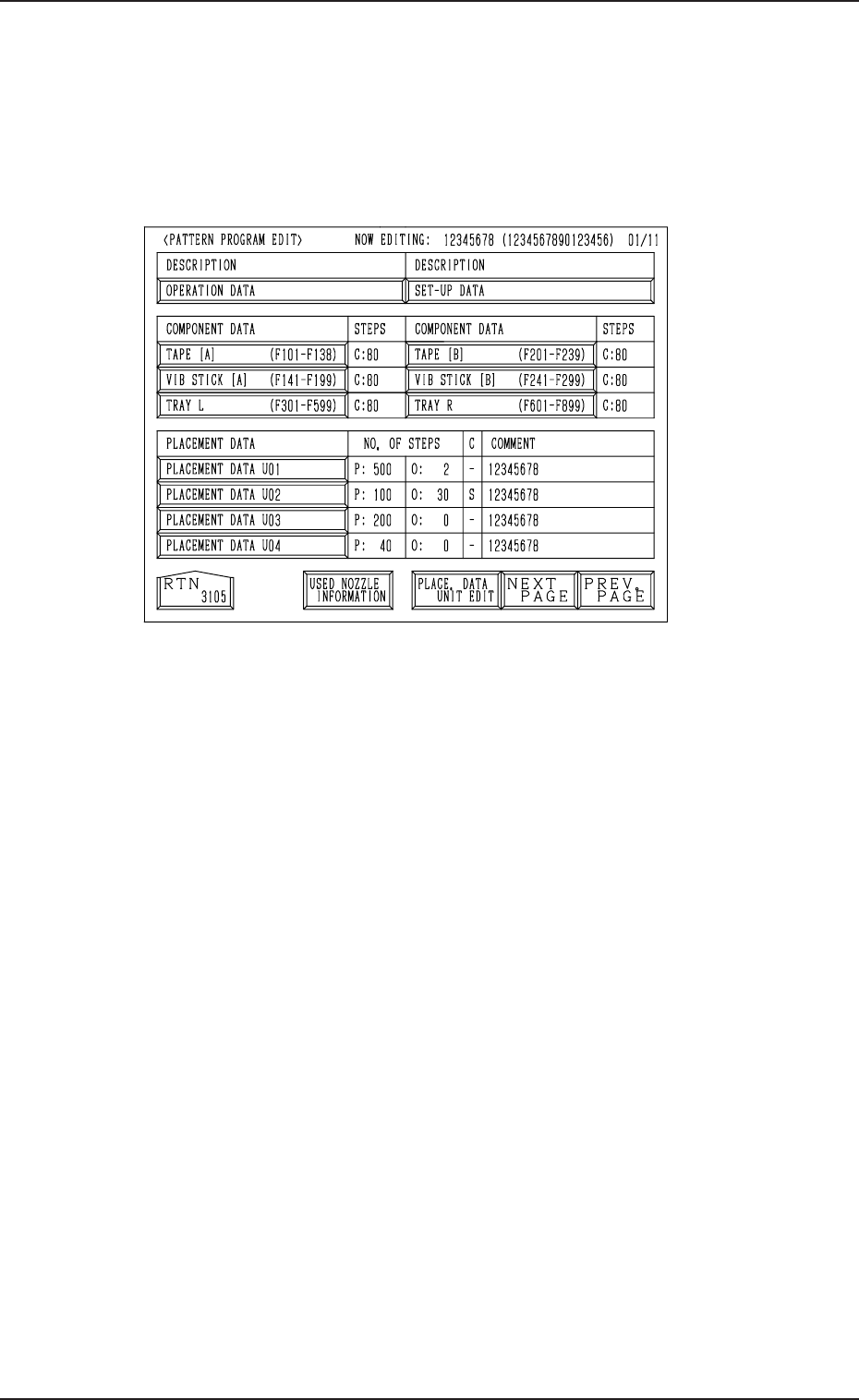
4.2 PATTERN PROGRAM EDIT Display
(1) Select the pattern program to be edited by pressing the desired “NAME
(XX/XX)” key at the “PATTERN PROGRAM” display (Fig. 2B144).
Then, press the [PROGRAM EDIT] key.
The following display appears on the screen.
Fig. 2B148
(2) Select the data to be edited.
(3) The corresponding display opens for editing.
(4) Edit parameters at each corresponding display.
(5) Open the “PATTERN PROGRAM EDIT” display again.
(6) When the [RTN] key is pressed after data editing, the “PATTERN PRO-
GRAM SAVE MODE” display appears on the screen.
Refer to “4.8 PATTERN PROGRAM SAVE MODE Display of Section
2” for details.
4.2 PATTERN PROGRAM EDIT Display
2-103
0305-001 Tg0858-PM-PM
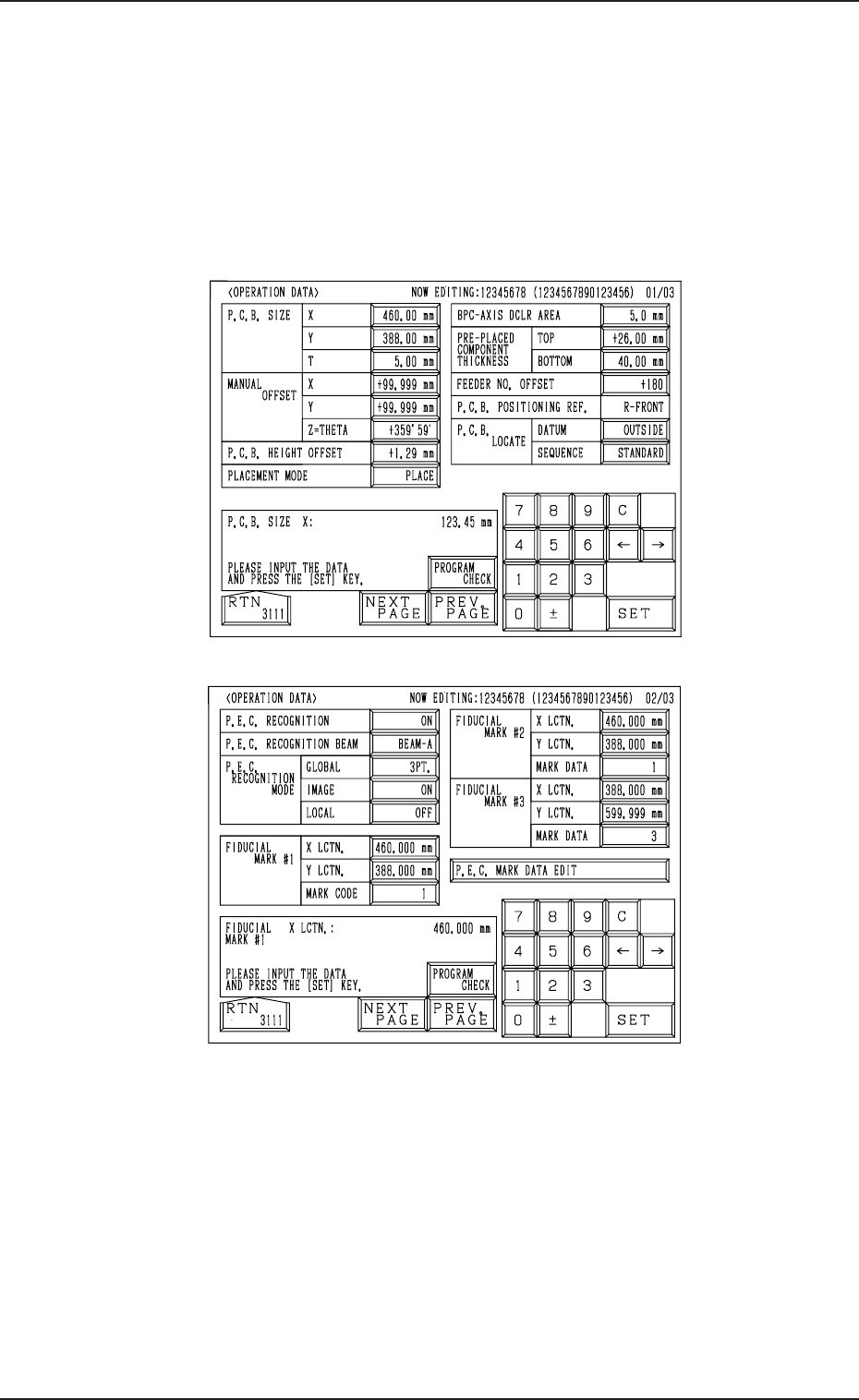
First Page
Second Page
Fig. 2B149
Fig. 2B150
4.3 Operation Procedures
4.3 Operation Procedures
4.3.1 OPERATION DATA Display
(1) When the [OPERATION DATA] key is pressed at the “PATTERN PRO-
GRAM EDIT” display, the following display appears on the screen.
• Every time the [NEXT PAGE] or the [PREV. PAGE] key is pressed,
another or previous page appears on the screen.
2-104
0305-001 Tg0858-PM-PM
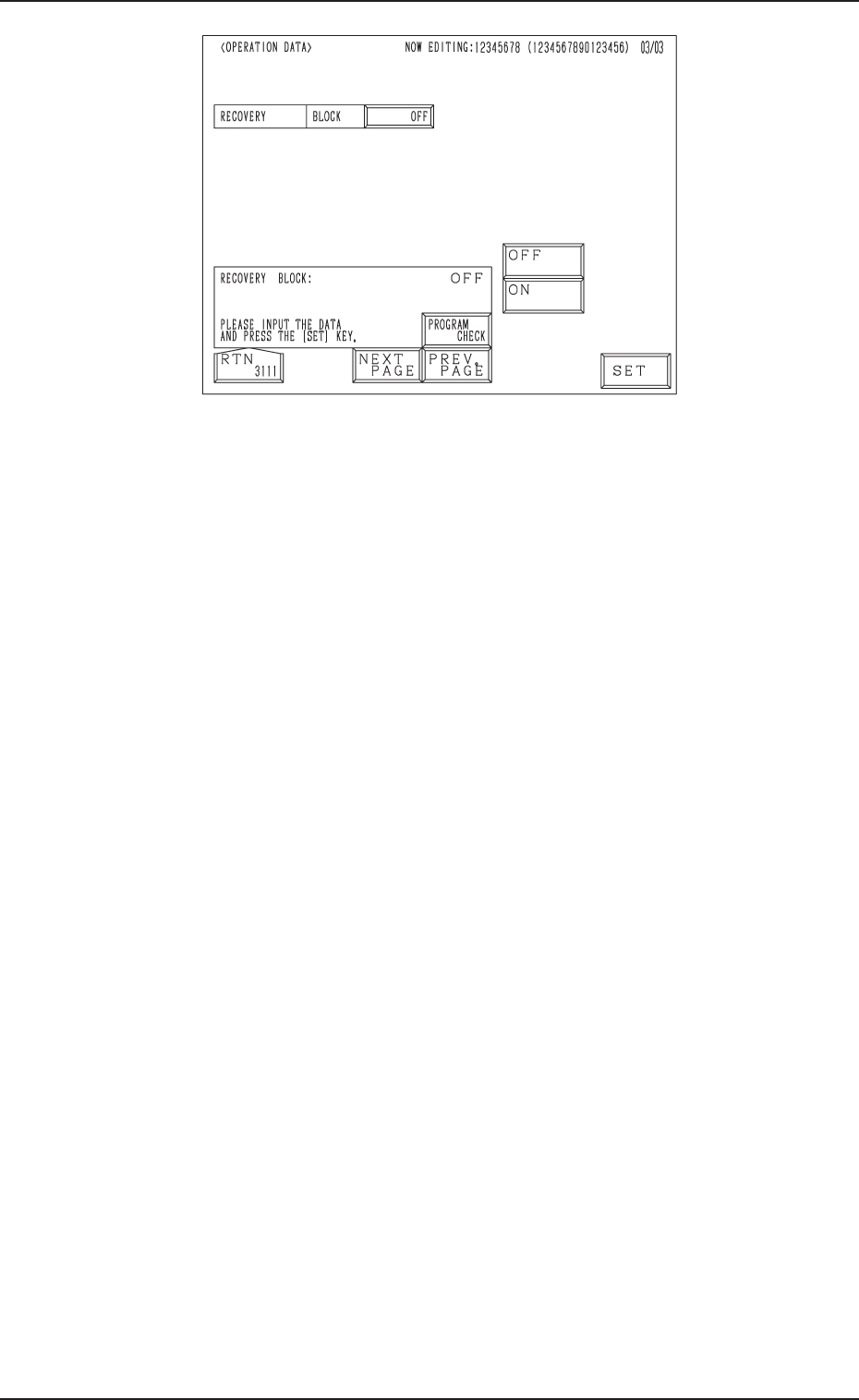
Third Page
Fig. 2B151
4.3 Operation Procedures
(2) Select the data to be edited.
(3) Enter a parameter and press the [SET] key.
(4) Press the [RTN] key. The “PATTERN PROGRAM EDIT” display ap-
pears on the screen.
• When the [PROGRAM CHECK] key is pressed, the edited pattern program
is checked.
2-105