2OM-1011-002.pdf - 第169页
0305-001 Tg0858-PM-PM Fig. 2C28 TRA Y MA TRIX MODE Set “X DIR.” or “Y DIR.” (direction in which components should be taken out) in this data box. In normal cases, “Y DIR.” should be selected. Fig. 2C30 shows the order (a…
0305-001 Tg0858-PM-PM
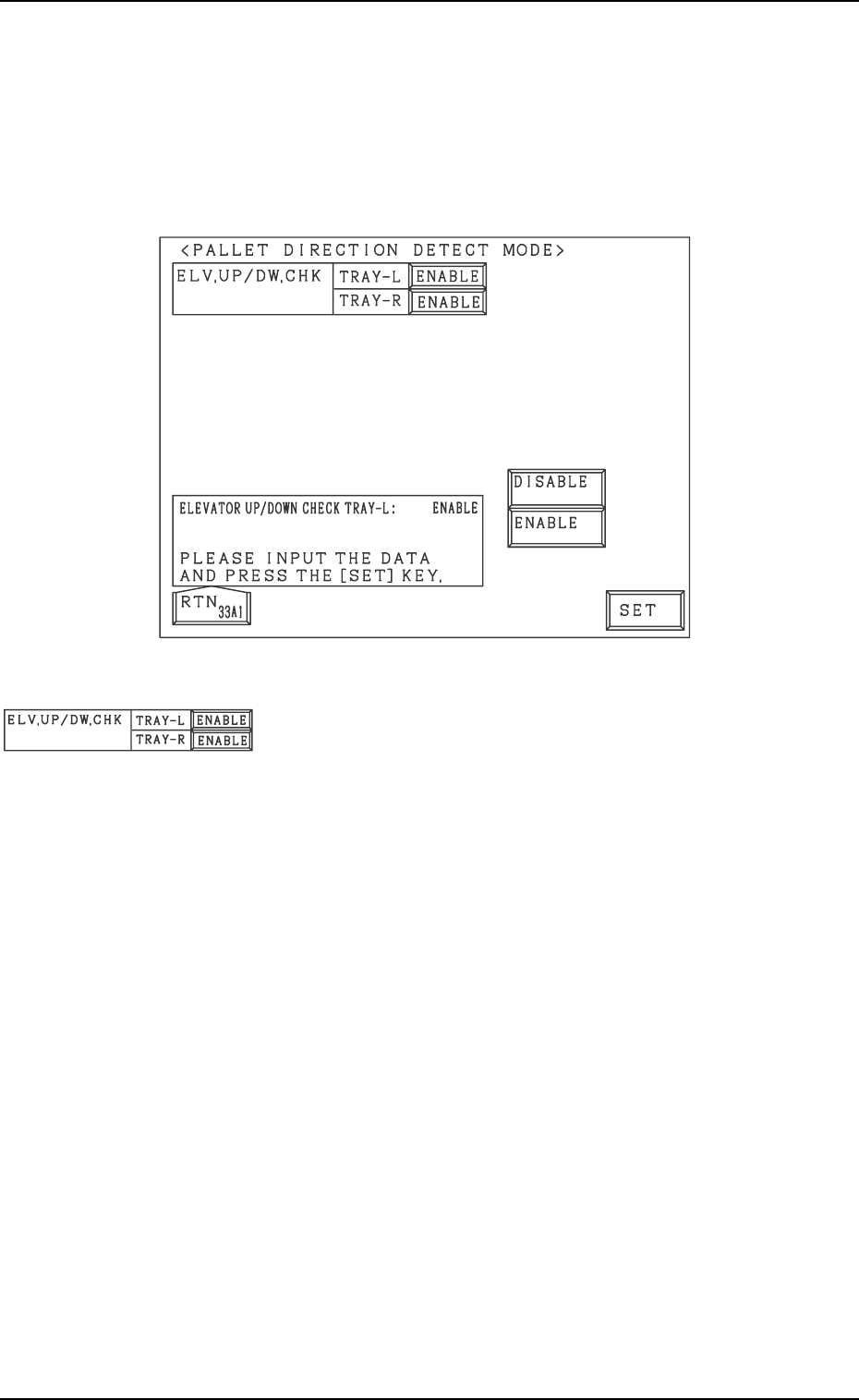
4. Description of Pallet Direction Detect Mode Selection Display
3-13
4. Description of Pallet Direction Detect Mode Selec-
tion Display
This decides whether or not the pallet direction should be detected.
When the [PALLET DIRECTION DETECT MODE] key is pressed in the
“DEVICE SETTING DATA” display, the following display appears:
Fig. 2C26
ELV.UP/DW.CHK, TRAY L, TRAY R
This determines whether or not the pallet direction should be
detected for each tray before the elevator is lifted.
Select from [ENABLE] and [DISABLE].
Note: If the pallet direction detection sensor has not been
correctly adjusted and then [ENABLE] is selected
when in that condition, the operation is not available
because of the detection error.
Fig. 2C27
0305-001 Tg0858-PM-PM
Fig. 2C28
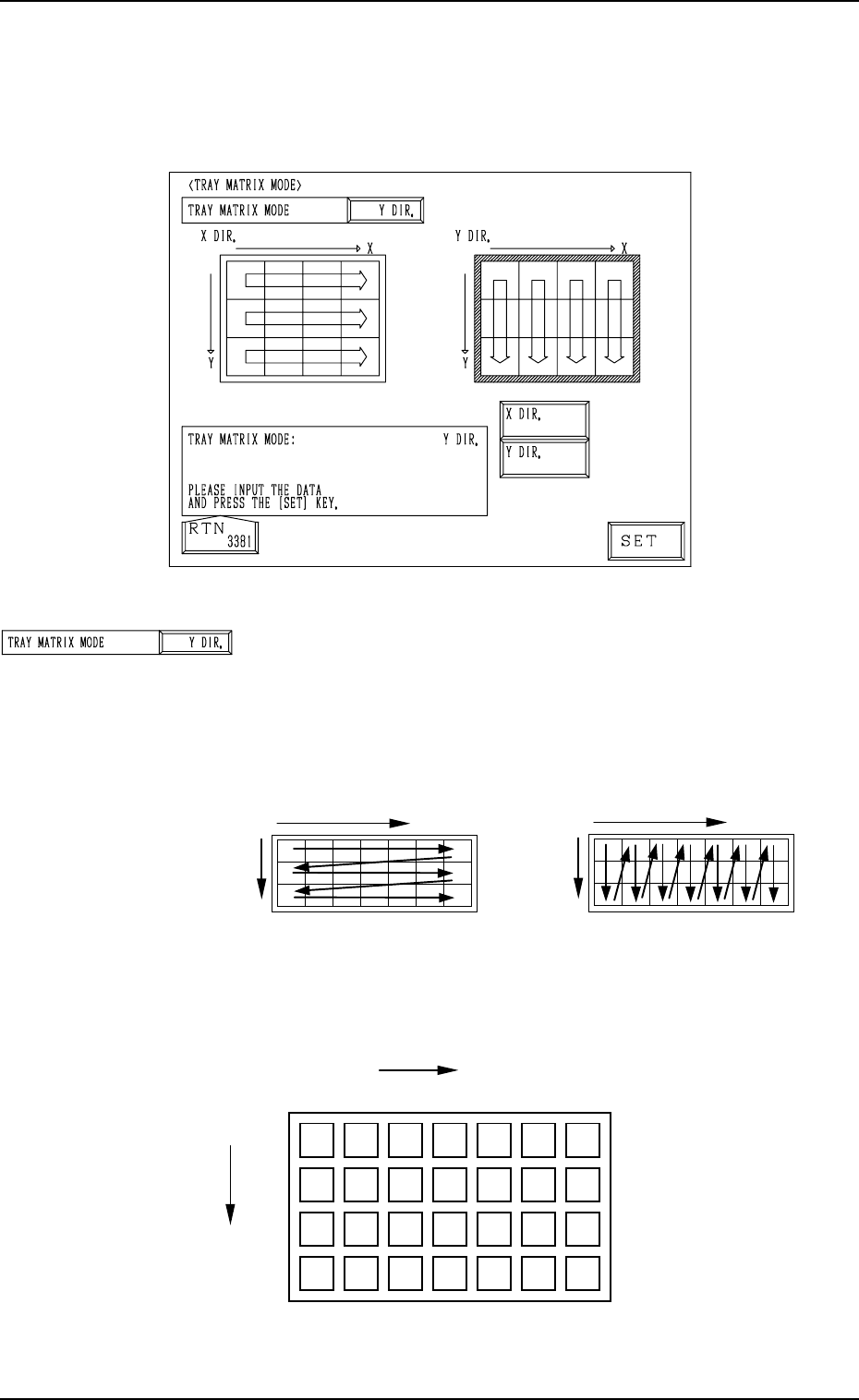
TRAY MATRIX MODE
Set “X DIR.” or “Y DIR.” (direction in which components
should be taken out) in this data box.
In normal cases, “Y DIR.” should be selected.
Fig. 2C30 shows the order (arrow directions) in which compo-
nents are taken out.
5. TRAY MATRIX MODE Display (Option)
When the [TRAY MATRIX MODE] key is pressed at the “DEVICE DATA”
display, the following display appears on the screen.
Fig. 2C30
Example: The tray is in the condition (in the middle of pro-
cess) shown in Fig. 2C31.
5. TRAY MATRIX MODE Display (Option)
3-14
X
Selection of “X DIR.”
Y
X
Selection of “Y DIR.”
Y
Fig. 2C31
Fig. 2C29
{
: Component Existing
×: No Component (Taken Out)
{{{
{{{{{
{{{{{
×
×××
×
×
×
××
{{
{{
{{
Y
Y
1
2
99
···
1
X
Y
99
· · · · · ·
3
2
0305-001 Tg0858-PM-PM
Fig. 2C32 Fig. 2C33
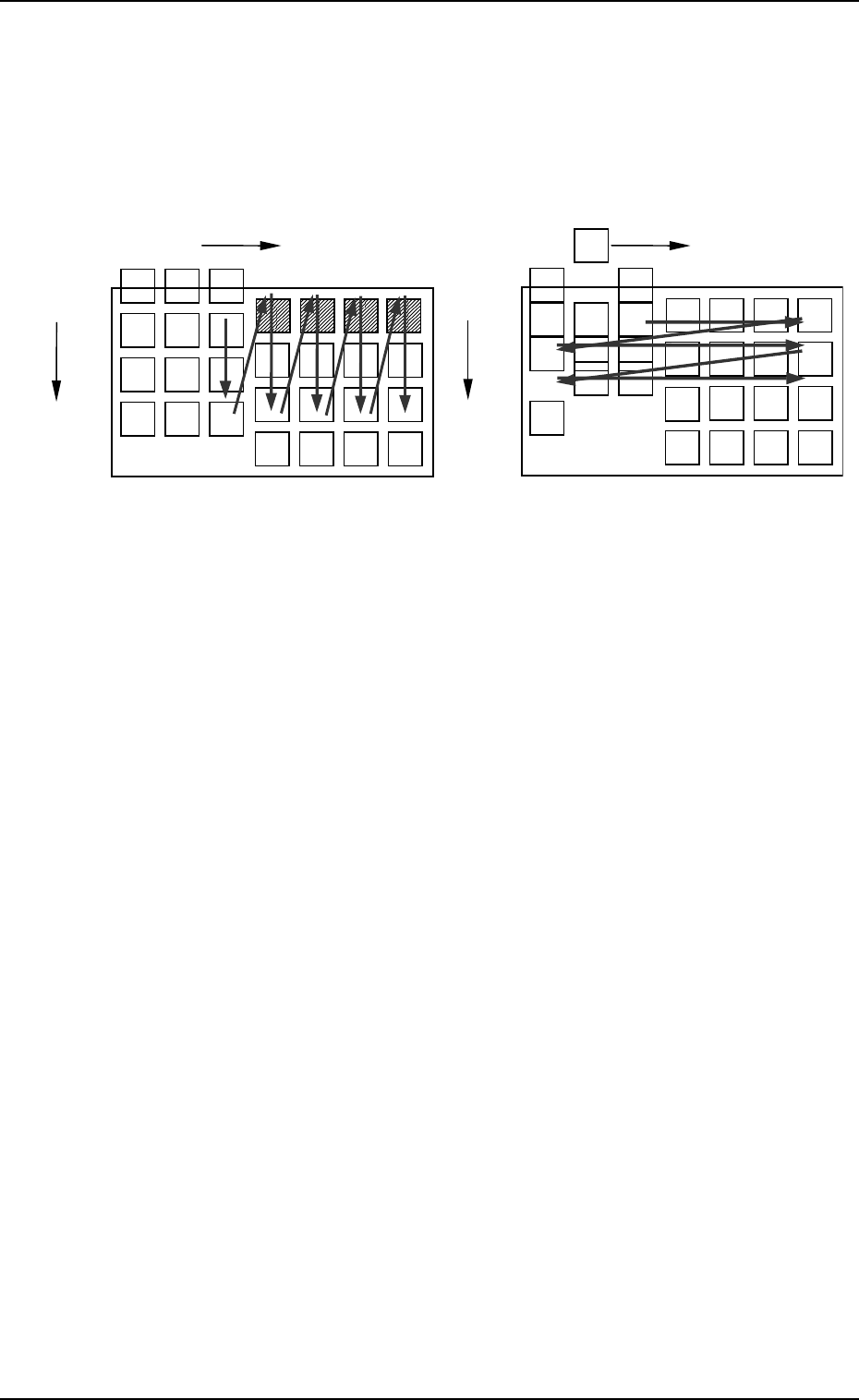
• The first component pick-up position is assumed to be “X:
3, Y: 2”.
z : Component Picked Normally
{ : Component Left Behind
Shadowed : Mispick
5. TRAY MATRIX MODE Display (Option)
3-15
z
z
z
zz
z{{
{{
z
zz
zz
z
z
z
z
z
z
z
z
z
z
z
z
z
zz
z
z
z
z
zz
z
z
Selection of “Y DIR.”
Selection of “X DIR.”
Y
Y
1
2
99
···
1
X
Y
99
· · · · · · ·
3
2
1
X
Y
99
· · · · · ·
3
2
Y
Y
1
2
99
···
××
×××
××××
××
××× × ×××