4H4CEOM1.pdf - 第101页
Page 3-23 FUNCTIONS 3 3-4-6 T ray Adjustment This is used to draw out the optional tray pallet and check how it puts back to the magazine. Select the tray feeder whose motion you will check. Select the tray address. As t…
Page 3-22
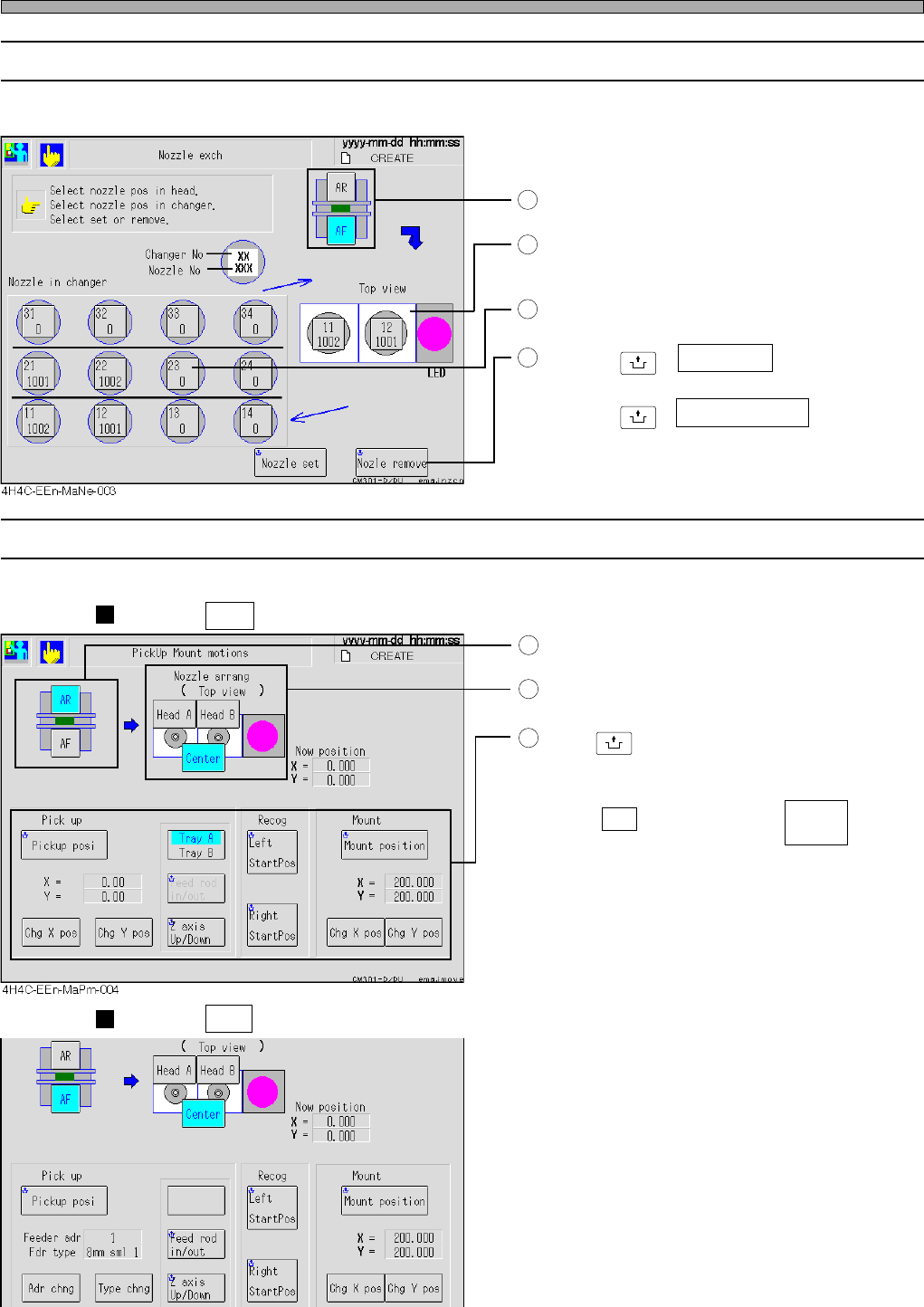
3-4-4 Nozzle Changing
This is used to change the nozzle attached to the optional head for the one in the nozzle changer.
Choose a target head.
Choose a head.
The selected head is highlighted.
Choose a nozzle in the changer.
Pressing
UNLOCK
+ Nozzle set fits the nozzle in
the nozzle changer to the head.
Pressing
UNLOCK
+ Nozzle remove removes a
nozzle from the head and puts it away in the
nozzle changer.
3-4-5 Pick-up and Mounting Motions
This is used to check the pick-up, recognition and mounting position of the chosen head or nozzle.
When AR is selected
Choose the desired stage.
Choose a head or a center.
Press
UNLOCK
+ Each position key.
The chosen head moves to that position.
In the Pick up field, set the address and type.
(When AR is selected, press first then
select a tray.)
In the Mount field, choose the X-Y coordinates.
• At the pick-up position, rising/lowering Z-axis
and letting the sending rod out/back can be
performed.
When AF is selected
Machine Adjustment
1
2
3
4
1
2
3
4H4C-E-OMA03-A01-04
Tray A
Tray B
4H4C-EEn-MaPm-005
Page 3-23
FUNCTIONS
3
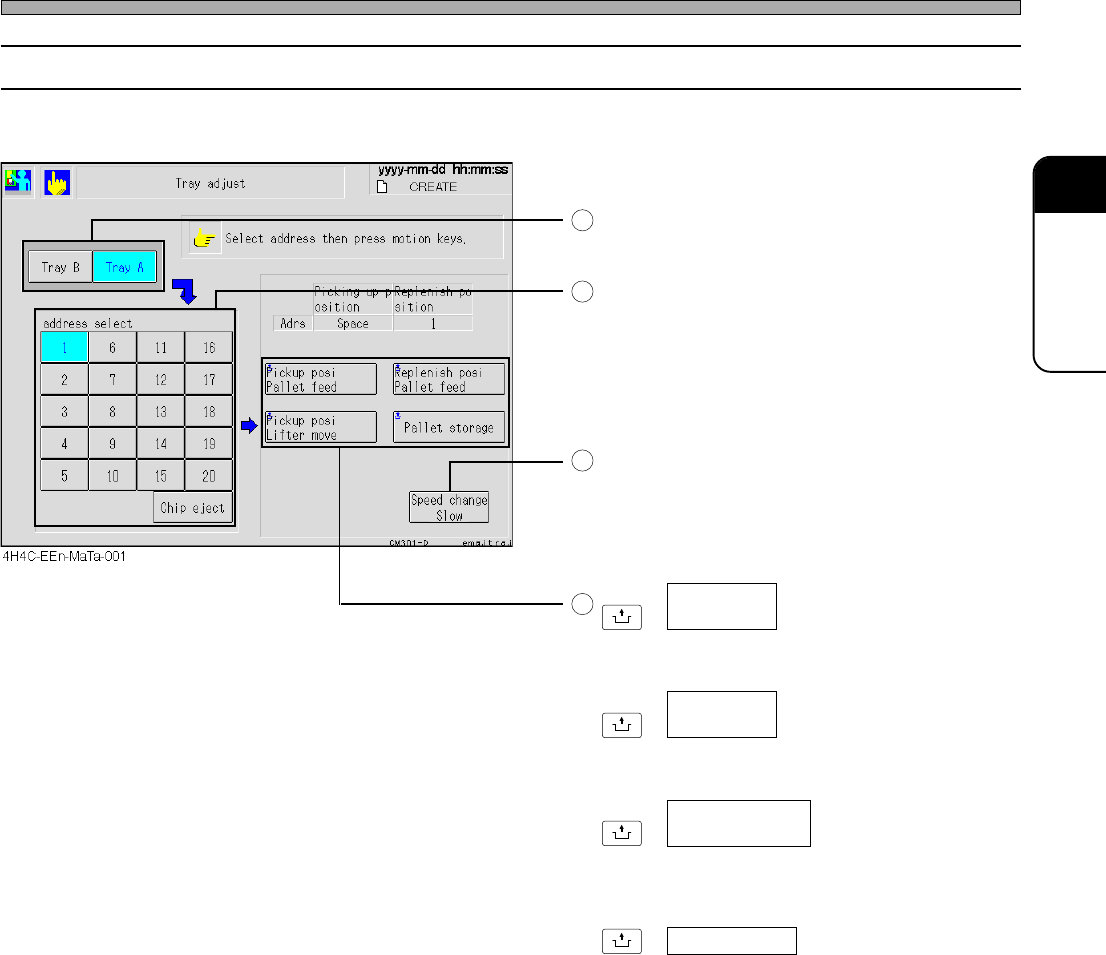
3-4-6 Tray Adjustment
This is used to draw out the optional tray pallet and check how it puts back to the magazine.
Select the tray feeder whose motion you will
check.
Select the tray address.
As the need arises, toggle the motion speed.
Every time this is pressed, the switch will
change over in sequence from: “Slow” → “Mid”
→ “Fast” → “Slow”.
UNLOCK
+
Draws out the specified tray pallet to the pick-
up position.
UNLOCK
+
Draws out the specified tray pallet to the lifter
position at that height.
UNLOCK
+
Draws out the specified tray pallet to the supply
area.
UNLOCK
+
Puts the tray pallets drawn out to the pick-up
position and the supply area back to the
magazine.
Machine Adjustment
4H4C-E-OMA03-A01-01
1
2
3
4
Pickup posi
Pallet feed
Pickup posi
Lifter move
Replenish posi
Pallet feed
Pallet storage
Page 3-24
Machine Adjustment
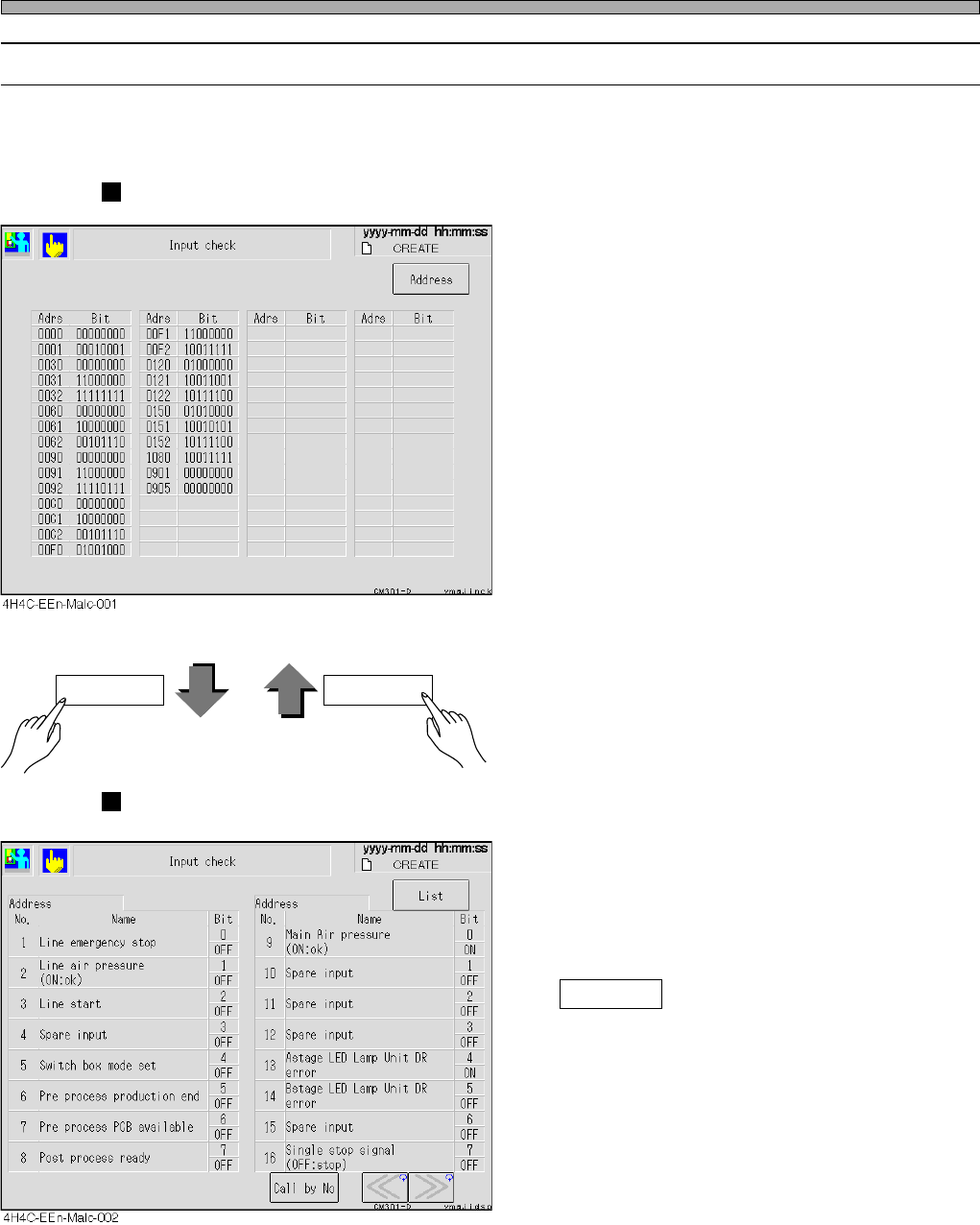
3-4-7 Input Check
All the input addresses the machine uses are sampled every other second, and its state is dis-
played in bit.
List Display
Display for Each Address
• The states of the input addresses the machine
uses are displayed with names for each bit.
Highlighted name shows its bit is ON (1).
(When you press the “Name” button, the state
of that bit is checked and displayed again.
Call by No
Displays the address that includes the speci-
fied No. at the left side of screen.
Address List
4H4C-E-OMA03-A01-01