4H4CEOM1.pdf - 第88页
Page 3-10 Production Settings Comprehensive Parts Information Complete part info Pressing this switch displays the screen as shown left. The comprehensive information of parts including the chip information of the feeder…
Page 3-9
FUNCTIONS
3
3-2-5 Feeder Arrangement
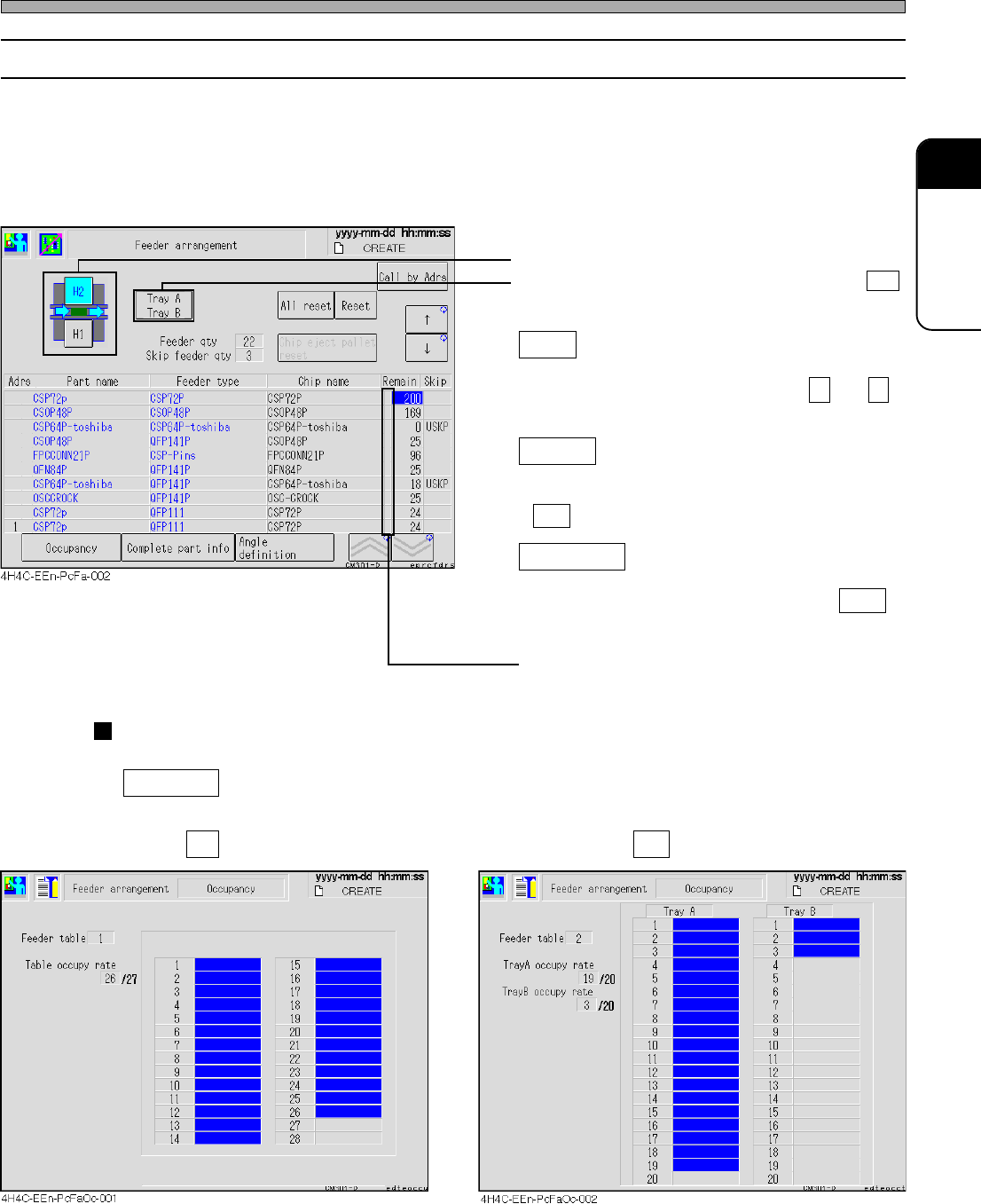
You can check which chip is on which feeder address.
First, check the state of the feeders arranged on the stage.
• The information of the chips on each feeder is displayed in the order of feeder address. Through
the state of occupancy, you can see which feeder address on the feeder table is used at a glance.
The number of the residual chips on each reel and tray is also displayed.
• Select the feeder table you will check.
• Select the tray you will check. (Only when H2
is selected)
Reset
Resets the number of the residual chips
pointed by a cursor now. (Pressing ↑ and ↓
moves a cursor up and down.)
All reset
Resets the number of the residual chips on all
the feeders. When the message appears, press
Yes .
Call by Adrs
Pressing this switch displays the input screen.
When you enter an address and press ENT ,
a cursor moves to the specified address.
Lights up in yellow when chips run out.
Occupancy
Occupancy : Pressing this switch displays the following screen.
The state of physical occupancy of table is displayed.
H1 selected H2 selected
Production Settings
4H4C-E-OMA03-A01-03
Page 3-10
Production Settings
Comprehensive Parts Information
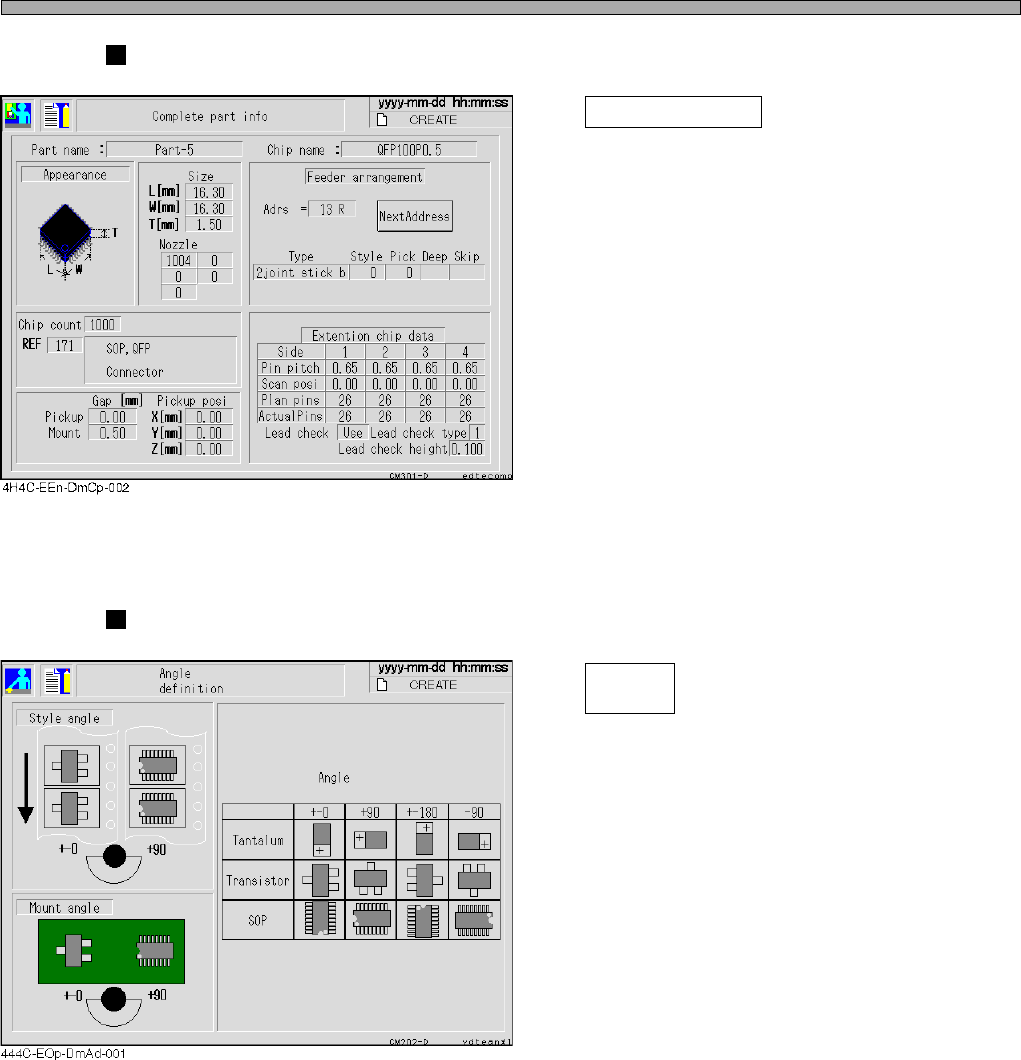
Complete part info
Pressing this switch displays the screen as
shown left.
The comprehensive information of parts
including the chip information of the feeder
pointed by a cursor is displayed.
∗ Move a cursor to the address you would like
to display, then press this switch.
Angle Definition
Angle
definition
Pressing this switch displays the screen as
shown left.
The angle definition of the main chips in picking
up and mounting is displayed.
4H4C-E-OMA03-A01-02
Page 3-11
FUNCTIONS
3
Production Settings
3-2-6 Changing Support Pins
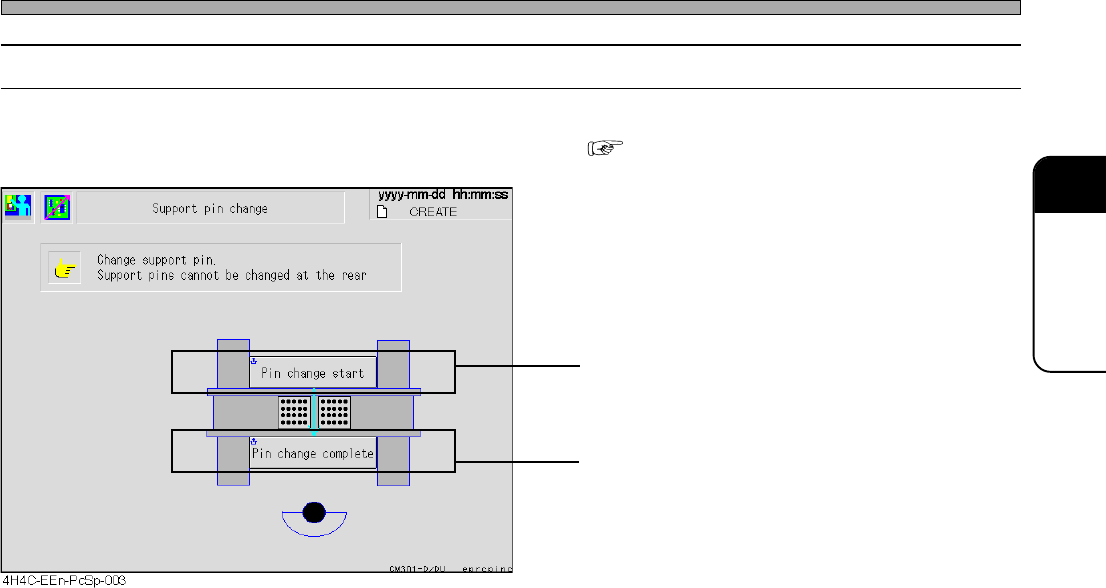
This part describes changing support pins together with board support blocks.
• Detailed information about how to change them “9-3 Setting the Support Pin”
• Board support blocks rise up so that you can
draw out them.
• Board support blocks lower.
4H4C-E-OMA03-A01-03