4H4CEOM1.pdf - 第134页
Page 5-12 Setting T ape Feeders 4 . Cut off the carrier tape at the feeder tip. • Pull out and dispose of the carrier tape cut off. 5 . Close the safety cover , and turn ON the servo switch. 493C-016P 4H4C-E-OMA05-A01-01…
Page 5-11
5
SETTING PRODUCTION
MATERIALS
5
Setting Tape Feeders
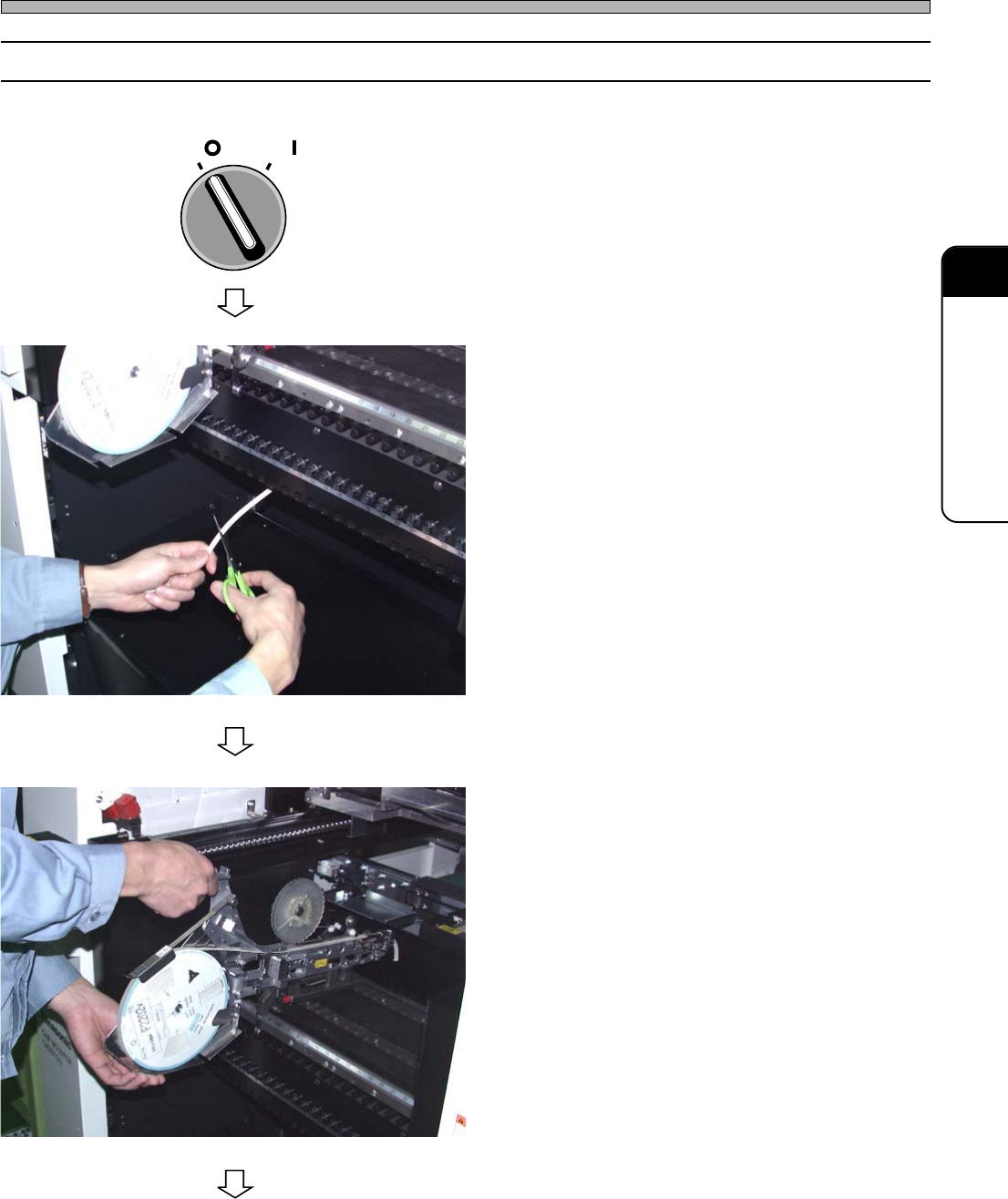
5-2-2 How to Remove
1. Turn OFF the servo switch, and open
the safety cover.
2. Cut off the carrier tape at the exit of
the chute.
∗ At this time, take care not to harm the tubes
and wiring of the bulk feeders (option).
3. Remove the tape feeder by lifting it
up.
4H4C-009E
4H4C-019P
To the next page
4H4C-E-OMA05-A01-02
OFF ( )
ON ( )
SERVO
Page 5-12
Setting Tape Feeders
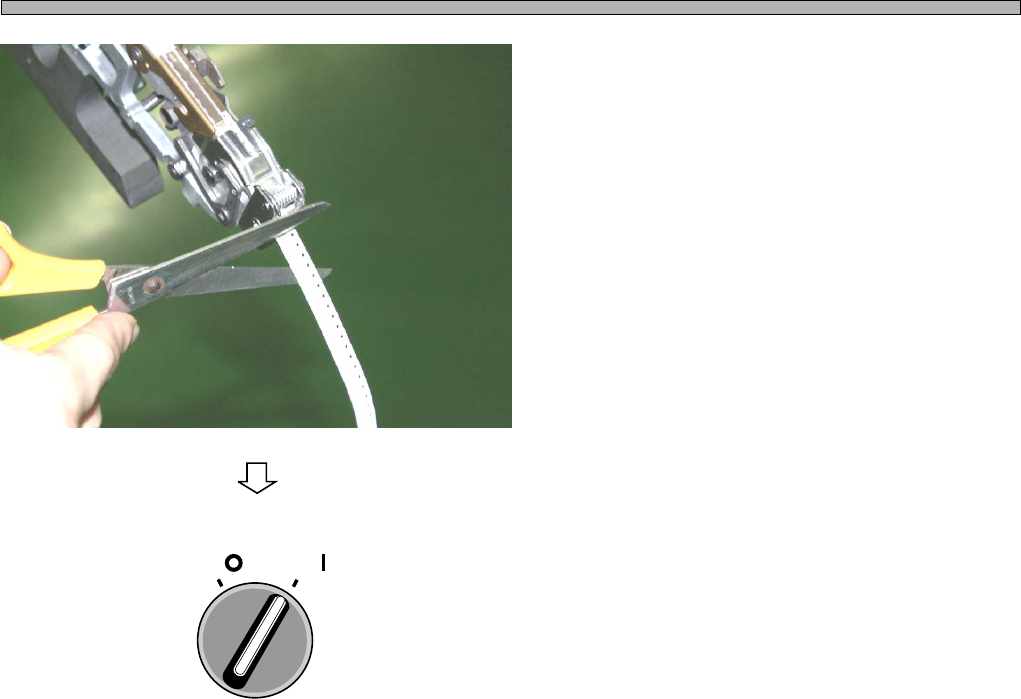
4. Cut off the carrier tape at the feeder
tip.
• Pull out and dispose of the carrier tape cut off.
5. Close the safety cover, and turn ON
the servo switch.
493C-016P
4H4C-E-OMA05-A01-01
OFF ( )
ON ( )
SERVO
Page 5-13
5
SETTING PRODUCTION
MATERIALS
5
5-3 Supplying Chips during Production
This section describes how to supply chips to each feeder during production.
∗ For the bulk feeders, refer to the instruction manual of the bulk feeders.
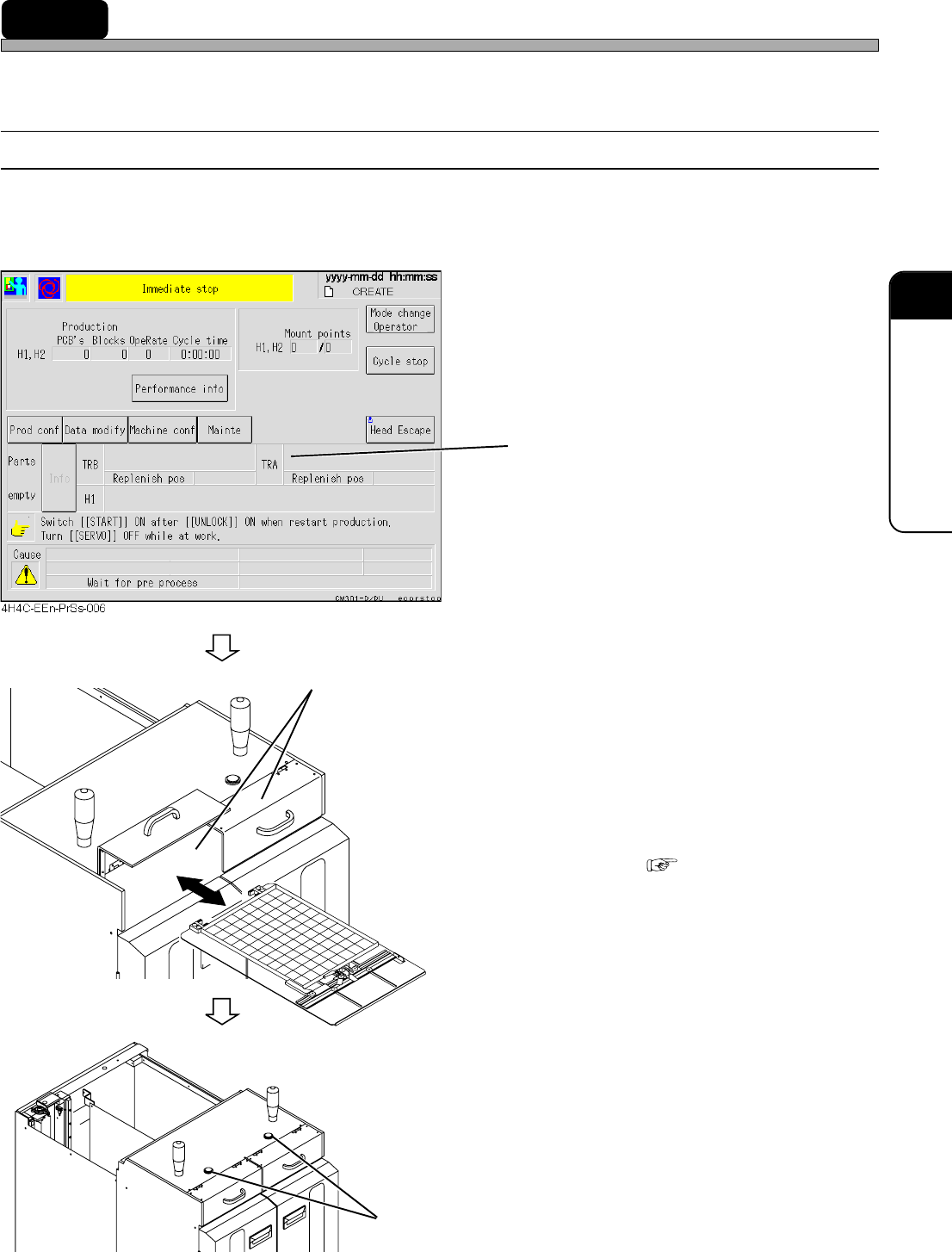
5-3-1 Supplying Chips to Tray Feeder
When the chips on a tray pallet run out, the tray pallet travels to the chip supply area. At the same
time, the stage light on the AR side and the supply completion button of the tray feeder of that
pallet will turn on.
1. Check the address No. where the
chips run out, in the message area.
The address of the tray whose chips run out is
displayed.
2. Open the door of the chip supply area
on the side where the chips run out,
and take out the tray pallet.
3. Replace the tray on the tray pallet.
• How to Replace “5-1-1 Setting Tray onto
Pallet”
4. Set the tray pallet onto the chip sup-
ply area, and close the door.
5. Press the supply completion button.
• Production resumes.
4H4C-E-OMA05-A01-04
4M4C-AF00
4M4C-AA00
4H4C-011E
Supply Completion Button
Chip Supply Area