4H4CEOM1.pdf - 第114页
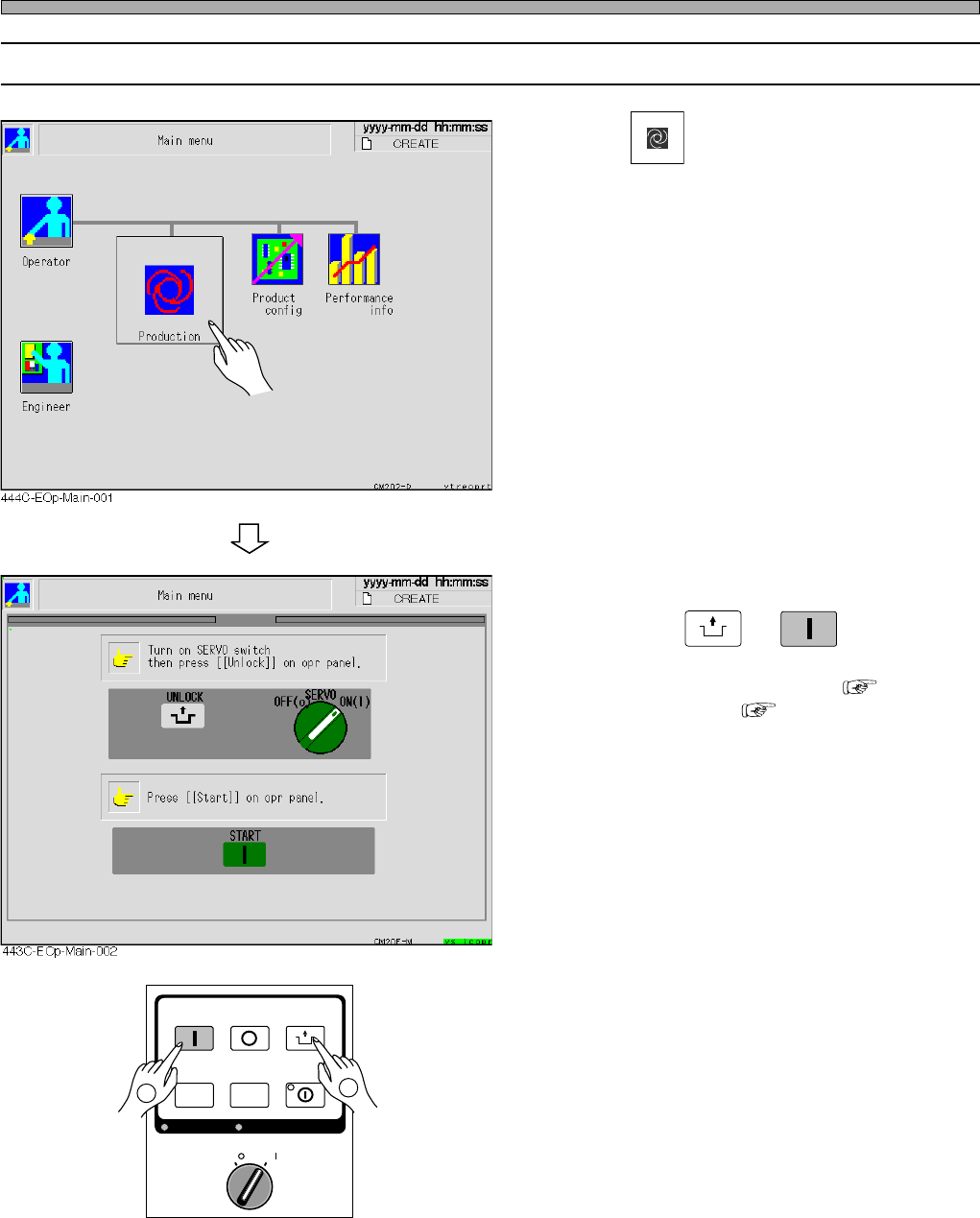
Page 4-6 4-3-2 Starting Operation 1 . Press Production on the main menu. 2 . Make sure the servo switch is ON, then press UNLOCK → START . • The steps from self-diagnosis ( 4-3-3 ) to returning to origin ( 4-3-4 ) are pe…
Page 4-5
PRODUCTION
4
4-3 Starting Production
NOTICE
Before starting production, check the positions of emer-
gency stop buttons and how to use them. ( SAFETY
PRECAUTIONS)
• When this equipment is in abnormal condition, press this
button immediately.
• Pulling the emergency stop button out resets it.
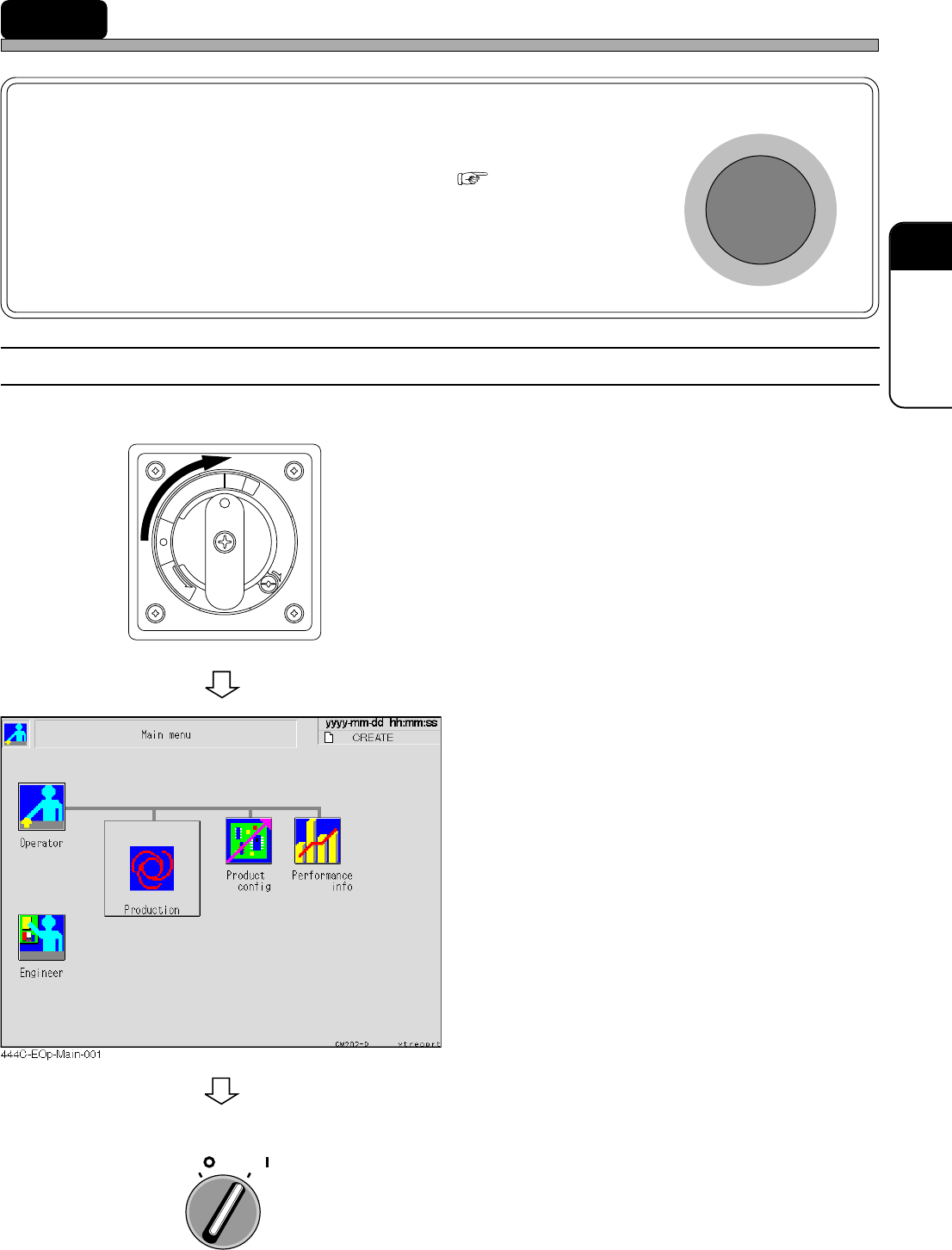
4-3-1 Starting up Machine
Start up the machine in the following order.
1. Turn ON the power supply switch.
• Power is supplied to the machine and the touch
panel starts to be displayed.
• The system starts loading to the machine. It
will take several minutes.
• After the system has been loaded, the screen
as shown left is displayed.
2. Turn ON the servo switch.
R
E
L
E
A
S
E
T
R
I
P
O
F
F
O
N
R
E
S
E
T
OFF ( )
ON ( )
SERVO
E
M
E
R
G
E
N
C
Y
S
T
O
P
4H4C-E-OMA04-A01-01
Page 4-6
4-3-2 Starting Operation
1. Press
Production
on the main menu.
2. Make sure the servo switch is ON,
then press
UNLOCK
→
START
.
• The steps from self-diagnosis ( 4-3-3) to
returning to origin ( 4-3-4) are performed.
After that, when a board is transported in from
the previous process, production starts.
OFF ( )
ON ( )
SERVO
STOP
UNLOCK
STEP
START
LIGHT ON
SELECT
KEY LOCK
KEY LOCK
BACK LIGHT OFF
BACK LIGHT OFF
1
2
Starting Production
4H4C-E-OMA04-A01-01
Page 4-7
PRODUCTION
4
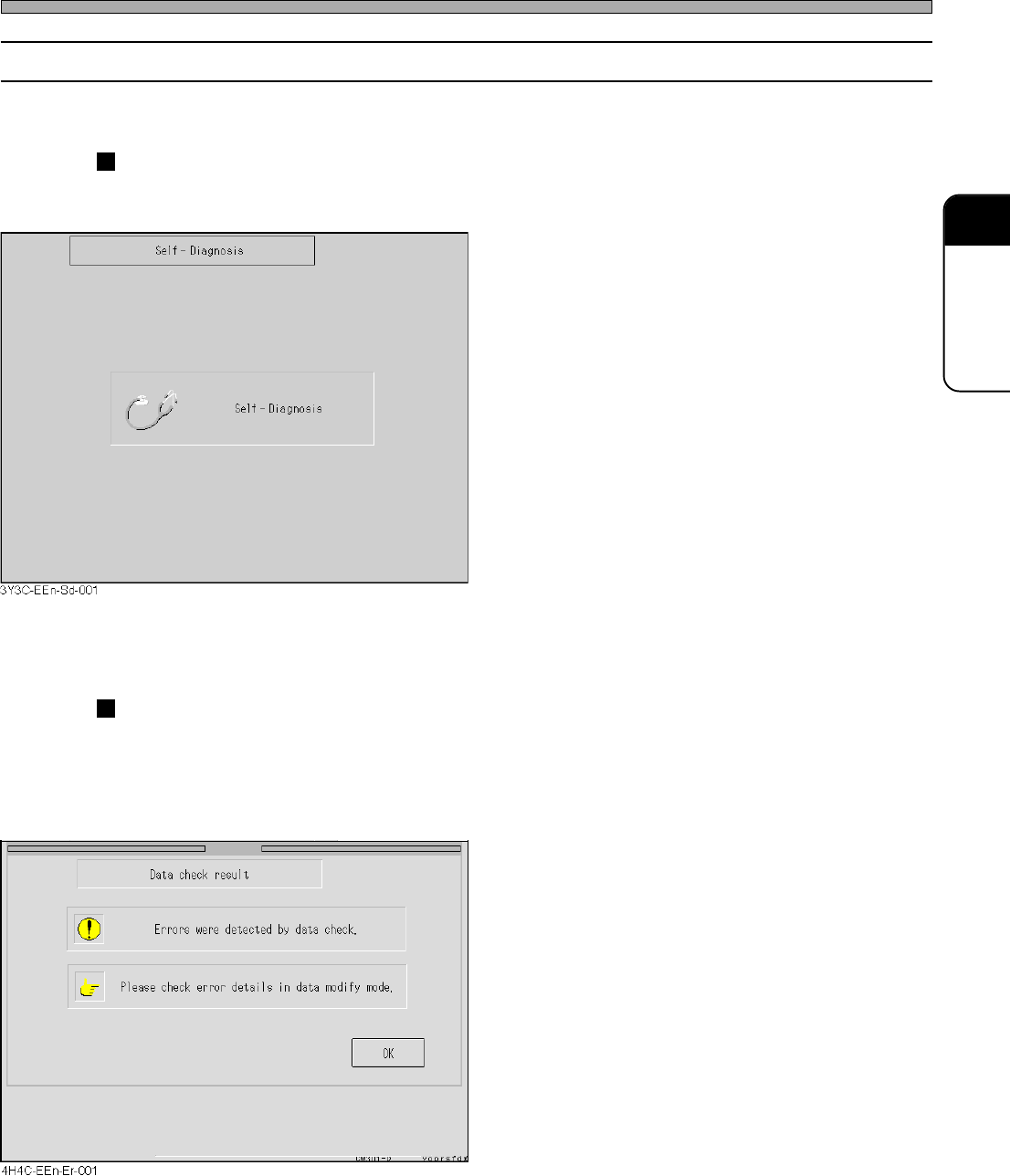
4-3-3 Self-diagnosis
The machine inspect itself.
While the following screen is displayed, the state of machine is
checked automatically.
• When the state is normal, “Return to origin”
screen is displayed.
If any trouble is detected during a self-diagnosis, the following
screen is displayed.
<E.g.>
• If any trouble is detected, the trouble item is
displayed.
∗ Refer to “Maintenance Manual” to solve the
trouble.
Starting Production
4H4C-E-OMA04-A01-01