4H4CEOM1.pdf - 第136页
Page 5-14 Supplying Chips during Production 5-3-2 T ray Feeder T ables Motion in Supplying Chips The tray feeder is divided in two (A and B), and the motion of the table varies according to the set mode. This part descri…
Page 5-13
5
SETTING PRODUCTION
MATERIALS
5
5-3 Supplying Chips during Production
This section describes how to supply chips to each feeder during production.
∗ For the bulk feeders, refer to the instruction manual of the bulk feeders.
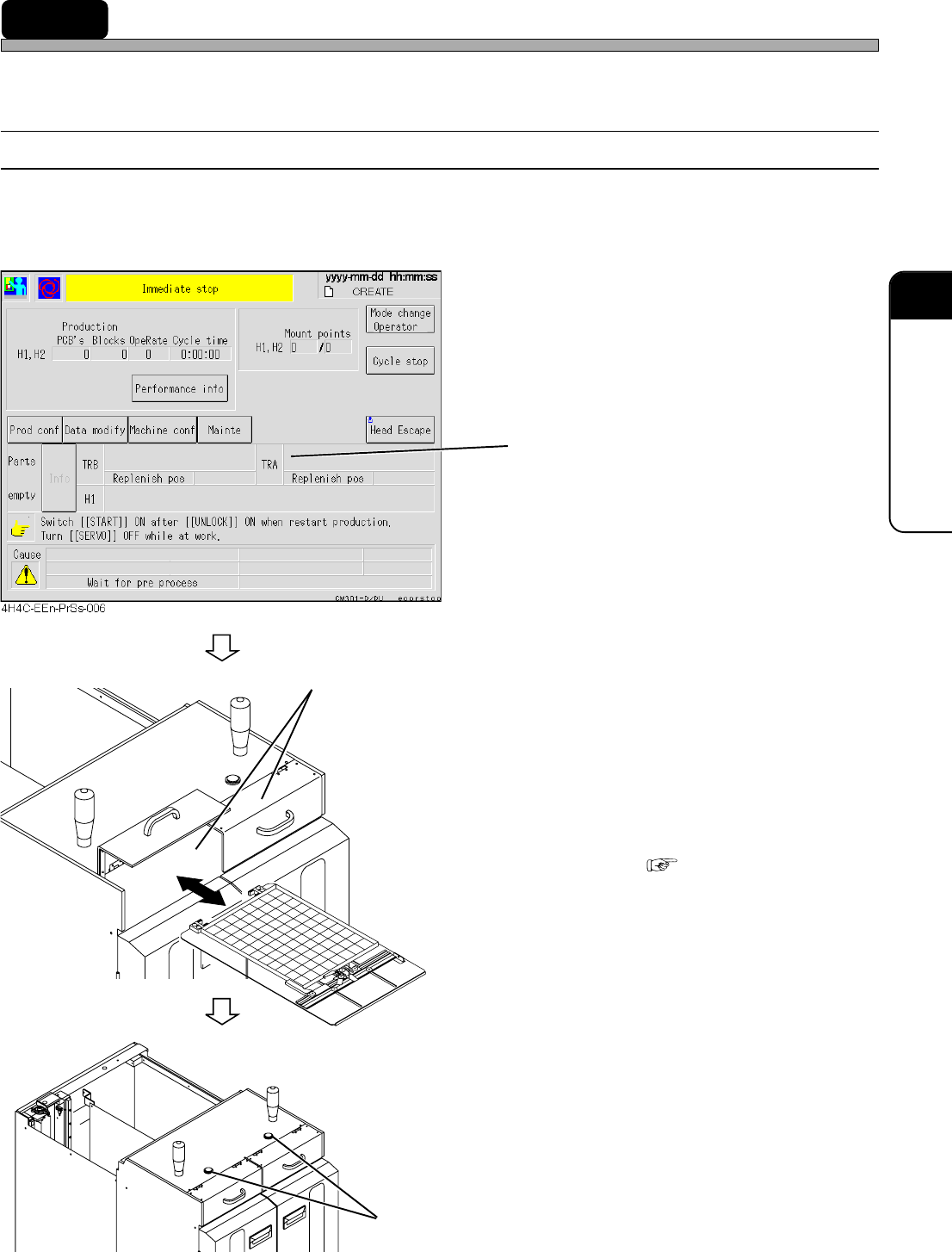
5-3-1 Supplying Chips to Tray Feeder
When the chips on a tray pallet run out, the tray pallet travels to the chip supply area. At the same
time, the stage light on the AR side and the supply completion button of the tray feeder of that
pallet will turn on.
1. Check the address No. where the
chips run out, in the message area.
The address of the tray whose chips run out is
displayed.
2. Open the door of the chip supply area
on the side where the chips run out,
and take out the tray pallet.
3. Replace the tray on the tray pallet.
• How to Replace “5-1-1 Setting Tray onto
Pallet”
4. Set the tray pallet onto the chip sup-
ply area, and close the door.
5. Press the supply completion button.
• Production resumes.
4H4C-E-OMA05-A01-04
4M4C-AF00
4M4C-AA00
4H4C-011E
Supply Completion Button
Chip Supply Area
Page 5-14
Supplying Chips during Production
5-3-2 Tray Feeder Tables Motion in Supplying Chips
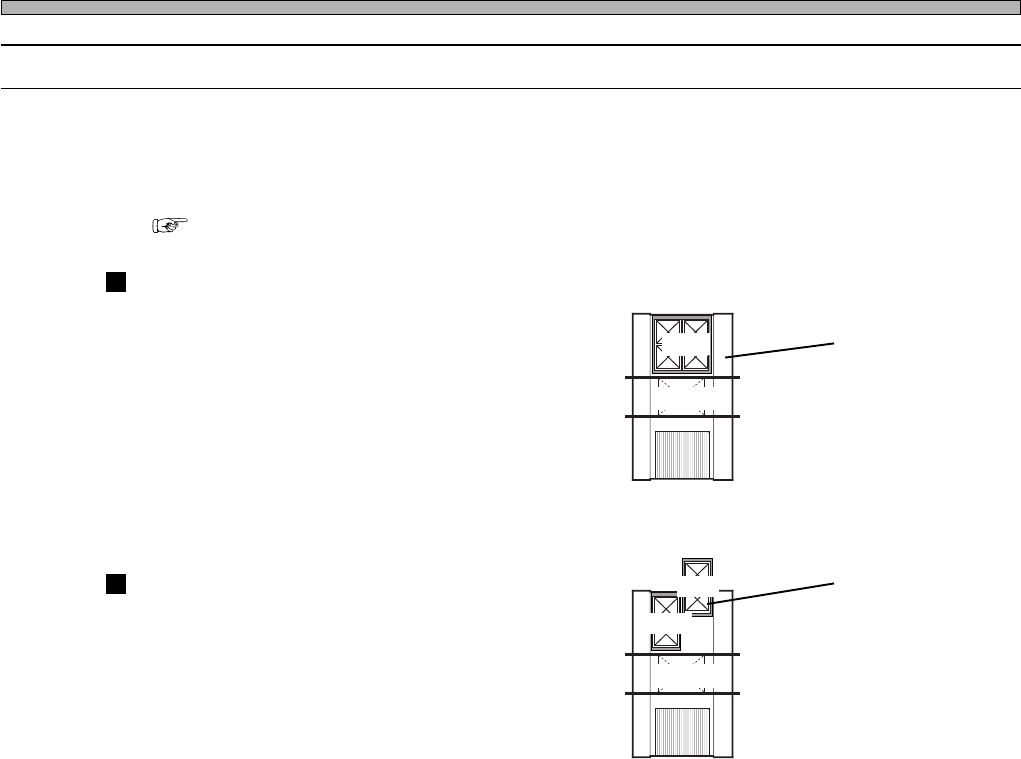
The tray feeder is divided in two (A and B), and the motion of the table varies according to the set
mode.
This part describes the motion of the tray feeder table in each mode.
∗ To check the mode, choose “Table mode select” from “Production config menu”.
( “3-2-2 Selecting Table Mode”)
Joint Mode
In this mode, the feeder is not divided.
Up to 40 types of chips can be used.
Spare Mode
In this mode, one of the divided feeder tables
is not used.
The chips for the next board type can be set
during production.
The chips on both
the tables are used
for the board A.
4H4C-E-OMA05-A01-01
4H4C-012E
For A
Board A
The chips for the
board B can be set
while the board A is
produced.
4H4C-013E
For A
Board A
For B
Page 5-15
5
SETTING PRODUCTION
MATERIALS
5
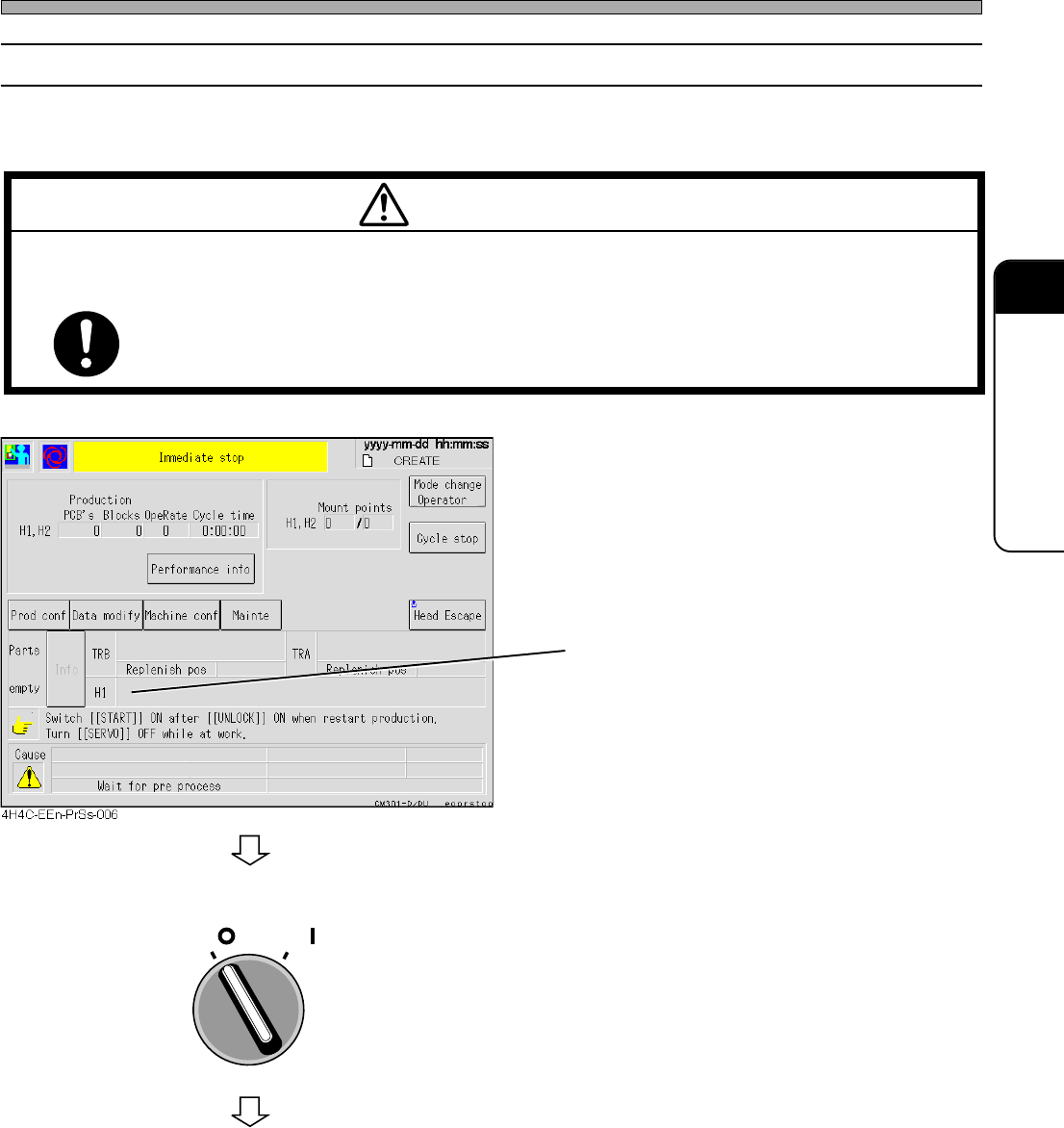
5-3-3 Supplying Chips to Tape Feeder
When a reel of the tape feeder empties, the machine comes to an immediate stop and the stage
light on the AF side turns on.
1. Check the address No. where the
chips run out, in the message area.
The address of the tape feeder whose chips
run out is displayed.
2. Turn OFF the servo switch, and open
the safety cover.
Supplying Chips during Production
4H4C-E-OMA05-A01-02
M55E
TURN OFF THE SERVO SWITCH BEFORE SETTING PRODUCTION TOOLS LIKE
TAPE FEEDERS.
You will have serious injury if the machine is actuated.
WARNING
OFF ( )
ON ( )
SERVO
To the next page