4H4CEOM1.pdf - 第89页
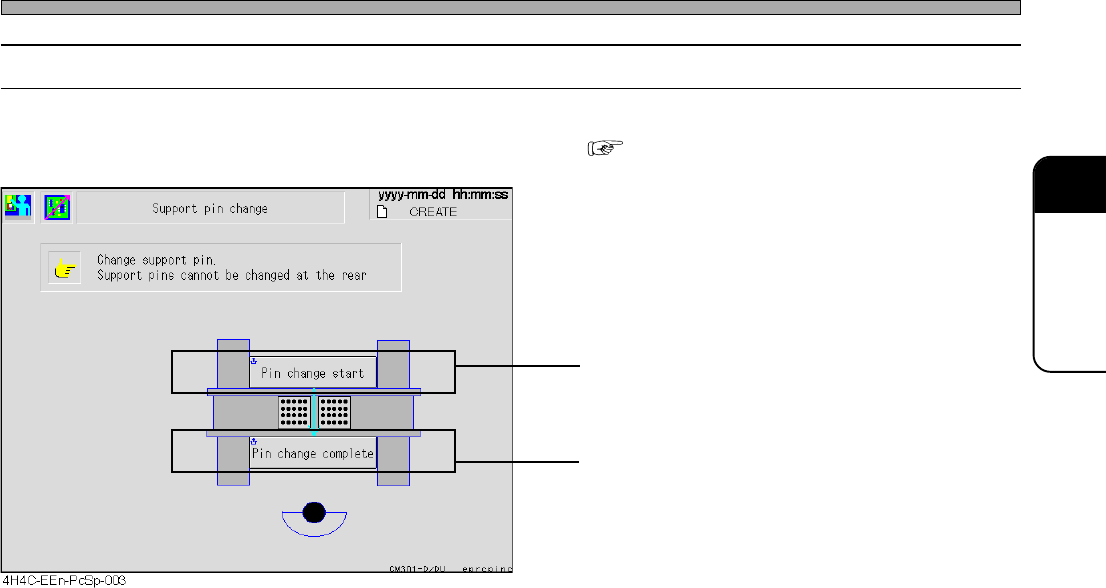
Page 3-11 FUNCTIONS 3 Production Settings 3-2-6 Changing Support Pins This part describes changing support pins together with board support blocks. • Detailed information about how to change them “ 9-3 Setting the Suppor…
Page 3-10
Production Settings
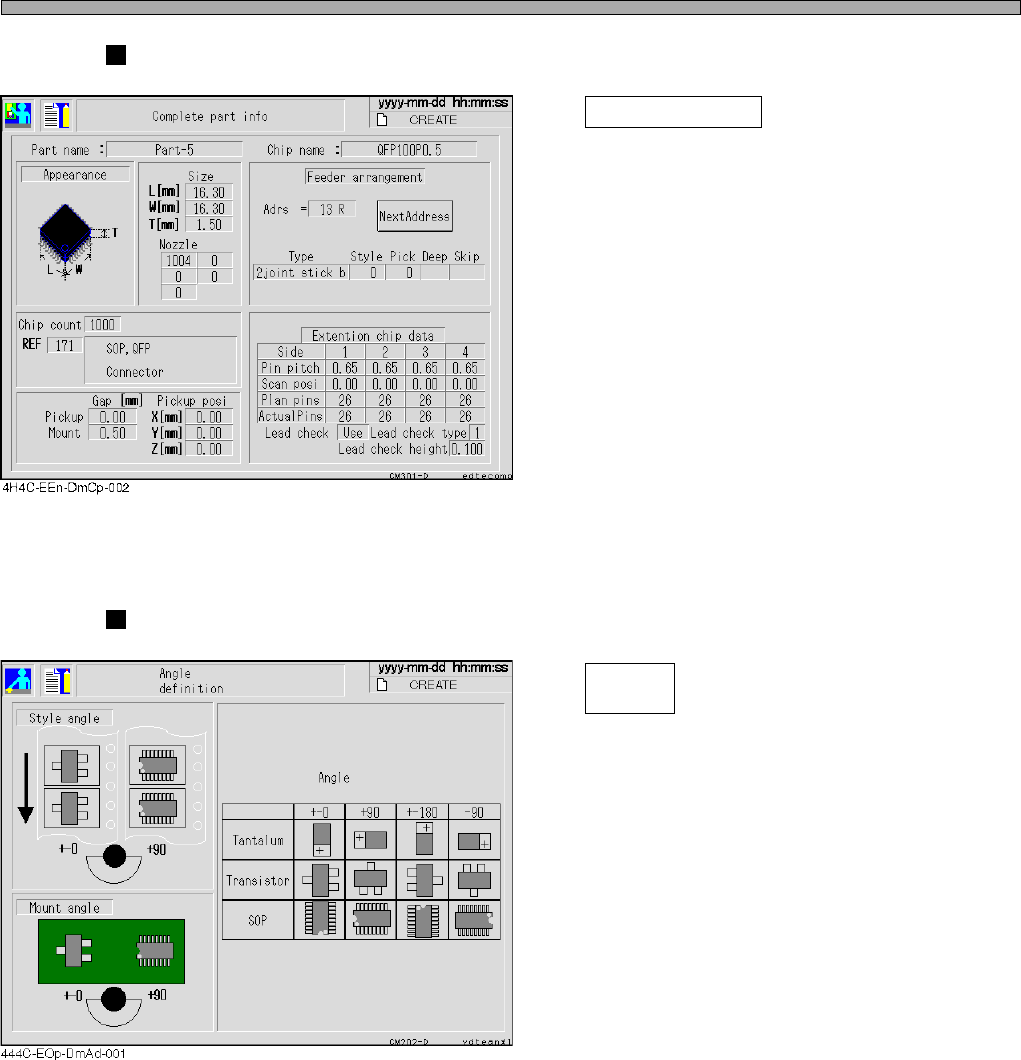
Comprehensive Parts Information
Complete part info
Pressing this switch displays the screen as
shown left.
The comprehensive information of parts
including the chip information of the feeder
pointed by a cursor is displayed.
∗ Move a cursor to the address you would like
to display, then press this switch.
Angle Definition
Angle
definition
Pressing this switch displays the screen as
shown left.
The angle definition of the main chips in picking
up and mounting is displayed.
4H4C-E-OMA03-A01-02
Page 3-11
FUNCTIONS
3
Production Settings
3-2-6 Changing Support Pins
This part describes changing support pins together with board support blocks.
• Detailed information about how to change them “9-3 Setting the Support Pin”
• Board support blocks rise up so that you can
draw out them.
• Board support blocks lower.
4H4C-E-OMA03-A01-03
Page 3-12
Production Settings
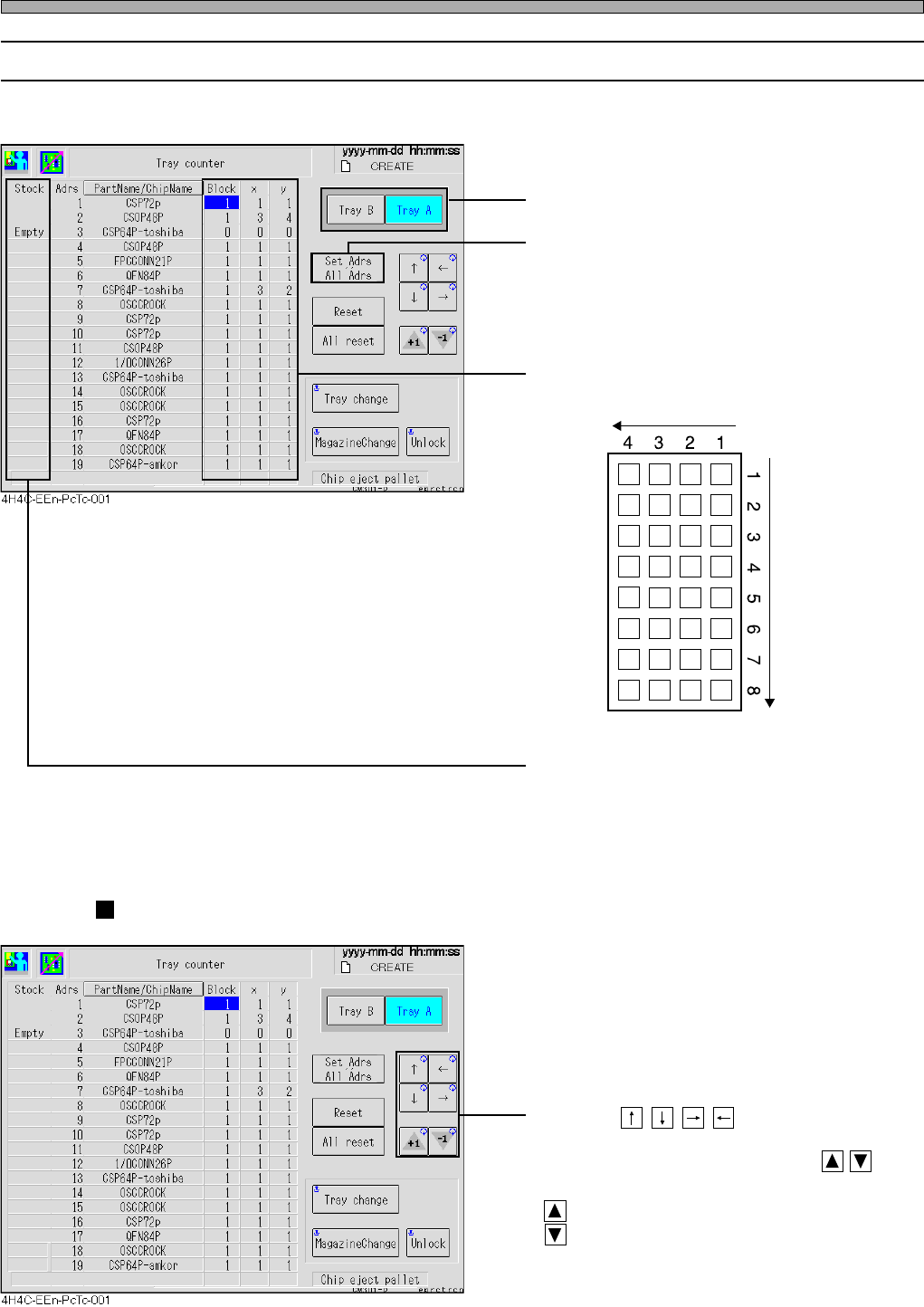
3-2-7 Tray Counter
You can check or change the first pick-up position for the next production.
• Select the tray feeder you will check or change.
• Toggle the display.
Set Adrs: Displays only the addresses which
have the chips that are registered in
stock data.
All Adrs: Displays all addresses.
• Displays the next pick-up position for each tray
as an X-Y arrangement.
•“Empty” is displayed at the head of the chip
address where production cannot be continued
due to the lack of chips.
Changing the Pick-up Start Position
• Pressing moves a cursor to the
field of the arrangement of the tray whose
position will be changed. Pressing
changes the value.
: Increases the value by one.
: Decreases the value by one.
4H4C-E-OMA03-A01-01
433C-044E
x
y
Tray Origin