4H4CEOM1.pdf - 第130页
Page 5-8 4H4C-E-OMA05-A01-01 5-2 Setting T ape Feeders This section describes how to set tape feeders. ∗ For bulk feeders (option), refer to the instruction manual of bulk feeder . NOTICE This section only describes how …
Page 5-7
5
SETTING PRODUCTION
MATERIALS
5
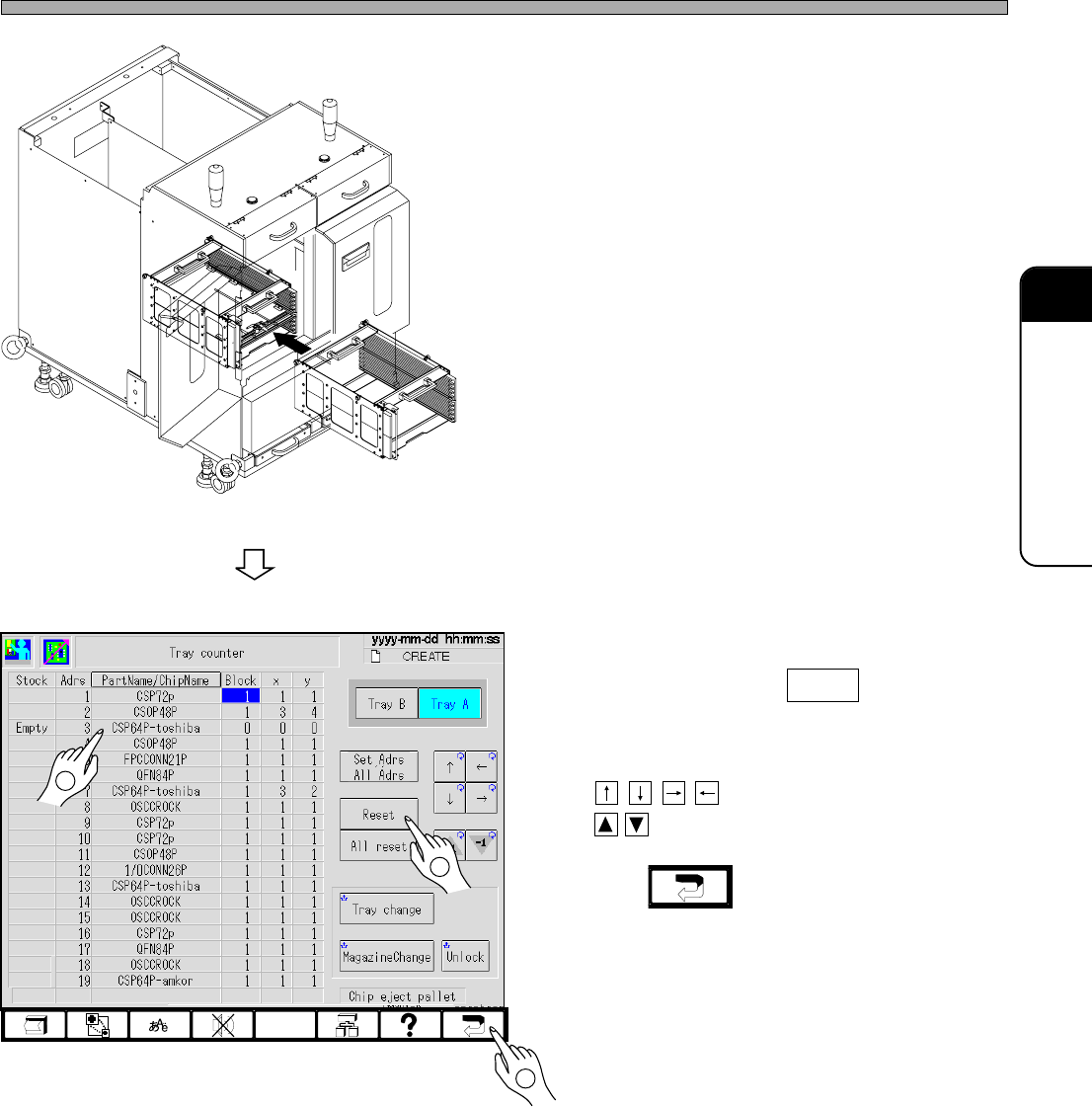
Setting Trays
5. Open the magazine door, and set the
magazine into the tray feeder.
6. Close the magazine door.
7. Select the tray where the materials
are set, and press Reset .
• X: 1 and Y: 1 are set.
To set another value, select the field by using
, and change the value by using
.
8. Press .
∗ The “Production config menu” screen is
displayed.
4H4C-E-OMA05-A01-03
4H4C-019E
4H4C-AE00
4H4C-EEn-PcTc-001
2
1
3
Page 5-8
4H4C-E-OMA05-A01-01
5-2 Setting Tape Feeders
This section describes how to set tape feeders.
∗ For bulk feeders (option), refer to the instruction manual of bulk feeder.
NOTICE
This section only describes how to set tape feeders onto the feeder table.
For information about the precautions and the types of tape feeders, how to set available chips and tape
reels, etc., refer to the instruction manual of tape feeder.
NOTICE
To prevent a feeder setting error and tape feeding error, pay attention to the follow-
ing point.
• Before setting the feeders, clean up the feeder setting surface of the feeder
table.
If there are anything hard such as chips on the feeder table, they deteriorate the setting precision of tape
feeders. Even minute chips such as 0603 cause pick-up error, so be careful.
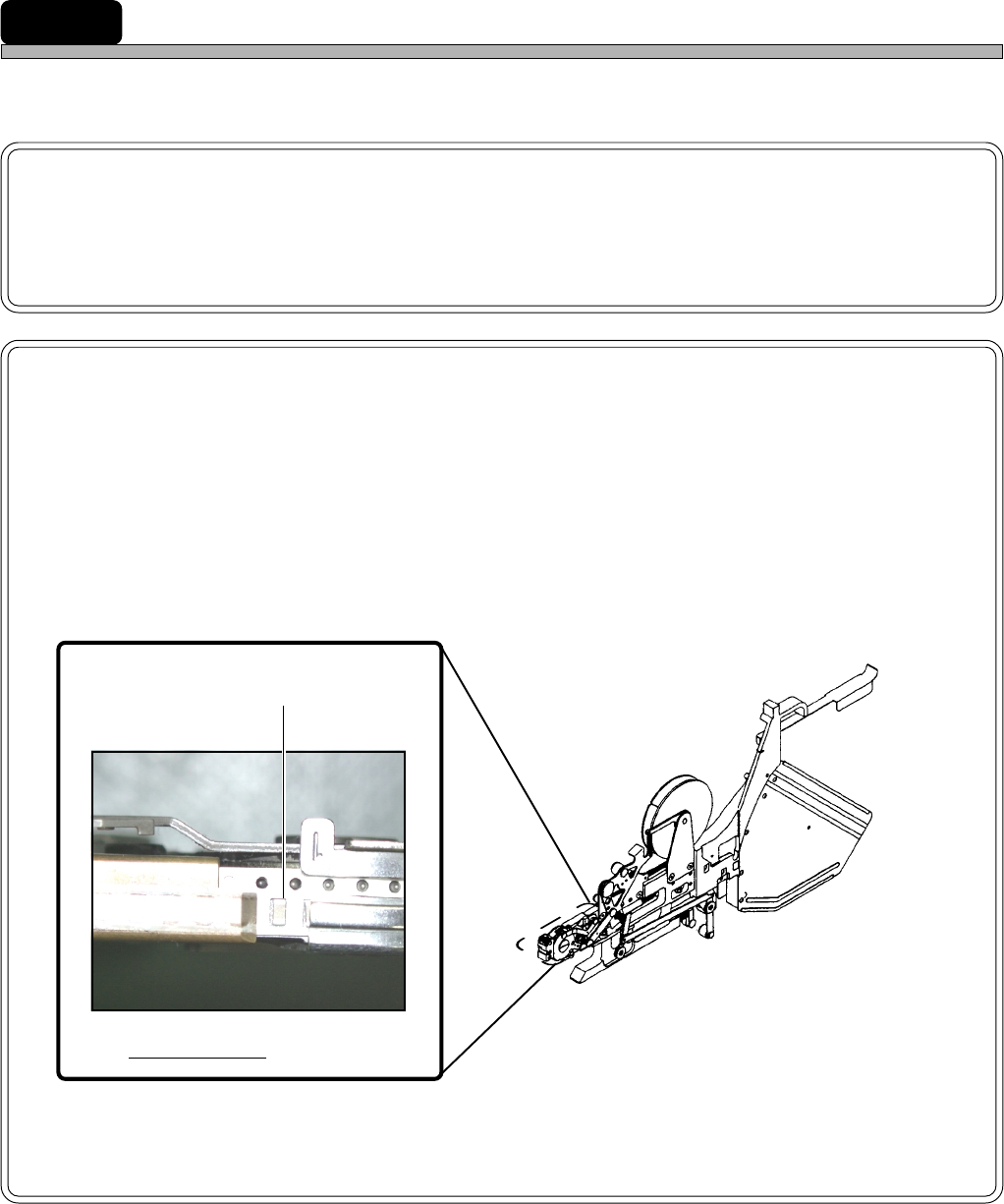
• Make sure the pick-up position of tape feeder is correct.
• Check the tape feeder setting address.
• When the empty tape box is filled with carrier tapes to about 70 %, dispose of
them.
TAPE.M9-08AA
Shutter is open.
When a tape is fed, it must be at
the pick-up position.
493C-014P
Page 5-9
5
SETTING PRODUCTION
MATERIALS
5
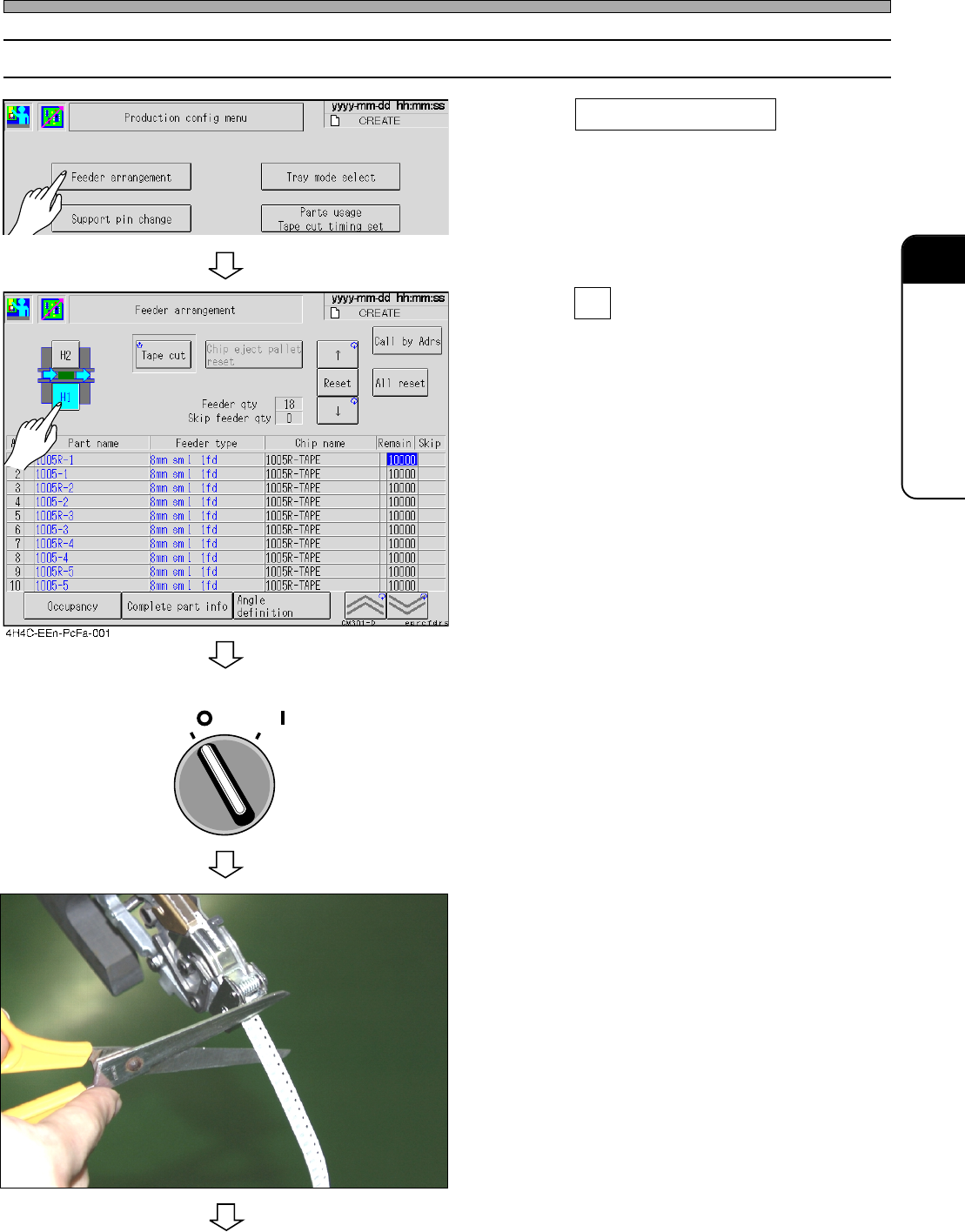
5-2-1 How to Set
1. Press Feeder arrangement on “Pro-
duction config menu”.
• The feeder arrangement screen is displayed.
2. Press H1 , and check the address.
3. Turn OFF the servo switch, and open
the safety cover.
4. Cut off the carrier tape that has come
out of the tape feeder.
∗ If a tape feeder is set without cutting off the
carrier tape, it is not led to the chute correctly,
which causes a tape feeding trouble.
4H4C-E-OMA05-A01-03
Setting Tape Feeders
493C-016P
To the next page
4H4C-EEn-Pc-002
OFF ( )
ON ( )
SERVO