4H4CEOM1.pdf - 第126页
Page 5-4 4H4C-E-OMA05-A01-02 5-1-2 Offset Block for Pallet The pick-up position is restricted because of the head movement range. Shifting the restriction of the pick-up position can pick up chips. Offset Block T wo of f…
Page 5-3
5
SETTING PRODUCTION
MATERIALS
5
4H4C-E-OMA05-A01-00
Setting Trays
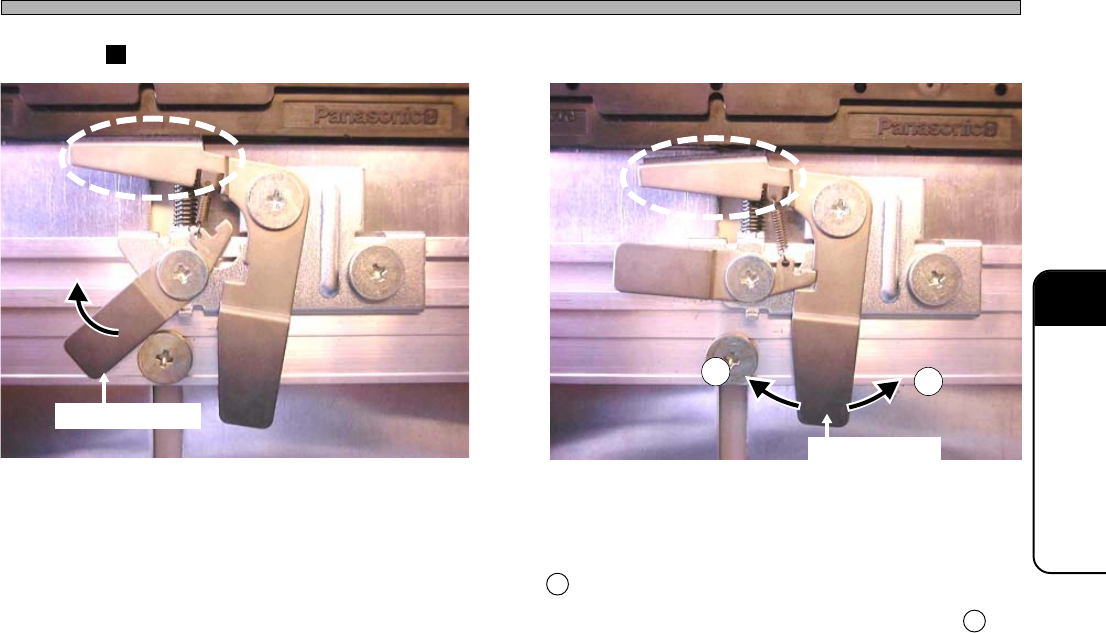
How to Clamp Tray
State a. Tray Clamped
In this state, turning the release lever to the direction of
arrow will release the clamp and the state will be the same
as the state b.
State b. Tray Released
In this state, turning the clamp lever to the direction of
1 a little will release the release lever.
And turning the clamp lever to the direction of 2 will
clamp the tray.
Release Lever
1
2
Clamp Lever
443C-143P
443C-144P
Page 5-4
4H4C-E-OMA05-A01-02
5-1-2 Offset Block for Pallet
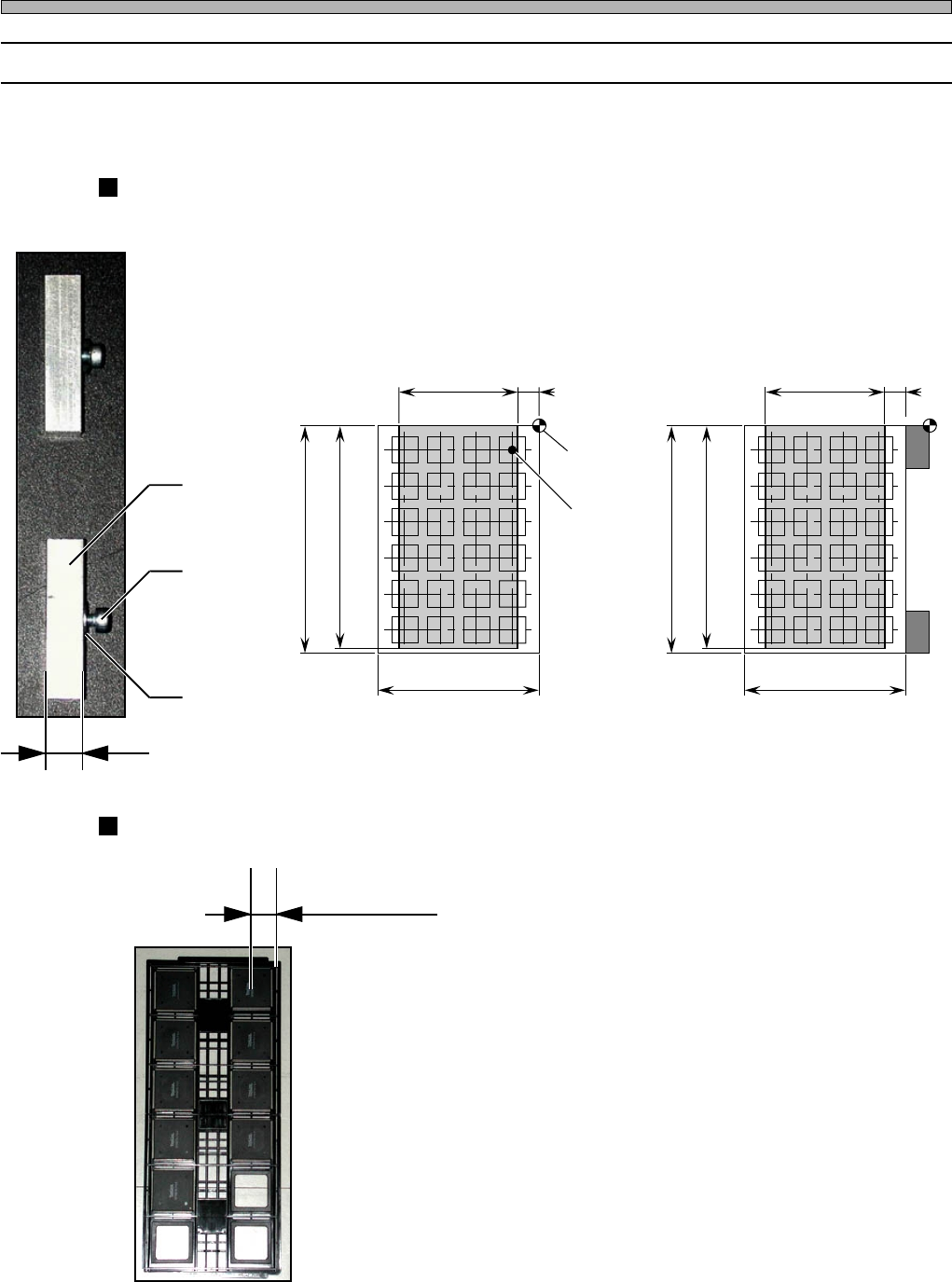
The pick-up position is restricted because of the head movement range. Shifting the restriction of
the pick-up position can pick up chips.
Offset Block
Two offset blocks are used for a pallet.
Tray Conditions to Use the Offset Block
1. The tray size must satisfy the specifi-
cation condition above.
2. The first pick-up point must be 4 mm
to 12 mm.
∗ Use an ordinary pallet (without the offset block)
when the first pick-up point is 12 mm or over.
∗ When setting a different-shape tray, judge
whether the pallet is the one with the offset
block or an ordinary one, and then use it.
• Chips may not be picked up because the data
position is deviated.
Setting Trays
Block
Fixing Bolt
Washer
CM301 Standard Specification
“Pick-up Position
Condition Range”
Tray Max. 335 mm
Tray Setting Reference
(Tray Origin)
Pick-up Position
(Chip Center)
Specification with Offset Block Tray
First Pick-up Point
4H4C-027E 4H4C-028E
4H4C-035P
4H4C-036P
8 mm
Tray Max. 230 mm
325 mm
206 mm
12 mm
“Pick-up Position
Condition Range”
4 mm
“Pick-up Position
Condition Range”
Tray Max. 335 mm
Tray Max. 222 mm
325 mm
206 mm
“Pick-up Position
Condition Range”
Page 5-5
5
SETTING PRODUCTION
MATERIALS
5
4H4C-E-OMA05-A01-01
Setting Trays
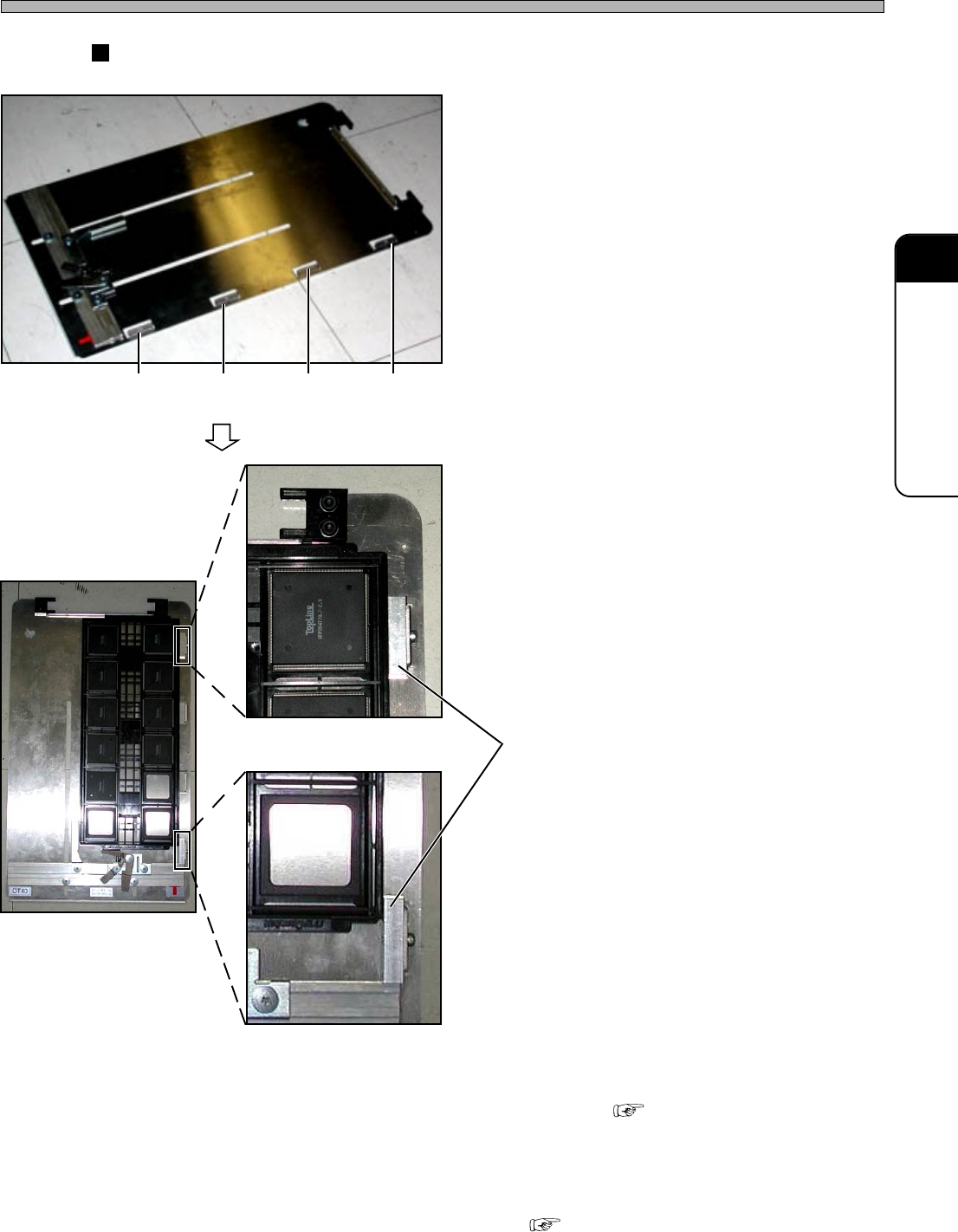
How to Set the Offset Blocks
1. Make sure the conditions to use the
offset block are satisfied.
2. According to the tray size, choose
two offset block setting positions
from among four ones.
3. Set the offset blocks.
4. Set the tray onto the tray pallet.
• How to Set “5-1-1 Setting Tray onto
Pallet”
∗ When the offset blocks are set, modifying the
pallet data is required.
( Programming Manual “Stock Data”)
Setting
Position 4
Offset Block
Setting
Position 3
Setting
Position 2
Setting
Position 1
4H4C-037P
4H4C-039P
4H4C-038P
4H4C-040P