4H4CEOM1.pdf - 第73页
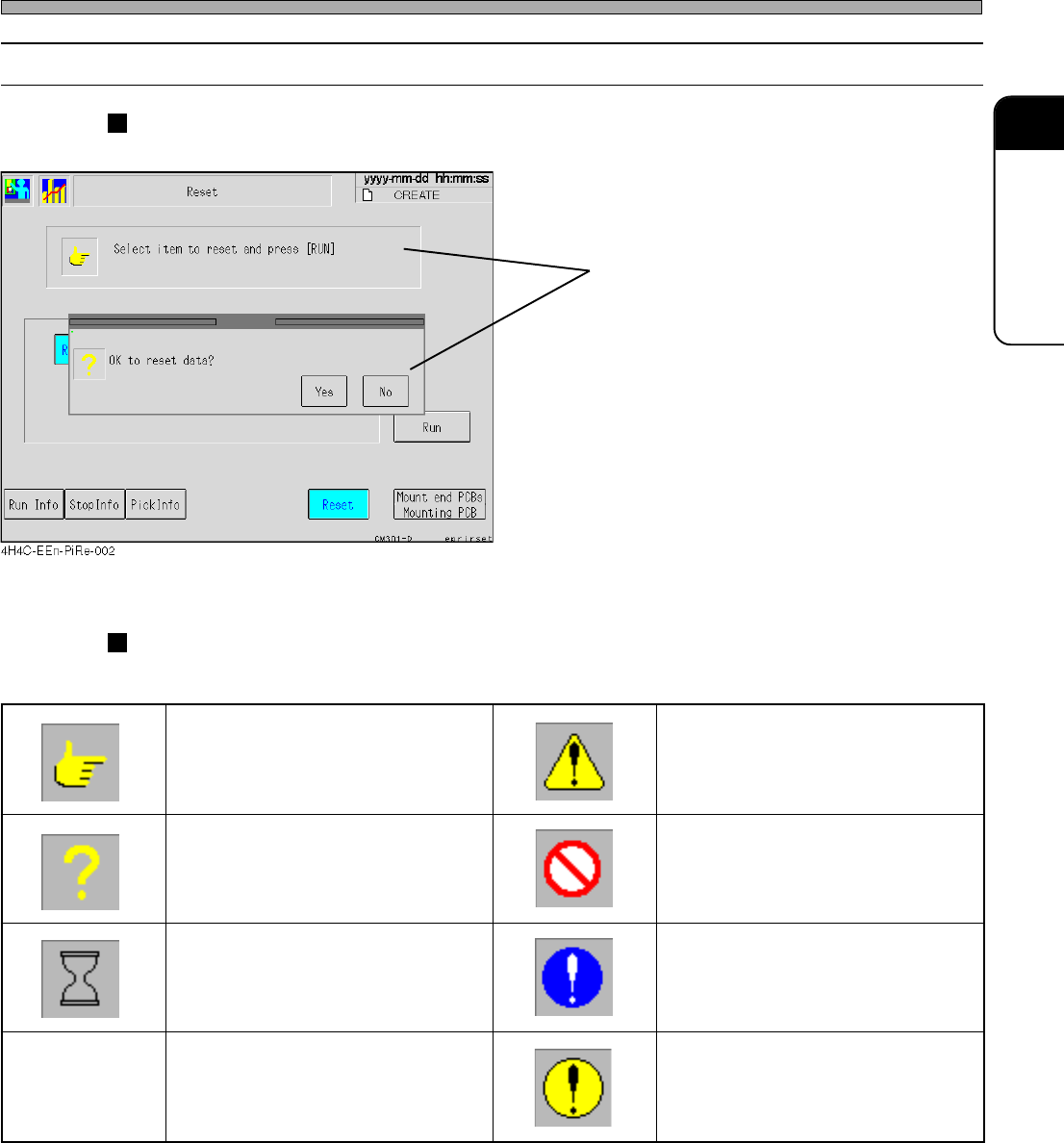
Page 2-9 BASIC OPERA TION 2 2-2-4 Messages Messages to operators are displayed inside message boxes. Message Icons The following icons are at the head of messages to show its type. T ouch Panel Message e g a s s e m n o …
Page 2-8
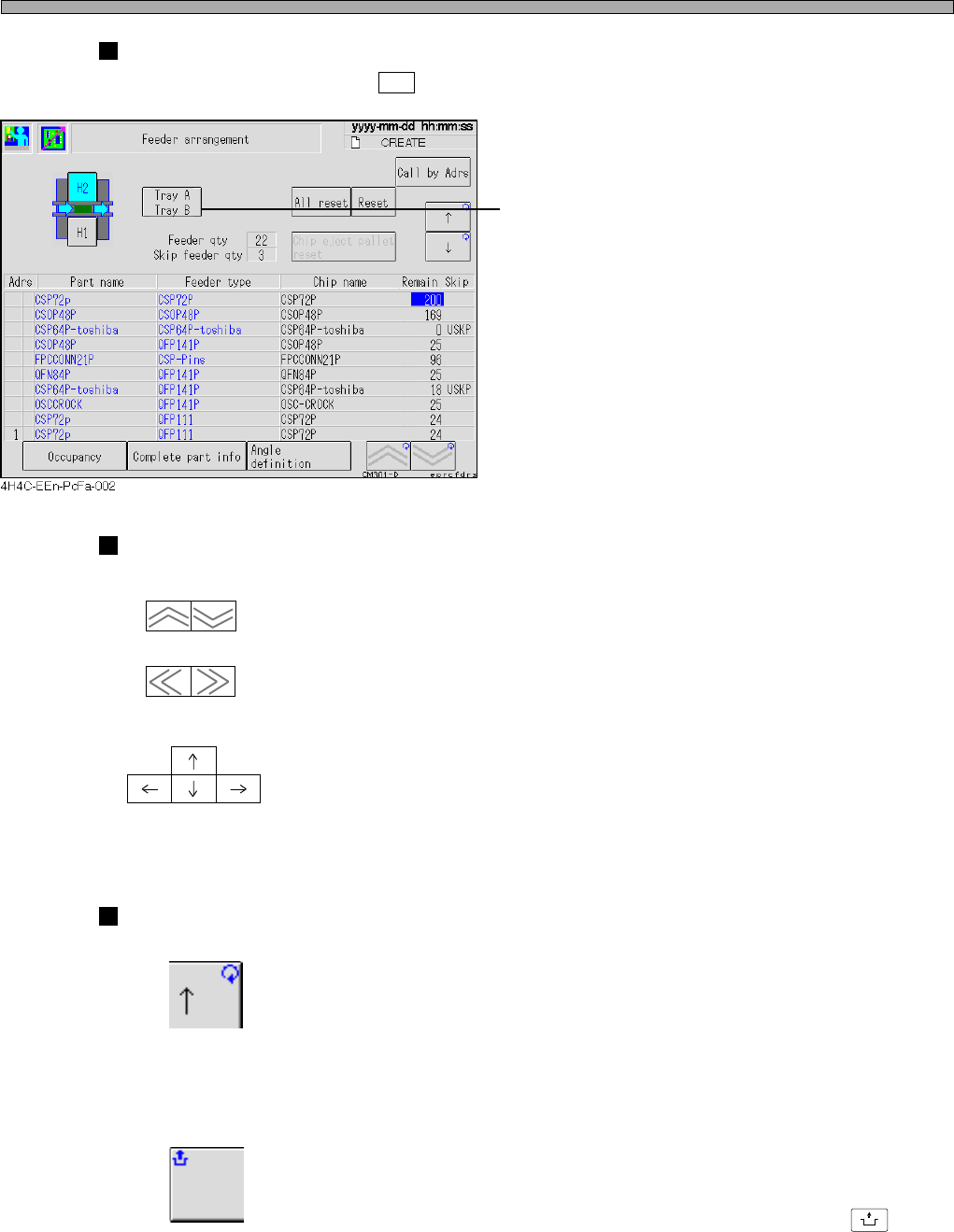
Tray Feeder Changing Switch
∗ This is displayed only when H2 is selected.
• Changing Tray Feeders
1) Pressing this changes displayed tray
feeders.
Blue letters on a light blue ground show the
selected tray feeder.
Arrow Switches
------- Page Turning Switches
Page of displayed screen is turned.
------- Move Switches
Cursor moves in the direction of arrow.
(Not all the cursors are arranged as shown left.)
Mark on Switch
------- Repeat Mark (at the upper right)
If a switch with this mark is kept pressed, its function is executed continu-
ously.
------- Unlock Mark (at the upper left)
A switch with this mark must be pressed in combination with the
UNLOCK
button.
Touch Panel
(Vertical direction)
(Horizontal direction)
4H4C-E-OMA02-A01-02
Page 2-9
BASIC OPERATION
2
2-2-4 Messages
Messages to operators are displayed inside message boxes.
Message Icons
The following icons are at the head of messages to show its type.
Touch Panel
Message
egassemnoitcurtsnI egassemnoituac,gninraw,regnaD
egassemyriuqnI egassemnoitibihorP
egassemgnitiawemiT
egassemnoislupmoC
)dnuorgeulbano)!(krametihW(
egassemrorrE
dnuorgwolleyano)!(kramkcalB(
)emarfkcalbni
444C-107TE
4H4C-E-OMA02-A01-02
Page 2-10
2-3 Main Menu
NOTICE
On this machine, you are free to change the menu configuration of the operator
mode. ( 3-5-6 Customizing Operator Mode)
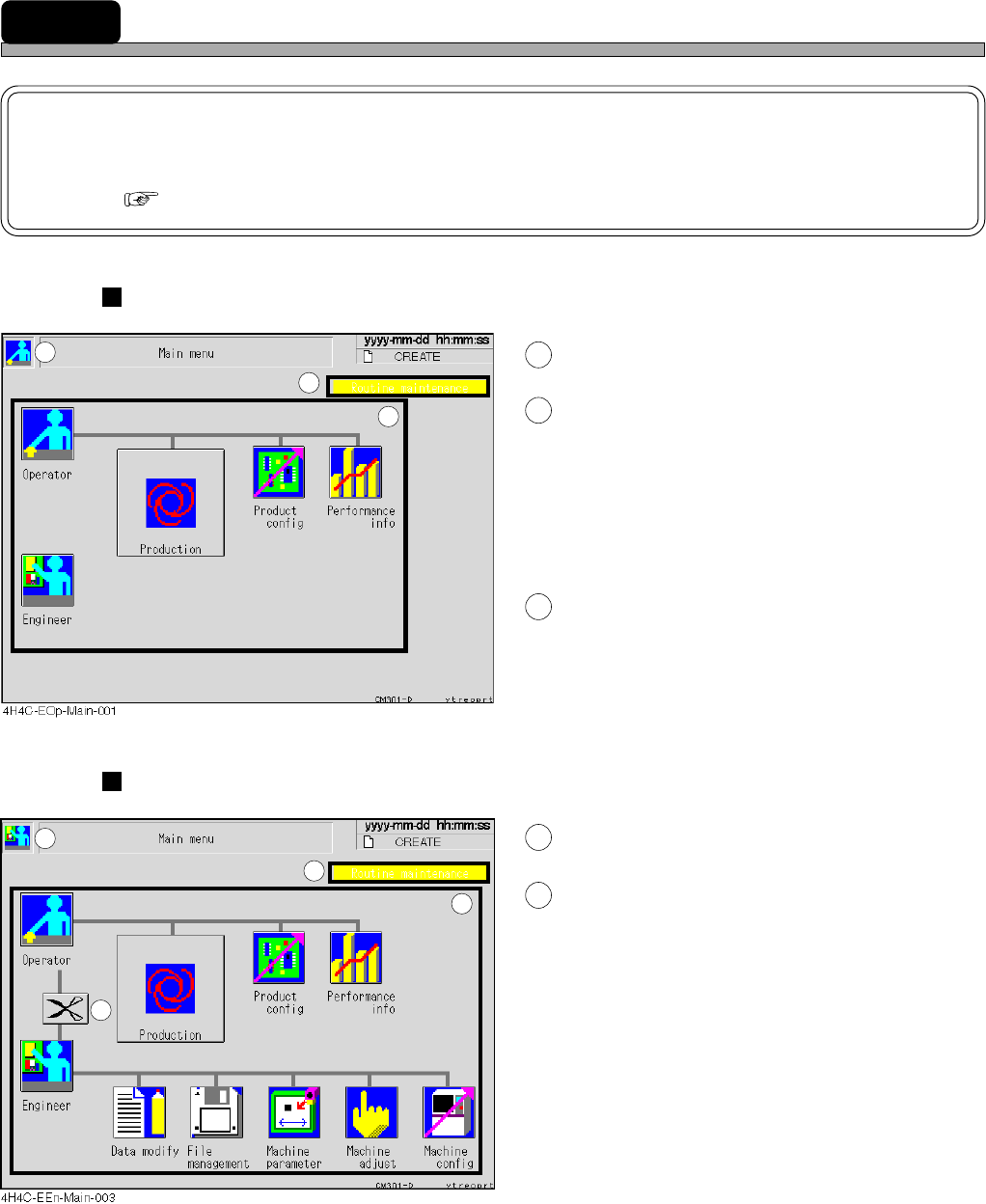
Screen of Operator Mode
1
This icon indicates operator mode.
2
Inspection period display area
When an inspection period is approaching (to 90
% of its cycle), the message is displayed in
green. When the inspection period has passed, it
is displayed in yellow.
∗ When the message is displayed, inspect this
machine referring to the maintenance manual.
3
Icon switches
Pressing each icon displays its menu screen.
Screen of Engineer Mode
4
This icon indicates engineer mode.
5
Pressing this will switch to the dis-
play of the main menu of operator
mode.
1
2
3
4
5
2
3
4H4C-E-OMA02-A01-02