4H4CEOM1.pdf - 第119页
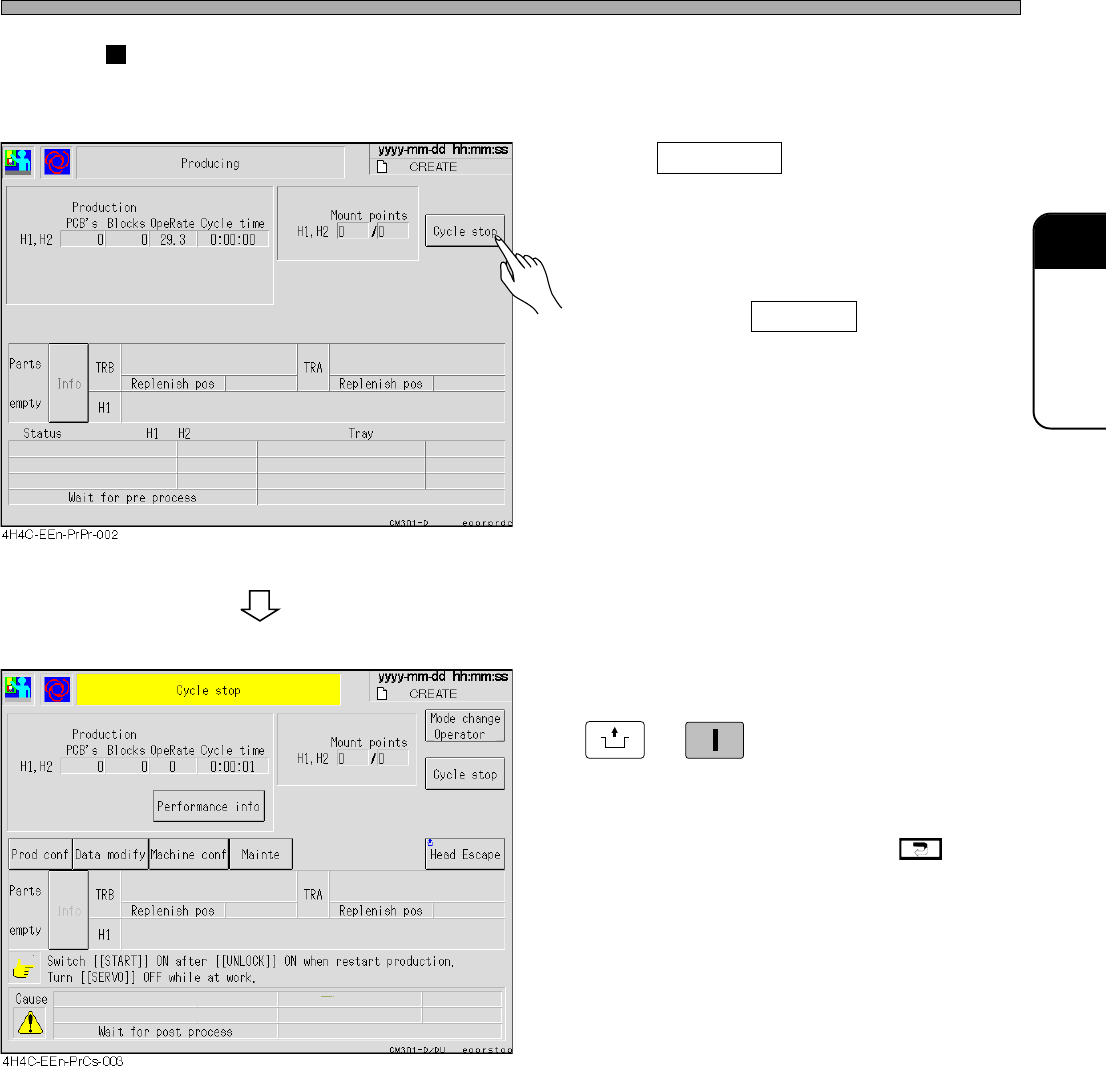
Page 4-11 PRODUCTION 4 Cycle Stop (For Stopping Production after Mounting the Current Board) 1 . Press Cycle stop . • After the current board has been mounted, production stops. And the cycle stop screen is displayed. ∗ …
Page 4-10
M34EB
WARNING
DO NOT PLACE YOUR HANDS OR BODY INSIDE ACTIVE PART OF THE MA-
CHINE WHEN IT IS IN A SINGLE STOP OR CYCLE STOP CONDITION.
The machine has been stopped only temporarily. You may be injured if the sensors are
actuated and the machine moves unexpectedly.
Turn OFF the servo switch before placing your hands or body inside the active part.
4-5 Production Stop
4-5-1 Stop Operation
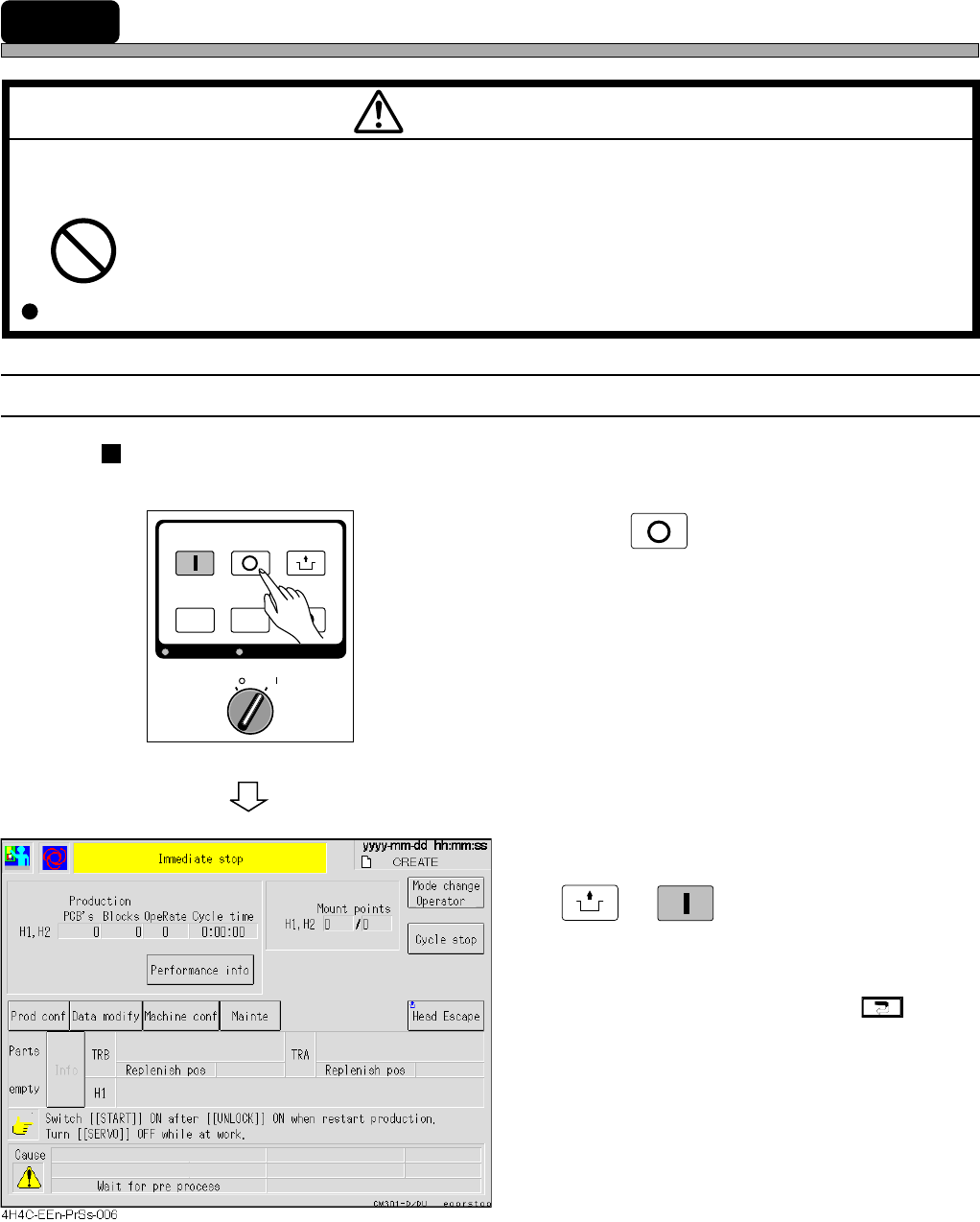
Immediate Stop (For Stopping Production Immediately)
1. Press
STOP
on the operating panel.
• Production is stopped immediately, and the
immediate stop screen is displayed.
2. When resuming production, press
UNLOCK
→
START
on the operating panel.
• Production is resumed.
∗ When stopping production, press .
Then the main menu is displayed.
OFF ( )
ON ( )
SERVO
STOP
UNLOCK
STEP
START
LIGHT ON
SELECT
KEY LOCK
KEY LOCK
BACK LIGHT OFF
BACK LIGHT OFF
4H4C-E-OMA04-A01-03
Page 4-11
PRODUCTION
4
Cycle Stop (For Stopping Production after Mounting the Current
Board)
1. Press Cycle stop .
• After the current board has been mounted,
production stops. And the cycle stop screen is
displayed.
∗ When you press Cycle stop again before the
machine is stopped, the cycle stop is canceled.
2. When resuming production, press
UNLOCK
→
START
on the operating panel.
• Production is resumed.
∗ When stopping production, press .
Then the main menu is displayed.
Production Stop
4H4C-E-OMA04-A01-03
Page 4-12
Production Stop
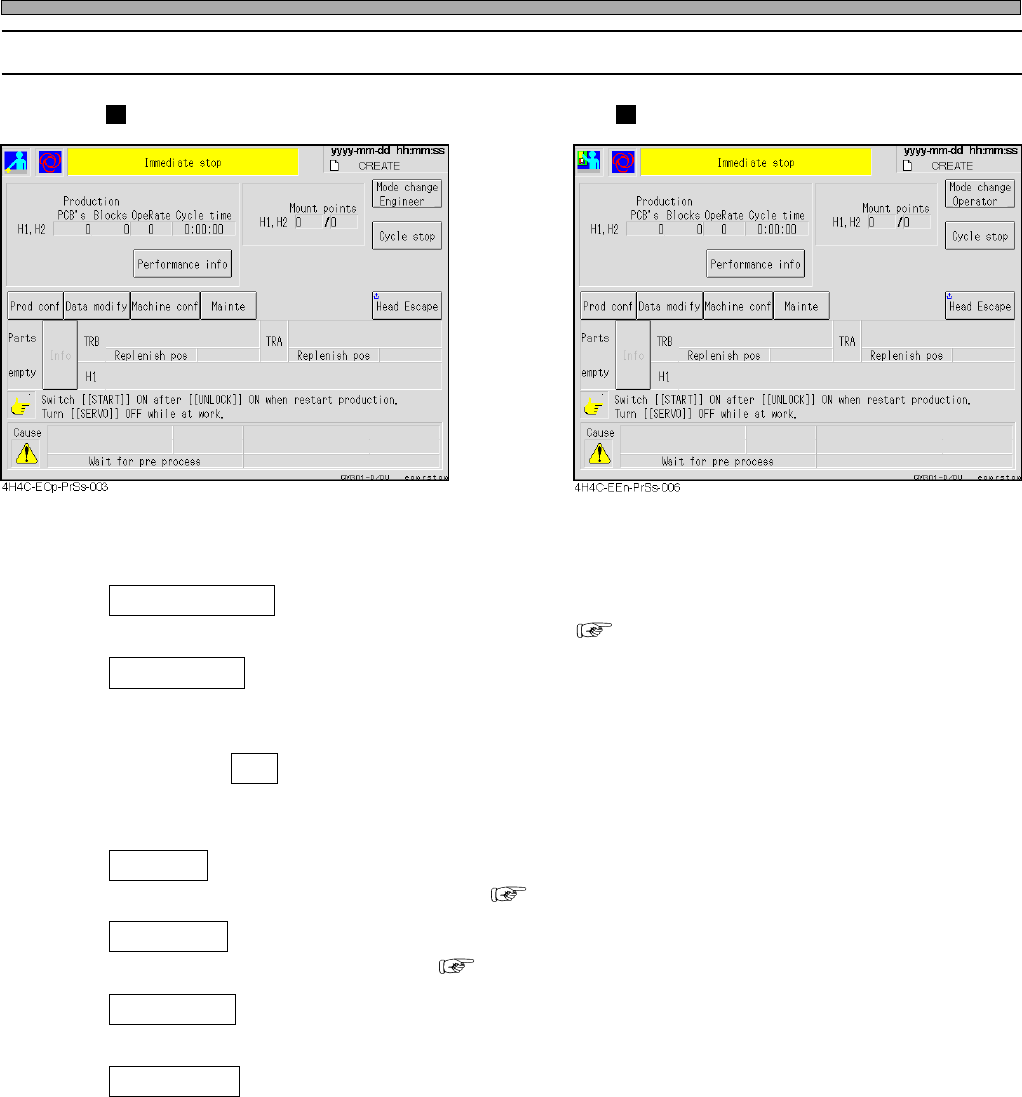
4-5-2 Information and Functions during Stop
Operator Mode Engineer Mode
Performance info
Displays in-depth information about production. ( 3-3 Production Information)
Mode change
Switches over the operator/engineer mode.
∗ Switching over the operator mode to the engineer mode requires the password.
Parts empty Info
Displays the addresses and parts names of the empty feeders.
∗ The button will be displayed only when the machine is stopped due to lack of chips.
Prod conf
Used to change the production setup. ( 3-2 Production Settings)
Data modify
Used to modify production data. ( Chapter 7 DATA MODIFICATION)
Maintenance
Used to enter the maintenance mode. (Refer to the Maintenance Manual.)
Machine conf
Enters into the machine setups.
4H4C-E-OMA04-A01-03