4H4CEOM1.pdf - 第118页
Page 4-10 M34EB WARNING DO NOT PLACE YOUR HANDS OR BODY INSIDE ACTIVE PART OF THE MA- CHINE WHEN IT IS IN A SINGLE STOP OR CYCLE STOP CONDITION. The machine has been stopped only temporarily. You may be injured if the se…
Page 4-9
PRODUCTION
4
4-4 During Production
4-4-1 Information and Functions during Production
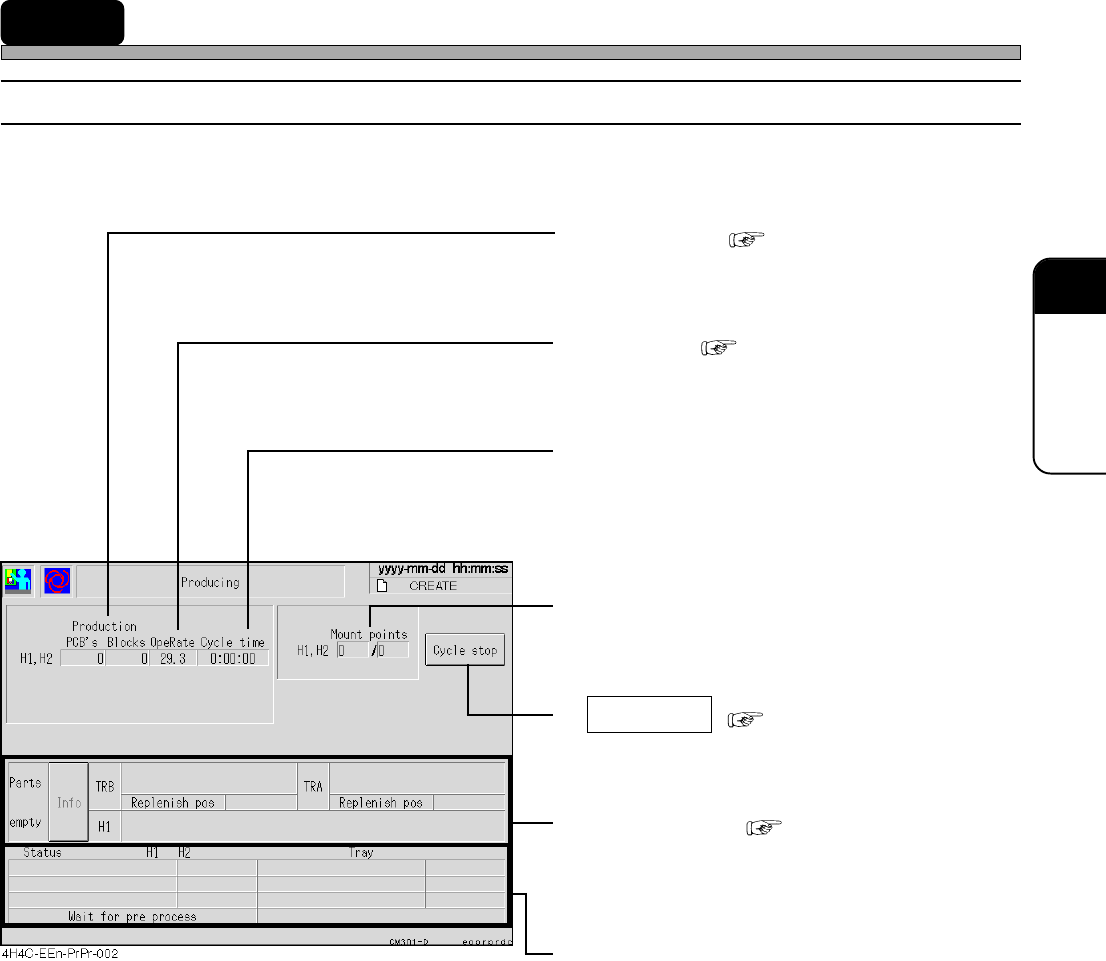
Basic production information, the addresses of the empty feeders and the state of operation are
displayed.
• Production ( 3-3-1 Run Informa-
tion)
The number of produced boards and blocks
• OpeRate ( 3-3-1 Run Information)
Operating rate of the machine
• Cycle time
The time from when the board starts to be
loaded onto the mounting stage until when it
starts to be unloaded after it has been
mounted.
• Mount points
The number of the chips which have been
mounted
• Cycle stop ( 4-5-1 Stop Operation)
If you want to stop production temporarily after
the current board is mounted, press this switch.
• Parts empty ( Chapter 5 SETTING
PRODUCTION MATERIALS)
The addresses of the empty feeders during
production are displayed.
• Status
The current state of the machine is displayed.
4H4C-E-OMA04-A01-02
Page 4-10
M34EB
WARNING
DO NOT PLACE YOUR HANDS OR BODY INSIDE ACTIVE PART OF THE MA-
CHINE WHEN IT IS IN A SINGLE STOP OR CYCLE STOP CONDITION.
The machine has been stopped only temporarily. You may be injured if the sensors are
actuated and the machine moves unexpectedly.
Turn OFF the servo switch before placing your hands or body inside the active part.
4-5 Production Stop
4-5-1 Stop Operation
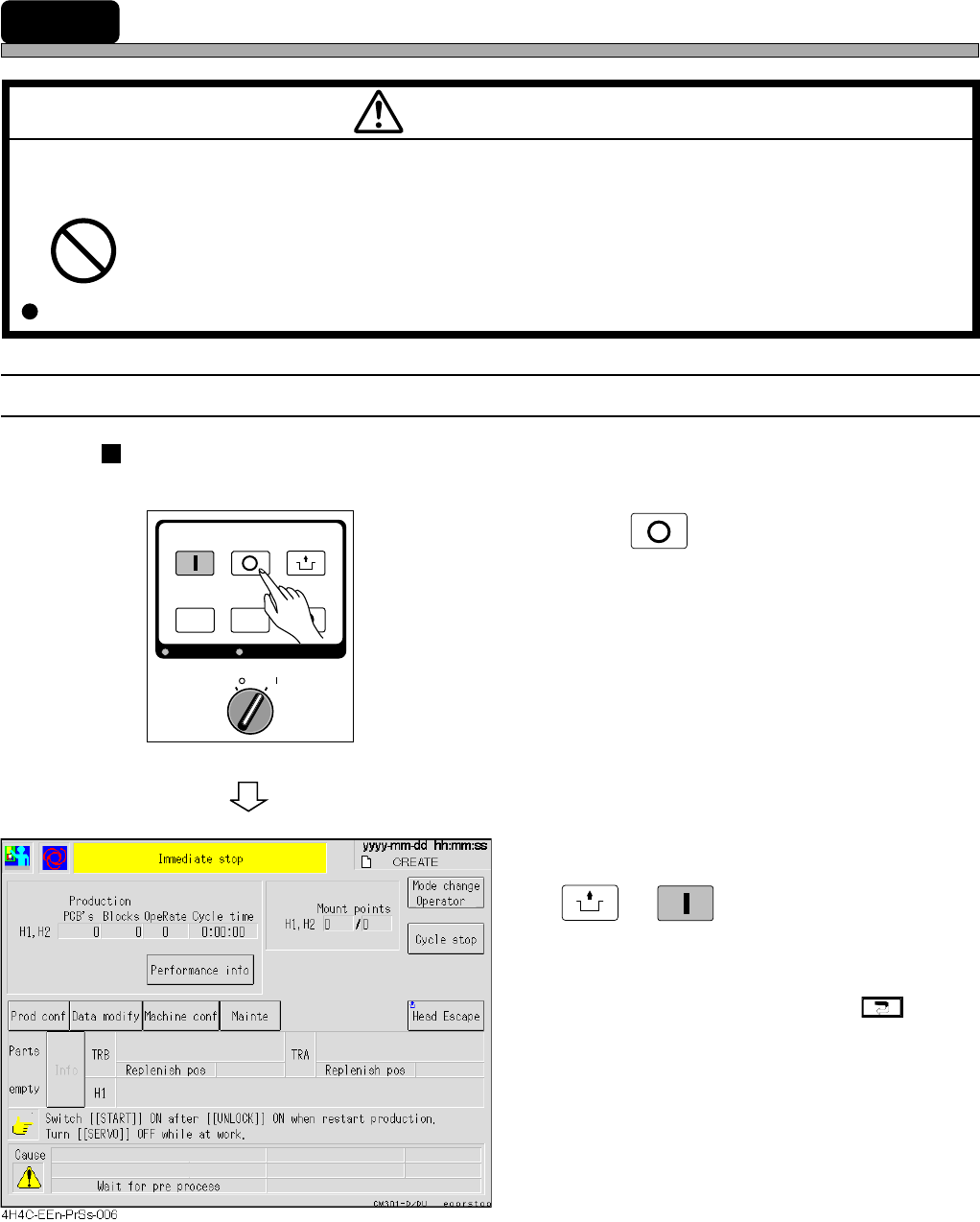
Immediate Stop (For Stopping Production Immediately)
1. Press
STOP
on the operating panel.
• Production is stopped immediately, and the
immediate stop screen is displayed.
2. When resuming production, press
UNLOCK
→
START
on the operating panel.
• Production is resumed.
∗ When stopping production, press .
Then the main menu is displayed.
OFF ( )
ON ( )
SERVO
STOP
UNLOCK
STEP
START
LIGHT ON
SELECT
KEY LOCK
KEY LOCK
BACK LIGHT OFF
BACK LIGHT OFF
4H4C-E-OMA04-A01-03
Page 4-11
PRODUCTION
4
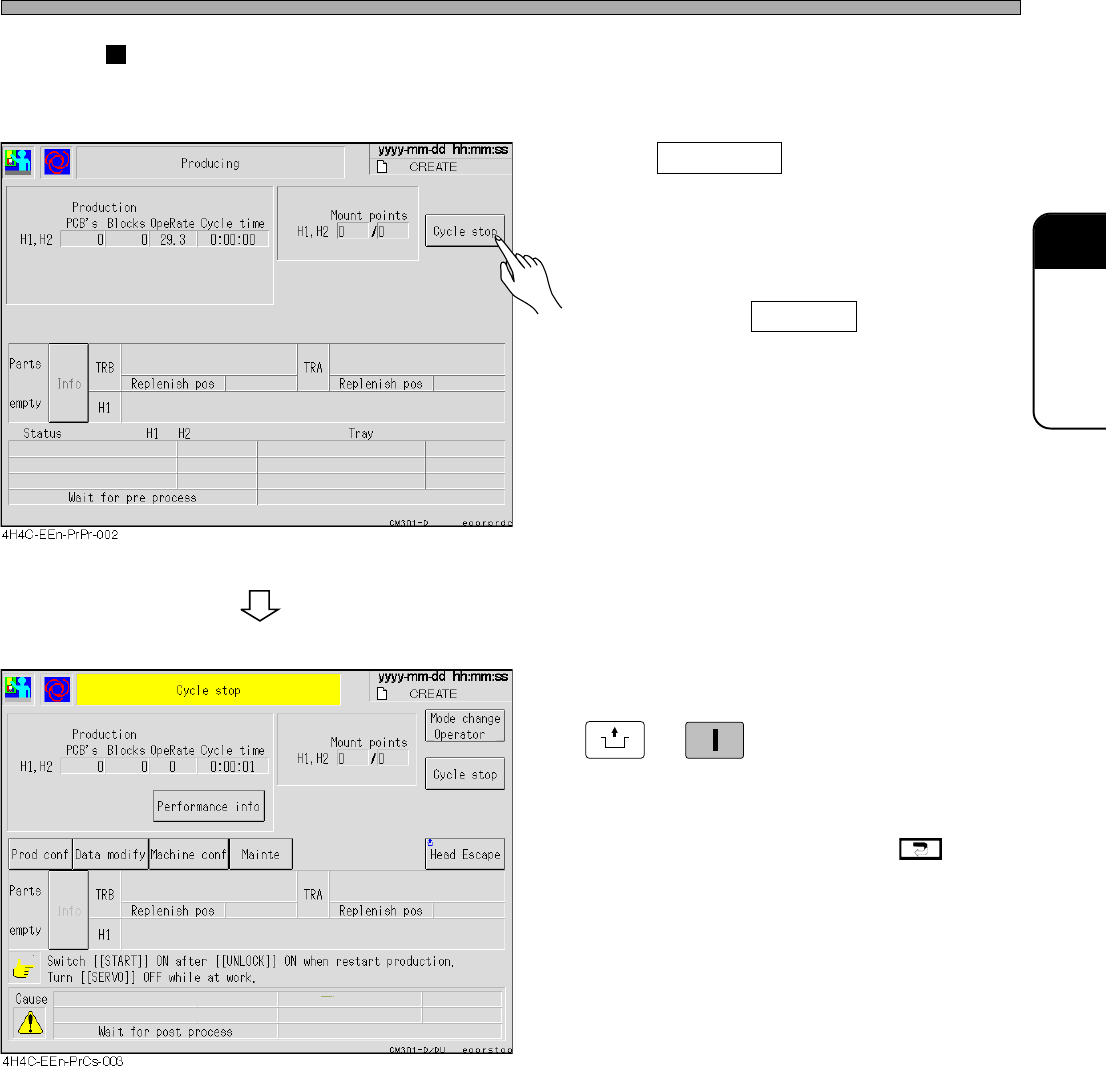
Cycle Stop (For Stopping Production after Mounting the Current
Board)
1. Press Cycle stop .
• After the current board has been mounted,
production stops. And the cycle stop screen is
displayed.
∗ When you press Cycle stop again before the
machine is stopped, the cycle stop is canceled.
2. When resuming production, press
UNLOCK
→
START
on the operating panel.
• Production is resumed.
∗ When stopping production, press .
Then the main menu is displayed.
Production Stop
4H4C-E-OMA04-A01-03