4H4CEOM1.pdf - 第74页
Page 2-10 2-3 Main Menu NOTICE On this machine, you are free to change the menu configuration of the operator mode. ( 3-5-6 Customizing Operator Mode ) Screen of Operator Mode 1 This icon indicates operator mode. 2 Inspe…
Page 2-9
BASIC OPERATION
2
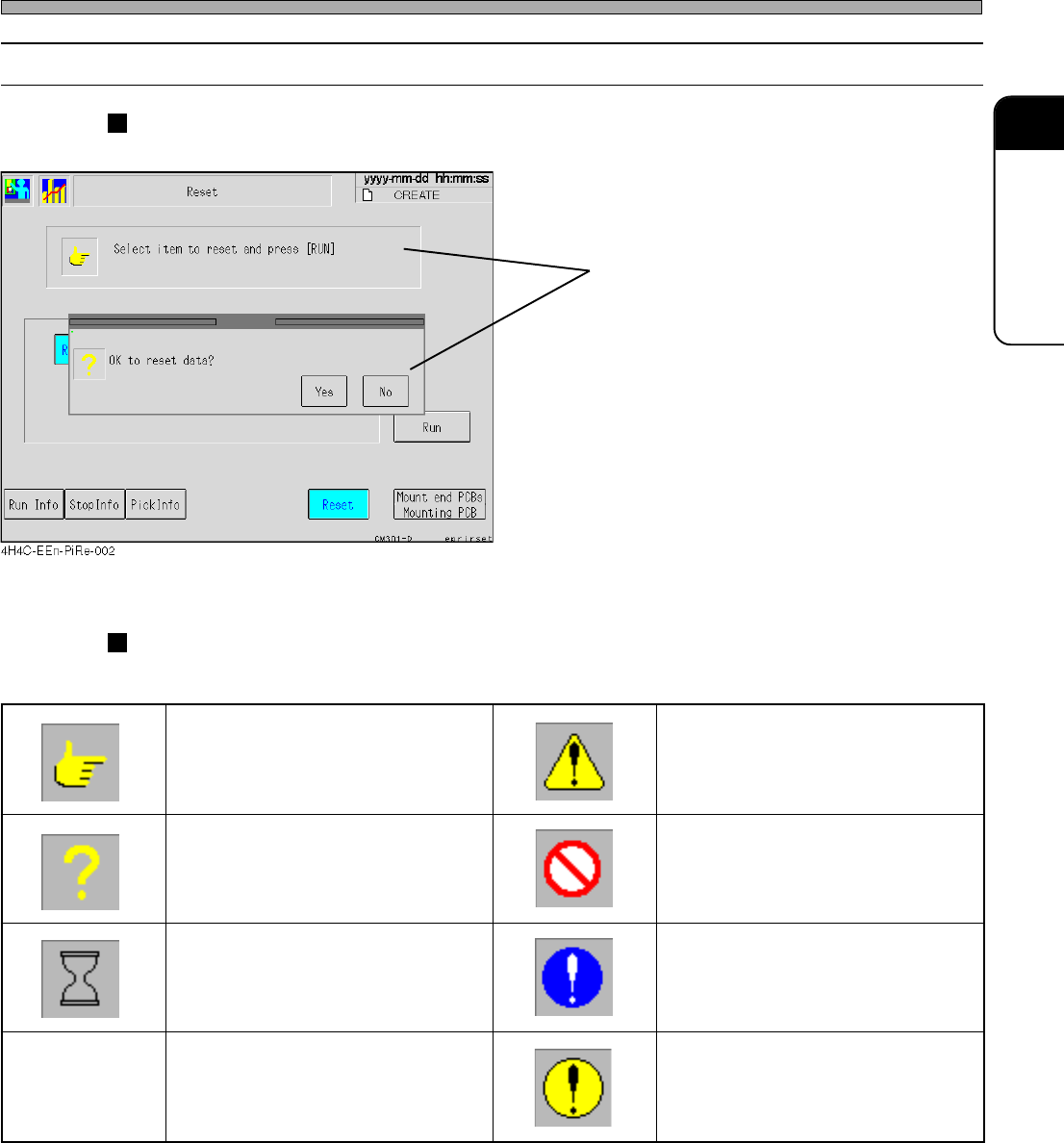
2-2-4 Messages
Messages to operators are displayed inside message boxes.
Message Icons
The following icons are at the head of messages to show its type.
Touch Panel
Message
egassemnoitcurtsnI egassemnoituac,gninraw,regnaD
egassemyriuqnI egassemnoitibihorP
egassemgnitiawemiT
egassemnoislupmoC
)dnuorgeulbano)!(krametihW(
egassemrorrE
dnuorgwolleyano)!(kramkcalB(
)emarfkcalbni
444C-107TE
4H4C-E-OMA02-A01-02
Page 2-10
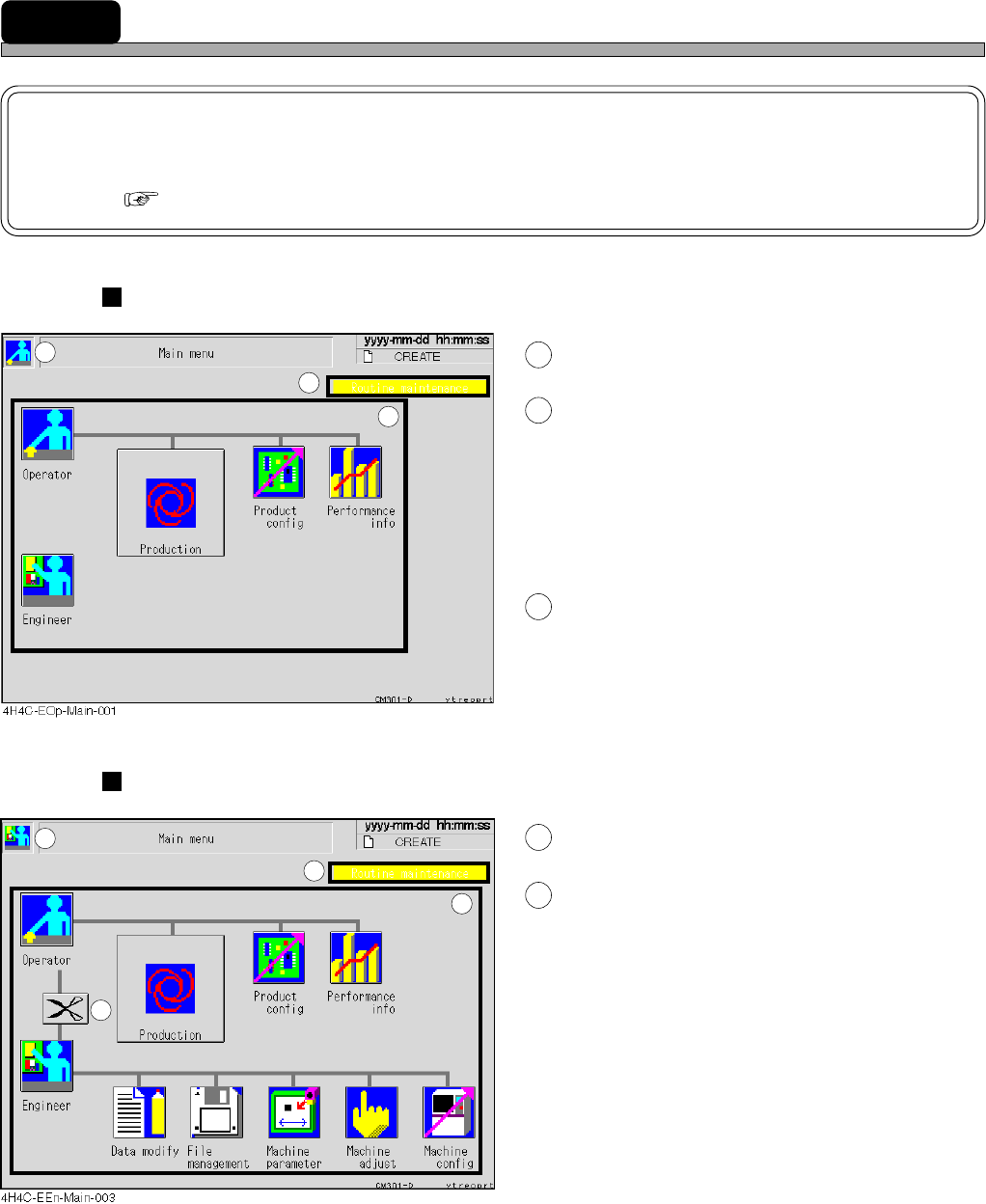
2-3 Main Menu
NOTICE
On this machine, you are free to change the menu configuration of the operator
mode. ( 3-5-6 Customizing Operator Mode)
Screen of Operator Mode
1
This icon indicates operator mode.
2
Inspection period display area
When an inspection period is approaching (to 90
% of its cycle), the message is displayed in
green. When the inspection period has passed, it
is displayed in yellow.
∗ When the message is displayed, inspect this
machine referring to the maintenance manual.
3
Icon switches
Pressing each icon displays its menu screen.
Screen of Engineer Mode
4
This icon indicates engineer mode.
5
Pressing this will switch to the dis-
play of the main menu of operator
mode.
1
2
3
4
5
2
3
4H4C-E-OMA02-A01-02
Page 2-11
BASIC OPERATION
2
Main Menu
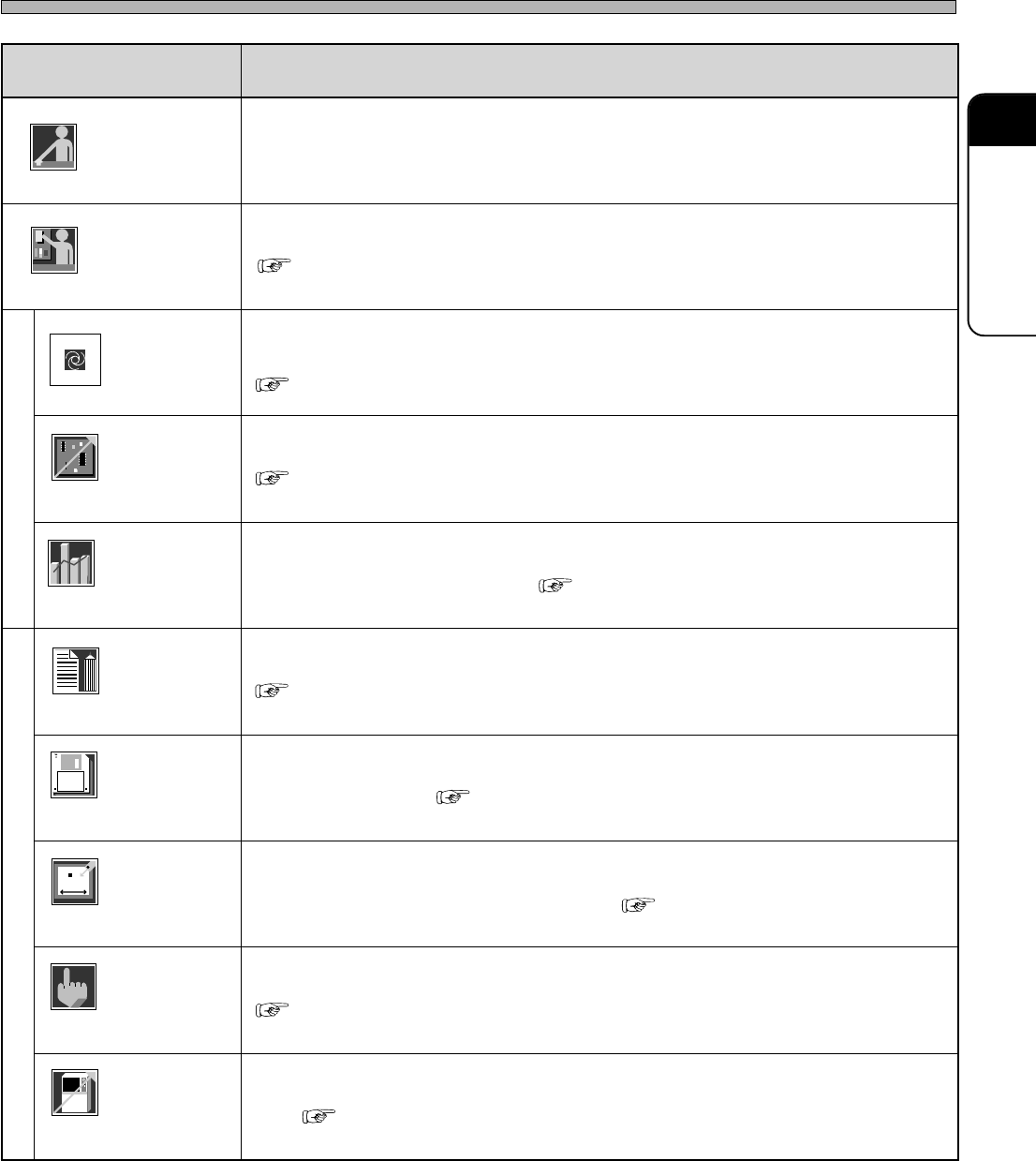
metI noitcnuF
rotarepO.edomrotareponaswohssihT
reenignE
).deriuqersidrowssapehT(.edomreenignenaotdehctiwssiedomrotareponA
noitcudorP
.noitarepocitamotuanastratssihtgnisserP
.tesneebevahatadnoitcudorpdnaderaperpneebsahenihcamehtretfadesusitI
tcudorP
gifnoc
.noitomehtkcehcotdnatnempiuqeehtrofetisiuqersgnittesehtrofdesusisihT
ecnamrofreP
ofni
nehwevitceffesitI.deyalpsidsinoitarepocitamotuanamorftognoitamrofniehT
.noitcudorpfoetatsehthctacuoy
yfidomataD
.atadnoitcudorpehtgnihcaetdnagnitide,gnitaercsahcusrofdesusisihT
eliF
tnemeganam
drah,TPaivsretemarapenihcamdnaatadnoitcudorpehtdaol/evasotdesusisihT
.ksidyppolfdnaksid
enihcaM
retemarap
oteud,tnempiuqeehtfo.cte,eulavecnereferehttesdnaegnahcotdesusisihT
).launaMecnanetniaM(.tnemecalperstrapehtroecnanetniameht
enihcaM
tsujda
.enihcamehtfotraphcaefotnemtsujdadnakcehcnoitomehtrofdesusisihT
enihcaM
gifnoc
noitcudorpnodnepedtonseodtahtenihcamehtfoetatsehttesotdesusisihT
.atad
Operator
Engineer
444C-106TE
Operator
Engineer
Production
Product
config
Performance
info
Data modify
File
managment
Machine
parameter
Machine
adjust
Machine
config
( 2-4 Engineer Mode)
( Chapter 4 PRODUCTION)
( 3-2 Production Settings)
( 3-3 Production Information)
( Chapter 7 DATA MODIFICATION)
( Chapter 6 FILE OPERATION)
( 3-4 Machine Adjustment)
( 3-5 Machine Settings)
4H4C-E-OMA02-A01-01