4H4CEOM1.pdf - 第79页
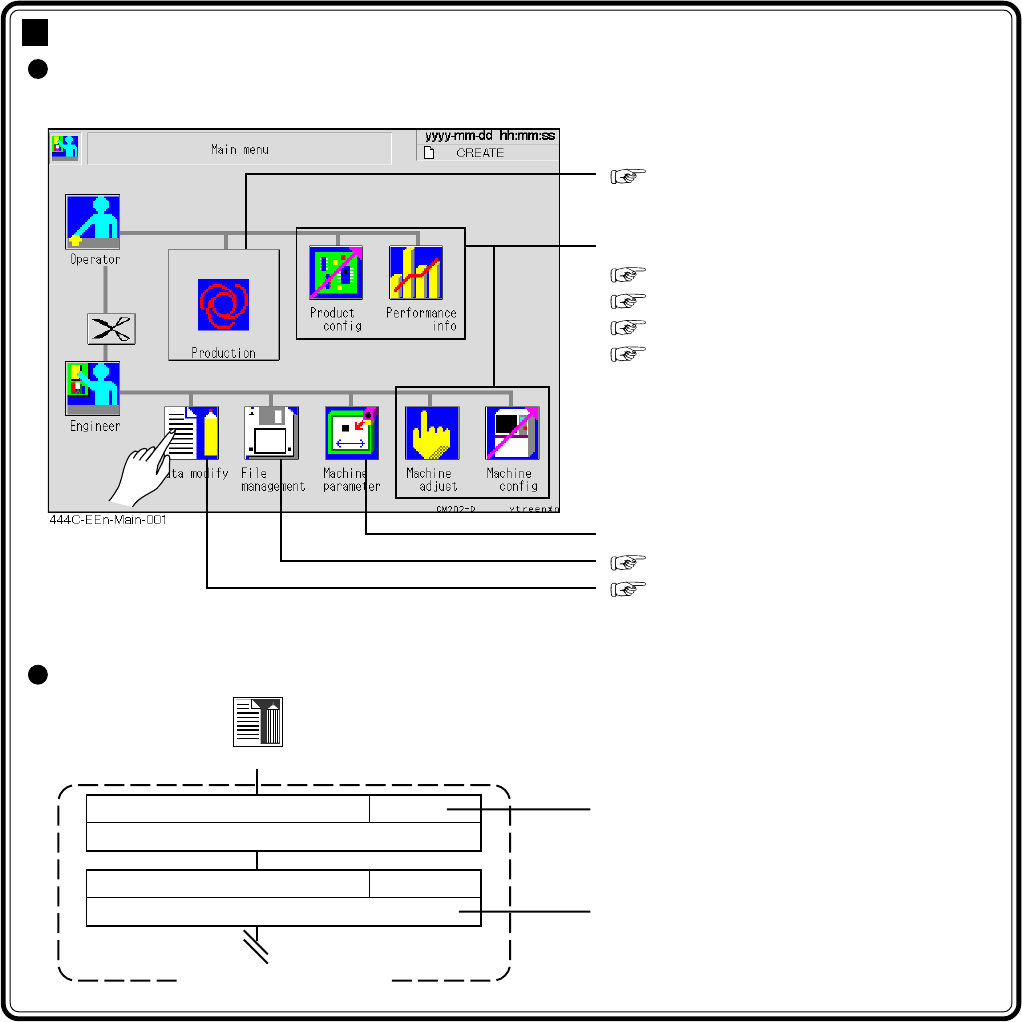
Page 3-1 4H4C-E-OMA03-A01-01 Chapter 3 FUNCTIONS Functions This chapter describes each function that can be chosen from the main menu as follows. ∗ Pressing an icon displays that icon’s menu screen. How to see the menu c…

Page 2-14
= MEMO =
4H4C-E-OMA02-A01-01
Page 3-1
4H4C-E-OMA03-A01-01
Chapter 3
FUNCTIONS
Functions
This chapter describes each function that can be chosen from the main menu as
follows.
∗ Pressing an icon displays that icon’s menu screen.
How to see the menu configuration
Chapter 4 PRODUCTION
The following are described in this chapter.
3-2 Production Settings
3-3 Production Information
3-4 Machine Adjustment
3-5 Machine Settings
Refer to the Maintenance Manual.
Chapter 6 FILE OPERATION
Chapter 7 DATA MODIFICATION
Data modify
Reference
Outline of function
Menu configuration
PCB data
Describes checking and modifying board data.
7-2
Board recognition data
Describes checking and modifying board recognition data.
7-3
Page 3-2
4H4C-E-OMA03-A01-00
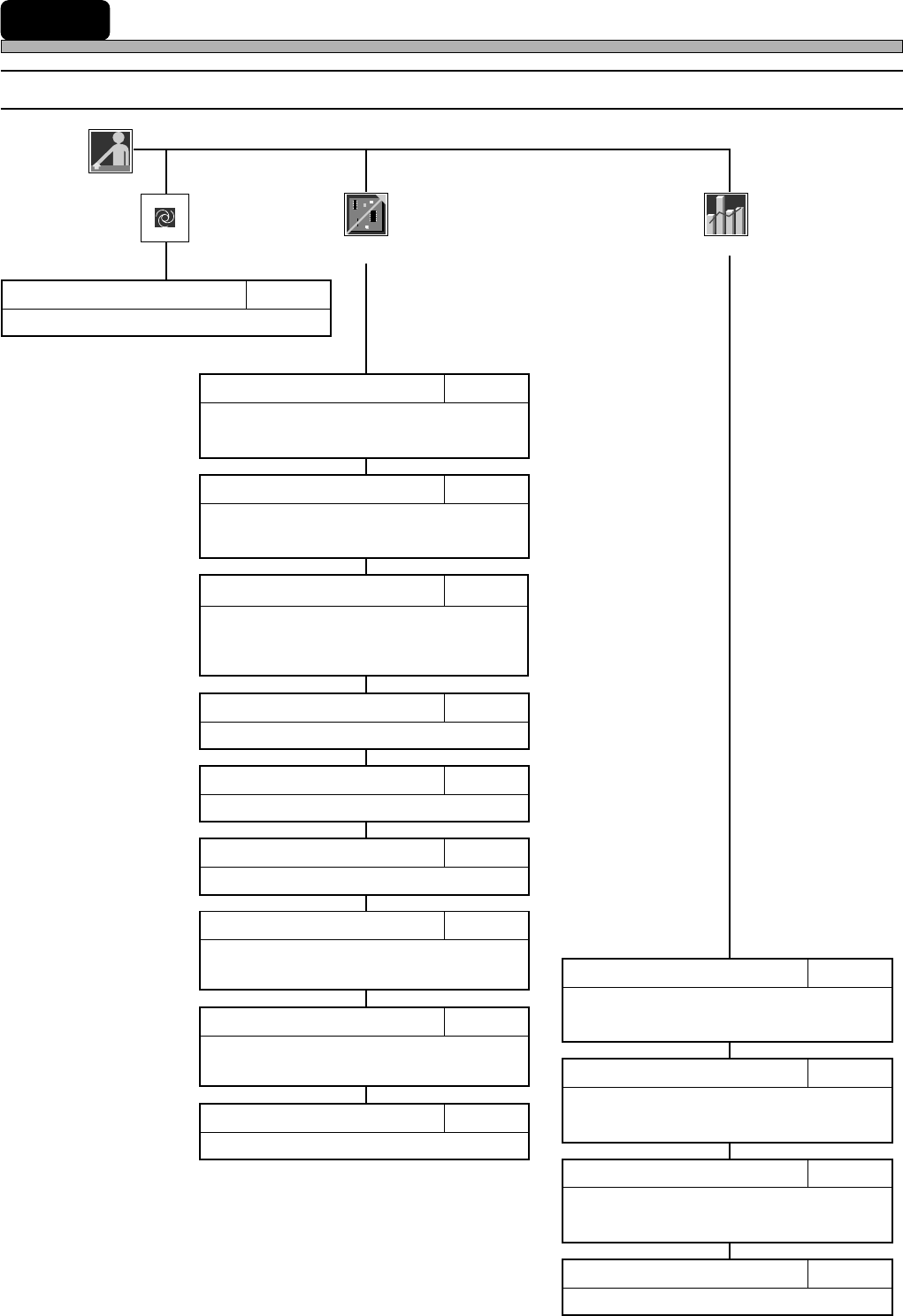
3-1 Menu Configuration
3-1-1 Operator Mode
Operator
Production
Describes starting automatic production.
Chapter 4PRODUCTION
Describes resetting production information.
3-3-4Reset
Describes checking the nozzle arrange-
ment of head.
3-2-1Nozzle Settings
Describes setting the mobile table for the
exchange mode.
3-2-2Selecting Table Mode
Describes checking feeder arrangement.
3-2-5Feeder Arrangement
Describes changing board supports.
3-2-6Changing Support Pins
Describes displaying the information
during running.
3-3-1Run Information
Describes calculating the consumption
of chips to the count of production
boards.
3-2-3Calculating Chip Consumption
Displays the chip pick-up information
during production.
3-3-3Pick-up Information
Describes displaying the factors that made
the machine stop during production.
3-3-2Stop Information
Performance
info
Product
config
Describes checking board transport motion.
3-2-4Board Transport
Describes checking and changing the
pick-up start position.
3-2-7Tray Counter
Describes checking the pallets at the
pick-up and supply positions.
3-2-8Tray Pallet Setup
Describes setting the machine’s motion.
3-2-9Motion Setup