4H4CEOM1.pdf - 第69页
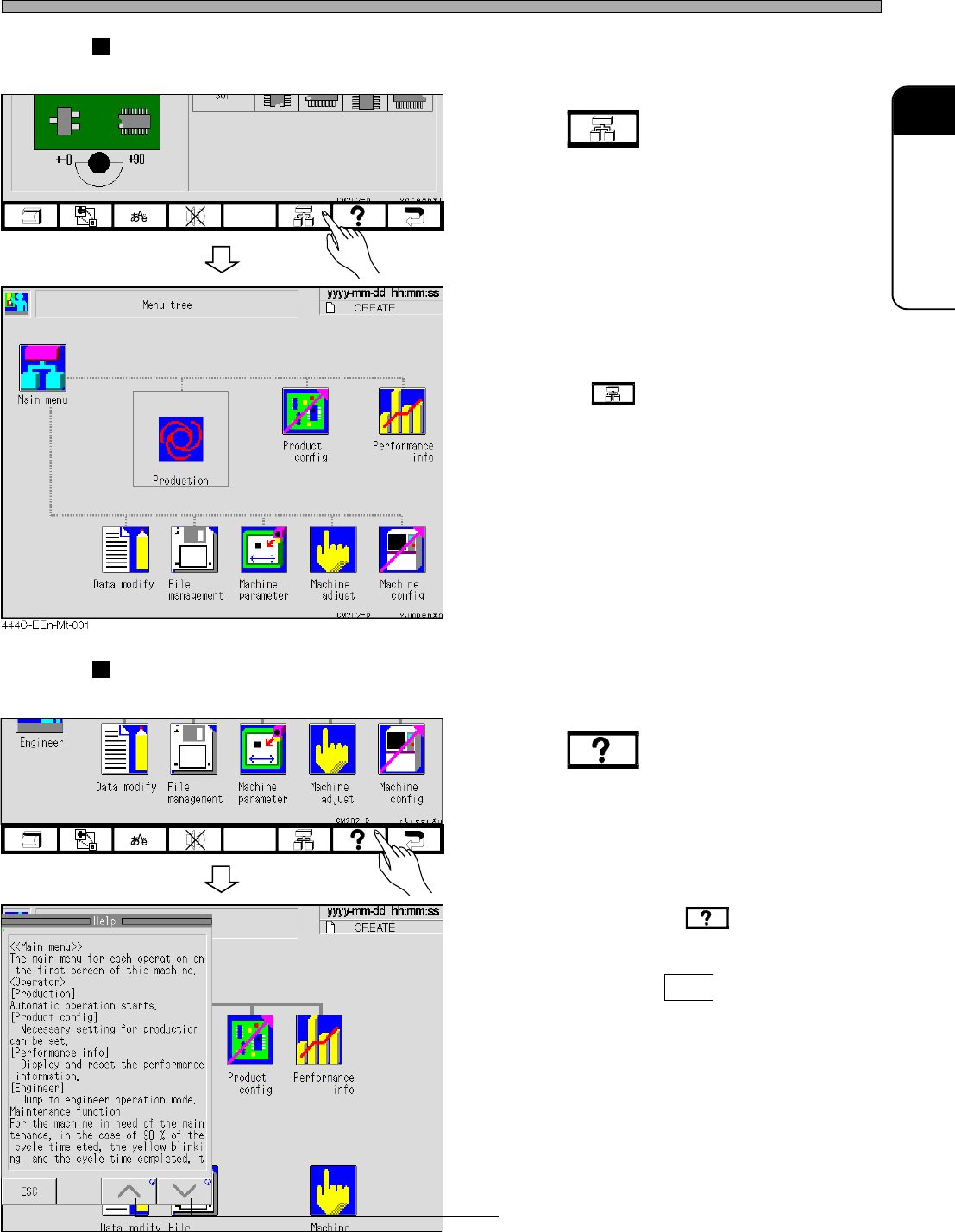
Page 2-5 BASIC OPERA TION 2 T ree Jump This key is used to jump from the current screen to another screen immediately . 1 . Press . ∗ Pressing at any screen displays the menu tree screen. Help This key is used to display…
Page 2-4
Touch Panel
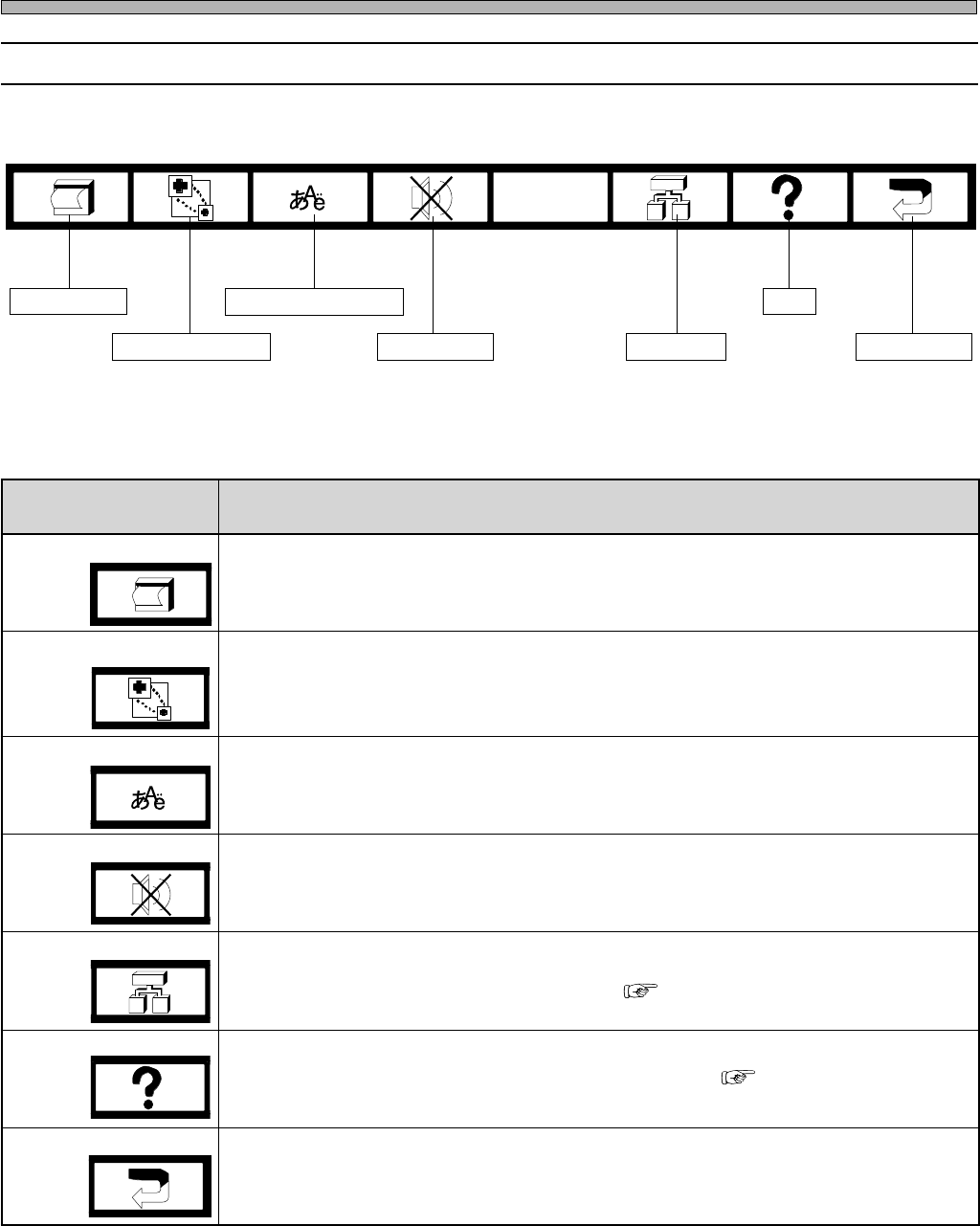
2-2-2 Function Keys
The lower function keys are allotted the following functions. When you press the key, it functions.
Screen print
Superimposition
Language selection
Buzzer stop
Tree jump
Help
Return key
4H4C-005TE
4H4C-E-OMA02-A01-01
yeknoitcnufrewoL noitcnuF
tnirpneercS
.yalpsidneercsfoypocdrahtnirpotdesU
.TPhtiwdetcennocretnirpehtmorftuodetnirpsitI•
noitisopmirepuS siyeksihtemityrevE.lenaphcuotehtnodesopmirepussineercsnoitingoceR
ezis-lluf:morfecneuqesnirevosegnahcneercsnoitingocer,desserp → ,ezis-2/1
tfelreppu → thgirreppu,ezis-2/1 → thgirrewol,ezis-2/1 → tfelrewol,ezis-2/1 → ton
.deyalpsid
noitcelesegaugnaL
.elggotlliw)esenapaJrohsilgnE(segaugnaleht,yeksihtsserpuoynehW
potsrezzuB
.gnidnuossitinehwrezzubapotsotdesU
pmujeerT
hcihw,deyalpsidsineercseertunemeht,neercsynatayeksihtsserpuoynehW
)pmujeerTegaptxeN(.neercsunemnesohcehtotgnipmujselbane
pleH
)pleHegaptxeN(.deyalpsidsineercsdeyalpsidtnerrucehtfonoitpircseD
yeknruteR
.neercssuoiverpehtotsnruteR
( Next Page Tree Jump)
( Next Page Help)
Page 2-5
BASIC OPERATION
2
Tree Jump
This key is used to jump from the current screen to another screen immediately.
1. Press .
∗ Pressing at any screen displays the
menu tree screen.
Help
This key is used to display an explanation or operation instruction of a function.
1. Press .
• The help screen is displayed.
• Every time you press , the position of the
message changes alternately (Left ⇔ Right).
• To exit Help, press ESC .
Screen is scrolled in the direction of arrow.
Touch Panel
444C-EEn-DmAd-001
444C-EEn-Main-001
444C-EEn-Main-003
4H4C-E-OMA02-A01-01
Page 2-6
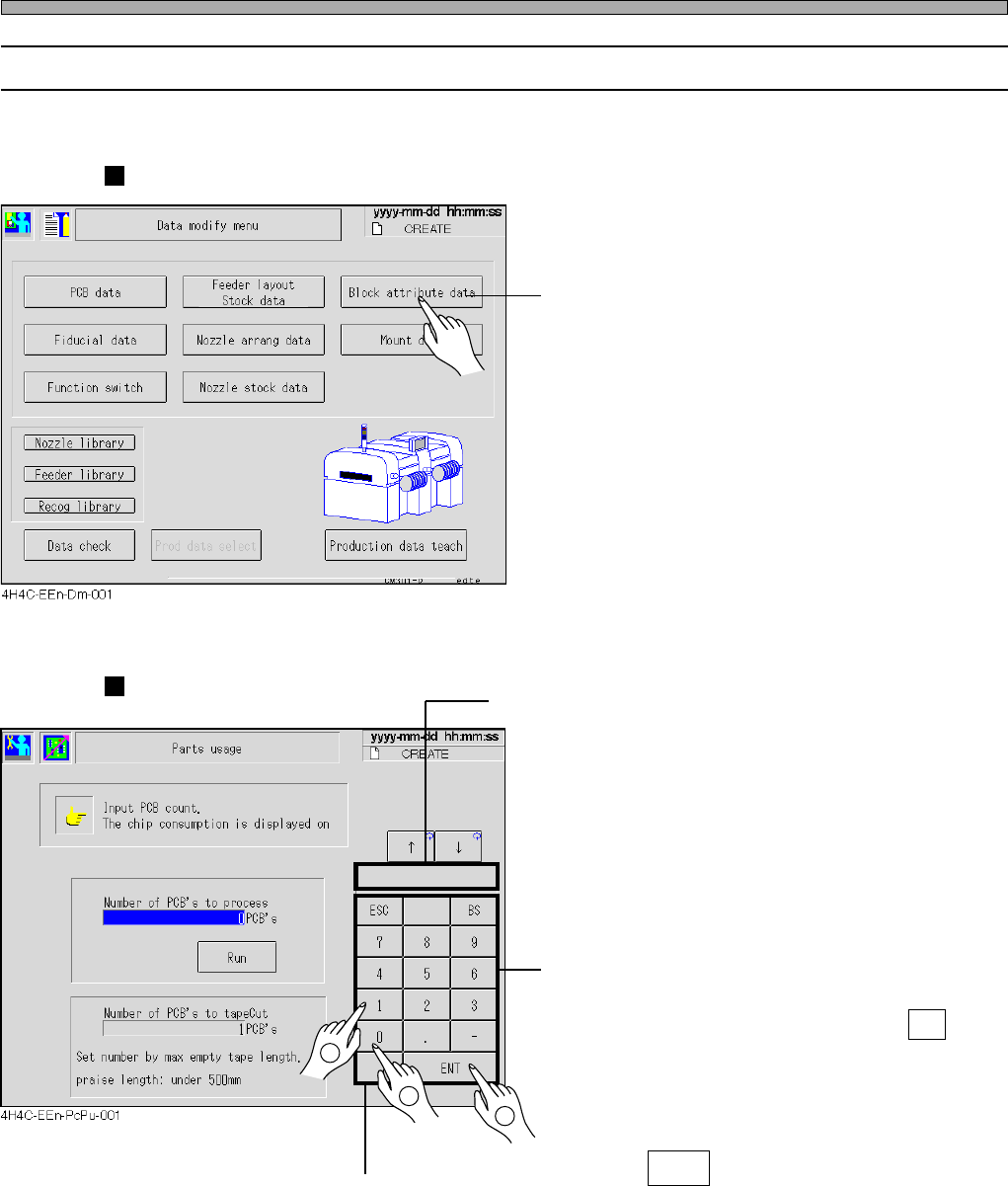
2-2-3 Switch Types and How to Operate
You can operate this machine mostly by pressing a switch on screen softly.
Selection Switches
• Choosing an item
1) Press the item you want to choose.
The screen of the chosen item is displayed.
Main menu icons belong to selection switches.
Input Switches
• Typing numeric value
1) Select the item to be input
(if there is more than one item to be
input).
Specified item will blink or will be highlighted.
2) Enter values with numeric keys.
If you pressed an incorrect key, press BS and
re-enter a correct value.
The entered value is displayed in the numeric
value window.
3) Press ENT .
The value of specified item changes to the
newly-entered value.
Touch Panel
Numeric value window
Numeric keys
2
1
3
4H4C-E-OMA02-A01-01