4H4CEOM1.pdf - 第123页
Page 5-1 4H4C-E-OMA05-A01-00 Chapter 5 SETTING PRODUCTION MA TERIALS Chip Feeding Devices This machine is fed with chips by the following three devices. Chips are supplied by changing trays, changing tape feeders or supp…

Page 4-14
= MEMO =
4H4C-E-OMA04-A01-01
Page 5-1
4H4C-E-OMA05-A01-00
Chapter 5
SETTING PRODUCTION MATERIALS
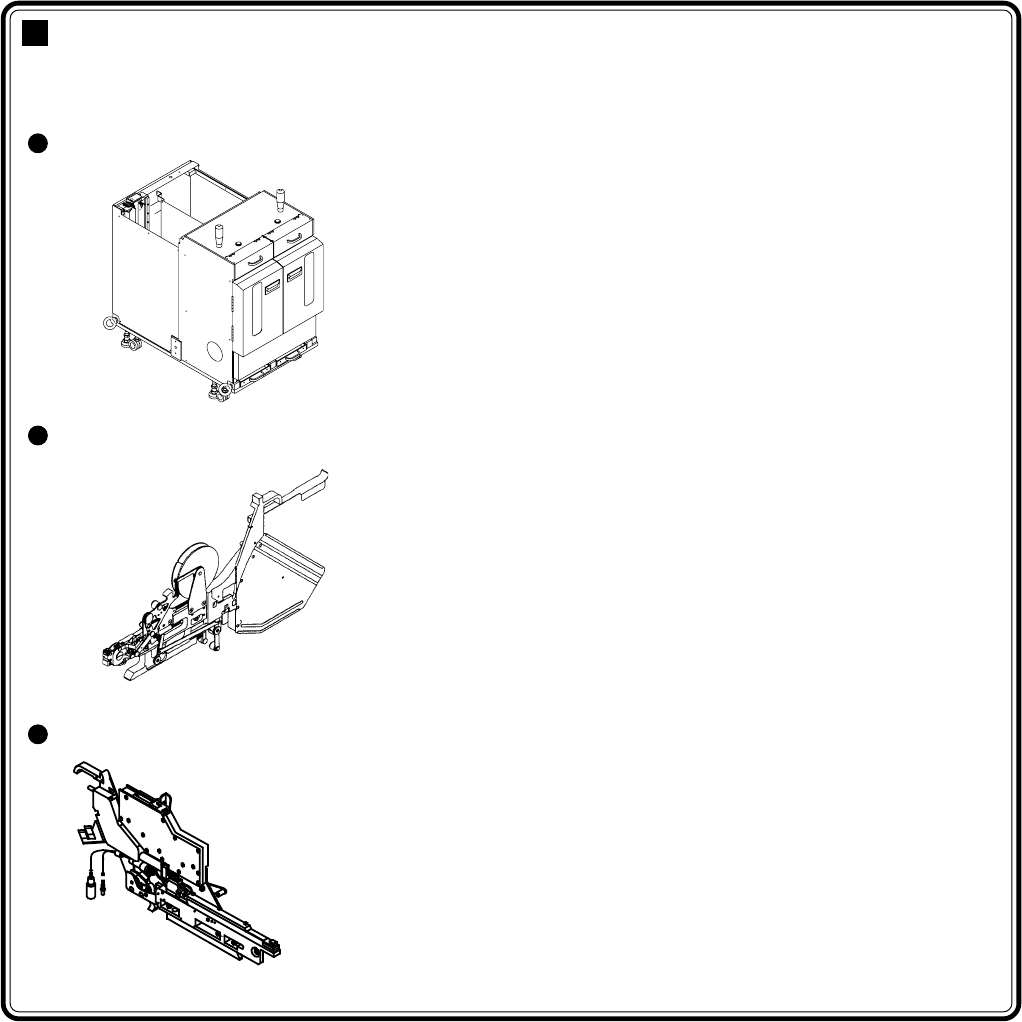
Chip Feeding Devices
This machine is fed with chips by the following three devices. Chips are supplied by
changing trays, changing tape feeders or supplying chips to bulk feeders.
Tray Feeder
• Chips are fed while on the tray.
• To supply chips, take out the pallet where the
tray is set.
(Chips can be exchanged also by the
magazine.)
Tape Feeder (Option)
• Chips are fed by the reeled tape.
• Chips are supplied by changing tape feed-
ers.
Bulk Feeder (Option)
• Chips are fed by the bulk cassette.
• Chips can be supplied while the feeder is set
on the feeder table.
∗ Bulk feeder supporting unit (option) is
required.
∗ For information about how to handle tape and bulk feeders, refer to their respective manuals.
Page 5-2
4H4C-E-OMA05-A01-00
5-1 Setting Trays
This section describes how to set the tray into the tray feeder.
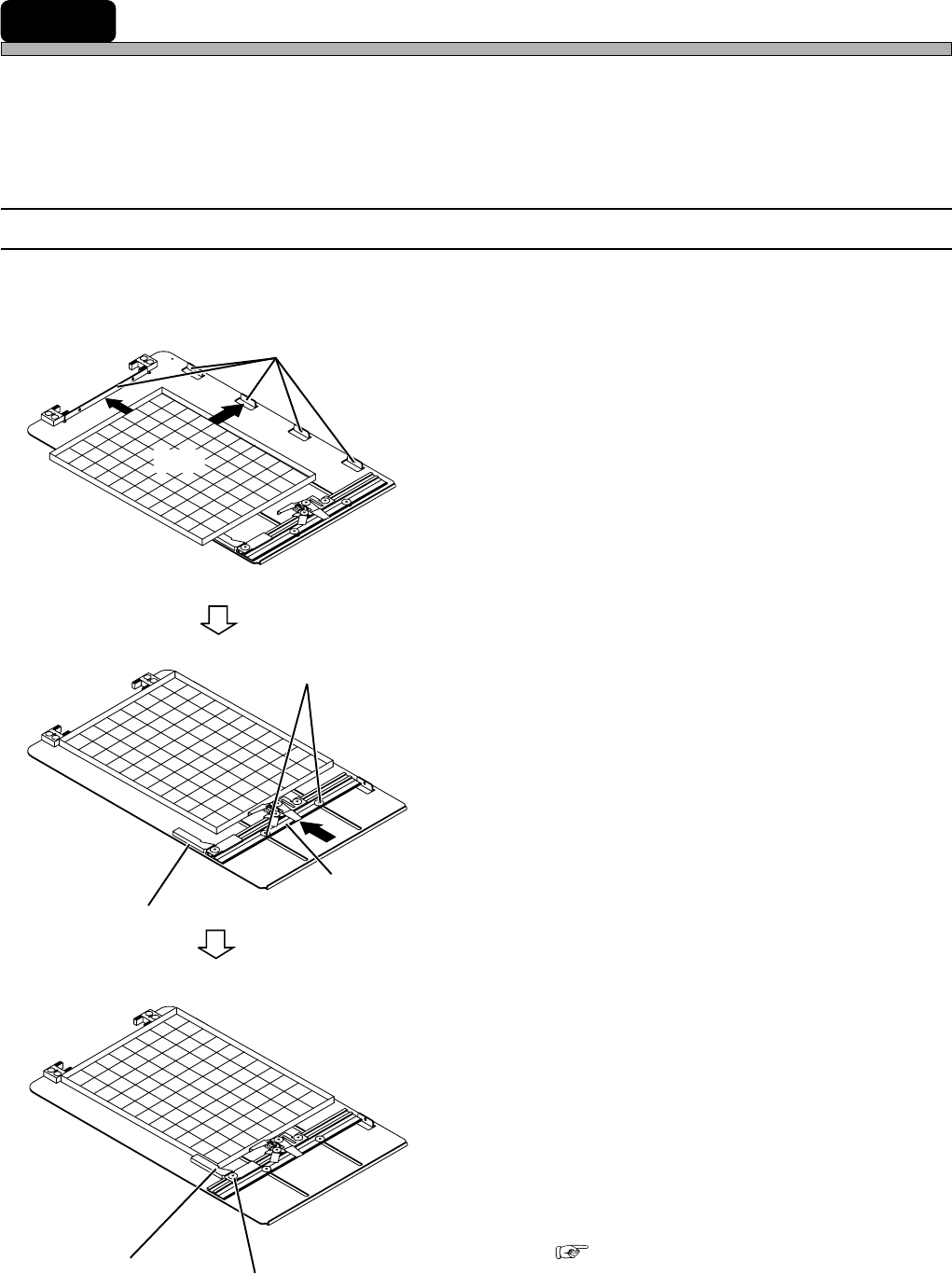
• The tray can be set by the following steps.
1. Set the tray onto the pallet.
↓
2. Set the pallet into the tray feeder.
5-1-1 Setting Tray onto Pallet
Set the tray onto the tray pallet first.
• Tool: Philips Screwdriver
1. Fit the tray to the tray guides.
2. Loosen the two rail locking screws.
3. Put the tray between the tray clamp
and the tray guides by moving the
rail.
4. At this position, lock the rail by tight-
ening the rail locking screws.
5. Loosen the locking screw of the side
support.
6. Fit the side support to the tray side,
and tighten the locking screw.
7. Put the tray on the pallet with the tray
clamp released, and clamp it.
( Next Page)
Locking Screw
Side Support
Tray Clamp
Rail
Rail Locking Screw
Tray Guide
Tray
4H4C-010E
4H4C-011E
4H4C-009E