4H4CEOM1.pdf - 第121页
Page 4-13 PRODUCTION 4 4-6 Completion of Production 4-6-1 Automatic Stop When the front stocker sends out the last board in the set production count, the stocker transmits the production end signal to the next process (e…
Page 4-12
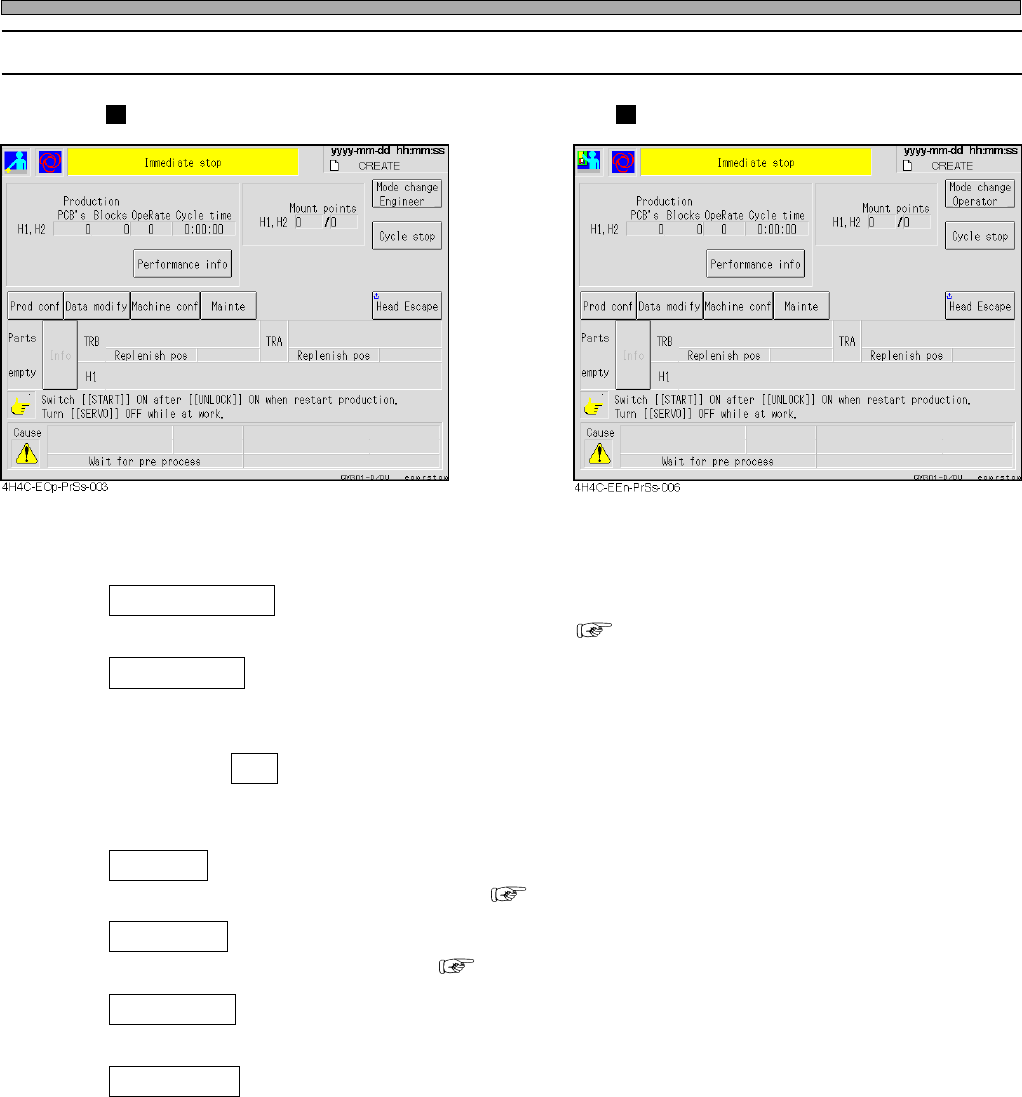
Production Stop
4-5-2 Information and Functions during Stop
Operator Mode Engineer Mode
Performance info
Displays in-depth information about production. ( 3-3 Production Information)
Mode change
Switches over the operator/engineer mode.
∗ Switching over the operator mode to the engineer mode requires the password.
Parts empty Info
Displays the addresses and parts names of the empty feeders.
∗ The button will be displayed only when the machine is stopped due to lack of chips.
Prod conf
Used to change the production setup. ( 3-2 Production Settings)
Data modify
Used to modify production data. ( Chapter 7 DATA MODIFICATION)
Maintenance
Used to enter the maintenance mode. (Refer to the Maintenance Manual.)
Machine conf
Enters into the machine setups.
4H4C-E-OMA04-A01-03
Page 4-13
PRODUCTION
4
4-6 Completion of Production
4-6-1 Automatic Stop
When the front stocker sends out the last board in the set production count, the stocker transmits
the production end signal to the next process (e.g. screen printer, etc.). When this machine gets the
signal, it automatically enters a state of production completion after producing the last board, and
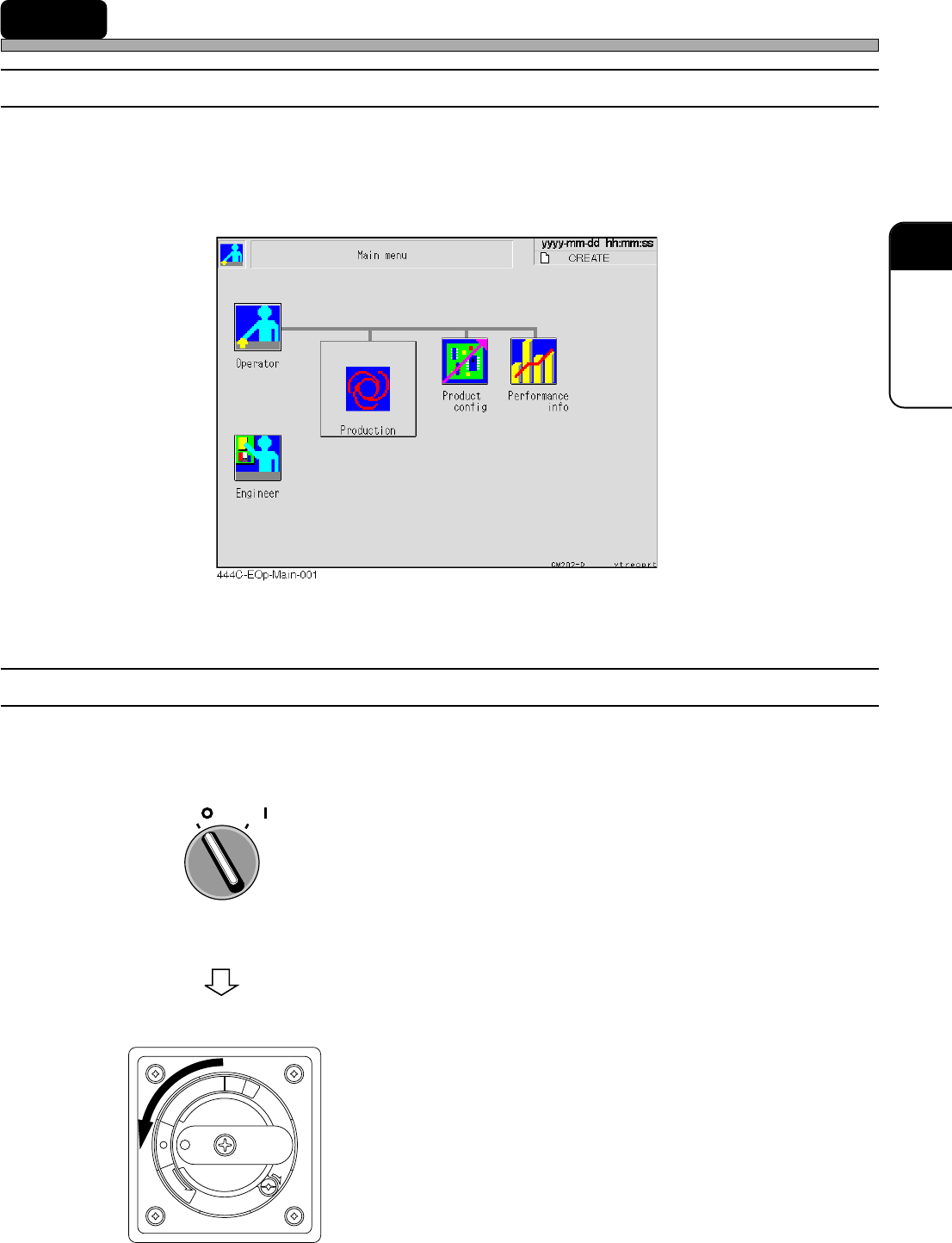
the main menu screen is displayed.
4-6-2 Finishing Machine
When the main menu is displayed, turn off the power of the machine in the following step.
1. Turn OFF the servo switch.
2. Turn OFF the power supply switch.
R
E
L
E
A
S
E
T
R
I
P
O
F
F
O
N
R
E
S
E
T
OFF ( )
ON ( )
SERVO
4H4C-E-OMA04-A01-01

Page 4-14
= MEMO =
4H4C-E-OMA04-A01-01