4H4CEOM1.pdf - 第128页
Page 5-6 5-1-3 Setting T ray Magazine into T ray Feeder Insert the tray pallets into the tray magazine, and then set the magazine into the tray feeder . 1 . Set the tray pallets into the tray maga- zine. • T en pallets c…
Page 5-5
5
SETTING PRODUCTION
MATERIALS
5
4H4C-E-OMA05-A01-01
Setting Trays
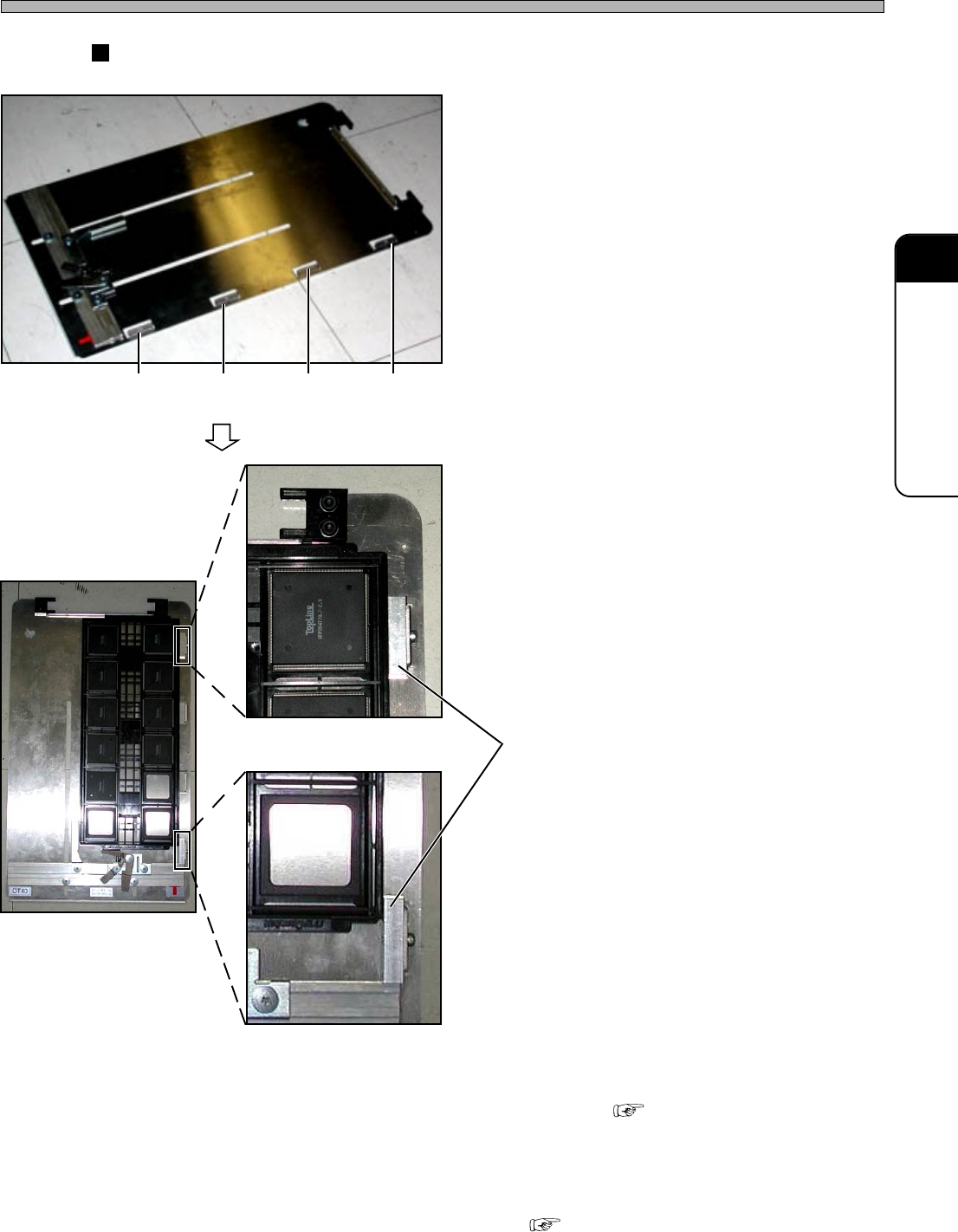
How to Set the Offset Blocks
1. Make sure the conditions to use the
offset block are satisfied.
2. According to the tray size, choose
two offset block setting positions
from among four ones.
3. Set the offset blocks.
4. Set the tray onto the tray pallet.
• How to Set “5-1-1 Setting Tray onto
Pallet”
∗ When the offset blocks are set, modifying the
pallet data is required.
( Programming Manual “Stock Data”)
Setting
Position 4
Offset Block
Setting
Position 3
Setting
Position 2
Setting
Position 1
4H4C-037P
4H4C-039P
4H4C-038P
4H4C-040P
Page 5-6
5-1-3 Setting Tray Magazine into Tray Feeder
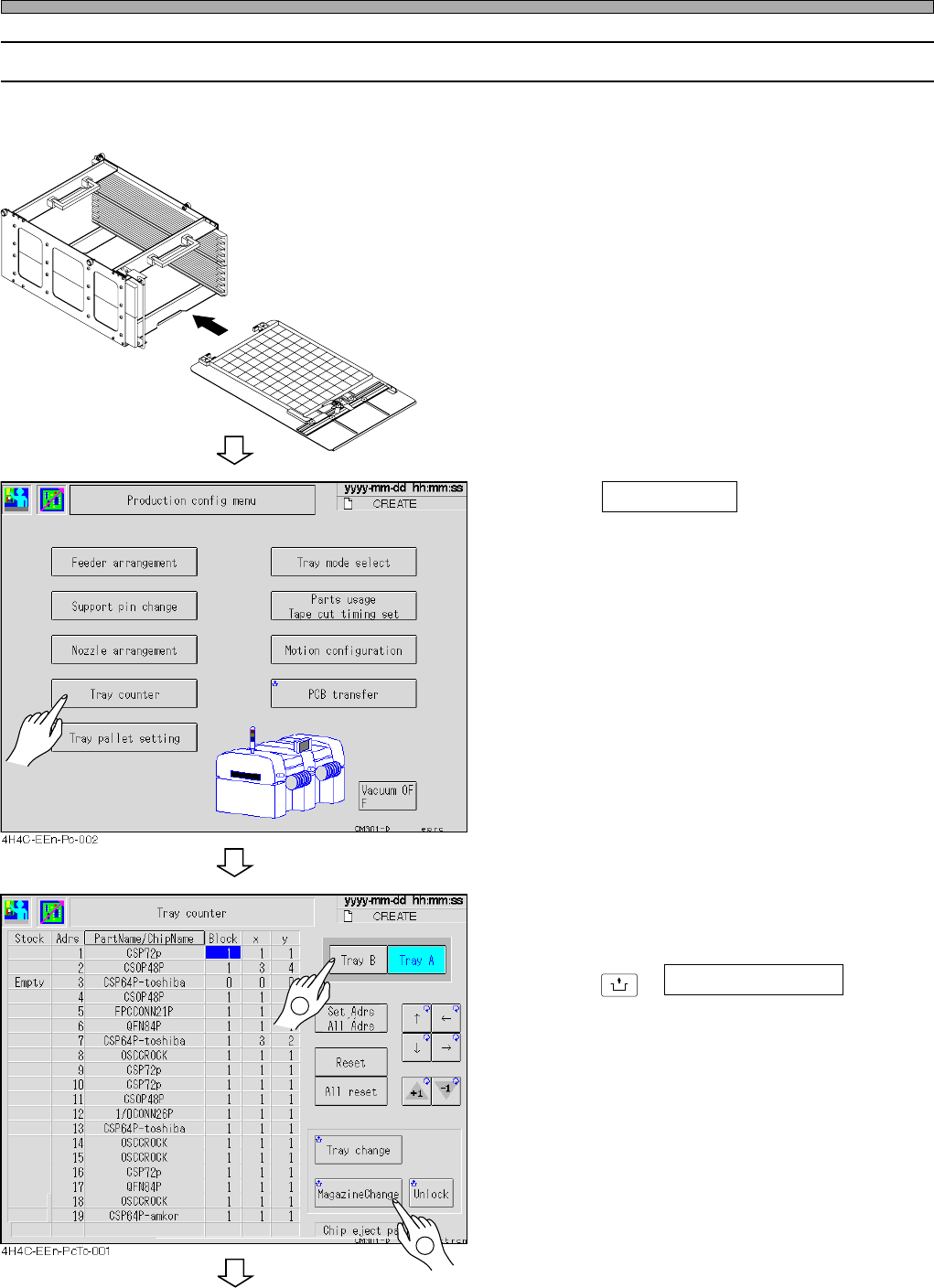
Insert the tray pallets into the tray magazine, and then set the magazine into the tray feeder.
1. Set the tray pallets into the tray maga-
zine.
• Ten pallets can be set in one tray magazine.
2. Press Tray counter on the “Produc-
tion config menu” screen.
3. Select the tray feeder to set.
4. Press
UNLOCK
+ MagazineChange .
Setting Trays
4H4C-E-OMA05-A01-02
4H4C-011E
040KC0AA00
2
1
To the next page
Page 5-7
5
SETTING PRODUCTION
MATERIALS
5
Setting Trays
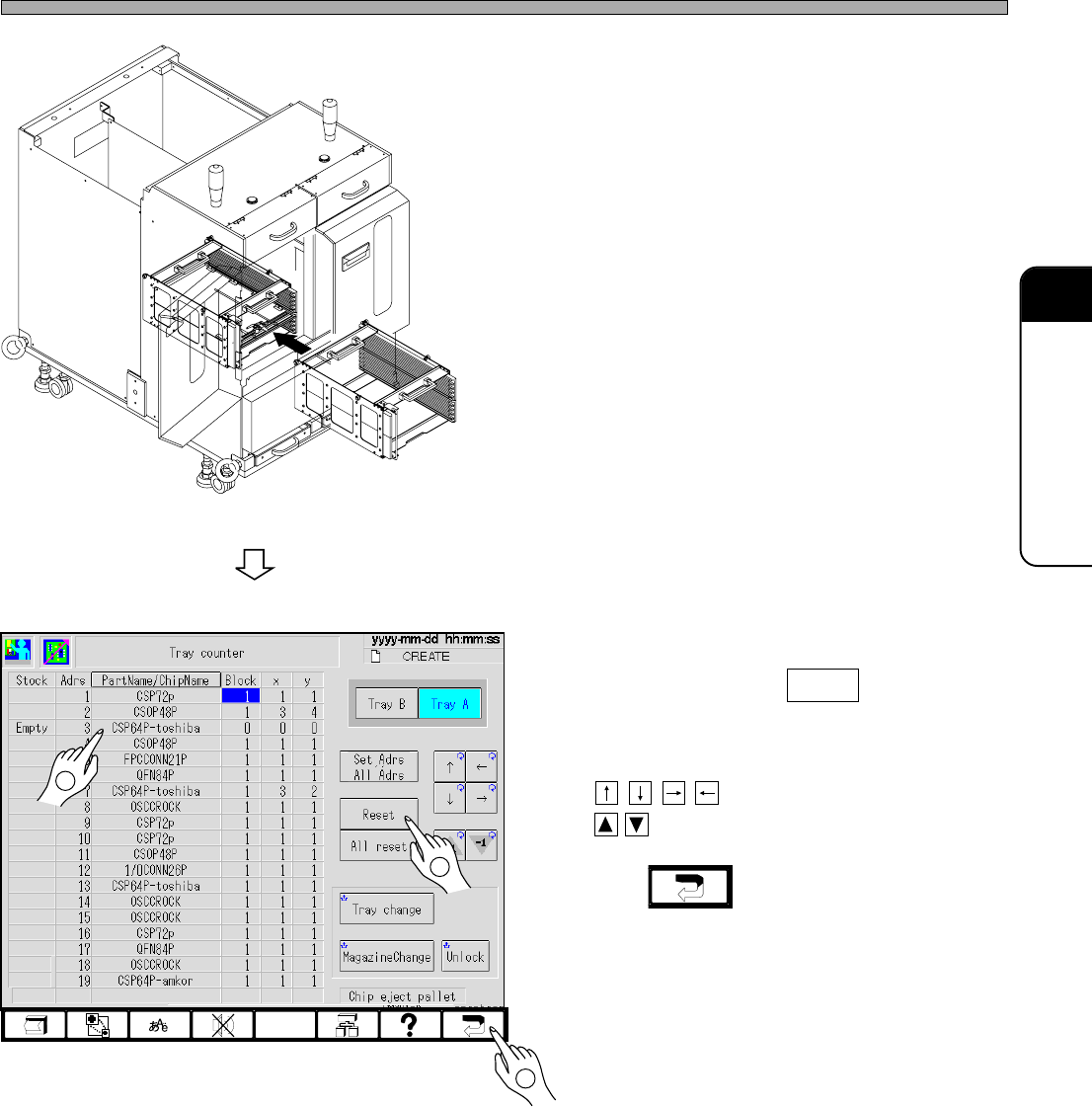
5. Open the magazine door, and set the
magazine into the tray feeder.
6. Close the magazine door.
7. Select the tray where the materials
are set, and press Reset .
• X: 1 and Y: 1 are set.
To set another value, select the field by using
, and change the value by using
.
8. Press .
∗ The “Production config menu” screen is
displayed.
4H4C-E-OMA05-A01-03
4H4C-019E
4H4C-AE00
4H4C-EEn-PcTc-001
2
1
3