4H4CEOM1.pdf - 第97页
Page 3-19 FUNCTIONS 3 Production Information 3-3-4 Reset This is used to reset production information. Choose the information you would like to reset. It is possible to choose more than a piece of information at a time. …
Page 3-18
Production Information
3-3-3 Pick-up Information
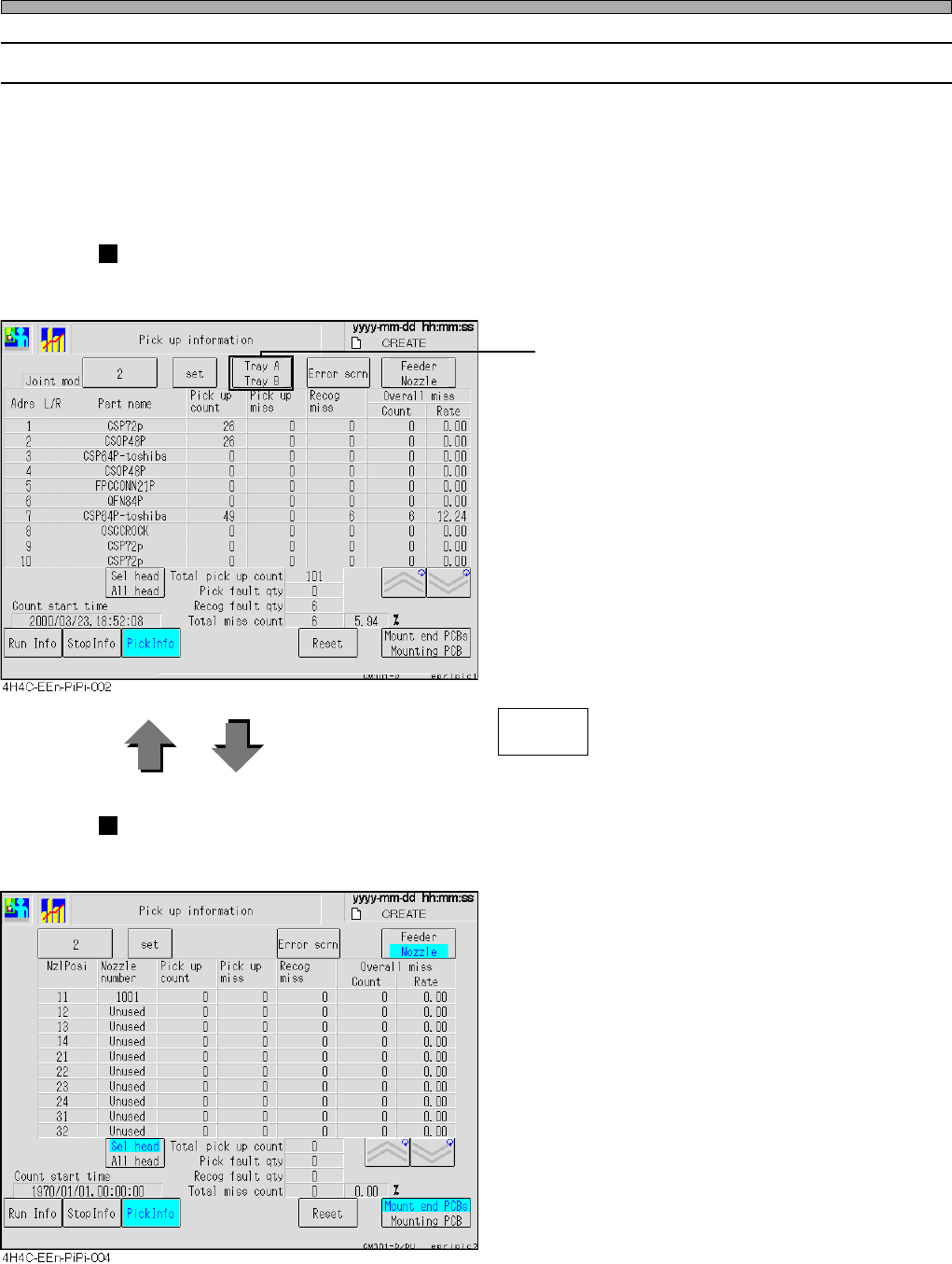
The chip pick-up information during production is displayed for each feeder or each nozzle.
• When there are any vacancies of feeder address in changing production board types, they are
not displayed.
• Without reset, data will be added on irrespective of switchover of board types.
•“Count” on Pick up information screen = “Pick up miss” + “Recog miss”
For each feeder
The pick-up information of the selected stage is displayed for each feeder.
• Displayed only when the tray-side stage is
selected.
Every time you press , the screens are changed over.
For each nozzle
The pick-up information of the selected stage is displayed for each nozzle.
Feedeer
Nozzle
4H4C-E-OMA03-A01-02
Page 3-19
FUNCTIONS
3
Production Information
3-3-4 Reset
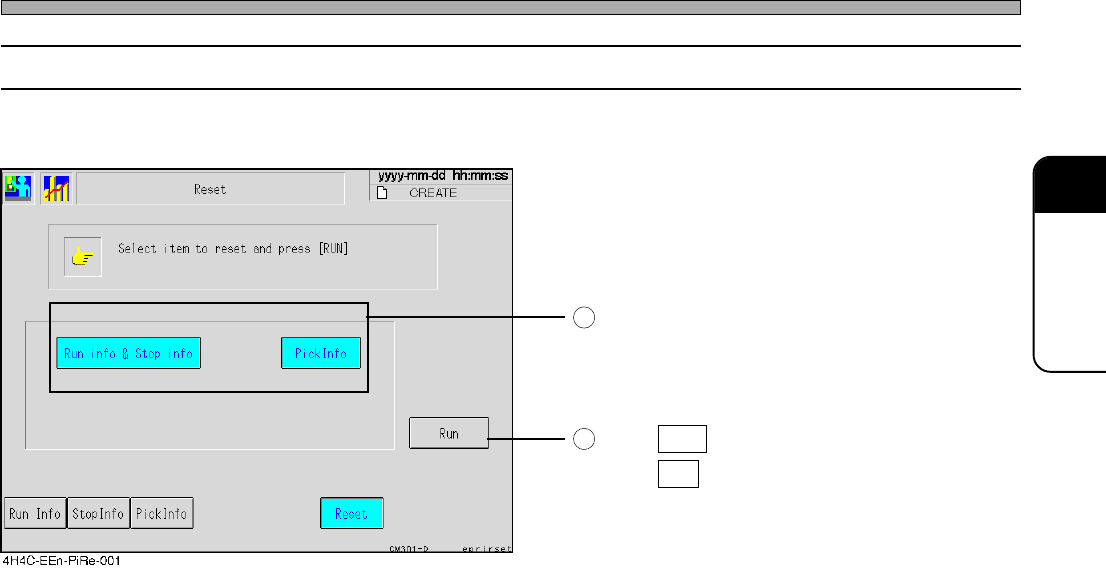
This is used to reset production information.
Choose the information you would like to reset.
It is possible to choose more than a piece of
information at a time. When you press the
switch again, it is canceled.
Press Run .
Press Yes when the message appears.
1
2
4H4C-E-OMA03-A01-03
Page 3-20
3-4 Machine Adjustment
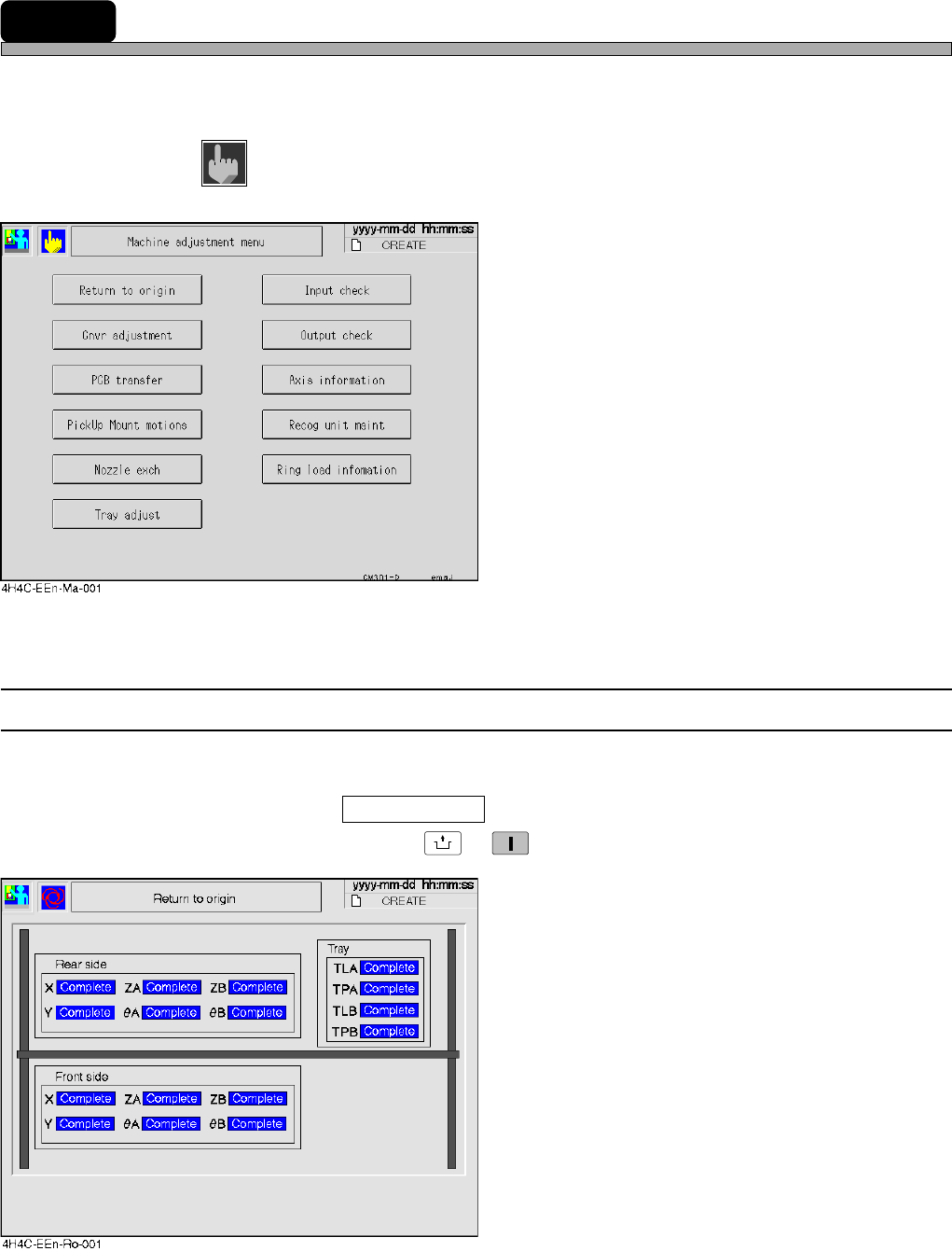
This is used when you check the motion and make an adjustment of each part of the machine.
∗ On the main menu (default state) in the operator mode, you cannot select this function.
1. Press
Machine
adjust
on the main menu.
•“Machine adjustment menu” is displayed.
∗ Pressing a switch displays each setting screen.
3-4-1 Returning to Origin
This is used to return all the axes to their origins.
∗ Make sure no board is on the conveyor beforehand.
∗ After you have pressed Return to origin on the machine adjustment menu, make sure the servo
switches are ON, and then press
UNLOCK
→
START
. All the axes return to their origins.
4H4C-E-OMA03-A01-01