4H4CEOM1.pdf - 第133页
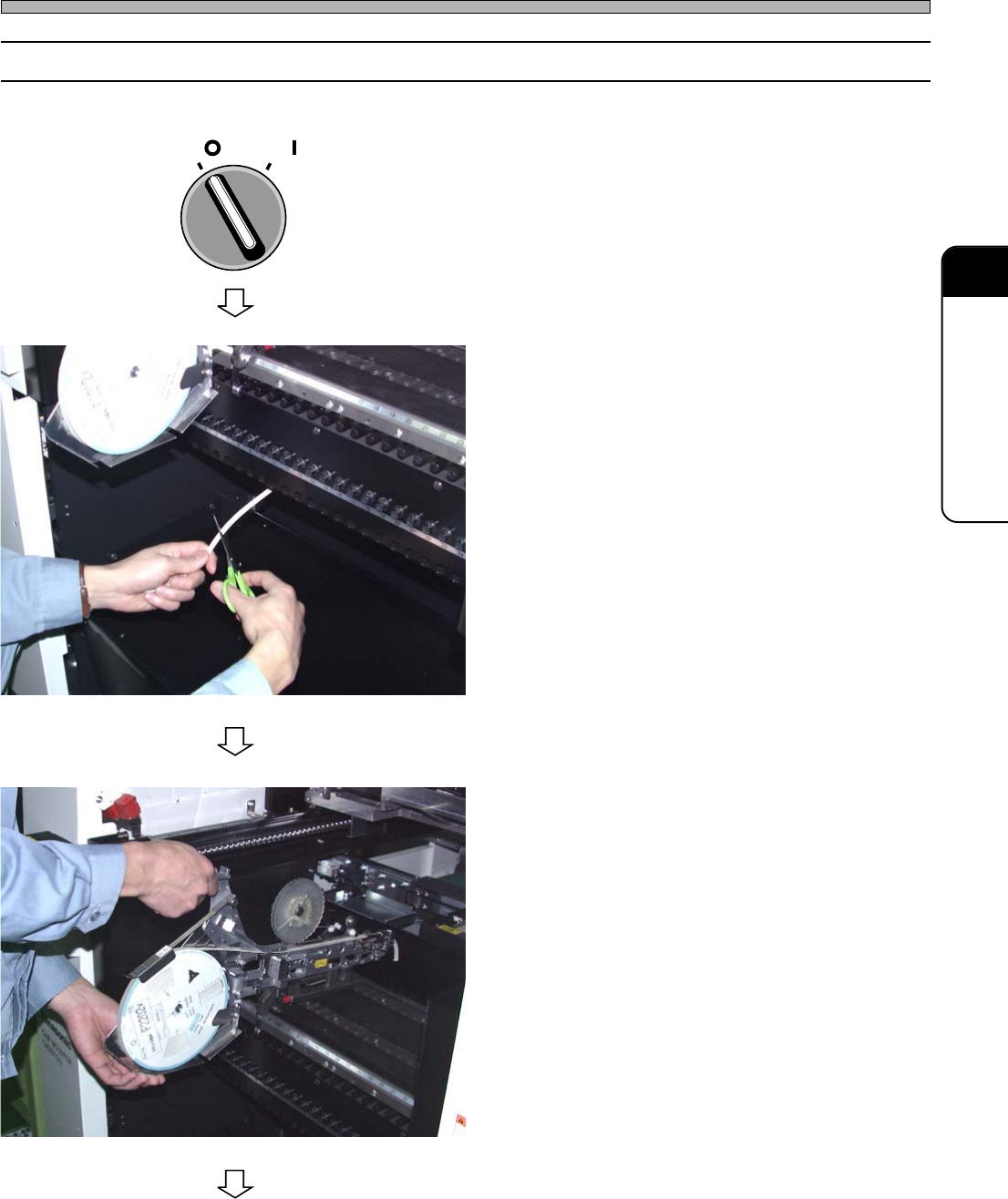
Page 5-11 5 SETTING PRODUCTION MA TERIALS 5 Setting T ape Feeders 5-2-2 How to Remove 1 . T urn OFF the servo switch, and open the safety cover . 2 . Cut off the carrier tape at the exit of the chute. ∗ At this time, tak…
Page 5-10
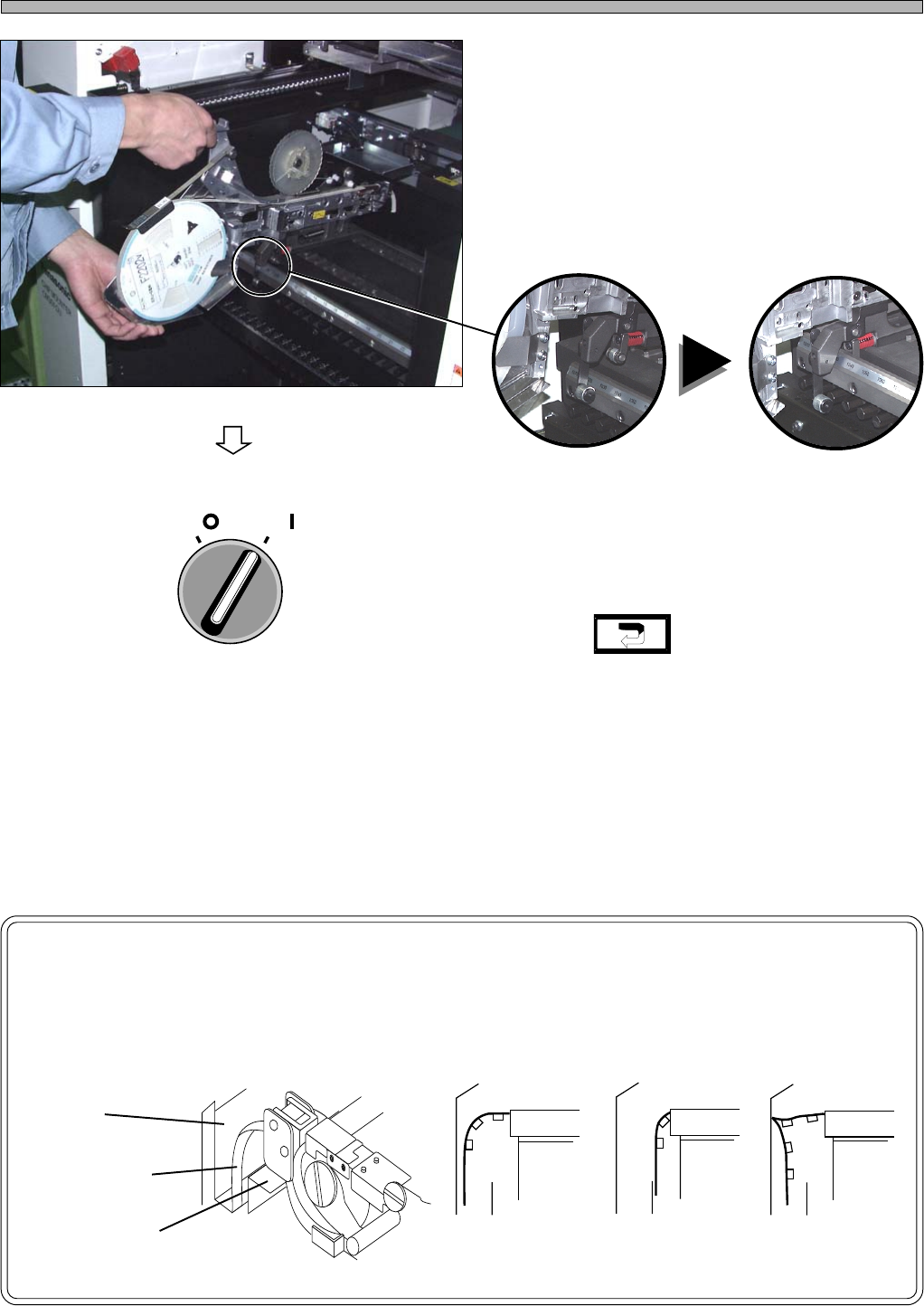
5. Press the clamp of the feeder into the
clamp block at the back of feeder
table, and then push it down as it is
and fix it.
∗ Be careful not to bump a tape feeder against
another one.
∗ Make sure the feeder is fixed firmly by shaking
its handle lightly.
6. Close the safety cover, and turn ON
the servo switch.
7. Press .
•“Production config menu” is displayed.
NOTICE
Immediately after an operation has started, make sure the carrier tape has been
sent to the chute correctly.
Setting Tape Feeders
Chute
Carrier Tape
Feeder Table
(Correct) (Incorrect)
Tape is not in
the chute.
Tape is bending.
443C-346P
443C-347P
493C-018E
443C-112E
(NG)
4H4C-019P
4H4C-E-OMA05-A01-01
OFF ( )
ON ( )
SERVO
Page 5-11
5
SETTING PRODUCTION
MATERIALS
5
Setting Tape Feeders
5-2-2 How to Remove
1. Turn OFF the servo switch, and open
the safety cover.
2. Cut off the carrier tape at the exit of
the chute.
∗ At this time, take care not to harm the tubes
and wiring of the bulk feeders (option).
3. Remove the tape feeder by lifting it
up.
4H4C-009E
4H4C-019P
To the next page
4H4C-E-OMA05-A01-02
OFF ( )
ON ( )
SERVO
Page 5-12
Setting Tape Feeders
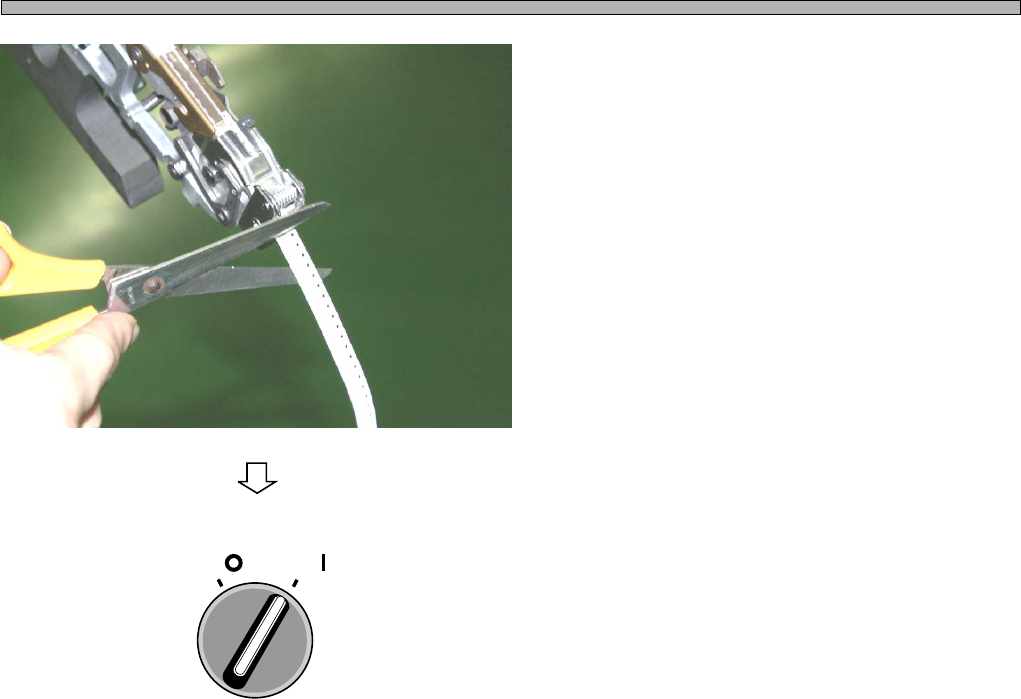
4. Cut off the carrier tape at the feeder
tip.
• Pull out and dispose of the carrier tape cut off.
5. Close the safety cover, and turn ON
the servo switch.
493C-016P
4H4C-E-OMA05-A01-01
OFF ( )
ON ( )
SERVO