00193631-0602.pdf - 第36页
4 Lifting axes Adjustment Instructions MTC 2 4.2 Zero offset, refill position and transfer position 12/2007 Edition 36 4.2.4 Checking the tr ansfer positions Carry out the relev ant preparat ory measur es (see section …
Adjustment Instructions MTC 2 4 Lifting axes
12/2007 Edition 4.2 Zero offset, refill position and transfer position
35
4.2.3 Checking the refill positions
Check the zero offset (see section 4.2.2 "Checking the zero offset").
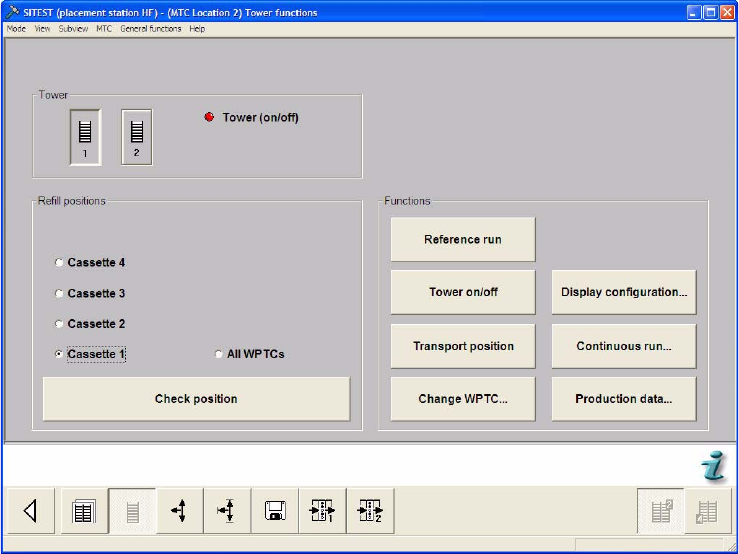
Select the Tower functions button from the menu bar at the bottom.
Select "Tower 1" and "Cassette 2".
Select "Check position".
Check that Cassette 2 can be moved in and out without any problems. If this is not possible,
this refill position must be calibrated (see section 4.2.6 "Calibrating the refill positions").
Repeat this check for the other cassettes.
4 Lifting axes Adjustment Instructions MTC 2
4.2 Zero offset, refill position and transfer position 12/2007 Edition
36
4.2.4 Checking the transfer positions
Carry out the relevant preparatory measures (see section 4.2.1 "Preparatory measures").
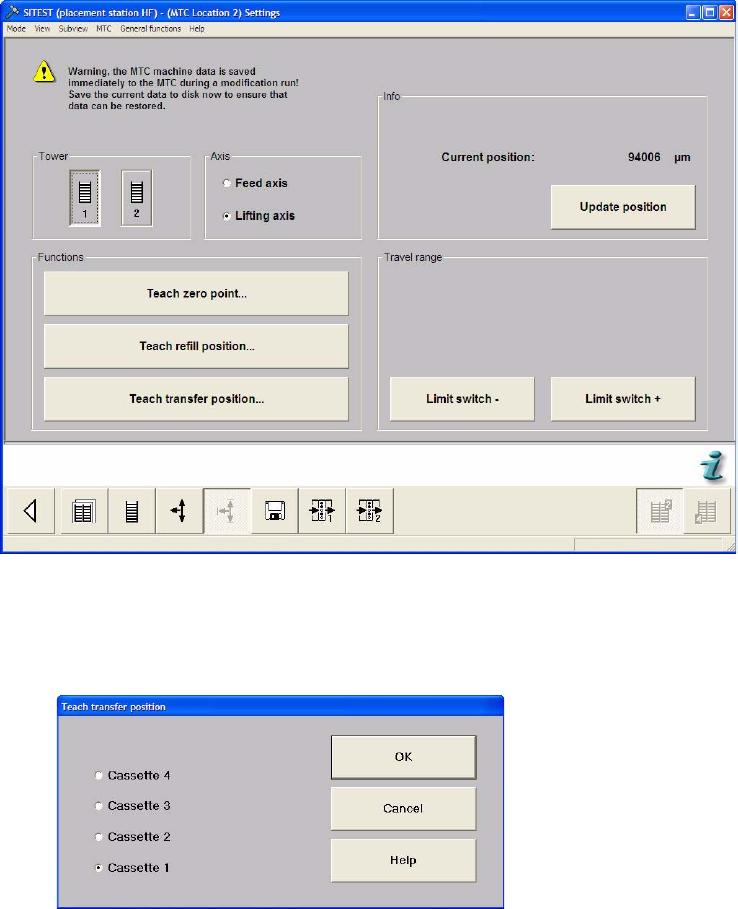
Select the Settings button from the menu bar at the bottom.
Select "Tower 1" and "Lifting axis".
Select "Teach transfer position...".
Select "Cassette 1" and press "OK".
Adjustment Instructions MTC 2 4 Lifting axes
12/2007 Edition 4.2 Zero offset, refill position and transfer position
37
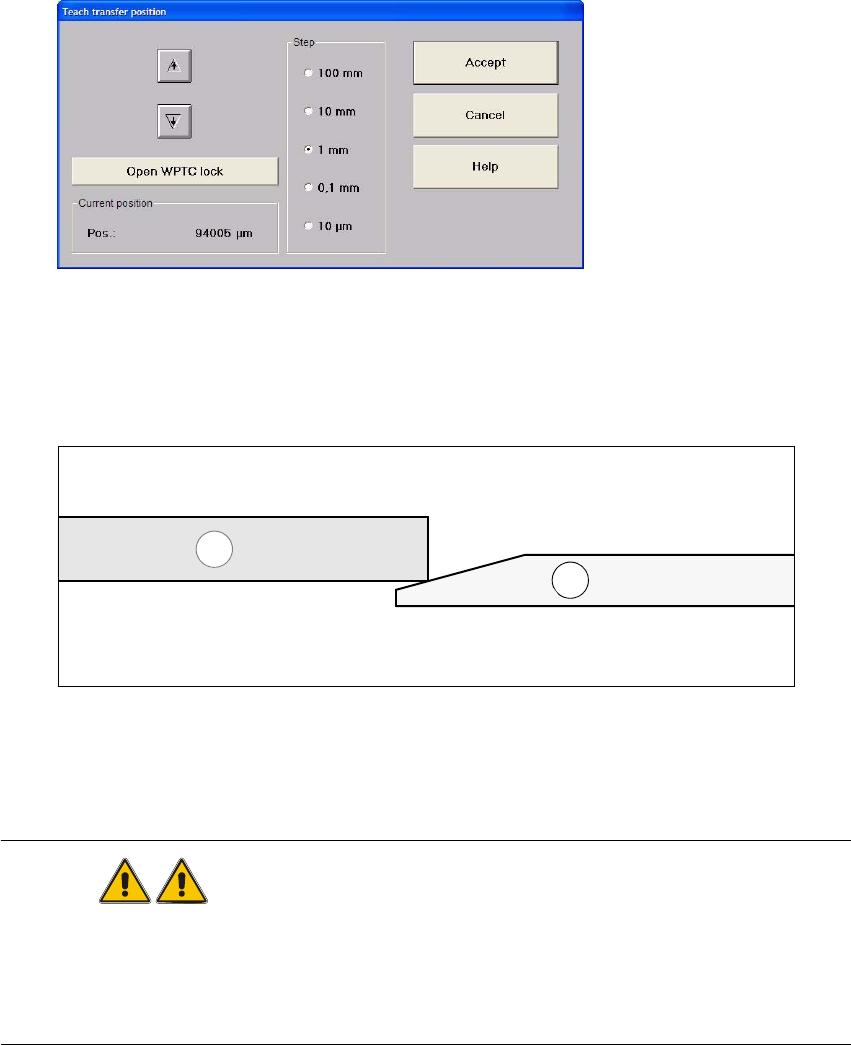
Select "Open WPTC lock".
Manually move the WTC completely out of the cassette onto the rail of the feed axis.
Now the WTC (1) must have contact at the lower third of the ramp of the feed axis (2) (see
figure below).
Select "Close WPTC lock".
Move the WPC back into the cassette so that the WTC interlock is locked.
Repeat this check for the other cassettes.
WARNING
Before moving the lifting axis, ensure that
- the cassettes and the WTCs are always fully inserted in the tower,
- the driver is disengaged and
- the WTC interlock is locked.
1
2