00193631-0602.pdf - 第91页
Adjustment Instructions MTC 2 7 Entering the addresses of the masterdrives 12/2007 Edition 91 7 Entering the addresses of the masterdrives The addresses of the Masterdrives o f the lifting and feed axes are entered at th…
6 Converting the power supply Adjustment Instructions MTC 2
6.2 Procedure 12/2007 Edition
90
Adjustment Instructions MTC 2 7 Entering the addresses of the masterdrives
12/2007 Edition
91
7 Entering the addresses of the
masterdrives
The addresses of the Masterdrives of the lifting and feed axes are entered at their control panels
(Parameterization Units - PMU). It is necessary to do this the first time the MTC 2 is commissioned
and after the Masterdrives are changed. This can be done outside the MTC 2 if the Masterdrives
are supplied with 24 V DC. The controller of the relevant axis must be switched off when the
Masterdrives are installed.
NOTE
It is absolutely vital that you observe the chapter "Operational safety" in the Service Manual for
the MTC 2 when entering the addresses with the master drives installed!
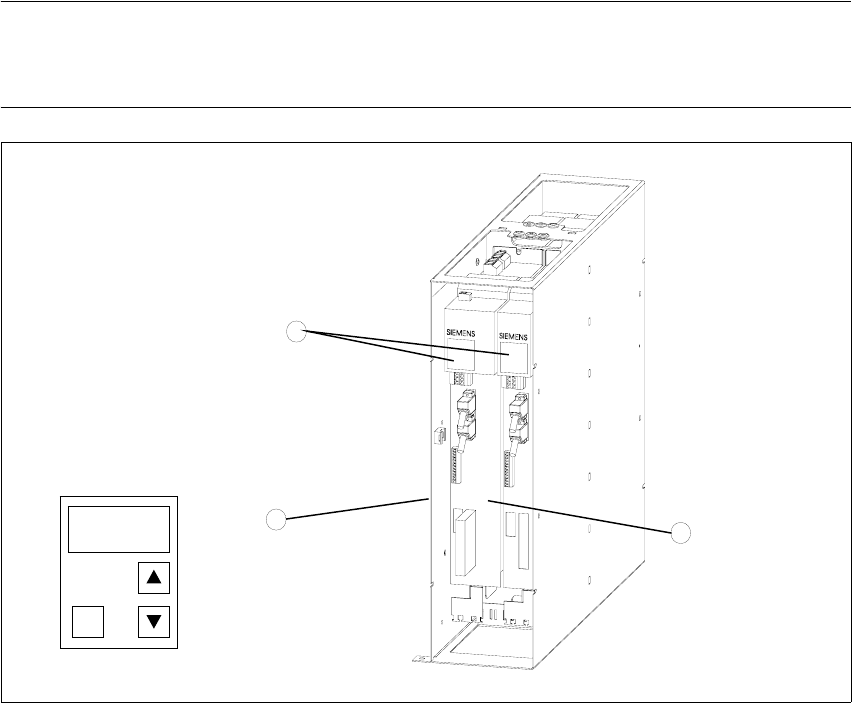
Fig. 7.0 - 1 Masterdrives of the lifting and feed axes (shown here for tower 1)
Key
1. Masterdrive of the lifting axis for tower 1
2. Masterdrive of the feed axis for tower 1
3. Control panels
These brief instructions show how to enter the address for the Masterdrive of the lifting axis for
tower 1. The procedure is similar for the other axes (but with different addresses). For more
1
2
3
P
7 Entering the addresses of the masterdrives Adjustment Instructions MTC 2
12/2007 Edition
92
detailed information, see the chapter "Parameterization" in the user manual for "SIMOVERT
MASTERDRIVES".
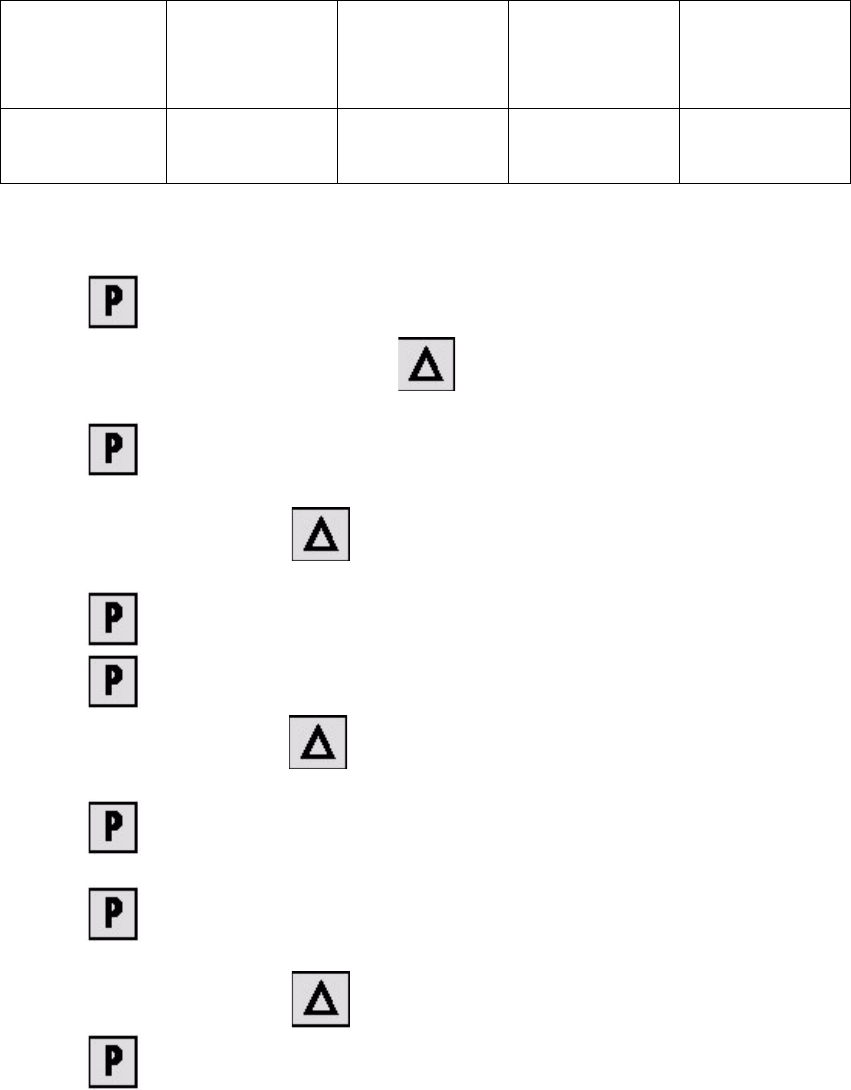
The following addresses are provided for the lifting and feed axes:
Table 7.0 - 1 Addresses of the Masterdrives
1. Press , to go to the parameter numbers.
2. Step through the parameter numbers with , until "P060" appears on the seven segment
display. This is the menu selection.
3. Press . A number appears on the display. This is the "Parameter menu" menu com-
mand.
4. Step through the options with , until "4" is displayed. ("4" means "Module configura-
tion").
5. Press . "004" is displayed. This is the status indicator for "Module configuration".
6. Press to go to the parameter numbers. "P060" is displayed.
7. Step through the options with until "P918" appears on the seven segment display. This
is the parameter number for the bus address.
8. Press to go to the parameter index. "001" indicates that this is Index 1 (an index is
always indicated by a small line).
9. Press to go to the parameter value. "1" is displayed. This is the address of the lifting
axis for tower 1.
10.Set the relevant address with (see Table 7.0 - 1).
11.Press to return to the parameter numbers. "P918" is displayed again.
Lifting axis
Tower 1
Feed axis
Tower 1
Lifting axis
Tower 2
Feed axis
Tower 2
Address 1234