00193631-0602.pdf - 第90页
6 Converting the power supply Adjustment Instructions MTC 2 6.2 Procedure 12/2007 Edition 90
Adjustment Instructions MTC 2 6 Converting the power supply
12/2007 Edition 6.2 Procedure
89
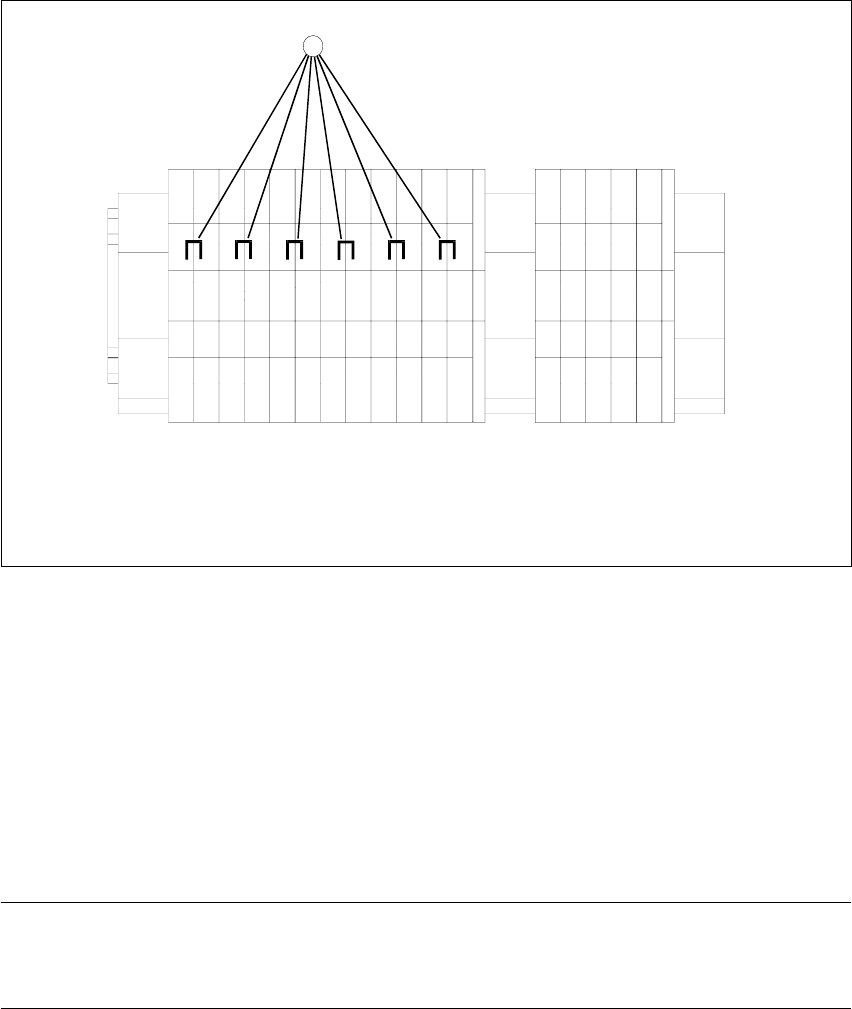
6.2.1 Voltage distributor terminal X01
6
Fig. 6.2 - 2 Voltage distributor terminal X01
Key
1. Bridges on the voltage distributor terminal X01
Removing the three bridges between 2-3, 6-7 and 10-11.
Connect the six bridges between 1-2, 3-4, 5-6, 7-8, 9-10 and 11-12.
6.2.2 Motor protection switch
NOTE
Please note that the setting of 3.5A of the motor protection switch must not be changed from now
on.
-X01
1
2
3
45
6789
10
11
12
11
6 Converting the power supply Adjustment Instructions MTC 2
6.2 Procedure 12/2007 Edition
90
Adjustment Instructions MTC 2 7 Entering the addresses of the masterdrives
12/2007 Edition
91
7 Entering the addresses of the
masterdrives
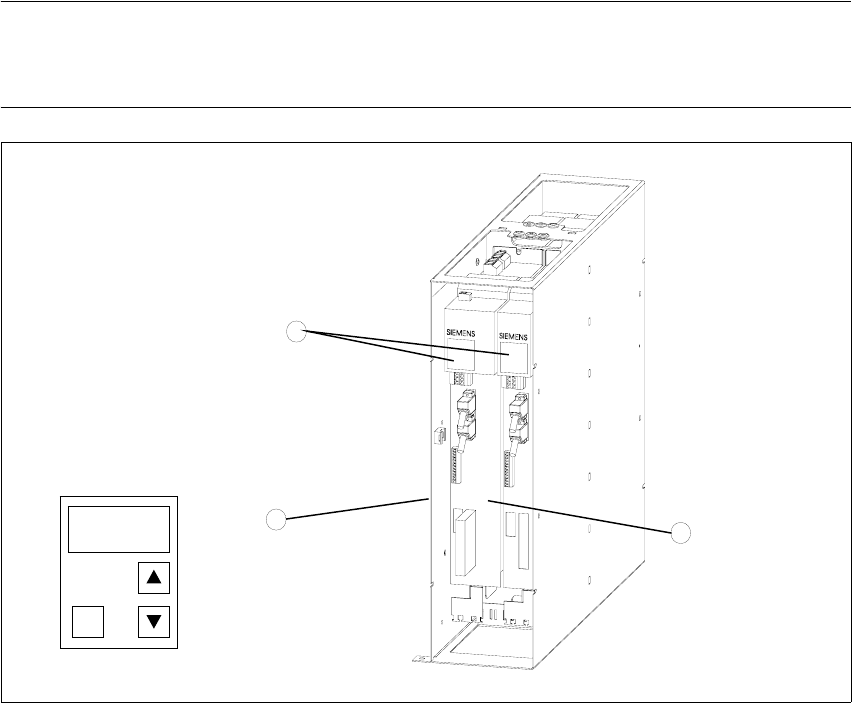
The addresses of the Masterdrives of the lifting and feed axes are entered at their control panels
(Parameterization Units - PMU). It is necessary to do this the first time the MTC 2 is commissioned
and after the Masterdrives are changed. This can be done outside the MTC 2 if the Masterdrives
are supplied with 24 V DC. The controller of the relevant axis must be switched off when the
Masterdrives are installed.
NOTE
It is absolutely vital that you observe the chapter "Operational safety" in the Service Manual for
the MTC 2 when entering the addresses with the master drives installed!
Fig. 7.0 - 1 Masterdrives of the lifting and feed axes (shown here for tower 1)
Key
1. Masterdrive of the lifting axis for tower 1
2. Masterdrive of the feed axis for tower 1
3. Control panels
These brief instructions show how to enter the address for the Masterdrive of the lifting axis for
tower 1. The procedure is similar for the other axes (but with different addresses). For more
1
2
3
P