00193631-0602.pdf - 第74页
5 Feed axes Adjustment Instructions MTC 2 5.3 End positions 12/2007 Edition 74 5.3.2 Checking and calibrating the end positions Carry out the relev ant preparat ory measur es (see section 5.3.1 " Preparatory m eas…

Adjustment Instructions MTC 2 5 Feed axes
12/2007 Edition 5.3 End positions
73
5.3 End positions
NOTE
When the end positions are calibrated, the value determined is automatically saved.
5.3.1 Preparatory measures
NOTE
The zero offset must be checked before the end positions are checked and calibrated.
Check the zero offset of the feed axis (see section 5.2.3 "Checking and setting the zero off-
set").
5 Feed axes Adjustment Instructions MTC 2
5.3 End positions 12/2007 Edition
74
5.3.2 Checking and calibrating the end positions
Carry out the relevant preparatory measures (see section 5.3.1 "Preparatory measures").
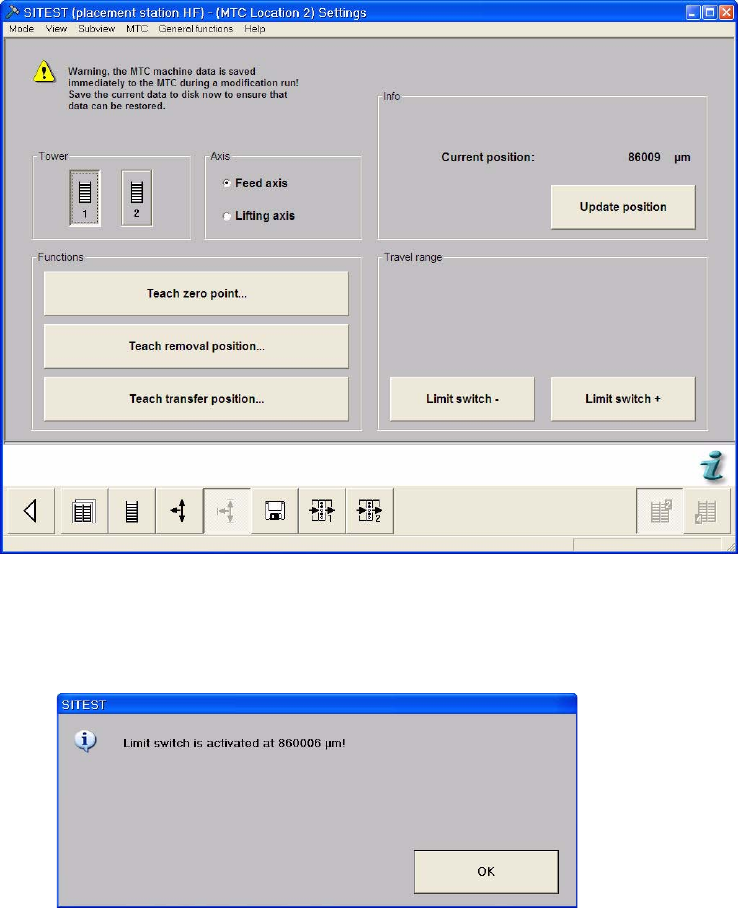
Select the Settings button from the menu bar at the bottom.
Select "Tower 1" and "Feed axis".
Select "Limit switch –". The feed axis moves until the rear limit switch is reached.
Confirm your choice by clicking on "OK". The value displayed is saved.
Adjustment Instructions MTC 2 5 Feed axes
12/2007 Edition 5.3 End positions
75
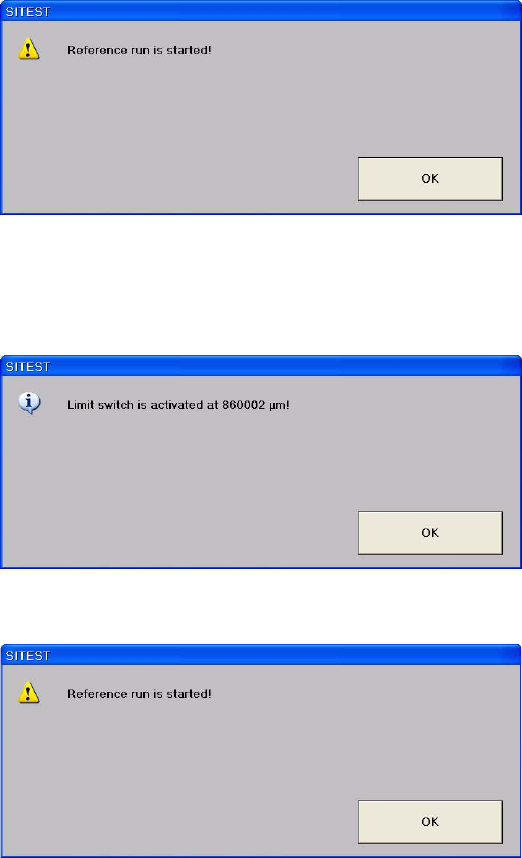
Confirm your choice by clicking on "OK".
Select "Limit switch +". The feed axis moves until the front limit switch is reached.
Confirm your choice by clicking on OK. The value displayed is saved.
Confirm your choice by clicking on OK.