00193631-0602.pdf - 第78页
5 Feed axes Adjustment Instructions MTC 2 5.5 Light barriers 12/2007 Edition 78 5.5 Light barriers W A RNING Y ou may only check and calibrate the light barriers of the feed axis with th e correct zero positions, transfe…
Adjustment Instructions MTC 2 5 Feed axes
12/2007 Edition 5.4 Limit switch
77
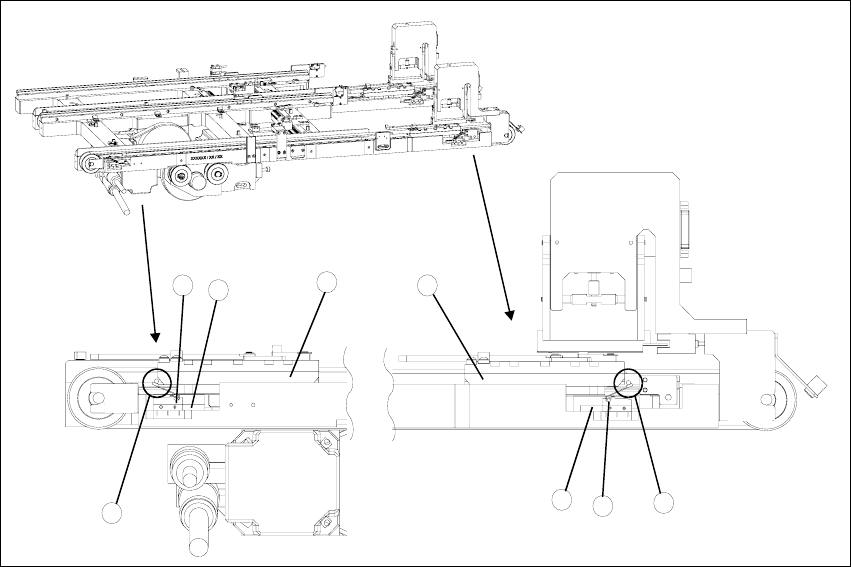
Fig. 5.4 - 1 Setting the maximum and minimum positions of the limit switches (shown here for tower 1)
Key
1. Driver at the transfer position
2. Driver at the zero position
3. Limit switch maximum position with contact roller
4. Limit switch minimum position with contact roller
5. Limit switch holder
6. Contact area driver/limit switch at maximum position
7. Contact area driver/limit switch at minimum position
2
1
5
3
5
4
6
7
5 Feed axes Adjustment Instructions MTC 2
5.5 Light barriers 12/2007 Edition
78
5.5 Light barriers
WARNING
You may only check and calibrate the light barriers of the feed axis with the correct zero positions,
transfer positions and removal positions of the lifting and feed axes.
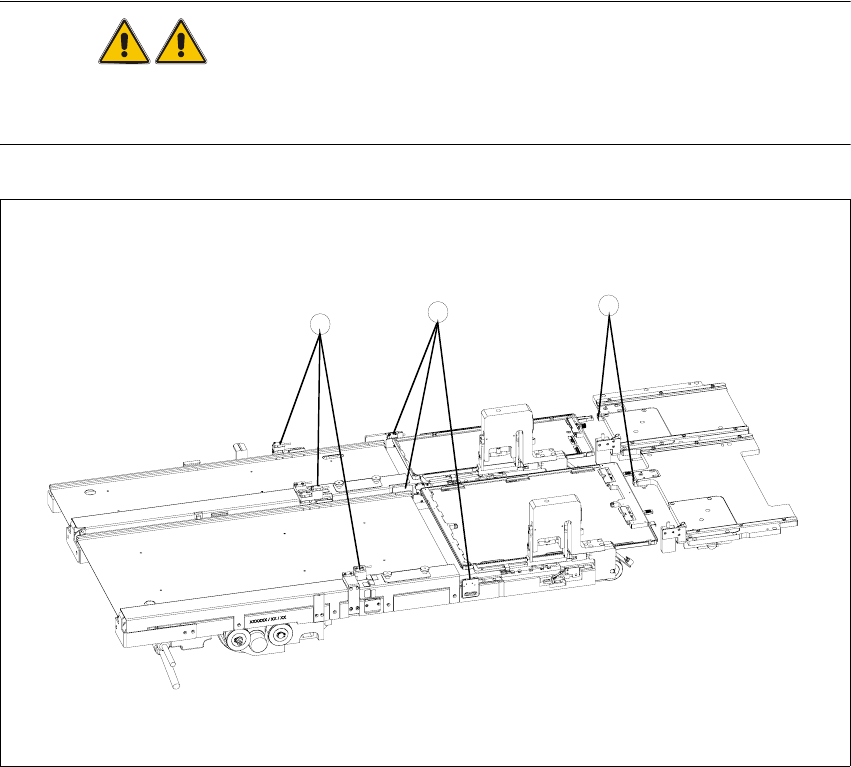
Fig. 5.5 - 1 Light barriers on the feed axes
Key
1. Handle sensor
2. WTC safety query
3. Crash light barriers
3
2
1

Adjustment Instructions MTC 2 5 Feed axes
12/2007 Edition 5.5 Light barriers
79
5.5.1 Tools and accessories
– Adjustment gauge, order no. 03021679-01
– 1 set of hexagon socket wrenches
NOTE
The Adjustment gauge for the light barriers are used differently for tower 1 and tower 2.:
At tower 2 the gauge is put onto the feed axis:
at gauge level 11.5 mm the light barrier must be activated,
at gauge level 11.4 mm the light barrier must not be activated.
at tower 1 the gauge is turned by 90 degrees and put onto the tray:
at gauge level 9.85 mm the light barrier must be activated,
at gauge level 9.75 mm the light barrier must not be activated
5.5.2 Preparatory measures
Move the feed axis into the zero position (see section 5.2.3 "Checking and setting the zero
offset").